
Best headless browser for scraping and testing
Headless browsers are essential tools for automating web interactions without the overhead of a graphical interface, saving time and resources on tasks like testing dynamic pages or extracting e-commerce data. Understanding headless browsers is crucial, as they operate without a GUI and enable automated testing and data extraction, but also face challenges from advanced bot detection systems.
The headless browser landscape has evolved significantly, starting with early tools like PhantomJS and progressing to modern solutions such as Puppeteer and Playwright, reflecting ongoing advancements in headless browsing technologies.
This guide explains the headless browser meaning, how these tools function in real-world scenarios, and the top options to consider for reliable, scalable performance. Headless browsers have become a foundational part of modern web scraping stacks as websites increasingly use JavaScript frameworks and behavioral analysis to spot bots.
What is a headless browser
A browser running in headless mode functions like any regular web browser but omits the graphical interface, allowing it to process web content entirely through code. A headless browser operates without a GUI, making it ideal for automation, testing, and data extraction tasks where visual rendering is unnecessary. Headless web browsers are a type of gui less browser specifically designed to operate without a graphical user interface. These gui less browsers are controlled programmatically, meaning they are managed through code rather than manual interaction.
In contrast, traditional browsers are graphical web browsers that display web pages visually for user interaction, while gui less browsers (headless browsers) operate without a GUI, offering greater resource efficiency and programmatic control. In essence, headless web browsers are browsers without a graphical user interface that are controlled programmatically for automation and testing purposes. This makes it a lightweight and efficient tool for automation — especially when scraping JavaScript-heavy pages without opening a full browser window.
A simple breakdown
A headless browser is a web engine controlled by scripts, capable of navigating, clicking, or extracting data without displaying a user interface. It works by launching an instance via libraries in Node.js or Python, where actions are defined step by step. For example, a python script can visit a product page, automate clicking buttons, wait for prices to load via JavaScript, and perform data extraction of product details. Headless browsers can also capture screenshots of web pages, allowing for visual inspection of rendered content. Such capabilities power solutions like the Web Scraper API, enabling broad data collection across websites.
For those using JavaScript, you typically initialize the browser instance with const browser = await puppeteer.launch(); and then create a page object using const page = await browser.newPage();. This allows you to navigate to URLs, interact with elements, and extract data programmatically.
Key benefits include:
- Speed: Eliminating visuals reduces CPU usage, allowing faster page processing.
- Automation: Ideal for scripting repetitive tasks, such as validating site functionality or gathering search results.
- Server-friendly: Runs seamlessly on cloud servers or headless environments, no desktop required.
- Modern web support: Handles JavaScript-heavy sites by fully rendering dynamic content, ensuring accurate data from React or Angular apps.
This setup excels in technical SEO, where simulating real-user interactions is critical without straining system resources.
How headless browsers differ from normal browsers
Standard browsers are built for user interaction, complete with visuals, tabs, and menus — all of which demand system resources. When using headless browsers for scraping, managing browser versions and ensuring compatibility is crucial, as it helps avoid issues with website rendering and detection.
Headless browser performance is a key factor when selecting the best headless browser for scraping, as speed, reliability, and compatibility directly impact scraping efficiency. Multi browser testing is essential to ensure your scraping scripts work seamlessly across different browsers like Chrome, Firefox, and Safari, providing comprehensive compatibility. Many automation frameworks also offer multi language support, allowing integration with various programming languages and legacy systems for greater flexibility. Modern frameworks support chromium, firefox, and webkit engines, enabling broad compatibility and robust automation capabilities.
In contrast, automation tools that run without a graphical interface handle the same HTML, CSS, and JavaScript behind the scenes, enabling faster performance for bulk tasks. Many headless browsers are chromium based browsers, such as Google Chrome, which are widely used for automation due to their flexibility, anti-detection features, and ability to mimic real user behavior.
While visual debugging may require additional tools, their streamlined design makes them ideal for high-volume scraping, where regular browsers tend to slow down. However, modern bot detection systems analyze various browser attributes to identify and block headless browsers, making it important to choose solutions that address these challenges.
How to control one for testing and web scraping
Controlling a browser in headless mode involves using browser automation frameworks, such as Selenium, Puppeteer, and Playwright, where code is used to direct actions, whether validating app behavior or extracting data from complex sites. These frameworks play a crucial role in automation by providing APIs to control browsers programmatically. For example, tools like Puppeteer use the DevTools Protocol to control Chrome or Chromium browsers, enabling advanced automation, web scraping, and testing tasks. The choice of programming language can influence which automation framework is most suitable, as Selenium supports multiple languages while Puppeteer is primarily for Node.js. With the right library, setup is straightforward, and scaling for parallel tasks is highly effective, especially for automated testing in a headless environment. Successful scraping operations often require mimicking a human user to avoid detection by anti-bot systems.
Frameworks such as Puppeteer, Playwright, and Selenium are commonly used for headless browser automation. Some tools are designed specifically to bypass anti-bot detection and optimize scraping methods. Tools like Puppeteer, Playwright, and Selenium have evolved into core components of many scraping stacks to help avoid bans.
Working with a headless browser API
Libraries like Puppeteer or Playwright provide headless browser APIs to launch browsers, load pages, and perform tasks programmatically. Many frameworks offer a high level API, which simplifies complex automation tasks and improves compatibility, making it easier to control browsers for scraping.
In addition to Python and Node.js solutions, the Java ecosystem offers tools like HTMLUnit and Selenium for browser automation, JavaScript handling, and browser simulation. Tools such as HTMLUnit provide JavaScript support, enabling execution and simulation of JavaScript code—including AJAX and dynamic content—similar to modern browsers.
Multiple sessions are manageable through isolated contexts, each with separate cookies and storage, enabling parallel scraping without interference. For instance, Python scripts can run multiple instances to fetch data from different regions, integrating with proxies for geo-specific access via tools like the SERP Scraper API.
Some platforms provide a single API to manage browser sessions, proxies, and anti-ban measures, streamlining the web scraping process and reducing operational complexity.
Headless browsers provide higher-level APIs and libraries that abstract away many complexities involved in making HTTP requests and handling responses. Additionally, an http client, such as ‘requests’, can be used to interact with browser automation tools like Splash, which run as local servers and accept commands via HTTP requests for rendering and scraping tasks.
Running in Headless Mode for Better Performance
Activating browser use headless mode in Chrome or Firefox with flags like –headless eliminates rendering overhead, boosting speed by 20-30% in many cases. Headless Chrome is one of the most popular headless browsers used for browser automation, web scraping, and bypassing anti-bot detection systems. Comparing the key features of popular headless browsers, such as performance and stealth capabilities, helps determine the best tool for evading detection and maximizing efficiency. It’s also important to consider the learning curve of each headless browser—tools with a lower learning curve and more comprehensive documentation make adoption and troubleshooting much easier. Puppeteer executes short scripts up to 30% faster than Selenium. This is crucial for high-volume testing or scraping, where optimized scripts handle thousands of pages seamlessly.
Setting up a headless browser
Setting up a headless browser is a foundational step for anyone looking to automate web interactions or perform large-scale web scraping without the overhead of a graphical user interface. The process begins by selecting the right tool for your needs-whether it’s a Chromium-based browser like Google Chrome, Mozilla Firefox, or WebKit for broader compatibility. Once you’ve chosen your browser, you’ll need to install the corresponding WebDriver (such as ChromeDriver for Chromium-based browsers) to enable programmatic control.
Most popular headless browsers can be managed using programming languages like Python, JavaScript, or Java, allowing you to script browser automation tasks efficiently. After installing the necessary dependencies, you can configure your browser to run in headless mode, which disables the graphical interface and optimizes performance for automated testing and web scraping projects.
For example, with Python and Selenium, you can launch a headless Chrome instance by setting the appropriate options, while tools like Playwright and Puppeteer offer simple APIs to start browsers in headless mode. This setup is ideal for running automated tests, scraping dynamic web pages, or integrating browser automation into CI/CD pipelines. By choosing the best headless browser for your workflow and configuring it correctly, you ensure reliable, scalable, and resource-efficient automation.
Handling dynamic content
Dynamic content—web elements generated or updated by JavaScript after the initial page load—poses a significant challenge for traditional scraping methods. Headless browsers excel at handling dynamic content because they execute JavaScript and render web pages just like a regular browser, ensuring that all elements are fully loaded before data extraction begins.
To effectively scrape dynamic content, leverage a headless browser library such as Playwright or Puppeteer. These libraries provide a high-level API that allows you to wait for specific elements to appear, interact with page components, and execute custom JavaScript as needed. For example, you can instruct your script to wait until a product list is visible or a price element is loaded before scraping the data.
Selenium is another robust option for handling dynamic content, offering extensive support for waiting strategies and JavaScript execution. By using these headless browser libraries, you can reliably extract information from modern, JavaScript-heavy websites, making your web scraping projects more accurate and resilient to changes in browser behavior or site structure.
Stealth automation techniques
As anti-bot technologies become more sophisticated, stealth automation techniques are essential for ensuring your headless browser remains undetected during web scraping or automated browsing. The goal is to mimic genuine user behavior and avoid triggering anti-bot defenses that can block headless browsers.
Key stealth techniques include rotating user agents to present your headless browser as different devices or browsers, making it harder for websites to identify automation. Using proxy servers is another critical strategy, as it allows you to rotate IP addresses and appear as multiple users from different locations. Libraries like Playwright and Puppeteer make it easy to implement user agent rotation and proxy integration directly in your scripts.
To further enhance stealth, simulate human behavior by introducing random delays between actions, scrolling the page, or interacting with elements in a non-linear fashion. Selenium and other automation frameworks support these techniques, helping your headless browser blend in with real users. By combining user agent rotation, proxy servers, and human-like interactions, you can significantly improve your success rate when scraping sites protected by advanced anti-bot systems.
What to consider when comparing the best headless browser tools
When evaluating the best headless browser for scraping, it’s important to compare different headless browser options, including built-in browsers, external machines, and alternative approaches like HTTP requests with tools such as Splash or ScrapeOps. Modern websites use dynamic, interactive content that loads and updates in real-time, which poses significant challenges for scraping and requires advanced tools to handle such complexity.
Selecting the right tool depends on workflow compatibility, from quick setups to addressing challenges like site blocks. Effective proxy management, including handling IP addresses, is crucial for maintaining access and avoiding bans during scraping workflows. Websites analyze HTTP headers and TLS fingerprints, along with other browser signals, to detect and block bots, so proper configuration is essential. Headless browsers can be easily detected by monitoring tools that analyze browser behavior and attributes. Additionally, headless browsers are often flagged by anti-bot systems due to inconsistencies in user-agent strings and execution timing. Simulating real user behavior is also important to avoid detection by advanced anti-bot systems. The effectiveness of a headless browser tool can vary depending on the target websites and their security measures. Modern anti-bot detection techniques can flag automation attempts based on user-agent strings, browser preferences, and fingerprinting techniques. To effectively bypass anti-bot systems, headless browsers often require extensive customization and anti-detection methods. Key factors ensure headless browser testing tools meet project demands.
Speed and load times
Speed is critical for scraping efficiency. Playwright leads as the fastest headless browser, with auto-wait features minimizing delays on dynamic sites, while Puppeteer offers robust performance for Chrome-based tasks.
Integration and api quality
Choose tools that integrate seamlessly with your stack. Playwright supports Python and JavaScript with clear documentation, while Selenium’s broad compatibility suits diverse teams. Ensure easy proxy integration for IP rotation to avoid detection.
Scalability
For large projects, tools must handle concurrent sessions reliably. Playwright’s built-in parallelism excels, but residential proxies enhance scalability on high-traffic sites, such as those targeted by the Scraper API for eCommerce.
Anti-bot resistance
Modern sites often flag automation, so tools with stealth features—like mimicking mouse patterns—are essential. Pairing with residential proxies for natural IP rotation significantly improves success rates on protected pages.
Headless browser security
While headless browsers are invaluable for web scraping, browser automation, and testing, their operation without a graphical user interface introduces unique security challenges. Because these tools interact directly with web pages and execute JavaScript just like a real browser, they can be exposed to the same threats—sometimes at a larger scale due to automation.
Troubleshooting common issues
Working with headless browsers can sometimes lead to challenges such as browser crashes, timeouts, or unexpected errors. Effective troubleshooting is crucial to maintaining smooth browser automation and web scraping workflows.
When issues arise, start by using the browser’s built-in DevTools to inspect the page and diagnose problems—this can reveal missing elements, JavaScript errors, or network issues. Libraries like Playwright and Puppeteer offer robust error handling and debugging features, allowing you to capture screenshots, log console output, and catch exceptions for further analysis.
Implementing comprehensive logging in your scripts helps track browser behavior and pinpoint the source of crashes or timeouts. If a headless browser fails to load a page or execute a script, check for compatibility issues with the target website or outdated browser versions. Regularly updating your browsers and automation libraries can prevent many common errors. By combining these troubleshooting strategies, you can quickly resolve issues and keep your headless browser projects running smoothly.protected pages.
Top 5 headless browsers for scraping and testing
The following tools stand out as the best headless browsers for scraping and testing, balancing ease and power based on recent benchmarks and practical use.
1. Puppeteer
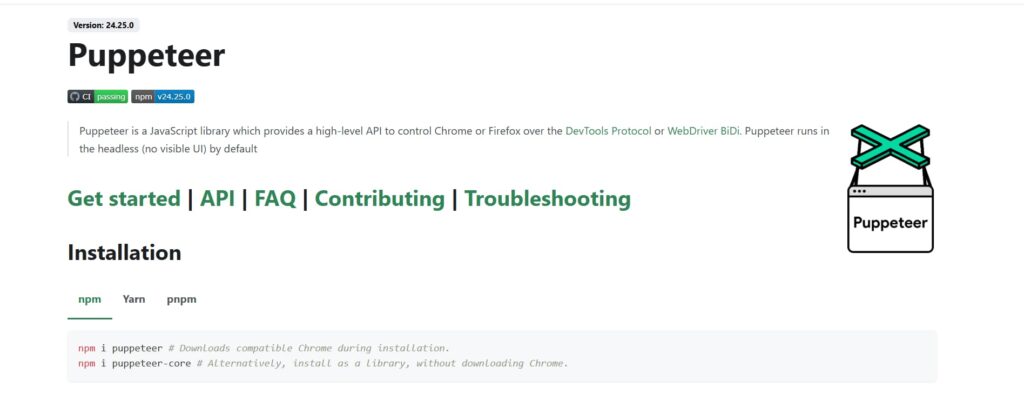
Ideal for Chromium workflows, it’s straightforward for Node.js developers scraping JavaScript sites.
- Pros: Quick setup, strong for screenshots and PDFs.
- Cons: Limited to Chrome, reducing cross-browser flexibility.
2. Playwright
Multi-engine support makes it versatile for cross-browser testing and scraping.
- Pros: Handles dynamic content efficiently with async capabilities.
- Cons: Slightly steeper setup in non-JavaScript environments.
3. Selenium + ChromeDriver
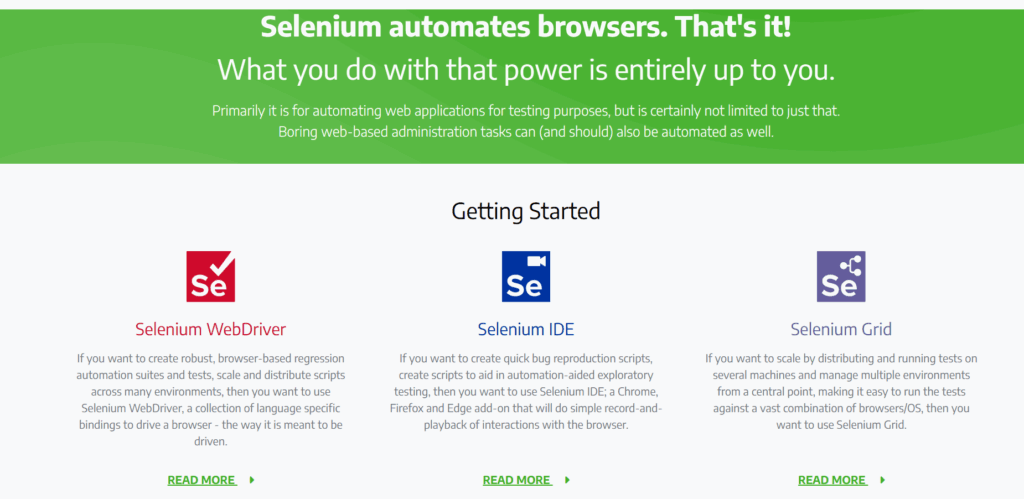
Reliable for diverse languages and long-term projects.
- Pros: Large community, integrates across stacks.
- Cons: Lags in speed compared to newer tools.
4. Headless Firefox
A solid, open-source option for Gecko-based needs.
- Pros: Lightweight, consistent for basic automation.
- Cons: Fewer advanced features than Chromium tools.
5. Splash
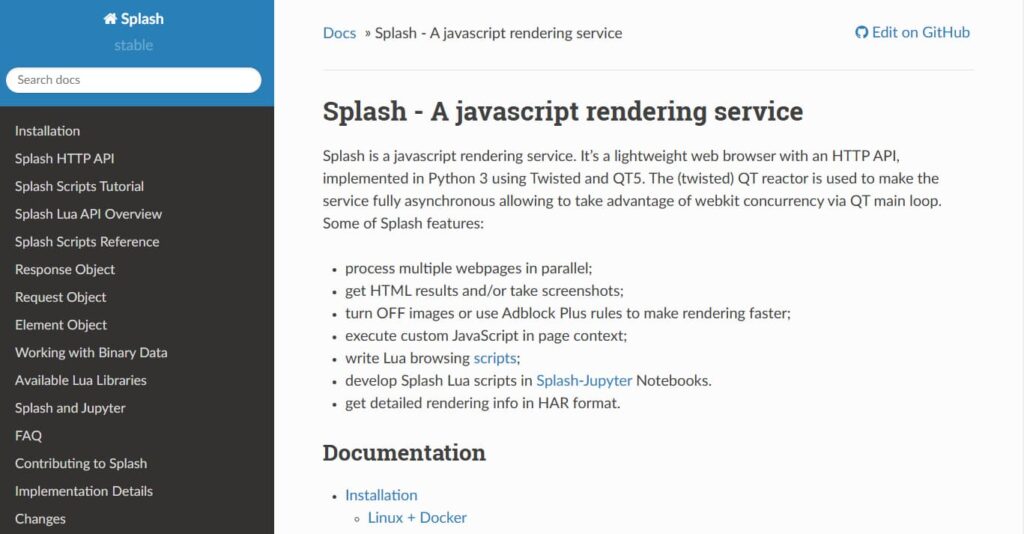
Pairs well with Python’s Scrapy for efficient rendering.
- Pros: Fast JavaScript execution, minimal overhead.
- Cons: Requires Lua knowledge for advanced customization.
Best practices for headless browsing
To get the most out of headless browsing, it’s important to follow best practices that ensure reliability, efficiency, and compliance. Start by selecting the right tool for your specific use case—whether it’s Playwright, Puppeteer, Selenium, or another headless browser—based on your project’s requirements and the complexity of the target websites.
Always configure your headless browser for optimal performance, keeping both the browser and WebDriver up to date. Handle dynamic content by leveraging high-level APIs and waiting for elements to load before extracting data. Incorporate stealth automation techniques, such as rotating user agents and using proxies, to avoid detection and maintain access to target sites.
Implement robust error handling, logging, and debugging to quickly identify and resolve issues during browser automation or web scraping. By adhering to these best practices, you’ll ensure your headless browser projects are efficient, scalable, and resilient—delivering reliable results for data extraction, automated testing, and browser automation tasks.
When to use a headless browser
These tools excel in scenarios like:
- Data collection from JavaScript-rich e-commerce sites, with proxies mimicking local users.
- Automated testing in CI pipelines to detect issues early.
- SEO audits, simulating crawls to verify renderings.
- Silent screenshots for monitoring site changes without triggering alerts.

Frequently asked questions
Here we answered the most frequently asked questions.
Which is the fastest headless browser for scraping?
Playwright leads for its efficient handling of interactive content, topping benchmarks for speed and reliability.
Can I use a headless browser in automated testing?
Yes, tools like Playwright and Selenium are staples in DevOps for consistent, scalable headless browser testing.
Do headless browsers support AJAX and single-page apps?
Absolutely, they render JavaScript dynamically, capturing full content from single-page applications.
Is web scraping using these tools legal?
Scraping is permissible if compliant with website terms, robots.txt, and local laws, using ethical practices like rate limiting.
Managed browser rendering solutions, like Zyte API, integrate browser capabilities with proxy services to simplify complex scraping tasks. These services are designed to handle JavaScript-heavy and anti-bot environments, reducing operational overhead by providing built-in headless browser features. For aggressive anti-bot detection, consider integrating a managed service such as Zyte API or ZenRows, which offer automatic IP rotation and advanced evasion techniques. The shift toward managed browser rendering reflects the need for more reliable scraping solutions as websites increasingly fingerprint browsers holistically.
Conclusion: choosing the right headless browser
Playwright and Puppeteer meet most modern needs with speed and flexibility, while Selenium provides stability for diverse teams. For lighter tasks, Splash or Headless Firefox offer simplicity. Matching the tool to project scale is key—pairing with quality proxies ensures smooth navigation of anti-bot measures, keeping data collection efficient.