
Indigo Browser: How to Structure Work with Multiple Accounts and Manage Browser Profiles
Why Profile Isolation Is Relevant Again
Working with multiple accounts today requires more than just careful actions. It requires technical discipline. Platforms analyze session behavior, network parameters, and connection environments. Even with moderate activity, inconsistencies between profiles can lead to restrictions.
A regular browser was never designed to handle dozens of accounts in parallel. Cookies, cache, and device parameters overlap. Over time, it becomes difficult to control what signals the platform receives.
This is where Indigo Browser comes in – a specialized environment built to isolate browser profiles and structure stable multi-account workflows.
How Indigo Browser Works and Its Core Capabilities
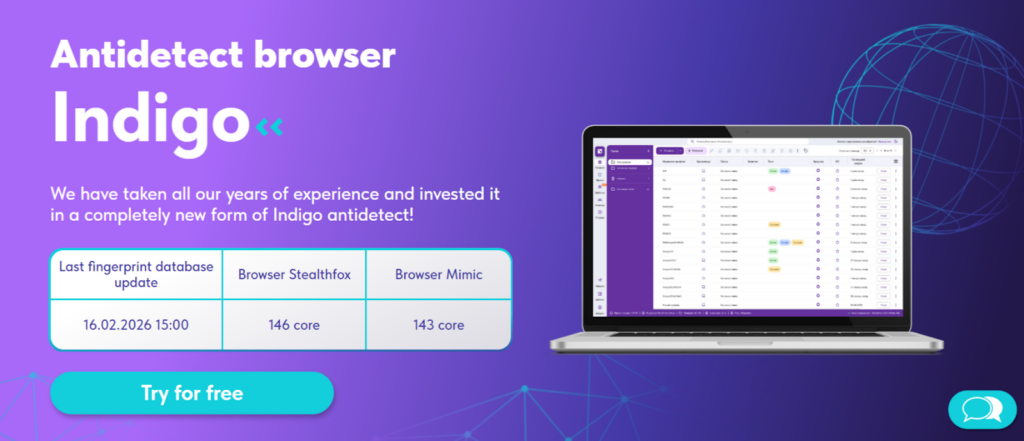
Indigo Browser is an anti-detect browser designed for managing multiple accounts across different services. Its primary function is separating profiles and creating an independent browser environment for each one.
Every profile operates as a standalone browser:
- with its own cookies
- its own fingerprint
- its own network configuration
This allows you to build a structured workflow without data overlap between accounts.
Profiles with Different Fingerprints
Indigo allows you to generate profiles with different device fingerprints. Parameters such as fonts, language, screen resolution, WebGL, and timezone are configured separately for each profile. In practice, this matters when managing multiple accounts simultaneously. A common mistake is using one profile for different purposes. Over time, such overlaps become technically visible.
Two Engines – Mimic and Stealthfox
Indigo supports two engines – Mimic (based on Chromium) and Stealthfox (based on Firefox). This flexibility allows users to choose an environment depending on platform specifics or personal workflow preferences. In real scenarios, this is useful when testing different connection setups.
Cloud Profile Storage
Profiles are stored in the cloud. This means you can access them from any device without being tied to a single computer. Cloud storage also supports distributed teams. It reduces the risk of losing local data and allows multiple specialists to work with structured access.
CookieRobot and Cookie Management
Indigo supports automatic cookie collection and import. This is helpful when transferring accounts or working with temporary profiles. However, cookies alone do not solve everything. Without properly configured connection parameters, they do not provide a complete setup.
Step-by-Step: Setting Up Proxies in Indigo Browser
Correct proxy configuration is a critical stage.
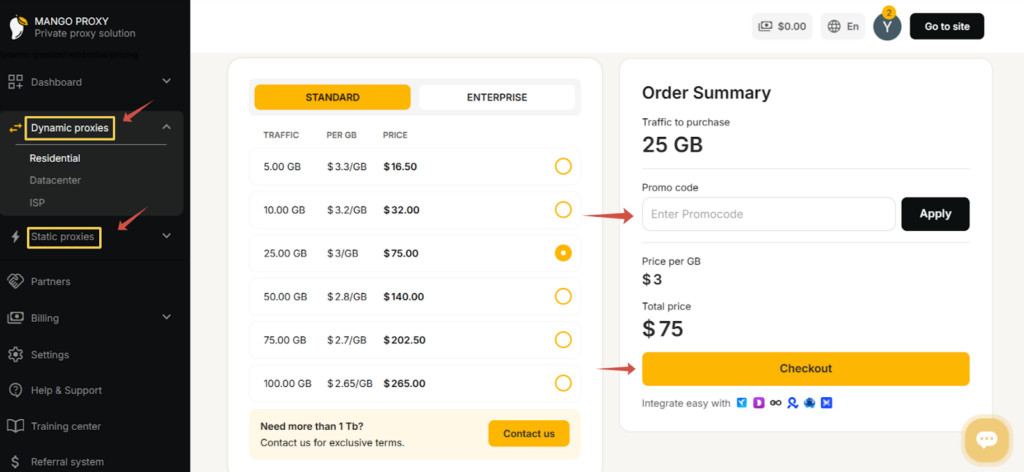
First, log into your MangoProxy account and choose the appropriate proxy type – dynamic or static. The decision depends on your workflow: whether you need long sessions with a stable IP or periodic IP rotation.
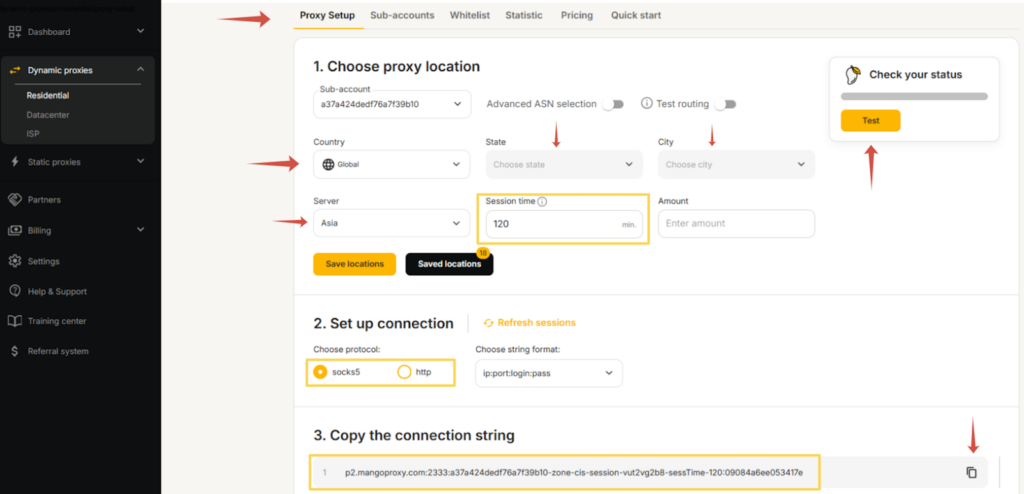
Next, configure the main connection parameters in a single step: select the country or region, specify the city if needed, choose the server, and define the session format. If you are using dynamic proxies, you can additionally set the IP rotation interval and the number of simultaneous connections. After validating the configuration, the system will automatically generate ready-to-use connection credentials.
Now in Indigo Browser:
- Create a new profile or open an existing one.

- Click the “Create” button in the top panel.
- Go to the “Proxy” tab.

- Select the connection protocol.

- Enter IP address, port, login, and password.
- Save and launch the profile.
It is important that the proxy region matches the account’s regional logic. If you are working with a specific country, the IP should correspond to that region.
In practice, Indigo is often used together with stable residential or ISP proxies. MangoProxy, for example, is commonly used as a connection base when consistent IP behavior and controlled rotation are required during long-term work. In this setup, the browser isolates the profile, while the proxy defines connection parameters such as region, IP, and network type.
Usage Scenarios
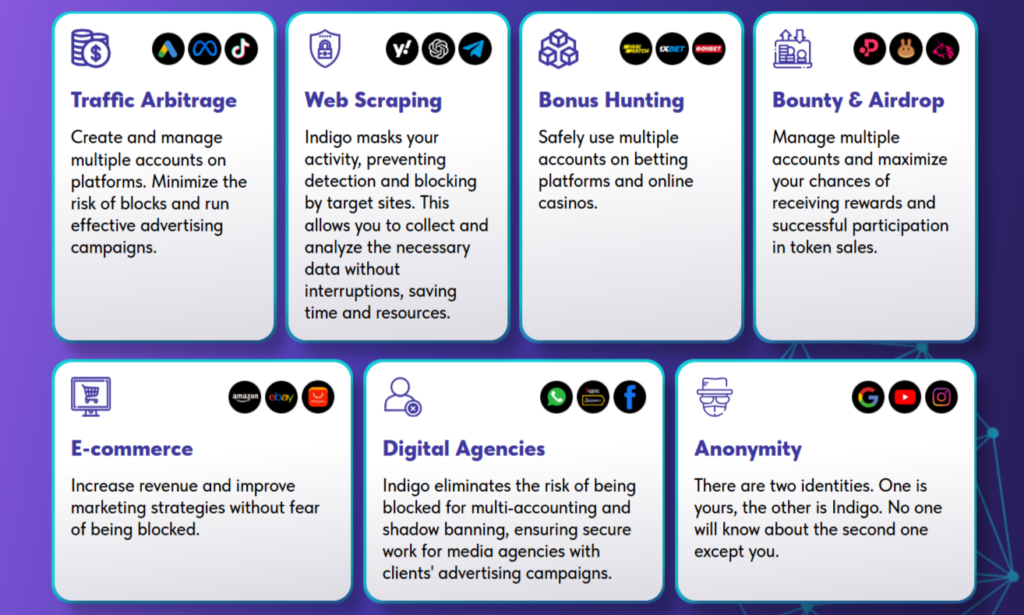
Traffic Arbitrage and Ad Accounts
Arbitrage rarely involves a single account. Typically, dozens of profiles are managed across different geos and campaigns. Indigo allows you to create a dedicated browser profile for each configuration, with its own parameters, cookies, fingerprint, and history.
Web Scraping
When collecting data, profile consistency and session behavior matter. Indigo enables launching separate profiles with individual parameters, working through proxies, managing cookies, and controlling connection characteristics. This approach helps organize data collection in a structured way and distribute tasks across different configurations.
Bonus Hunting
Managing many accounts requires clear separation of environments. Indigo allows storing profiles in the cloud, accessing them from multiple devices, and preserving individual account settings. This is especially important for repetitive actions and long sessions where consistent behavior matters.
Bounty & Airdrop Programs
Participating in reward programs often requires parallel account management and regional configuration. Indigo allows you to customize geolocation, timezone, and connection parameters separately for each profile, keeping them independent and organized.
E-commerce
In e-commerce, maintaining account history and avoiding overlap between projects is important. Indigo is used to manage multiple store accounts, separate client workflows, and operate across different regions through isolated profiles. Browser isolation helps keep operational processes structured.
Digital Agencies
For agencies, team coordination and access control are critical. Indigo allows distributing roles, storing profiles in the cloud, and accessing them from different devices without losing configuration. This supports structured collaboration and reduces technical errors when transferring projects between team members.
Confidential Work
Sometimes it is necessary to separate work activity from personal browsing. Indigo creates independent profiles with separate parameters, history, and settings, allowing clear separation of environments.
Indigo’s Role in Infrastructure
Indigo does not replace proxies and does not generate IP pools. Its responsibility is the browser environment. In practice, it works alongside proxies. If profiles are isolated but IP addresses behave inconsistently, stability will not be achieved. Likewise, high-quality proxies without proper browser isolation do not create a complete setup.
Practical Considerations and Limitations
Indigo is a tool for structured workflows. It does not automate strategy or make decisions on behalf of the user.
Most mistakes occur when:
- regional logic is ignored
- the same IP is reused across multiple profiles
- rotation is not properly organized
FAQ
Can Indigo be used without proxies?
Technically yes. But for multi-account work, this significantly reduces stability.
Is Indigo suitable for teams?
Yes. Cloud profile storage supports shared access and distributed workflows.
What type of proxy should be used?
It depends on the scenario. Static proxies are often used for long sessions, while dynamic proxies are used when frequent IP changes are required.
Can profiles be transferred between devices?
Yes. Profiles are synchronized through cloud storage.
Conclusion
Indigo Browser is designed for professionals who need structured multi-account management. It allows you to control the browser environment, isolate profiles, and maintain technical discipline. Its value is not in individual features, but in the overall approach: fingerprint management, cloud storage, flexible configuration, and profile isolation together create a repeatable and organized workflow.
Indigo is suited for users who work consistently and need each profile to behave independently and predictably. It is a tool built for systematic, structured work rather than occasional experimentation.