
MuLogin: secure solution for multi-accounting and profile management

In the world of digital marketing and online business, managing multiple accounts has become an integral part of daily work. However, without the right tools, this can lead to risks such as data loss or restrictions from platforms. Antidetect browsers like MuLogin offer a reliable way to isolate profiles, ensuring security and efficiency. In this article, we’ll explore why you should consider MuLogin for multi-accounting and how to integrate it with proxies for maximum protection.
Why protection matters when working with multiple accounts
With the growth of online platforms and task automation, specialists often manage several accounts at once. This applies to e-commerce, marketing, and even development. Without proper protection, such practices can cause issues: from reduced productivity to financial losses.
How platforms track users and detect connections between accounts
Platforms like social networks or marketplaces use monitoring algorithms. They analyze digital fingerprints—unique browser characteristics: OS version, screen resolution, fonts, and even mouse behavior. Similar fingerprints or the same IP address allow the system to link accounts and impose restrictions. Add cookies and local storage, and the detection risk increases. Web security studies show that up to 90% of blocks occur due to fingerprint mismatches, highlighting the importance of masking tools.
What risks arise without an antidetect browser
Without a specialized tool, you face frequent verifications, account loss, or data leaks. For example, working with multiple profiles on one device lets the platform detect connections and suspend activity. For marketers, this means disrupted campaigns; for e-commerce, this translates to lost sales. Without isolation, vulnerability to data interception in unsecured networks grows.
What is MuLogin and how it works
MuLogin is an antidetect browser designed for secure multi-account management. It creates isolated virtual environments with unique characteristics for each profile, minimizing detection risks.
Key idea: multiple profiles mimic separate devices. This enables parallel work on platforms without associations.
Operating principle: generation of unique fingerprints (hardware and software parameters). Combined with dedicated IPs from proxy providers, it ensures full anonymity and connection stability.
How MuLogin helps avoid restrictions and protect data
MuLogin effectively masks fingerprints, making each profile indistinguishable from a real user. This reduces anti-bot system triggers on platforms like Amazon or Facebook. The browser also encrypts data and isolates sessions to prevent leaks. Users note that MuLogin cuts account management time by 30–50% and lowers restriction risks through integration with reliable proxies.
Key features and benefits of MuLogin
MuLogin stands out with tools focused on practicality and scalability.
- Profile isolation and fingerprint protection: Each profile has a unique fingerprint, including canvas, WebGL, and audio fingerprints, preventing account linkages.
- Managing dozens of accounts in one interface: A simple dashboard lets you open, edit, and monitor profiles in parallel, saving time.
- Automation of routine tasks: Built-in scripts for form autofill and navigation simplify daily operations.
- Team collaboration: Access distribution and shared profile use, ideal for agencies.
- Proxy support, including MangoProxy: Easy integration with HTTP/SOCKS5 proxies for IP rotation and geotargeting.
These features make MuLogin not just a browser, but a full-fledged business tool where stability and security directly impact results.
Who MuLogin is for
MuLogin is tailored for professionals needing reliable multi-accounting.
- E-commerce sellers: Managing stores on Amazon, eBay, Etsy in independent environments without bans or account linkages.
- Social media marketers and arbitrage specialists: Handling large account batches on Facebook, TikTok, Twitter for publishing, leads, ads, and offer testing across GEOs.
- Crypto and Web3 users: Isolating wallets and accounts for airdrops, staking, or bonus campaigns without linkage risks.
- Advertising professionals: Maintaining and scaling ad accounts with full control over fingerprints and proxies to evade platform detection.
- Data collectors and developers: Bypassing anti-scraping protections, testing apps in varied device and regional environments.
If your work involves parallel account handling, MuLogin will streamline processes.
Setting up MuLogin with MangoProxy proxies
Integrating MuLogin with MangoProxy takes just a few minutes and adds protection via residential IPs. For convenience, each step includes a description—you can insert screenshots of the MuLogin and MangoProxy interfaces for visual support. Here’s the step-by-step guide:
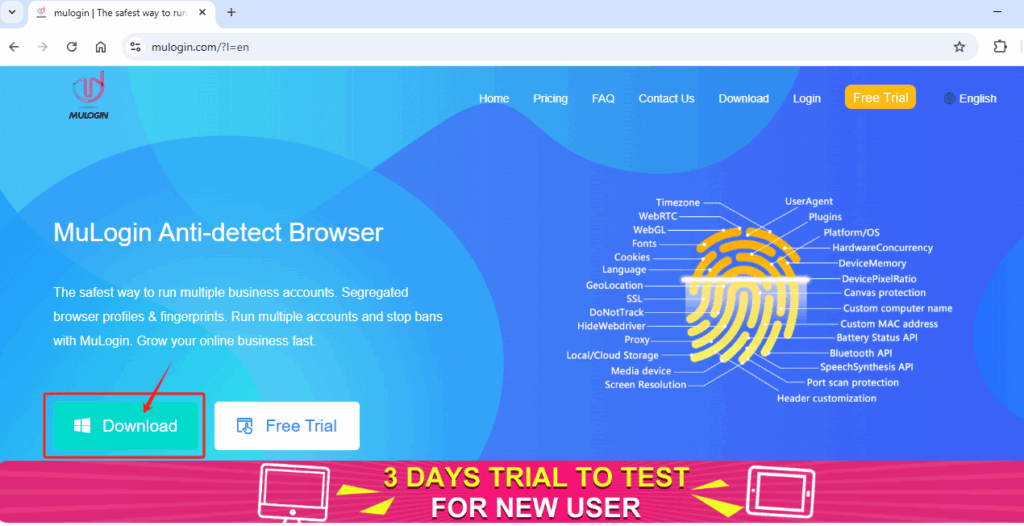
1. Download and install the latest version of MuLogin Antidetect Browser from the official website.
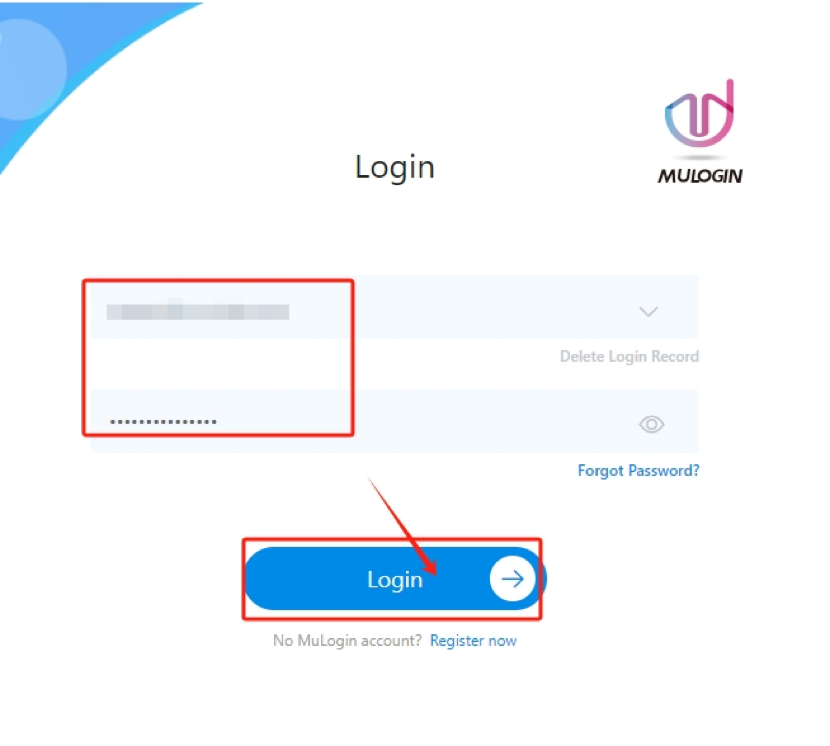
2. Register an account and log in. New users get a 3-day free trial.
3. Configure proxies in MuLogin:
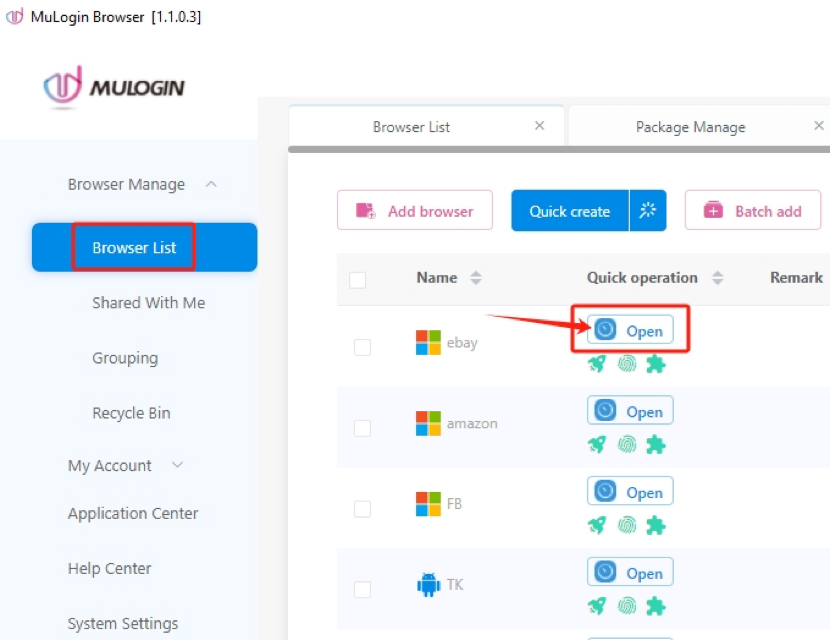
- Open the MuLogin client. Click “Add browser” to create a new browser profile.
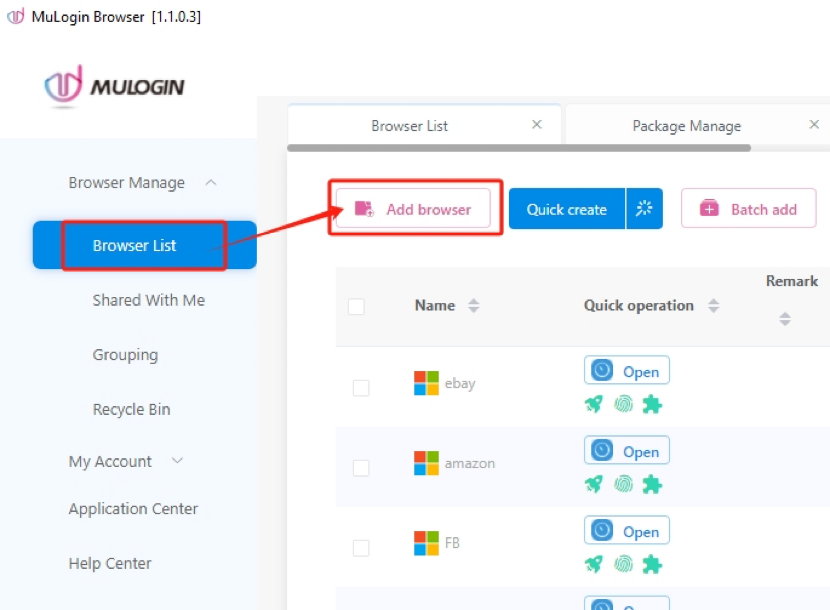
- Set browser parameters to your preferences.
- Go to “Proxy settings” and enter the IP address. Select proxy type (HTTP/S or SOCKS5) and paste MangoProxy details (IP, port, login, password). Click “Check the network” to test the connection.
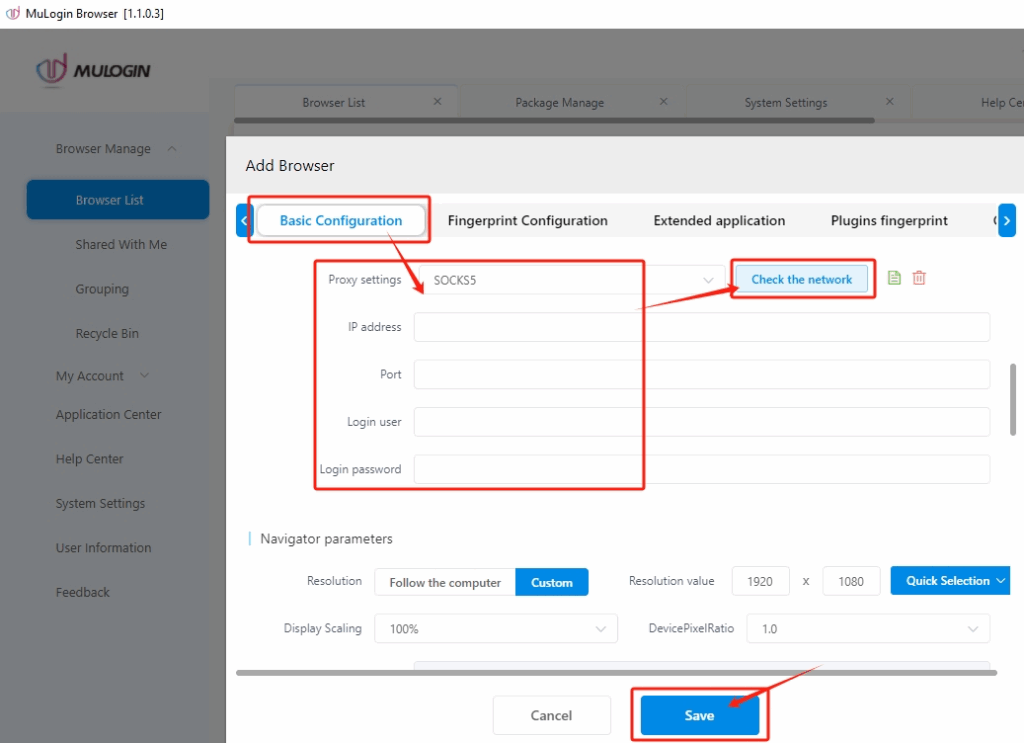
- Save the browser profile and open it.
Why the MuLogin and MangoProxy integration is the optimal solution
This tool combination creates a powerful system for secure multi-accounting.
- Full isolation and anonymity: MuLogin’s unique fingerprints plus MangoProxy’s residential IPs mimic real users from target locations.
- Minimal block risks: Automatic IP rotation (0 to 30 minutes) and sticky sessions reduce detection.
- Support for various geolocations and platforms: Filtering by country, city, or ASN adapts to any task.
- Simple setup without technical hurdles: API integration and antidetect software compatibility simplify startup.
This integration is especially valuable for teams needing scalability without security compromises.
Conclusion
MuLogin provides a reliable multi-accounting approach, combining profile isolation, automation, and proxy integration. Its benefits—from risk reduction to efficiency gains—make it essential for e-commerce, marketing, and Web3. If you manage multiple accounts, try this integration for data protection and stable performance.
We recommend testing MuLogin with MangoProxy—register via the link and set up profiles in 5–10 minutes. This will show its simplicity and effectiveness firsthand.