
Omnilogin: Secure Infrastructure for Multi-Account Operations
Omnilogin is a professional browser-based platform designed to manage multiple online identities in parallel without mixing signals between them. When teams grow beyond a handful of accounts, proxy handling stops being a manual task. Omnilogin lets multiple proxy endpoints be added in one go and distributed across profiles later, which removes a lot of routine friction and keeps large setups orderly.
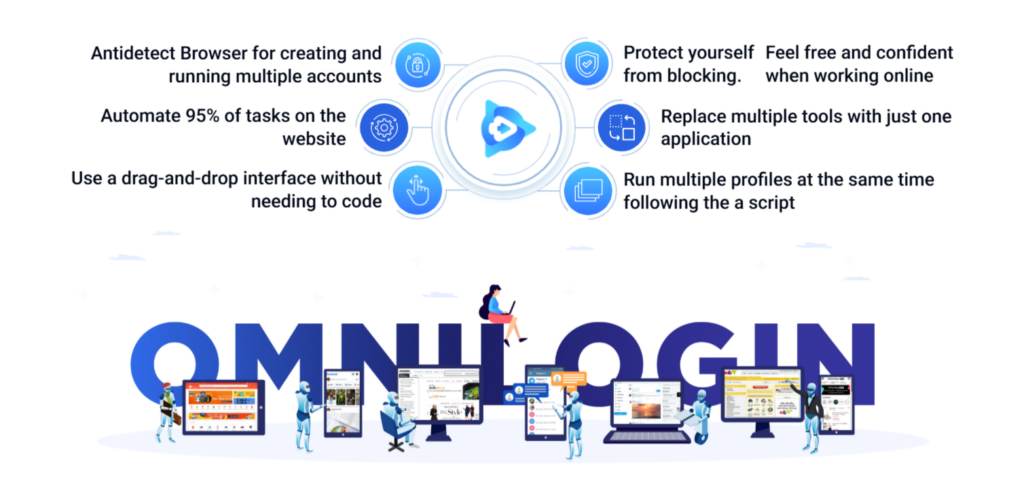
Device signals overlap, cookies bleed between sessions, browser fingerprints repeat, and network history becomes impossible to control. As a result, accounts receive silent limitations, advertising delivery degrades, and analytics lose reliability. The problem is that these failures rarely announce themselves early. By the time limits or restrictions become visible, teams are already paying for cleanup — in time, budget, and credibility.
There’s also a quieter consequence that often goes unnoticed: analytics drift. When environments bleed into each other, attribution models lose clarity, experiments interfere, and performance data stops telling a clean story.
Omnilogin provides isolation at the browser level, allowing each account to exist in its own workspace with persistent state. Network-level consistency is handled through proxy infrastructure, which completes the picture.
The integration of Omnilogin with Mango Proxy for secure multi-accounting allows teams to replace guesswork with predictable operating conditions.
How Omnilogin Structures Account Environments
Omnilogin is built around the principle that each account should operate inside a fully isolated browser profile. Instead of switching browsers, devices, or user accounts, teams manage identities through structured profiles that behave as independent environments.
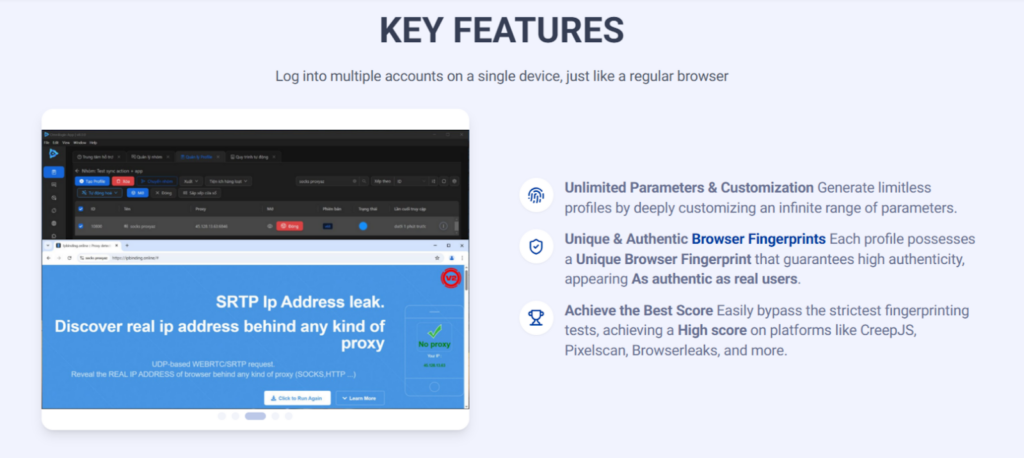
Each profile stores its own cookies, local storage, browser settings, and session history. This persistence is critical for long-term work: advertising accounts, social media profiles, and analytics dashboards all depend on continuity.
Rebuilding context every session not only slows teams down, but also introduces irregular behavior patterns that platforms tend to scrutinize. Omnilogin allows teams to maintain stable behavioral patterns over time rather than constantly resetting them.
Automation is another core layer. Omnilogin supports scripted actions and coordinated profile control, enabling teams to run repetitive workflows across multiple accounts simultaneously.
From an operational standpoint, this consistency improves internal workflows as well. Teams onboard faster, errors are easier to trace, and processes become reproducible rather than dependent on individual habits. OmniLogin also provides free lifetime accounts with 2 profiles and all features, so everyone can have the best experience.
Proxy integration ties these layers together. Each profile can be assigned a dedicated proxy, ensuring that browser-level identity and network signals remain aligned. This alignment is what makes secure multi-accounting operationally viable rather than theoretical.
The Role of Mango Proxy in a Stable Setup
Proxy integration is not about hiding activity, it is about eliminating contradictions. When multiple profiles share the same unstable network layer, platforms detect correlation regardless of how carefully browser environments are configured.
Mango Proxy provides structured proxy pools that allow traffic to be distributed cleanly across profiles. Each account operates within its own network context, reducing overlaps in IP history and session metadata. This becomes especially important when teams scale operations beyond a small number of accounts.
For geographically segmented campaigns, stable proxy assignment enables accurate regional testing. Advertising delivery, moderation logic, and content reach often differ by region, and inconsistent network signals distort results. Mango Proxy allows teams to maintain regional coherence without rebuilding infrastructure for every experiment.
At scale, network discipline directly affects efficiency. When proxies are reused unintentionally or assigned inconsistently, teams face cascading issues: partial account loss, repeated re-verification, and unpredictable platform responses.
In practical terms, this setup supports daily operations across SMM management, traffic acquisition, analytics access, and competitive monitoring.
Across these scenarios, Omnilogin integration with Mango Proxy for secure multi-accounting ensures that browser identity and network behavior reinforce each other instead of creating friction.
Practical Application
In real-world workflows, Omnilogin often functions as a central control layer. Accounts are registered, warmed up, and maintained inside isolated profiles that persist over time. Agencies managing multiple brands feel this benefit first: each client lives in its own controlled space instead of competing for the same technical context.
Marketing teams benefit from predictable automation. Scheduled actions, content publishing, moderation tasks, and reporting can be executed across profiles without constant context switching. Analysts gain cleaner datasets, since sessions do not interfere with one another or contaminate attribution models.
Scaling is where this architecture proves its value. Instead of improvising new setups as volume grows, teams replicate stable profiles and attach new proxy endpoints. Growth no longer introduces new technical risks, which is critical for paid traffic and performance-driven workflows.
From a management perspective, this creates visibility. When something breaks, it’s tied to a specific profile or route, not lost somewhere inside a shared setup. That traceability often determines whether growth remains controlled or turns into constant firefighting.
Choosing the Right Proxy Type for Omnilogin
Workflows vary, and so do their network requirements. Omnilogin accommodates this without turning proxy selection into a structural redesign.
For SMM and content workflows, residential proxies align more closely with how real users appear online, which supports gradual account development.
ISP proxies offer a balance between stability and trust. They are commonly used for extended sessions, advertising dashboards, and analytics-heavy environments where frequent network changes attract attention. For many teams, ISP proxies become the default layer for daily operations.
Datacenter proxies are typically applied to large-scale automated tasks where speed and throughput matter more than session longevity. When used intentionally and paired with proper profile isolation, they complement structured multi-account workflows without destabilizing them.
Choosing proxy types deliberately is a foundational step toward secure multi-accounting, not a secondary configuration detail.
Fitting Proxies Into the Omnilogin Workflow
Before assigning a proxy to a profile, teams should prepare both their Omnilogin account and the connection details provided by the proxy service. These usually include the IP address, port, and, when required, authentication credentials.
Inside Omnilogin, proxy configuration happens at the profile level. When creating a new browser profile, users can assign a custom network connection directly in the profile settings. This ensures that the profile’s browser environment and network context are bound together from the first session.
The proxy configuration interface allows users to specify the supported protocol and enter connection details manually or in a combined string format. That flexibility lowers the entry barrier when teams onboard new proxies or shift environments between tasks.
Before anything is saved, Omnilogin runs a quick connectivity check. It’s a small step that catches routing problems before they surface mid-session. Confirming connectivity at this stage prevents silent failures later during active sessions.
A Practical Walkthrough of Proxy Setup in Omnilogin
Setting up a proxy in Omnilogin is done at the profile level. Every browser profile is considered a different environment, hence it has its own network context right from the first launch.
Step 1. Prepare access and connection details
Start by confirming access to Omnilogin and gathering the proxy information issued by your provider. Usually this includes an address, a port, and authentication data if the proxy requires it. Sorting this out in advance makes profile creation smoother and less error-prone.
Step 2. Create a new browser profile
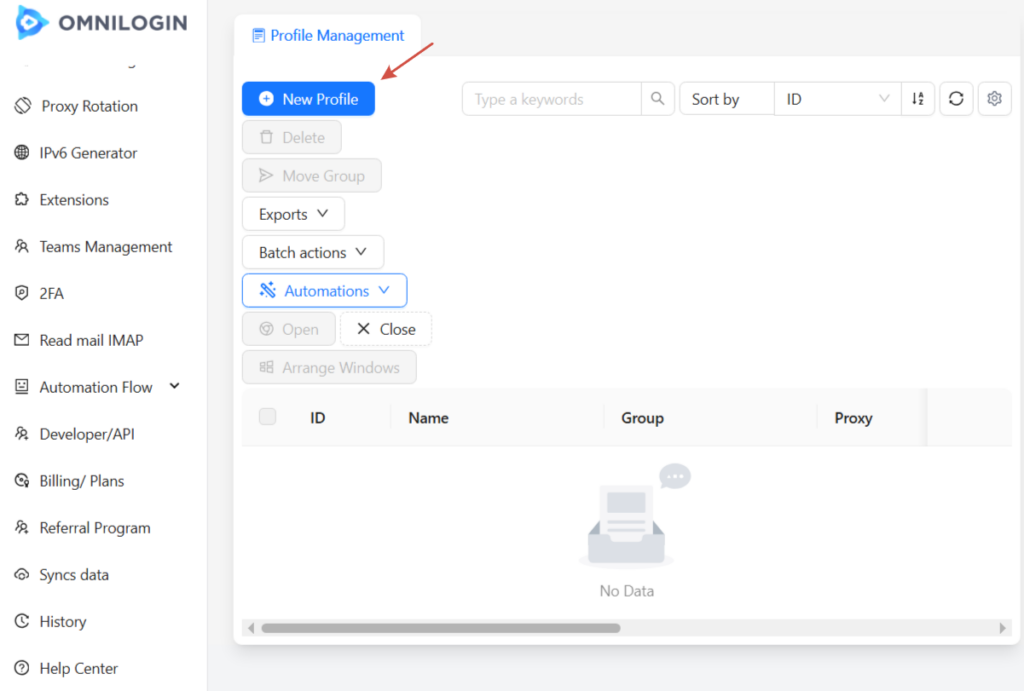
Inside Omnilogin, open the profile management section and create a new profile. Assign a clear, descriptive name especially important when working with multiple accounts or teams. This profile will become the permanent environment for a specific account or workflow.
Step 3. Assign a custom proxy to the profile
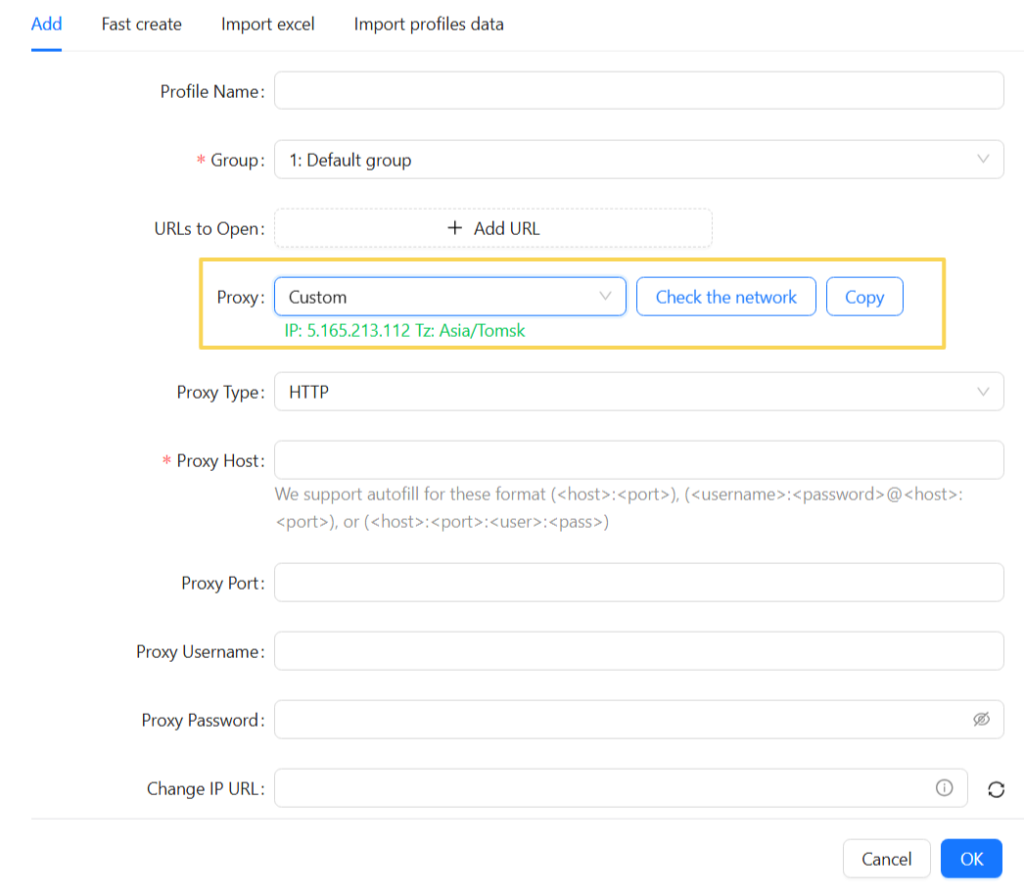
In the profile settings, locate the network or proxy configuration section. Select a custom connection option to enable manual proxy setup.
First of all, define the proxy protocol, if it is HTTP, HTTPS, or SOCKS5. You can either fill in the details one by one or paste them altogether in a short proxy string format. This format is especially useful when onboarding multiple profiles quickly.
Step 4. Verify the connection before saving
Before saving the profile, run Omnilogin’s built-in proxy check to make sure the connection behaves as expected. This quick verification helps catch routing or authentication issues before the profile is ever launched.
If an issue appears here, it can be resolved immediately before the profile is used in active sessions.
Step 5. Save the profile and launch the environment
Once the connection test succeeds, save the profile. From this point on, all browser activity inside that profile runs through the assigned proxy, preserving a consistent network context across sessions.
Step 6. Add multiple proxies for scale

For teams managing many accounts, Omnilogin supports bulk proxy import. Multiple proxy endpoints can be added at once and stored in the system, then assigned to profiles as needed. This approach simplifies network allocation and reduces the risk of accidental reuse across accounts.
Conclusion
Omnilogin is not simply a multi-profile browser. It is an operational framework for teams that treat multi-accounting as infrastructure rather than experimentation. Its core value lies in isolation, persistence, and control over multi-accounting environments.When combined with Mango Proxy, the platform gains a stable network layer that supports automation and scale without sacrificing consistency. This integration reduces correlation risks, improves analytical accuracy, and lowers the operational cost of growth.
Leave Comment