
What are Residential Proxies and How Do Residential Proxies Work?
Residential proxies address the challenge of blocks and restrictions during data collection, providing marketers, SEO specialists, and developers with reliable access to web resources. Residential proxies use a real IP address assigned to a household, making them appear as genuine users to target websites. This article explains what residential proxies are, how they function, and offers a step-by-step guide to set up a home-based proxy server. Residential proxies are one proxy server type among several, each with unique characteristics and use cases. It demonstrates how to use them for efficient data scraping while avoiding common issues.
When you use a residential proxy, your internet requests are routed through an intermediary server that connects to the internet using a real residential IP address. This intermediary server acts as a middleman between you and the target website, enhancing privacy, bypassing restrictions, and improving trustworthiness. Compared to other proxy server types, residential proxies are highly effective for tasks that require high anonymity and the ability to bypass strict anti-bot measures.
When comparing residential and datacenter proxies, it’s important to understand their differences. Datacenter proxies originate from data centers and are created in bulk from business-owned virtual servers, making them cheaper and faster than residential proxies. However, datacenter proxies are easier for websites to detect and block because they do not originate from real residential users, and they are often used for large-scale automation, web scraping, and accessing geo-restricted content where stealth is less critical. Residential proxies, while generally more expensive due to the complexity of sourcing real consumer IP addresses, provide better geo-targeting capabilities and are preferred for activities requiring high anonymity and the ability to bypass location-based restrictions. The choice between residential and datacenter proxies often depends on the specific use case and the level of anonymity required.
To optimize your automation tasks and cost management, it’s essential to evaluate and select the best residential proxies based on their reliability, location diversity, and compliance with data protection standards.
Introduction to Residential Proxies
Residential proxies are a specialized type of proxy server that leverages residential IP addresses—unique identifiers assigned by internet service providers (ISPs) to individual households. By routing internet traffic through these authentic residential IPs, residential proxies act as intermediary servers, making your online activity appear as if it originates from a real home user. This approach is invaluable for businesses and individuals who need to maintain high levels of anonymity, bypass geo-restrictions, and access content that might otherwise be unavailable in their region.
Residential proxies are widely used for web scraping, ad verification, and managing multiple social media accounts. For example, marketers and data analysts rely on residential proxies to collect public data from target websites without triggering anti-bot defenses. Social media managers use them to oversee multiple accounts or campaigns across different regions, while market researchers depend on residential proxies to access geo restricted content and gather accurate, location-specific insights. By routing internet traffic through residential IP addresses, these proxies provide a reliable solution for accessing the web as a genuine user, ensuring both privacy and flexibility.
Residential proxies: Definition and functionality
Residential IP proxies are intermediaries between a device and the internet, utilizing real IP addresses assigned by internet service providers (ISPs) to individual users. Unlike data center proxies, these high anonymity proxies mimic standard home connections, making them less detectable by website protection systems. The proxy server acts as an intermediary to simulate genuine user activity, helping users bypass anti-bot detection and access restricted content.
|
Aspect |
Description |
|---|---|
|
Functionality |
Requests route through a proxy with a real IP, masking the user’s address and simulating local user behavior for accessing geo-restricted data. The proxy server intercepts user requests, forwards them to the target website, and relays responses back, routing traffic through residential IP addresses to enhance privacy and bypass restrictions. Proxy forwards are used to route requests and maintain session stability. |
|
Security |
High-trust IP addresses ensure reliability. Secure with HTTPS, but avoid sending sensitive data over untrusted channels. Routing traffic through residential IPs helps bypass blocks and maintain anonymity. |
|
Authentication |
Login/password or IP whitelisting for convenience. |
|
Protocols |
Support for HTTP(S) for web requests and SOCKS5 for versatile traffic, including UDP. Proxy forwards are supported for advanced request routing and session management. |
|
Speed and Traffic |
Average response time of 0.6–0.7 seconds, unlimited threads, pay-per-traffic model. Utilizing a proxy pool distributes requests across multiple IPs for better performance and session stability. |
|
IP Rotation |
Flexible IP rotation settings: automatic switching every 120 minutes or sticky session proxies for stable connections. Proxy pools enable seamless IP rotation and load balancing. |
|
Geotargeting |
Select country, city, ASN, or GPS coordinates via the provider’s dashboard for precise geo-targeted IP usage. |
Types of Residential Proxies
When choosing a residential proxy, it’s important to understand the different types available, as each serves distinct needs and use cases. The main types of residential proxies include static residential proxies, rotating residential proxies, and mobile residential proxies.
Static residential proxies assign you the same IP address for an extended period, making them ideal for tasks that require a consistent online identity, such as managing accounts or accessing services that flag frequent IP changes. Static proxies maintain session stability and are less likely to trigger security alerts due to IP switching.
Rotating residential proxies, on the other hand, automatically change your IP address at set intervals or with each new request. This type is perfect for high-volume web scraping, ad verification, or any activity where a high level of anonymity is required. Rotating proxies help avoid detection and IP bans by distributing requests across a pool of residential IPs, ensuring that no single IP is overused.
Mobile residential proxies use IP addresses assigned to mobile devices by cellular providers. These proxies are particularly effective for tasks that require mobile user simulation, such as testing mobile apps or accessing mobile-specific content.
Choosing the right proxy type—whether static proxies for persistent sessions, rotating proxies for anonymity, or mobile residential proxies for mobile-specific tasks—depends on your specific requirements and the nature of your online activities.
Understanding Residential Proxy IP
A residential proxy IP is an IP address provided by an internet service provider (ISP) to a household, which is then used by a residential proxy to route your internet traffic. Unlike datacenter IPs, which are often associated with automated bots and can be easily flagged by websites, residential proxy IPs are seen as legitimate because they originate from real users’ homes.
Using a residential proxy IP allows you to access geo restricted content, bypass anti-bot measures, and conduct market research without raising suspicion. For web scraping, residential proxy IPs are especially valuable—they mimic the behavior of a real user, making it much harder for target websites to detect and block your activity. This authenticity is crucial for businesses that need to collect public data, verify ads, or test localized content across different regions. By leveraging residential proxy IPs, you can ensure your internet traffic appears natural and trustworthy, reducing the risk of IP bans and improving the success rate of your online operations.
Proxy Network and Infrastructure
The backbone of any residential proxy service is its proxy network and infrastructure. Residential proxy networks are composed of vast pools of residential IP addresses, each assigned by ISPs to real households around the world. These networks rely on a distributed infrastructure of proxy servers, strategically located in multiple geographic regions, to route internet traffic through authentic residential IPs.
Each proxy server in the network acts as an intermediary, forwarding your requests through different residential IP addresses. This setup allows users to access content from various locations, manage multiple accounts, and conduct large-scale data collection without being detected. The complexity of maintaining such a proxy network ensures high levels of anonymity and flexibility, as traffic can be routed through thousands—or even millions—of residential IPs. This robust infrastructure is what enables residential proxy networks to support demanding use cases like web scraping, ad verification, and social media management, all while maintaining reliable performance and security.
Residential Proxies Legality
The legality of using residential proxies largely depends on how they are used and the regulations in your country. In most cases, residential proxies are legal when employed for legitimate purposes such as web scraping, social media management, and market research. However, using residential proxies for activities like hacking, spamming, or fraud is illegal and can result in serious consequences.
To ensure compliance, it’s important to use residential proxies responsibly and always adhere to the laws and terms of service of the websites you access. Choosing a reputable residential proxy provider is also crucial—look for providers that obtain their IP addresses ethically and transparently. By using residential proxies legally and ethically, you can benefit from enhanced privacy, access to geo-restricted content, and improved data collection capabilities, all while minimizing legal and reputational risks. Always consult with your proxy provider and review local regulations to ensure your use of residential proxies aligns with best practices and legal requirements.
Key use cases for rotating residential proxies
Residential IP proxies are ideal for tasks requiring high anonymity and geo-targeted IPs.
Key scenarios include:
- SEO monitoring: Tracking search engine rankings across regions, simulating local user behavior, and scraping data from search engine results pages without being blocked.
- Web scraping: Securely scrape public data from e-commerce platforms and competitor sites, avoiding detection and blocking by mimicking organic user behavior.
- Price monitoring: Track competitors’ pricing in real-time from different regions, enabling businesses to monitor prices without being blocked or restricted.
- Ad verification: Analyze and monitor marketplace ads with high reliability, ensuring online advertisements are displayed correctly and reach the intended audience in target locations.
- Market analysis: Verifying content availability in specific countries for marketing research and gathering data from various online sources without revealing the user’s real IP address.
- API testing: Collecting large datasets and testing APIs with geotargeting considerations.
- Travel fare aggregation: Aggregate travel fares and scrape data for cheaper travel options from multiple sources without detection or geo-restriction issues.
- Sneaker bots: Bypass anti-bot measures and secure limited-availability products online by rotating residential IPs to avoid bans.
- Scrape public data: Gather publicly available information from websites that may otherwise restrict or block automated access.
Residential proxies enable access to multiple geographic locations, making them essential for tasks like ad verification, review monitoring, and price tracking across various regions worldwide. This geo-diversity enhances the effectiveness of these use cases and allows users to bypass geo-restrictions by using IP addresses from specific regions.
Some residential proxies are shared among multiple users or multiple users simultaneously. While this can be cost-effective, it may involve trade-offs in speed, security, and risk of detection, especially for tasks like web scraping and social media management.
In business, real-user IP proxies enable scalable operations, from ad verification to review collection. Their high-trust IP addresses reduce CAPTCHA frequency and enhance request success rates, ensuring stable and predictable data collection.cy and enhance request success rates, ensuring stable and predictable data collection.
Step-by-step guide to residential proxy setup
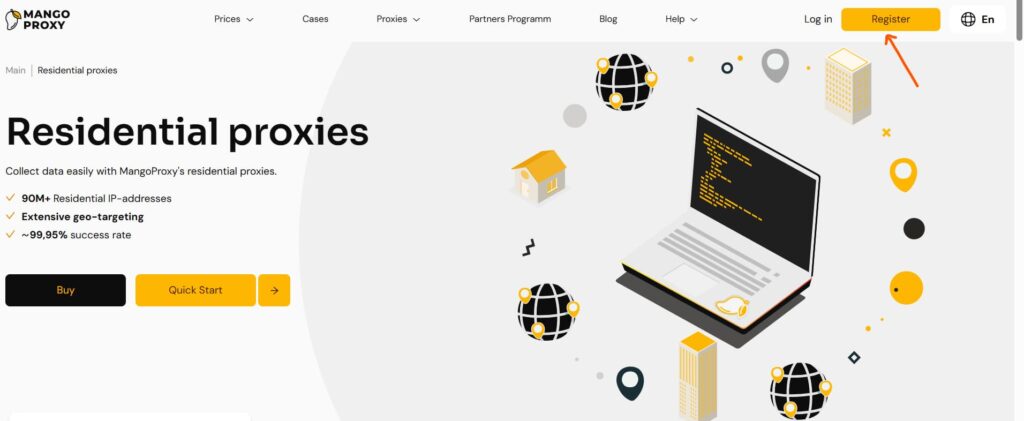
Setting up residential proxies requires minimal technical expertise and takes just a few minutes. To obtain residential proxies, you can purchase them from residential proxy services or, for advanced users, build your own proxy pool using your internet connection. Most users prefer ready-made proxies from providers for reliability and ease of integration with tools like Browserless, Playwright, or Puppeteer.
Obtain the provider’s details: IP, port, login, and password. Select a country or region via the provider’s dashboard, using filters for city, ASN, or GPS coordinates to configure precise geo-targeted IPs.
As a proxy user, it’s important to use residential proxies responsibly and legally, ensuring transparency about your activities and compliance with provider policies.
When choosing the best residential proxy provider, consider the following:
- Ethical sourcing and transparency about how IP addresses are acquired
- A diverse pool of IP addresses for better performance and reliability
- Flexible pricing models to fit your needs
- Quality customer support
- Strong uptime and performance metrics
- Flexible session management options
- Positive user reviews and a solid reputation
These factors will help you select a reliable provider and maximize the benefits of residential proxies.
1. Setting up proxies on Windows
- Obtain proxy details (IP, port, login, password) from the provider.
- Navigate to “Settings” > “Network & Internet” > “Proxy,” enable manual setup, and enter the IP, port, login, and password.
- Save changes, configure rotating residential proxy settings via API if needed, and verify the connection in a browser.
2. Setting up proxies on macOS
- Go to “System Settings” > “Network” > select the connection > “Advanced” > “Proxies.”
- Select HTTP(S) or SOCKS5, input proxy details, and choose the protocol (SOCKS5 for full compatibility).
- Confirm changes and test the connection.
3. Setting up proxies on Linux
- In the terminal, use the command: export http_proxy=”http://login:password@IP:port”.
- For system-wide settings, edit /etc/environment.
- Configure IP rotation settings via Python scripts with the provider’s API and verify the connection.
4. Setting up proxies in browsers
- In Chrome: “Settings” > “System” > “Open your computer’s proxy settings” (uses system settings).
- In Firefox: “Settings” > “Network Settings” > “Configure” > “Manual proxy configuration,” enter details, and select the protocol.
- Test the connection by accessing geo-restricted content.
5. Setting up proxies with specialized software
- Use anti-detect browsers (0DETECT, Octo Browser): add the proxy to the profile, configure rotation, and set geotargeting.
- For scraping, use Octoparse: integrate proxies for automated data collection.
- Verify connection stability with test requests.
How to verify residential proxy functionality
After setup, visit a site displaying the current IP—it should show the proxy’s IP, not the user’s. Test connection speed and access to geo-restricted content. For rotating residential proxies, refresh the page multiple times to confirm IP changes. Use tools like curl for command-line checks: curl -x http://IP:port ifconfig.me.
Common issues during residential proxy setup
- Authentication errors: Error 407 due to incorrect login/password—verify credentials.
- Port blocking: Firewall blocks the port—temporarily disable or configure exceptions.
- Connection issues: Proxy fails to connect—ensure the correct protocol or update the IP.
- Rotation errors: IP rotation fails due to sticky session proxies—adjust intervals in the dashboard.
- Errors 502/504: Clear browser cache to resolve conflicts.
Benefits of using residential proxies from MangoProxy
MangoProxy provides a trusted proxy pool of over 90 million real IPs across 200+ countries, with 99.9% uptime and a 0.6–0.7-second response time. This large and diverse proxy pool ensures high performance and reliability for scalable data collection, with a low detection rate, flexible IP rotation settings, and precise geotargeting by city or coordinates.
MangoProxy offers dedicated residential proxies for exclusive, high-performance use cases such as SEO monitoring, web scraping, and sensitive automation tasks that require consistent, private access. For more affordable needs, shared residential proxies are available, making them suitable for web scraping and geo-unblocking, though with some trade-offs in security and reliability.
In addition to residential proxies, MangoProxy provides ISP proxies, which balance the speed of datacenter proxies with the legitimacy of residential IPs—ideal for sensitive data scraping and account management. Mobile proxies are also part of MangoProxy’s offering, sourced from real mobile devices and perfect for accessing mobile-specific content, managing multiple accounts, and emulating mobile device behavior.
Support for HTTP(S)/SOCKS5 and compatibility with anti-detect software make MangoProxy ideal for SEO and scraping. Unlimited sessions and legitimate IP sources ensure stability, minimizing CAPTCHAs and enabling data collection as a local user. MangoProxy’s flexible pricing models and robust features help manage or reduce proxy costs, making it a cost-effective solution for businesses and individuals.etect software make them ideal for SEO and scraping. Unlimited sessions and legitimate IP sources ensure stability, minimizing CAPTCHAs and enabling data collection as a local user.

Frequently asked questions
Here we answered the most frequently asked questions.
What data is required to set up residential proxies?
An IP address, port, login, and password from the provider are needed. For whitelisting, add the user’s IP to the list.
What to do if the proxy fails after setup?
Verify authentication, port, and protocol. Update proxy details, temporarily disable the firewall, or test another IP from the pool.
How to confirm residential proxies work correctly?
Use IP and speed check websites. Send test requests via browser or curl, ensuring location changes and no errors.
Which proxy setup tools are most reliable?
0DETECT and Octo Browser are recommended for browsers, and Octoparse for scraping—each supports IP rotation and geo-filtering with easy integration.
How to safely disable proxies?
In system settings, uncheck proxy options or remove details. In software, disable the proxy profile, then clear the cache to revert to the original IP.