
How to set up an ISP proxy: a step-by-step guide
Reliable data access is critical for anyone scraping e-commerce platforms, monitoring competitors, or conducting competitive intelligence to gain insights and improve data-driven decision-making. ISP proxies provide a stable, secure connection to tackle blocks and interruptions head-on. This article breaks down how to set up an ISP proxy with clear, actionable steps, drawing on extensive experience supporting SEO professionals and developers. Expect practical tips to streamline the process and sidestep common pitfalls for a smooth proxy setup.
What is an ISP proxy, how it differs from other types, and its use of IP addresses
An ISP proxy, also known as a residential ISP proxy or residential ISP, is a type of residential proxy sourced directly from Internet Service Providers (ISPs). These proxies use static IP addresses assigned by real internet providers, mimicking standard home or office connections. This makes them perfect for tasks requiring long-term stability without frequent IP changes. Unlike dynamic proxies, ISP connections don’t rotate automatically unless configured to do so, enabling sessions to last up to 1-2 days, which is key to understanding how ISP proxies work. ISP proxies are also referred to as static residential proxies because they maintain the same IP address over time, providing consistency and reliability for demanding tasks.
To clarify when to choose an ISP proxy, here’s a comparison with other proxy types, tailored to common web scraping and analytics use cases:
|
Proxy Type |
Description |
User Benefits |
Common Use Cases |
|---|---|---|---|
|
ISP (Static) |
Static ISP proxies (also called static residential proxy or residential ISP proxy) use static IPs from real providers, fixed for extended periods, and maintain the same IP address. These ISP IPs are sourced from ISP networks, ensuring high stability and reliability. |
Stable sessions with minimal data loss risk, high anonymity, and low latency. Ideal for tasks requiring consistent identity. |
Long-term account logins, data analytics, multi-account management. |
|
Residential |
Dynamic IPs from real users, often rotating. Residential proxies are created in household devices by users sharing their internet traffic, making them less stable than ISP proxies. |
High trust, mimicking regular users for geotargeting and bypassing anti-bot filters, but can be affected by user activity. |
E-commerce scraping, SEO monitoring, data collection with bot protection. |
|
Datacenter |
Datacenter proxies are created in a server with a single parent device providing IP addresses, making them easier to detect and more likely to be blocked. These IPs are typically dynamic and high-volume. |
Fast speeds and high bandwidth for large-scale requests without traffic limits, but lower trust and higher block rates. |
Mass SERP scraping, API testing, real-time price monitoring. |
Unlike residential proxies, static ISP proxies (static residential proxies) are sourced directly from residential ISP networks and servers, ensuring stable internet speeds, high anonymity, and reliability. ISP IPs are verified through ASN entries and are less likely to be blocked compared to datacenter proxies because they appear as regular user connections. Static proxies, such as ISP proxies, maintain the same IP address over time, which is beneficial for tasks requiring consistency and long-term sessions.
Static residential proxies (ISP proxies) are less likely to be detected and blocked by websites compared to regular datacenter proxies, making them ideal for web scraping, brand protection, and access to targeted content.
What you need before starting ISP proxy setup
Before diving into Internet Service Provider proxies settings, gather the necessary tools and details to ensure a seamless integration.
Key requirements:
- Proxy provider details: IP address, port (typically 8080 or 3128 for HTTP/S, 1080 for SOCKS5), username, and password. Choose a provider that offers multiple authentication methods, such as User:Pass authentication and IP whitelisting, for flexibility and security. For services like MangoProxy, these are available in your account dashboard after purchase.
- Stable internet connection: A minimum speed of 10 Mbps to avoid lag.
- Software: For Windows, use Proxifier or system settings. On macOS, Proxifier or Network settings work. For Linux, tools like redsocks or system configs via /etc/environment are suitable.
- Device: Any OS (Windows, macOS, Linux), but ensure your firewall isn’t blocking proxy ports.
New users should start with a test proxy from a trusted provider to confirm compatibility. For a secure proxy setup, always use HTTPS to encrypt traffic and protect data from interception.
It’s also important to choose a provider that offers full transparency regarding the source of their ISP proxy IP addresses, so you know exactly where your proxies originate from.
Finding a reliable provider for your ISP proxy
Choosing the right ISP proxy provider is a critical step to ensure your projects run smoothly, whether you’re managing multiple social media accounts, conducting web scraping, or verifying ads. ISP proxies—sometimes called static residential proxies—offer the unique advantage of combining the authenticity of residential proxies with the stability and speed of dedicated infrastructure from internet service providers (ISPs). Here’s what to look for when selecting a provider:
- IP addresses and ownership: Opt for providers that source their IP addresses directly from reputable internet service providers. This guarantees your proxies have a clean history and strong IP reputation, reducing the risk of bans and ensuring high anonymity for your activities.
- Robust proxy network: A reliable ISP proxy provider should offer access to a large, diverse proxy network. This means a wide pool of static residential IPs, high availability, and the ability to handle high-volume traffic and concurrent sessions without slowdowns or interruptions.
- Secure authentication methods: Look for flexible authentication options, such as username/password or IP whitelisting. These methods help protect your proxy access and ensure only authorized users can connect, which is especially important for teams or businesses managing multiple users.
- Transparent pricing and flexible plans: The best providers offer clear, upfront pricing with no hidden fees. Whether you need to buy ISP proxies per IP or based on bandwidth, transparent pricing lets you scale your usage confidently and control costs.
- Performance and success rate: Speed and stability are essential for tasks like SEO monitoring, social media management, and web scraping. Check for providers with proven high success rates, low latency, and minimal downtime, so your proxies deliver consistent, high-performance results.
- City-level targeting and IP rotation: Advanced features like city-level geotargeting and optional IP rotation allow you to customize your proxy setup for specific campaigns or platforms, helping you avoid detection and maximize efficiency.
- Compatibility with tools and platforms: Ensure your provider supports integration with popular SEO tools, social media management platforms, and automation software. This compatibility is crucial for seamless workflows and managing multiple accounts or e-commerce activities.
- Responsive support team and refund policies: A trustworthy provider will have a knowledgeable support team ready to assist you quickly, along with clear refund policies in case the service doesn’t meet your expectations.
By carefully evaluating these factors, you can choose ISP proxies that offer high anonymity, speed, and stability—empowering your business to scale web scraping, ad verification, and social media management with confidence. Always research, compare, and test different proxy providers to find the best fit for your needs and ensure your online operations remain efficient and secure.
Step-by-step ISP proxy setup guide
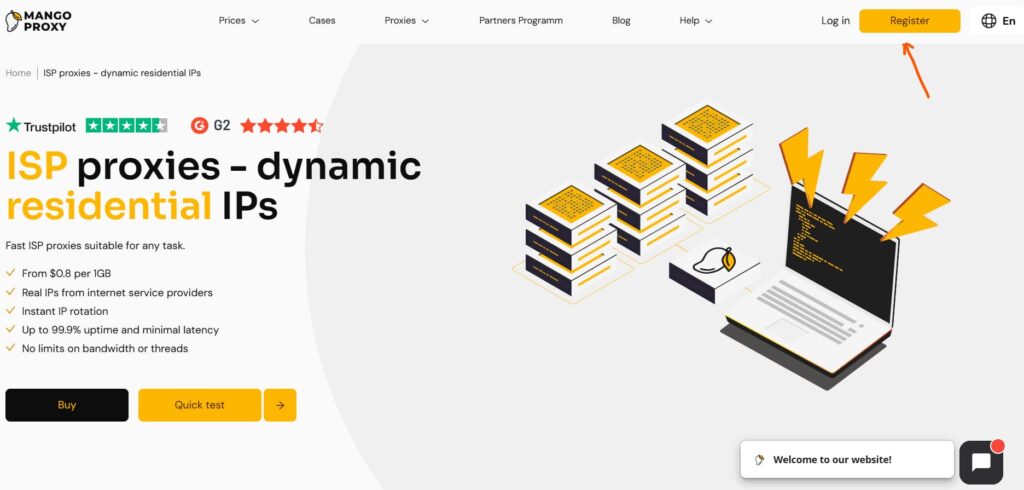
Setting up an ISP proxy is straightforward, taking just 5–10 minutes, even without deep technical expertise. This ISP connection setup guide covers configuration for different operating systems, browsers, and specialized tools, letting you pick the best method. The key is entering accurate details and testing the connection.
Before you start, check your provider’s concurrency limits and traffic use policies to ensure your setup can handle the number of simultaneous connections you need. Many ISP proxy providers offer unlimited bandwidth, making them cost-effective for high-volume tasks. Pricing is typically per IP address rather than by traffic usage, so you can use large amounts of data without extra charges.
1. Setting up an ISP proxy on Windows
Windows users can configure proxies via Proxifier or system settings. Proxifier is recommended for its versatility with SOCKS5 and HTTP/S.
Step 1: Download and install Proxifier from its official site (a trial version is available). Open it and go to “Profile” > “Proxy Servers” > “Add.”
Step 2: Enter proxy details: Address (IP), Port (e.g., 8080), Protocol (HTTP or SOCKS5). If authentication is required, check “Enable” and input your username/password.
Step 3: Save and navigate to “Profile” > “Proxification Rules” > “Add.” Select specific apps (e.g., a browser) or all traffic to route through the proxy.
Step 4: Click “OK” and test by visiting whatismyip.com. If the displayed IP matches your proxy’s, the proxy setup is complete.
For stability, choose proxies with low ping (under 100 ms) and avoid overloading a single IP with excessive requests.
2. Setting up an ISP proxy on macOS
On macOS, configure via System Settings or Proxifier. The system approach is simpler for beginners.
Step 1: Go to “System Settings” > “Network” > select your active connection (Wi-Fi or Ethernet).
Step 2: Click the “Proxy” tab, enable HTTP/S or SOCKS5, and enter the IP, port, username, and password.
Step 3: Apply changes and test in a browser. Verify your IP has changed using whatismyip.com.
For a secure proxy setup, use HTTPS proxies and ensure the macOS firewall doesn’t block ports.
3. Setting up an ISP proxy on Linux
Linux setup typically involves the terminal or tools like redsocks. Here’s a system-level example.
Step 1: Open a terminal and edit /etc/environment, adding:
http_proxy=”http://username:password@IP:port”
https_proxy=”http://username:password@IP:port”
Step 2: Save and run source /etc/environment to apply.
Step 3: Test with curl –proxy http://username:password@IP:port https://api.ipify.org. If the proxy IP appears, setup is successful.
For advanced tasks, use redsocks or iptables for precise traffic routing.
4. Setting up an ISP connection in browsers
Browser setup suits simple tasks like ad verification or site access, teaching you how to use an ISP proxy effectively. Static proxies are ideal for accessing popular targets and websites that require a consistent IP address, such as for ad verification or data extraction.
- Google Chrome/Firefox: Install an extension like Proxy Switcher. Add proxy details (IP, port, protocol, username/password), enable it, and check your IP on whatismyip.com.
- Safari: Go to “Settings” > “Network” > “Proxy” and input details as in macOS system settings.
Browser setups aren’t ideal for large-scale scraping due to limited routing flexibility.
5. Setting up an ISP proxy with specialized tools
For automation or complex tasks, use tools like Proxifier, FoxyProxy, or anti-detect browsers (AdsPower, Octo Browser). For high-stakes or high-volume activities such as sneaker botting, social media automation, or enterprise workflows, dedicated ISP proxies and premium ISP proxies are recommended. These proxies provide a stable connection, reliable performance, and high anonymity, making them ideal for demanding tasks. Using dedicated ISP proxies can also help ensure a clean history with target websites and avoid IP bans.
The process mirrors Proxifier’s:
Step 1: Install the tool and input proxy details (IP, port, protocol, username/password).
Step 2: Set routing rules for specific apps or sites.
Step 3: Test via a proxy checker or target site. For scraping, add delays (1–5 seconds) and rotate user-agents to mimic real users.
Anti-detect browsers pair reliable ISP proxies with device fingerprint spoofing, boosting success with anti-bot systems and ensuring high performance for complex workflows.
How to check if your ISP proxy works: 2 easy methods
After completing the ISP proxy setup, verify it’s functioning. Use online tools like whatismyipaddress.com or proxy-checker.net. Enter your proxy details to check IP, speed, and connection status, confirming how ISP proxies work in practice.
Alternatively, use the command line: on Windows, run curl –proxy http://username:password@IP:port https://api.ipify.org. If the proxy IP shows, it’s working. For thorough testing, send a request to your target site and confirm data arrives without delays. If speeds lag, check your router or select a proxy closer to your location.
Common ISP proxy connection issues and fixes
Proxy connection issues are common but manageable.
Here are frequent problems and solutions:
- Incorrect authentication: Double-check username/password for typos. Copy directly from your provider’s dashboard.
- Firewall/antivirus blocks: If the proxy won’t connect, add an exception in Windows Defender or temporarily disable it.
- Slow or unstable connection: Caused by overloaded IPs or distant locations. Choose a proxy with geotargeting closer to you and enable sticky sessions for stability.
- Conflicts with other proxy tools: If ISP proxies don’t work, disable VPNs or other proxy software.
For a secure proxy setup, keep software updated and use clean IPs from ethical providers to minimize risks. If the issue remains, contact support—MangoProxy responds in under 5 minutes on average.
Why choose MangoProxy’s dedicated ISP proxies for reliable performance
MangoProxy’s ISP proxies ensure stable sessions, critical for analytics and multi-account management. With 99.9% uptime and 0.6–0.7-second response times, they scale tasks without interruptions. Seamless SOCKS5 and HTTP/S integration works with anti-detect browsers like AdsPower or Octo Browser, while precise geotargeting by country or city enables localized access. A pool of millions of IPs guarantees options to reduce latency and boost data collection efficiency.
Compared to other leading ISP proxy providers such as Bright Data, Oxylabs ISP proxies, IPRoyal, Proxy-Seller, and Decodo, MangoProxy stands out with its flexible pricing, global IP pool, and robust self-service dashboard. Bright Data is known for its extensive IP pool and advanced proxy management, while Oxylabs ISP proxies offer static IPs and coverage in 14 countries. IPRoyal provides ISP proxies in 195 countries, and Proxy-Seller covers over 20 countries across four continents. Decodo is also recommended for specific user needs. MangoProxy offers static ISP proxies and premium ISP proxies with residential IPs, ensuring high performance, reliability, and the advantage of appearing as regular user devices.
Geographical coverage is crucial for accessing geo-restricted content and running localized campaigns. MangoProxy provides ISP proxies in over 30 countries, including the US, UK, Germany, and Japan. In comparison, IPRoyal offers coverage in 195 countries, Oxylabs in 14 countries, and Proxy-Seller in more than 20 countries. Choosing a provider with broad location options ensures you can target the regions you need for web scraping, ad verification, or market intelligence.
Pricing for ISP proxies typically varies based on the number of IPs purchased, with bulk purchases resulting in lower per-IP costs. Providers like Oxylabs and IPRoyal offer tiered pricing models, and some, including MangoProxy, provide discounts for longer-term subscriptions or larger quantities. The cost of ISP proxies can range from $1 to $5 per IP, depending on features and provider. Some services charge per IP, while others may charge based on traffic usage. Many providers, including MangoProxy, also offer unlimited bandwidth, allowing you to use large volumes of traffic without extra fees, subject to fair usage policies.
MangoProxy, like other top ISP proxy providers, offers a self-service dashboard for managing subscriptions and usage statistics, making it easy to monitor your proxy usage and adjust your plan as needed.l of millions of IPs guarantees options to reduce latency and boost data collection efficiency.

Frequently asked questions
Here we answered the most frequently asked questions.
What to do if your Internet Service Provider proxies don't work?
Check IP, port, and authentication details. Test with a proxy checker and disable firewalls. If the issue remains, switch to another IP from the pool—MangoProxy makes this a one-click process.
Can you use one ISP proxy on multiple devices?
Yes, but cautiously. Using 2–3 devices is fine if traffic stays within limits. For teams, distribute IPs to prevent overload and maintain stability.
How to speed up your ISP connection?
Select proxies with low ping and nearby geotargeting. Use sticky sessions (up to 24 hours) to reduce reconnections. Optimize with tools like Proxifier and monitor traffic for a 20–30% speed boost.
Why do sites still ask for CAPTCHAs with ISP proxies?
High IP load or suspicious behavior may trigger CAPTCHAs. Add delays (1–5 seconds), rotate user-agents, and use anti-detect tools to mimic real users.
How to properly disable a proxy?
In Proxifier, go to “Profile” > “Proxy Servers” and remove the rule. Restart the app or system. For Windows system settings, go to “Settings” > “Network & Internet” > “Proxy” > “Off” to restore direct traffic without issues.