
Price Monitoring with Proxies and Afina Browser
Published: ≈ 7 min read
Price Monitoring with Afina Browser, Proxies and Isolated Scraping Profiles
Price monitoring looks simple until it has to run daily across hundreds of products, regions and storefront states. A script can request a page. A proxy can change the IP. But many ecommerce pages depend on browser state: cookies, local storage, language, timezone, WebRTC behavior and previous session history.
If these parts are mixed between tasks, the data becomes noisy. If they are randomized too aggressively, the workflow starts to look less like a normal browser session. A cleaner setup treats every market, account type or storefront condition as a separate browser lane.
For teams using proxy infrastructure such as MangoProxy, Afina Browser can cover the browser side of the stack: profiles, fingerprints, cookies, WebRTC settings and automation. The proxy handles routing. Afina keeps browser state isolated and repeatable.
Why raw requests are not enough
HTTP scraping is useful for static pages and APIs. The problem starts when a site changes content based on session context. A product page may show different prices after accepting cookies, switching region, logging in, changing currency or browsing several category pages.
In this case, the browser environment becomes part of the data source. A reliable monitoring setup should track the URL, proxy and browser state used to collect the page.
Common weak points:
- the same cookie jar is reused for unrelated markets
- timezone and browser language do not match the proxy location
- WebRTC exposes a network path that conflicts with the proxy
- automation launches too many identical actions at once
- teams cannot reproduce which profile collected which price
- catalog sessions are reset so often that every visit looks like a first visit
This is why teams move from simple request scripts to browser-based workflows. A browser profile gives each monitoring lane its own state, while a proxy gives that lane a network route.
The profile model for catalog scraping
A practical structure is to treat each monitoring lane as a separate browser profile. One lane can mean one country, one store, one account type, one pricing condition or one product category. The important part is consistency.
For example, separate profiles can be used for public prices in Germany, logged-in B2B prices, mobile storefront checks, competitor category pages, checkout availability tests and localized search results.
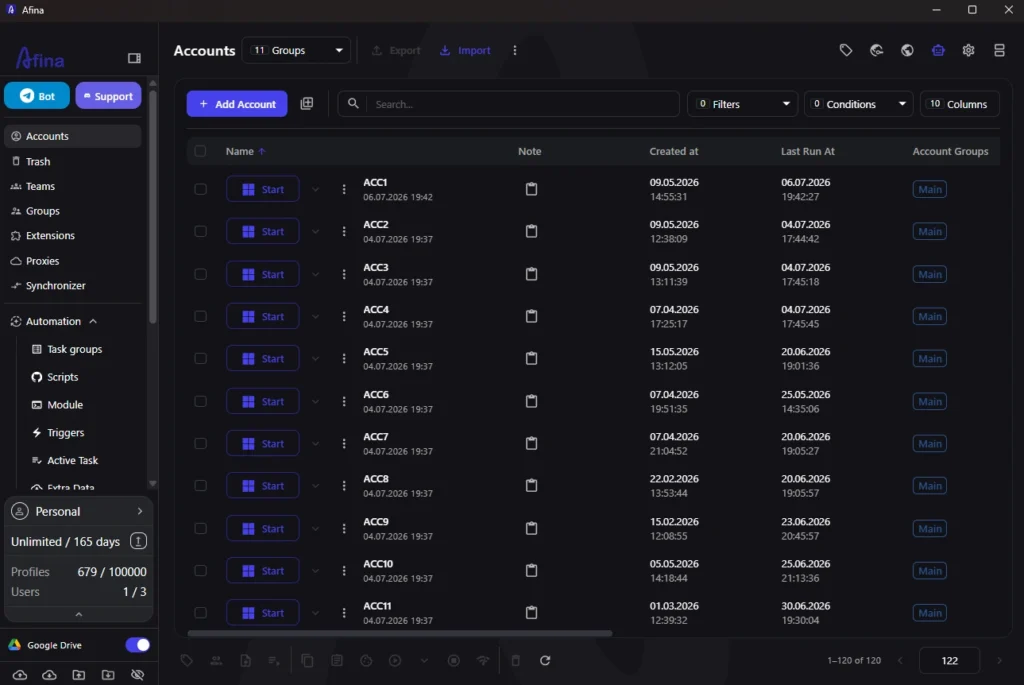
Afina uses isolated browser profiles, so cookies, local storage and network parameters do not bleed between sessions. That matters because one contaminated cookie set can change the output for an entire category crawl. A profile used for account A should not silently affect account B.
For teams planning a broader multi-account scraping setup, the profile model also makes QA easier. If a result looks wrong, the team can inspect the profile, proxy, cookies and task history behind that result instead of debugging one shared browser state.
Matching proxies, fingerprints and browser settings
A proxy changes the network path. It does not automatically make the rest of the browser coherent. If the proxy exits in one country while the browser language, timezone and WebRTC behavior point somewhere else, the session looks inconsistent and the collected page may differ from the expected local version.
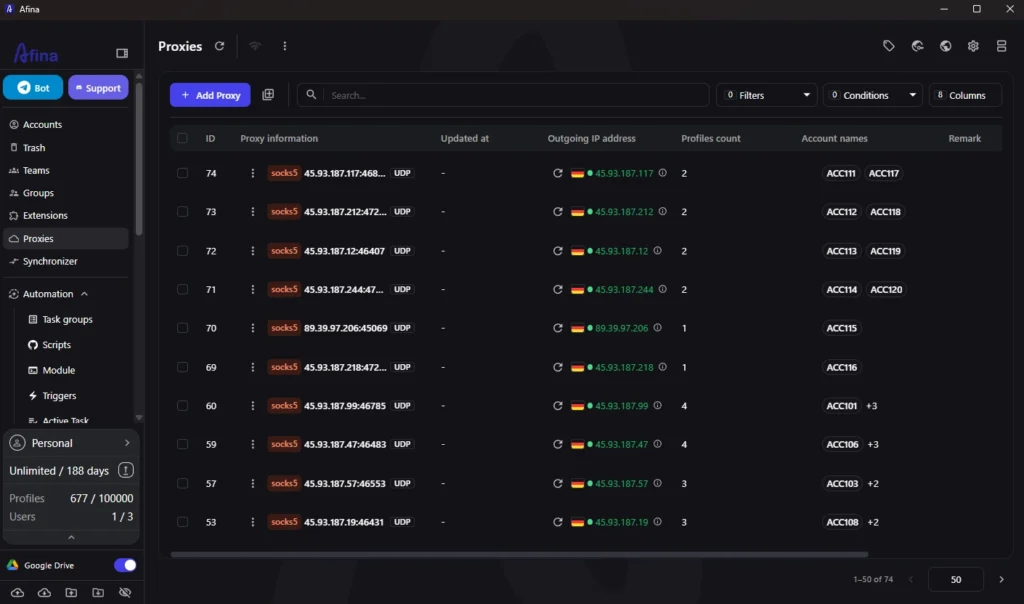
Afina can assign a separate proxy to each profile. Teams can use HTTP, HTTPS or SOCKS5 proxy details. SOCKS5 with UDP support is useful when the workflow relies on QUIC, HTTP/3 or WebRTC behavior, but only if the proxy itself supports UDP reliably. Afina can also turn off WebRTC in main settings when WebRTC is not needed.
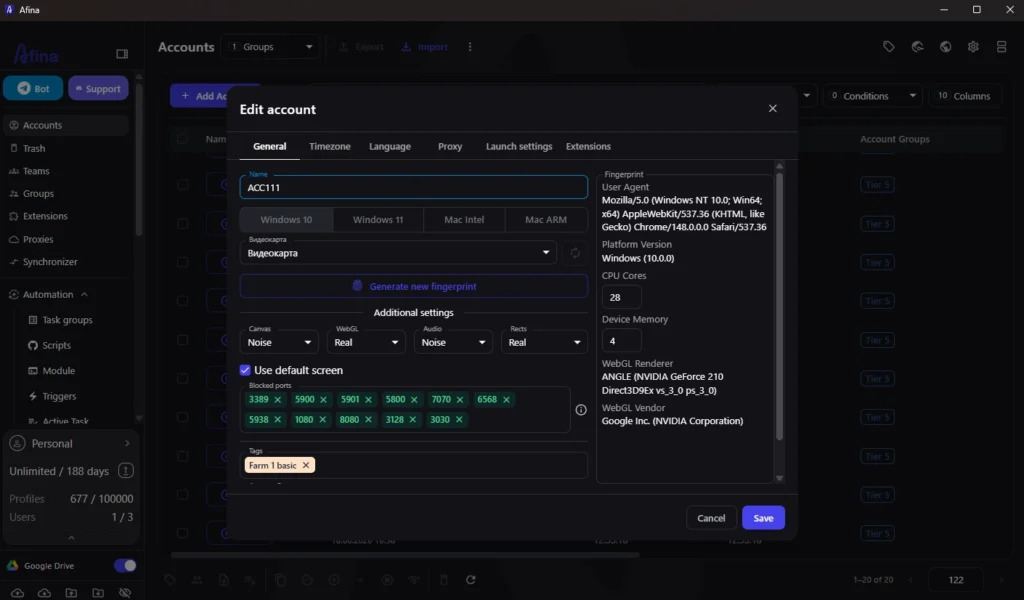
For fingerprint settings, the safer pattern is not maximum randomization. It is believable consistency. Afina lets users adjust Canvas, WebGL, Audio, Rects, timezone and browser language. Timezone and language can be aligned with the proxy IP, which is usually better than manual combinations that do not make sense.
A simple profile checklist:
- proxy region matches the target market
- browser language matches the market being monitored
- timezone follows the proxy IP
- WebRTC is disabled unless the workflow needs it
- Canvas and WebGL settings are stable inside the same profile
- cookie state is reused only where business logic requires it
Cookies and session state
Many ecommerce sites personalize prices or page variants after several visits. That does not mean every monitoring task should keep cookies forever. It means the team needs a policy.
There are three common modes. Clean public checks start from a controlled fresh state. Returning visitor checks keep cookies to measure prices after browsing history exists. Account-based checks import account cookies or log in through a dedicated profile.
Afina keeps cookies isolated per profile and supports cookie import and export in JSON or TXT formats. That is useful when a monitoring workflow needs to preserve a session, move it into a dedicated profile or back it up before a risky test.
The key is to document which mode each profile uses. Mixing a returning-user cookie jar into a clean public profile can make price differences look like market changes when they are actually session changes.
Automation without identical behavior
Price monitoring automation should be repetitive for machines and controlled enough for normal browser behavior. A workflow might open a category page, wait for dynamic content, scroll, open product cards, capture prices and export structured data.
Afina includes a visual RPA builder for browser scenarios: clicks, transitions, waits, conditions and task groups. For technical teams, Afina also provides a local REST API and MCP server for controlling profiles and tasks from external automation.
Good automation design separates the process into small steps:
- prepare or select the profile
- attach the correct proxy
- open the target storefront
- validate language, currency and delivery region
- collect product or category data
- save screenshots for spot checks
- export results into the data pipeline
The browser automation workflow should include limits: number of parallel profiles, retry rules, timeout behavior and a clear stop condition. If every profile starts the same action at the same second, the workflow becomes harder to trust and harder to debug.
Practical workflow for a proxy-based team
Start with the data question, not the script. Which markets, accounts, stores, currencies and page states must be measured separately?
Then create one profile template per lane type. A public visitor profile and a logged-in B2B profile should not share cookies or task assumptions.
Assign proxies by lane. If a lane represents a specific market, the proxy, timezone and language should support the same market. For SOCKS5 workflows, check whether UDP is required and whether the selected proxy supports it. Afina has a detailed guide on UDP over SOCKS5 and QUIC routing for teams that need this level of network behavior.
Next, define the cookie policy. Keep separate rules for clean checks, returning visitor checks and account-based checks. Build automation in small blocks. Smaller tasks are easier to test, pause, retry and audit.
Finally, review output with screenshots and profile IDs. A price without context is weak evidence. A price linked to profile, proxy, timestamp, cookie mode and screenshot is much easier to trust.
Promo codes for new users:
- SALE20 – 20% off all plans except Max
- SALE30 – 30% off the Max plan
Frequently asked questions
Here we answered the most frequently asked questions.
Do I need a separate proxy for every price monitoring profile?
Not always. Use separate proxies when profiles represent different regions, accounts or storefront states. If several profiles share one market and do not run in parallel, one proxy pool may be enough.
Is SOCKS5 required for catalog scraping?
Should price monitoring profiles keep cookies?
Only when the monitoring question requires it. First-visit checks need clean state. Returning visitor and account-based checks need persistent cookies inside the correct profile.
Can Afina replace a full scraping backend?
Afina is the browser environment and automation layer. Teams still need storage, validation, alerts and reporting. Afina keeps browser-side collection controlled.