
Proxies for Apple Developer Accounts: Why Connection Quality Matters for Your Team
Published: ≈ 11 min read
When choosing an Apple Developer account, teams often discuss GEO, account type, registration method, and account age. Proxies, meanwhile, frequently receive less attention. Some customers plan to use their regular internet connection, others purchase the cheapest option, and some continue using the same provider for years without reassessing the quality of its services.
Based on SmartShop’s experience, this approach can create problems that teams initially attribute to the account itself.
We have been working with Apple Developer accounts since 2024 and have sold more than 2,000 accounts during that time. Managing account access every day and handling customer support requests has helped us develop our own approach to selecting and testing proxies.
In this article, we share observations from our practice: common mistakes, why connection quality deserves attention, and how to choose proxies for an Apple Developer account that suit your team’s workflow.
Why Proxies Are an Important Part of Apple Developer Infrastructure
Running an iOS project involves several connected processes: accessing the developer account, signing in, working in App Store Connect, preparing builds, uploading the app, and managing it after publication.
Connection quality affects your team’s ability to complete these tasks without repeated interruptions. If login errors occur or sessions keep disconnecting, the team loses time before it even reaches the app submission stage.
That is why we treat proxies as an important part of the infrastructure, alongside the app’s code and the build upload process. Each component serves its own purpose: a stable connection supports account access, while app quality and submission preparation affect other stages of the project.
A proxy should not be treated as a one-time purchase that can be permanently removed from your troubleshooting checklist. Even if a connection worked well previously, its quality should be reassessed when new errors appear.
Over the years, we have adopted an approach based on ongoing testing: trying different options, evaluating providers, and comparing results in specific workflows.
Which Errors Should Prompt You to Check Your Proxy?
Customers regularly contact us because they cannot sign in to an Apple Developer account or complete a familiar action inside it. Their initial assumption is often the same: something is wrong with the account.
However, in some support cases, normal operation is restored after changing the connection or replacing the proxy. We therefore recommend including network checks when investigating the following situations.
Errors Sending a 2FA Code or Completing Authentication
The user enters their account credentials but cannot request a two-factor authentication code, or does not receive it and cannot complete the login.
In our practice, we have seen cases where changing the proxy allows the user to complete authentication. This is a reason to check the connection before concluding that the account itself is faulty.
A missing code can also be related to other circumstances, such as access to the phone number, email account, or selected verification method. It is better to investigate step by step and record exactly where the error occurs.
Temporary Login Restrictions
Customers often describe this situation as a “hold”: access is temporarily restricted, the usual login process no longer works, and account recovery becomes necessary.
When reviewing these cases, we also look at the connection being used. If a problem appears in an environment that previously worked normally, the proxy deserves attention too.
It is important to distinguish a temporary authentication problem from a restriction on the account itself. Replacing the connection may resolve a network issue, while restoring account access can require separate steps.
Restrictions on Email Account Access
The email address associated with the developer account is another part of the workflow. If the team loses access to it, receiving messages, confirming actions, and managing the account become more difficult.
Customer support requests sometimes involve temporary email login restrictions or blocked email accounts. In these situations, it is also worth checking the connection and the circumstances in which the problem appeared.
Email access and Apple Developer account access require separate troubleshooting. Similar symptoms do not necessarily have the same cause.
Apple Developer Account Restrictions or Suspension
Less frequently, we receive requests involving suspended Apple Developer accounts where questions also arise about the quality of the proxies being used.
These cases require careful assessment. An account suspension alone does not establish that an IP address or proxy provider caused it. Changing the proxy also does not automatically restore a suspended account.
Our practical takeaway is this: check connection quality in advance and include it in troubleshooting, while separately assessing the account’s status and the other parts of your infrastructure.
Two Types of Customers: The Mistakes We See Most Often
Although teams have different levels of experience, many situations repeat themselves. We broadly identify two types of customers who can benefit from reviewing their approach to proxies.
1. Beginners: A Regular Connection or the Cheapest Proxy
Some beginners believe they do not need a proxy for their Apple Developer account. They plan to use their usual home or office connection without considering whether that access setup suits the project.
Others have heard about proxies but choose entirely on price. The reasoning is understandable: at the beginning, teams want to reduce infrastructure costs and leave more money for development.
Problems arise when those savings lead to unstable operation, lengthy troubleshooting, and additional expenses. A team may spend hours communicating with support or pause work on the project, even though a more suitable connection would have cost considerably less than those disruptions.
Before starting, we recommend answering a few questions:
- How will the team access the account, and who is responsible for the connection?
- Is the selected proxy suitable for your tasks?
- Can you get help if errors occur?
- How will you check connection quality before using it?
- Do you have an alternative if the current option stops working?
Staff time also matters. A cheap proxy that requires constant attention can become an expensive choice for the team.
2. Experienced Customers: One Provider and No Regular Reassessment
Experienced customers usually have a proxy provider and an established workflow. They purchase services from the same company regularly and consider the connection a proven part of their infrastructure.
But reliable performance in the past does not explain what is happening today.
Customers often ask us to help with a login error or a problem inside an account. They have already tested several explanations, discussed the situation with a developer, and started questioning the quality of the Apple Developer account. Yet nobody has checked the proxy: “We always use this one.”
In a noticeable share of these cases, changing the connection helps restore normal operation. That is why we encourage experienced teams to revisit proxy checks whenever new errors appear.
A provider can remain your main supplier while its services undergo regular checks. This is a normal part of maintaining infrastructure.
How to Choose Proxies for Apple Developer and App Store Connect
When selecting proxies, we recommend assessing several factors together. The lowest price or a bold advertising promise provides too little information to make a sound decision.
Connection Stability
Pay attention to how the connection behaves during actual work. Do the required pages load? Can you complete the login? Are there disconnections or recurring errors?
What matters is performance in your team’s workflow. A successful connection check on one occasion does not show how convenient the service will be to use every day.
A Connection Setup That Fits Your Workflow
Ask the provider how the connection works and whether the IP address changes during use. The selected option should suit your workflow and be understandable to the people using it.
If the team does not understand its proxy settings, troubleshooting errors and comparing test results will be more difficult.
Support and Consultation
We recommend looking for companies that can help you choose a suitable option and explain how their products work.
Useful support helps customers understand the settings and check the connection. It also makes it easier to assess whether a service fits the task and what to do if problems arise.
If you are considering a new provider, you can discuss selecting and configuring MangoProxy proxies. Before purchasing, describe your workflow and ask which connection option they recommend.
An Opportunity to Test the Service
We do not recommend moving the entire team to an unfamiliar solution without evaluating it first.
Start with a manageable amount that allows you to test the connection under your own conditions. Record the results before deciding whether to expand its use.
This approach is useful both when choosing a new supplier and when switching products with a provider you already use.
What to Do When an Account Error Appears
When a familiar workflow stops working, follow a clear troubleshooting sequence.
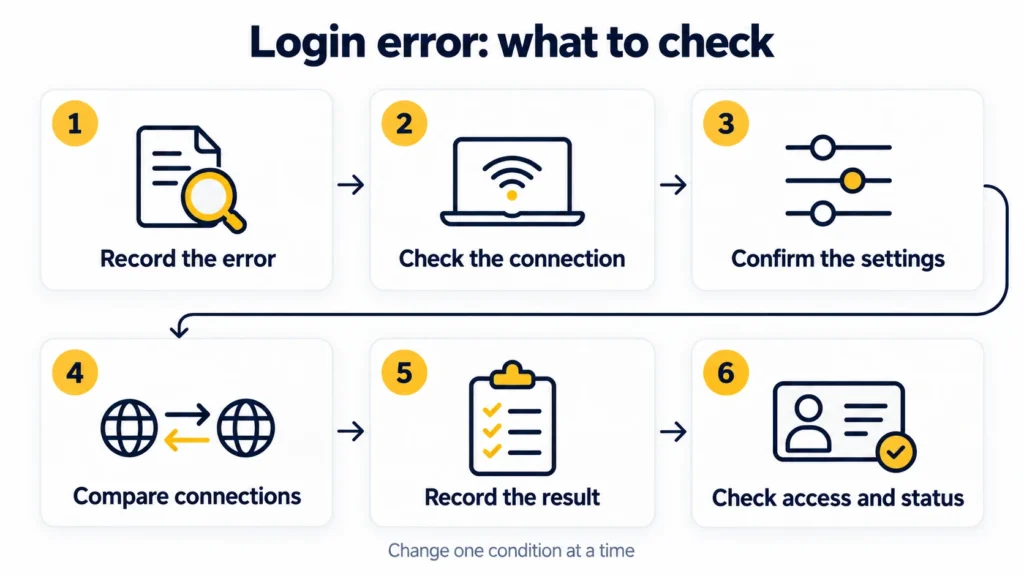
- Record the error. What exactly fails: opening a page, signing in, requesting a code, or completing an action?
- Check the connection. Is the current proxy working, and does the problem occur again?
- Confirm the settings with the provider. If you have doubts about the configuration, contact support.
- Test an alternative connection. Where possible, compare the result using another proxy you have already tested.
- Assess what changed. If normal operation is restored, record the observation for future testing.
- Continue troubleshooting if the error remains. Check account access, the login verification method, and the account’s status.
We recommend changing conditions one at a time. If you replace the proxy, browser, and other settings simultaneously, it becomes difficult to identify which change affected the result.
SmartShop’s Main Recommendations
Our daily work with customers has led us to three main recommendations.
Do not choose proxies solely on the lowest price. Assess stability, support, and ease of use. The cost of interrupting a project can considerably exceed the savings on a connection.
Check your proxy when errors appear. If login or a familiar action stops working, include the connection in your troubleshooting checklist. Sometimes this is where the problem lies.
Keep testing. Compare options, evaluate providers, and record results. Infrastructure needs attention even when everything is running smoothly.
How SmartShop Helps Teams Work with Apple Developer Accounts
SmartShop has been supplying and supporting Apple Developer accounts since 2024. During that time, we have delivered more than 2,000 accounts and gained experience working with developers, app studios, and affiliate marketing teams.
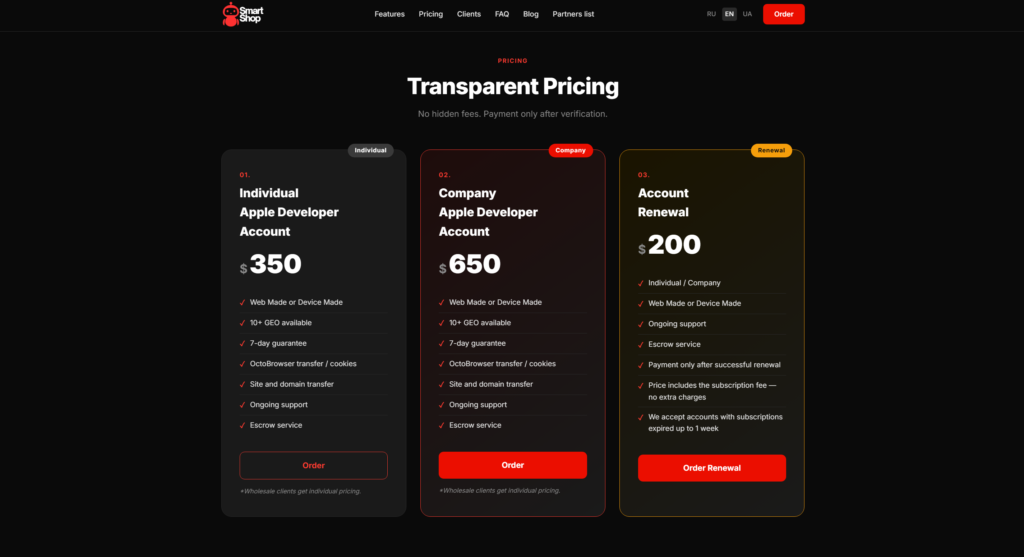
You can choose an Individual Apple Developer Account or a Company Apple Developer Account, discuss your project’s requirements, and get advice on managing the account.
When working with customers, we consider the full workflow: the account, access, connection, app preparation, and submission process. This helps teams investigate problems methodically and make decisions based on their own observations.
If you are planning to buy an Apple Developer account or already have questions about using one, tell the SmartShop team about your situation and the infrastructure you use.
Useful Guides and SmartShop Resources
We regularly publish useful content for developers and teams: step-by-step instructions, videos demonstrating actions on screen, answers to common questions, and recommendations from our practice.
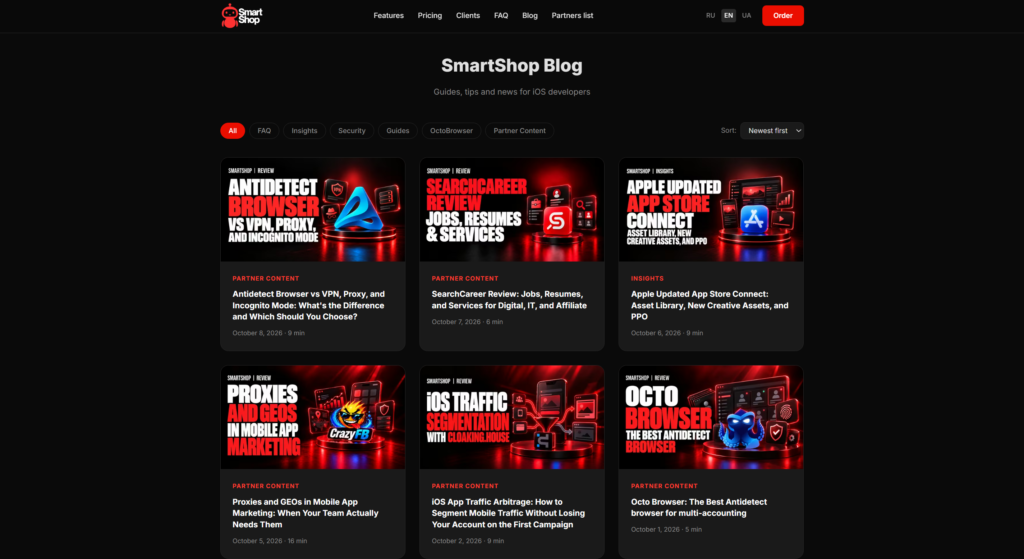
- The SmartShop blog about Apple Developer and iOS apps. Articles covering account management, access, App Store Connect, renewals, and app publication.
- SmartShop video tutorials on YouTube. For example, our step-by-step guide to uploading an iOS app to App Store Connect through Codemagic – CI/CD without Xcode.
- The SmartShop Telegram channel about Apple Developer and iOS. New articles, short recommendations, and useful materials for everyday work.
- The SmartShop partner directory. Services for building infrastructure, developing products, and promoting projects.
These resources help teams understand the process in advance, prepare questions for specialists, and improve their workflows as they gain experience.
For account selection and consultation, contact us through the SmartShop Telegram bot. Describe your project’s requirements and the questions you need help with.
Frequently asked questions
Here we answered the most frequently asked questions.
Where can we check whether Apple services are having problems?
Start with Apple Developer System Status, which provides a place to check developer service status. If the problem affects only your team, continue investigating its connection and access. Service status alone will not explain every local error.
What information should we prepare for a support request?
Record the exact error, the time and time zone, the action that failed, the browser, and the connection setup. Describe which conditions you changed and what happened afterward. Remove personal details from screenshots; do not include passwords, verification codes, or session files in the error description.
How can we check a proxy before trying to sign in again?
Check its availability with Proxy Checker, then open My IP in the browser your team uses. The first check tests the proxy; the second shows the IP for the browser’s request. These results help check the connection, but do not confirm access to the Apple Developer account.