
Online Port Scanner: Check Open Ports on a Server or Domain
What Is Port Scanning
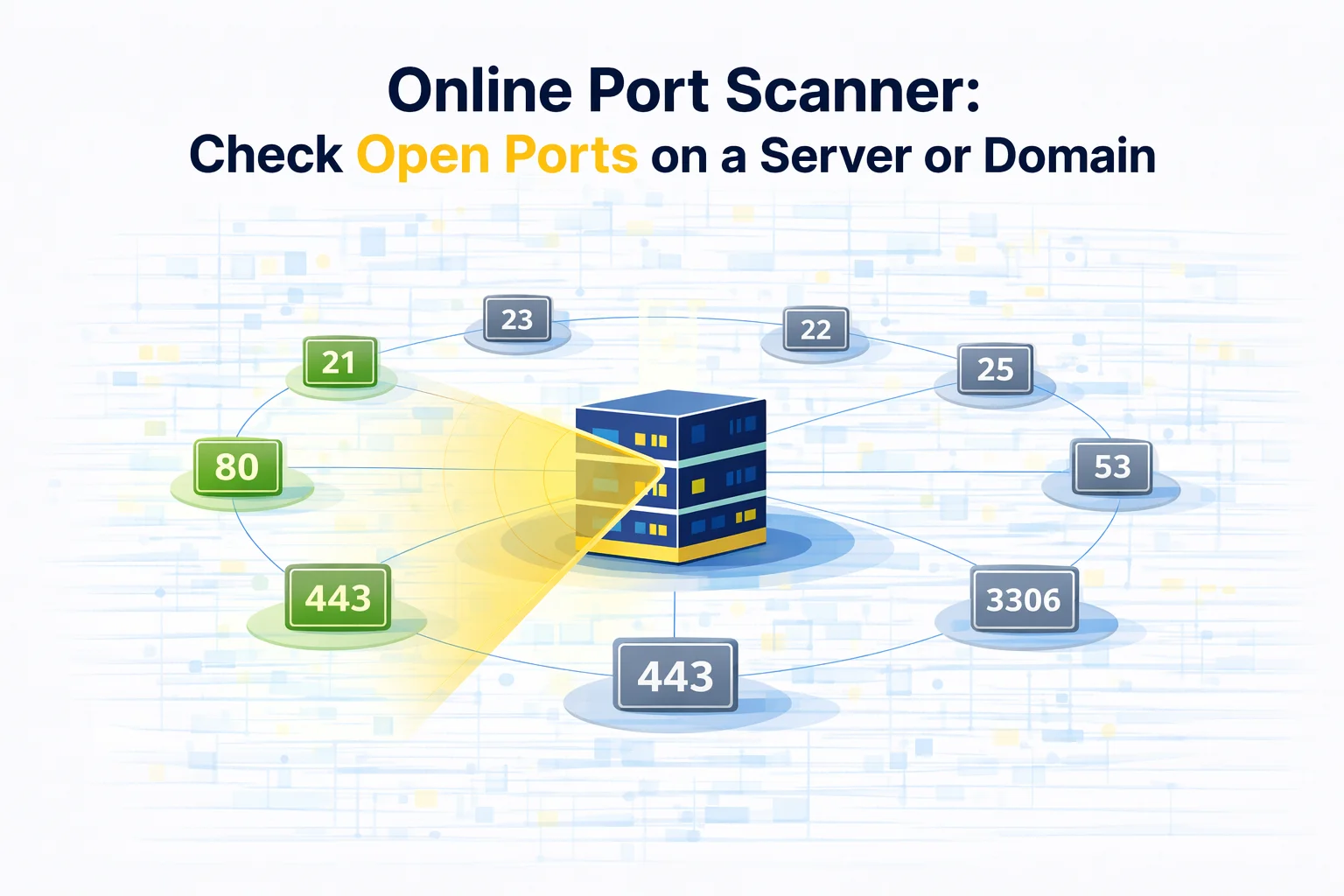
Port scanning is a simple but very useful network diagnostic technique that helps determine which services on a server are accessible from the internet.
Every application connected to the network communicates through a specific port. Web servers, databases, email systems and remote administration tools all rely on their own communication endpoints.
When administrators scan ports on a machine, they are essentially asking one question:
Which services on this system can currently accept incoming connections?
If a port responds to a connection request, it usually means that a service is running and listening on that endpoint.
This information helps engineers understand how a server appears from the outside network.
Why Engineers Check Open Ports
Port scans are commonly used during infrastructure setup, troubleshooting, and security reviews.
In practice, developers often run port scans right after launching a new server to confirm that required services are accessible.
For example, if a web application has just been deployed, engineers may verify that HTTP or HTTPS endpoints respond correctly from the public internet.
Security Audits
One of the most common reasons to run a scan is security verification.
If unnecessary services are exposed to the internet, they may become potential attack surfaces.
Regular scans help identify services that should not be publicly reachable.
Infrastructure Debugging
Another typical scenario occurs during network troubleshooting.
Imagine a situation where an application cannot connect to a remote server. The service might be running locally, but firewall rules or network policies may prevent external access.
Scanning the server from outside the network quickly reveals whether the service endpoint is reachable.
Configuration Validation
Developers also use port scanning to confirm infrastructure configuration.
After installing software such as web servers, database engines, or message queues, a scan helps verify that required endpoints are open and responding.
How an Online Port Scanner Works
Online scanners operate from external servers and simulate real internet traffic.
Instead of testing the machine from inside its own network, the scan checks how the server appears from outside.
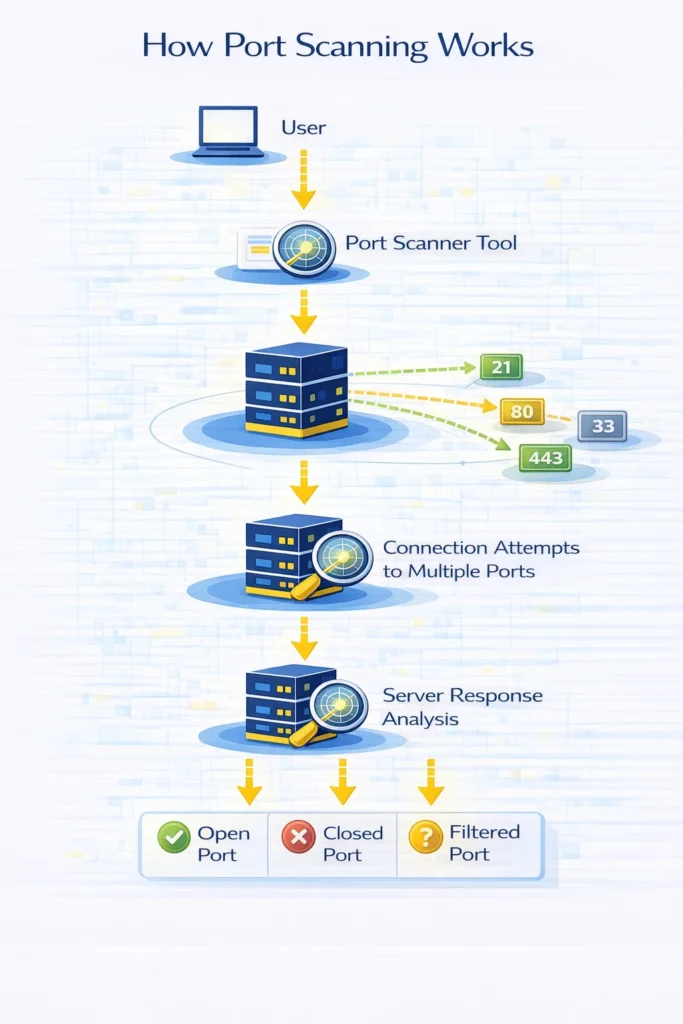
The typical workflow looks like this:
- A user enters a domain or IP address.
- The scanning service attempts to connect to selected ports.
- The target server responds to the connection attempts.
- The scanner analyzes the response behavior.
- The result is displayed as a list of detected ports and their status.
Depending on the response, a port may appear in one of several states.
| Status | Meaning |
| Open | The server accepts connections on this port |
| Closed | No service is listening on the port |
| Filtered | Firewall rules prevent connection attempts |
You can test any server using MangoProxy Port Scanner.
Ports That Are Commonly Tested
Some ports are scanned more frequently because they correspond to widely used internet services.
These ports usually indicate important infrastructure components.
| Port | Typical Use |
| 80 | HTTP web servers |
| 443 | HTTPS secure websites |
| 22 | SSH remote administration |
| 21 | FTP file transfer |
| 25 | Mail transfer |
| 3306 | MySQL databases |
| 3389 | Remote desktop access |
If these ports respond to external connections, it usually means that the associated services are running.
However, open ports are not automatically a security issue. Many services must remain reachable for normal operation.
When Open Ports Are Completely Normal
Not every open port indicates a problem.
In fact, most production servers intentionally expose several endpoints so that users and systems can interact with them.
For instance:
- web platforms require 80 or 443
- system administrators rely on SSH
- APIs often operate on custom endpoints
The real objective of infrastructure security is not to close every port, but to ensure that only necessary services remain accessible.
Unused services should be disabled or restricted through firewall policies.
How Developers Use Port Scanning in Real Infrastructure
In real engineering workflows, port scans are often part of routine system checks.
Typical situations include:
• verifying that a newly deployed application is reachable
• diagnosing unexpected connection failures
• confirming firewall rule configuration
• checking cloud infrastructure exposure
In cloud environments such as AWS, GCP or DigitalOcean, administrators frequently perform scans after modifying network security rules.
This helps confirm that changes behave as expected.
How to Check Open Ports with an Online Scanner
Running a scan takes only a few seconds.
The typical process looks like this:
- Enter a domain name or IP address.
- Select the scan type or port range.
- Start the scan.
- Wait for connection attempts to complete.
- Review the list of detected services.
The tool will show which ports respond to external requests and which endpoints remain closed.
This provides a quick overview of how a system behaves from the public internet.
Additional Tools for Network Diagnostics
Port scanning is only one step when investigating network problems.
Several other tools can provide additional insights about connectivity and routing.
For example:
• My IP – identifies your current public IP address
• IP Lookup – displays geolocation and ASN data for any address
• Proxy Checker – verifies whether proxy servers are reachable
Combining these tools helps developers quickly identify network configuration problems.
Glossary
- Port
A logical communication endpoint used by network services. - Port scanning
The process of checking which service endpoints respond to connection attempts. - Firewall
A system that filters incoming or outgoing network traffic. - Filtered port
A port that does not respond because firewall policies block requests.

Frequently asked questions
Here we answered the most frequently asked questions.
Is port scanning legal?
Port scanning itself is not illegal, but scanning systems without authorization may violate security policies or local regulations.
Why might a port appear filtered?
This usually indicates that firewall rules or network filtering mechanisms block external connection attempts.
Can a firewall hide open ports?
Yes. Some firewall configurations intentionally conceal service endpoints to prevent discovery.
Why do servers keep ports open?
Servers expose ports so that applications and services can accept external connections.
Spent an hour wondering why port 8080 showed closed before realizing my local firewall was silently blocking the inbound connection lol
Handy for a fast check. Used an online tool like this yesterday to verify my local server setup after tweaking router rules. Saved me from guessing.