


Telegram Conversations Are Overwhelming Businesses: How to Stay Afloat in a Flood of Messages
Published: ≈ 11 min read
In March 2025, Telegram officially announced that the messenger is monthly audience had exceeded 1 billion active users. The platform confidently ranks second worldwide among messaging apps, behind only WhatsApp.
But another figure matters far more. In early 2026, the number of active bots on Telegram, within just a few weeks, grew from roughly 3 million to more than 8 million. The first 3 million had accumulated over almost 10 years, since the launch of the bot ecosystem in 2015. The next 5 million appeared in a matter of weeks. And almost all of them are AI agents deployed by users.
Telegram became the first IM platform to receive official documentation for deploying AI agents, and today it has the most active developer community of any messenger.
If the number of bots grew 2.5 times in just a few weeks, the number of conversations that need to be handled has multiplied as well. Managing even a hundred chats manually, without a system, is no longer a matter of convenience; it is a matter of business survival. When there are hundreds of incoming messages and only a couple of managers, the only way not to lose customers is to build the process properly.

Five Minutes to Reply, One Hour to Prioritize: How to Sort Conversations Without Automation
Before connecting any tools, you need to bring order to what you already have. Telegram offers basic structuring features, and ignoring them would be a mistake.
Chat folders are available to all users. For Telegram Premium subscribers, the limits are expanded: you can create up to 30 folders instead of 10, and store up to 200 chats in each instead of 100.
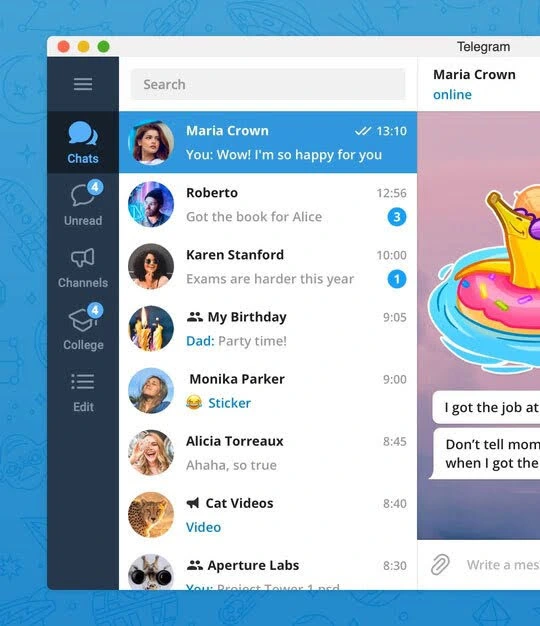
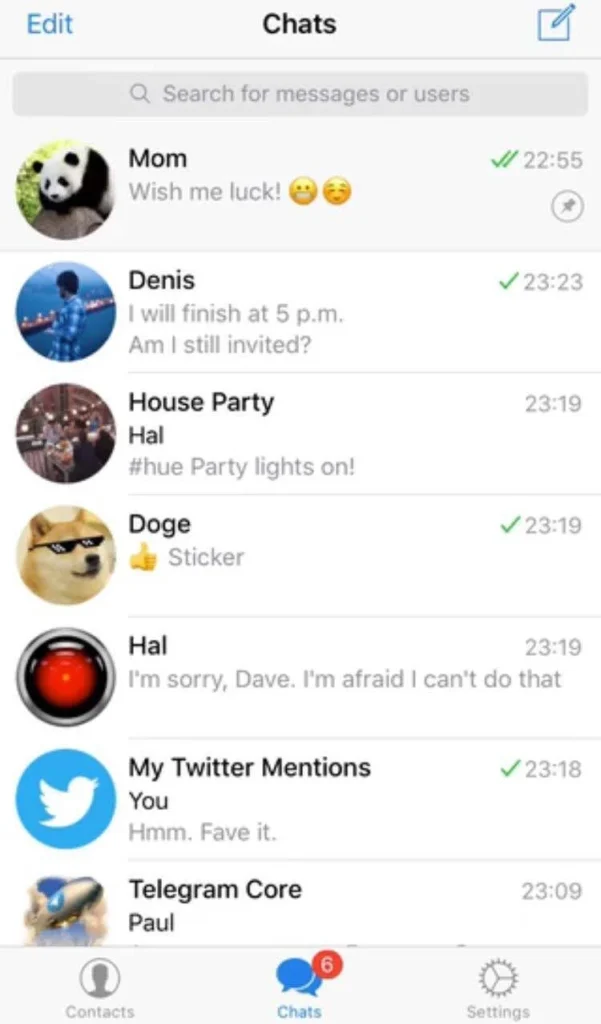
Pinned chats are limited to 5 in the standard version and up to 10 in Premium.
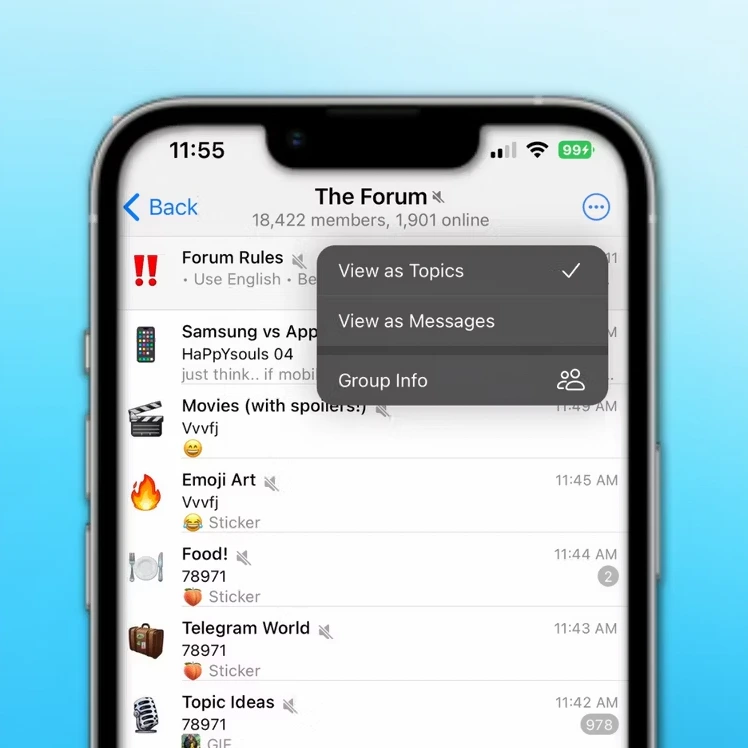
Topic groups (Topics) are a feature for group chats that lets you create separate discussion threads within a single group. They are available for groups with more than 200 members.
Based on the experience of teams handling a large flow of requests, an empirical 5-25-470 rule has emerged:
- 5 pinned chats: mission-critical conversations with a reply within 5 minutes;
- 25 chats in the Priority folder: reply within an hour;
- the remaining 470 are distributed across project or status folders, with replies during the working day.
Without this structure, a manager can spend up to 40% of their time searching for the right chat. Folders and pinned chats reduce these losses to 5-7%, according to observations from teams working with 20+ accounts at the same time.
Telegram’s New 2026 Features: Helpful Assistants, But Not a Cure-All
In May 2026, Telegram released a major update that added dozens of new capabilities. Some of them directly relate to conversation automation, and anyone who works with customers through the messenger should know about them.
Chat Automation in the Profile
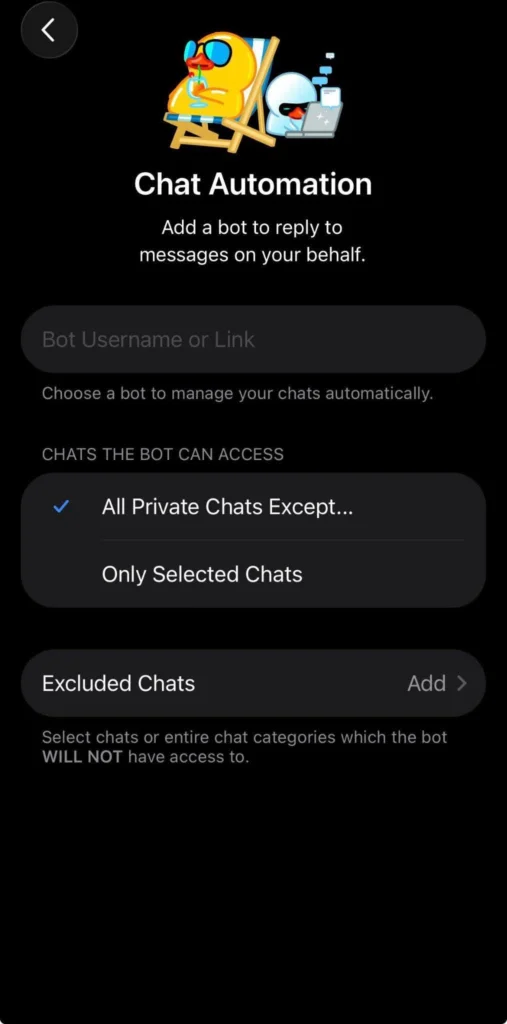
Every Telegram user can connect a bot to their profile and allow it to reply to messages on their behalf.
How to set it up: Settings -> Account -> Chat Automation.
When connecting a bot, you can flexibly restrict its access: exclude all chats with contacts, reply only to new conversations, or select specific chats.
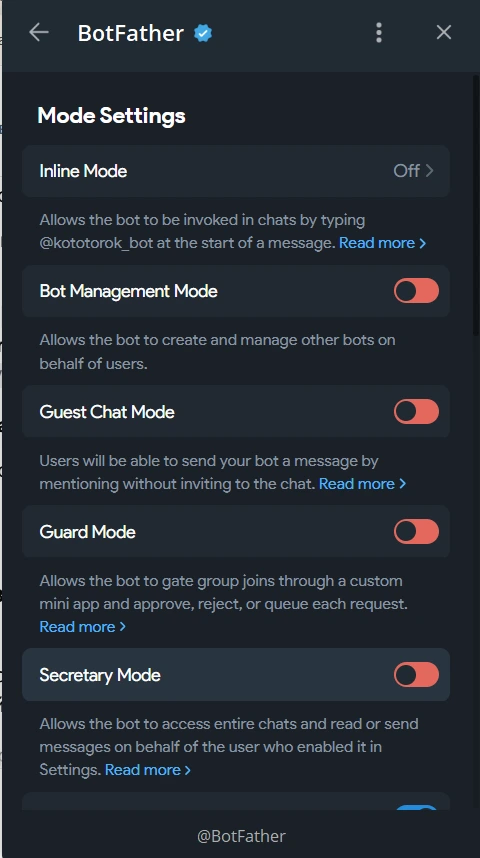
An important limitation: the bot can send messages only in chats where there has been activity within the last 24 hours. In addition, not every bot will work; it must support the Telegram for Business feature. Secretary mode is activated through the BotFather bot.
Guest Bots
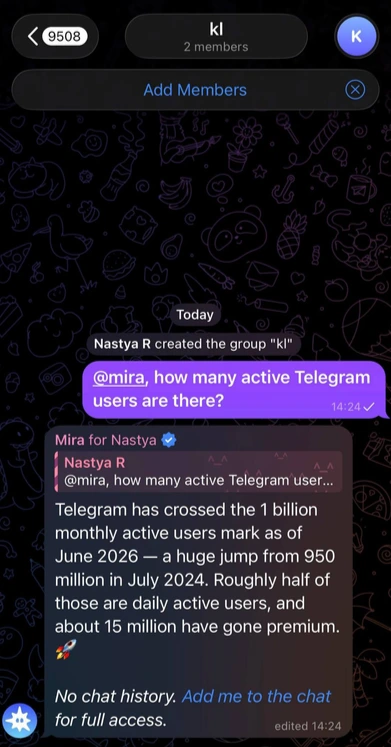
AI assistants and automated tools can now be called in any private or group chat by mentioning @username, even if the bot is not a member of that chat.
The bot gets access only to the message where it was mentioned and to replies to that message. It does not see other participants and has no access to the rest of the conversation.
Bot-to-Bot Communication
Bots can communicate with each other without human involvement. The feature was announced by Pavel Durov, and developers had been asking for it for a long time.
Example. One bot sends code or content to another for review, receives feedback, and continues the process automatically. Or one bot books restaurants, a second answers support requests, and a third processes requests in the background, with all of them interacting with each other.
To activate it, developers need to enable Bot-to-Bot Communication Mode through @BotFather.
Streaming Text Output for Bots
Bots can now deliver responses as they are generated instead of waiting for the full message. This feature became available to all bots with the Bot API 9.5 update on March 1, 2026.
In practice, you can build a first-response scenario: a secretary bot handles all new conversations with unknown users by greeting them, collecting basic information, and qualifying the lead. Only those who pass the filter are transferred to a human manager.
Or an escalation scenario: the bot handles standard questions, and when a complex request appears, it calls another bot or notifies a manager.
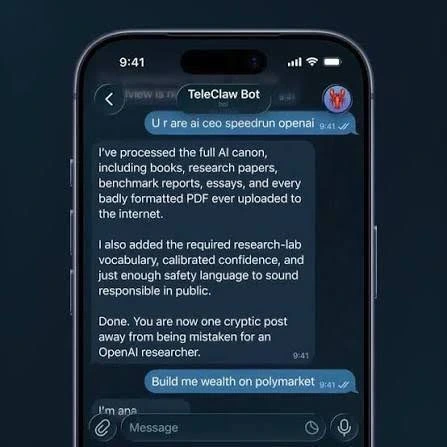
But it is important to understand that all these features are built in and work within a single account. They are not designed for mass management of dozens or hundreds of accounts. If you have 5, 10, or 50 accounts used for customer communication, setting up each bot separately and synchronizing their work is practically impossible. In addition, the official tools have strict time and volume limits, which makes them unsuitable for serious scaling.
Why Manual Management and Basic Features Do Not Hold Up at Scale
When the number of conversations passes one hundred and there are several accounts involved, systemic problems appear that Telegram’s official tools do not solve.
The first problem is isolation. If you run multiple accounts from one device or IP address, Telegram sees the same digital fingerprint. The platform actively fights multi-accounting, and even when several sessions are used in one app, which Premium allows, there is still a risk of restrictions or a ban under intensive activity.
The second problem is a single control center. There is no way to centrally view all conversations across all accounts, switch between them quickly, or set shared tasks for bulk actions, such as reading all unread messages or deleting old conversations.
The third problem is response automation. The built-in autoresponder exists only within a single account and works according to simple rules. You cannot set up complex logic using neural networks, personalize messages for each customer, or apply text randomization to avoid sounding templated.
The fourth problem is account warm-up. It is risky for new accounts to start mass messaging or reply to dozens of conversations right away; Telegram may block them as spam accounts. They need warm-up: a gradual increase in activity and imitation of natural communication. Doing this manually across 50 accounts is impossible.
Basic features are good for personal use or a microbusiness with one or two accounts. But once you move to systematic work with a large flow of customers, it becomes obvious that you need a professional platform that solves all these problems in one place.
The Human Factor: How Managers Can Avoid Burnout
Even with the most advanced tools, people remain the main resource. Automation is meant to remove routine work, not replace live communication where it is truly needed.
Telegram Premium offers some relief: up to 1,000 channel subscriptions instead of 500, up to 30 folders for sorting chats instead of 10, up to 10 pinned conversations instead of 5, and the ability to add up to 4 accounts in one app.
On mobile devices, there are third-party clients with expanded multi-account support. For example, Graph Messenger lets you manage an unlimited number of accounts without constantly logging in and out, but it still does not solve the problem of mass conversation processing.
Practical tips for organizing the work:
- Response templates. Create a library of 50-70 ready-made templates for common situations. This reduces the time spent on one conversation from 3-5 minutes to 30-60 seconds.
- Delegation by time of day. Schedule complex, non-standard conversations for the first half of the day, when cognitive activity is at its peak. Leave standard, routine questions for the second half.
- The three-touch rule. If the customer has not received a solution after three automated or template-based messages, involve a human manager. Practical experience shows that this is the optimal balance between efficiency and service quality.
- Regular breaks. Working with a large number of conversations creates a serious cognitive load. Introduce mandatory 5-10-minute pauses every hour.
But even these techniques will not help if you still switch manually between 50 accounts, read every message one by one, and reply by hand. What you need here is not just workflow organization, but a full-fledged technological solution.
Telegram Expert: A Professional Solution for Managing Hundreds of Conversations
This is where Telegram Soft Expert is especially useful: it is a multifunctional platform that covers the full Telegram workflow, from account registration and warm-up to messaging campaigns, analytics, and centralized conversation management.
It is not a set of scattered scripts, but a unified system built for those who work with dozens and hundreds of accounts at industrial scale.
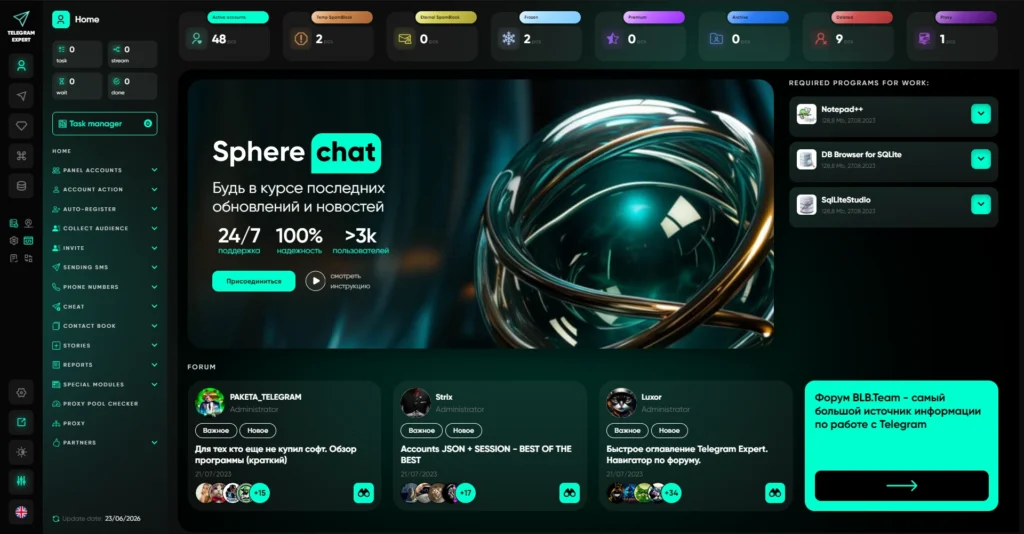
Centralized Account Panel
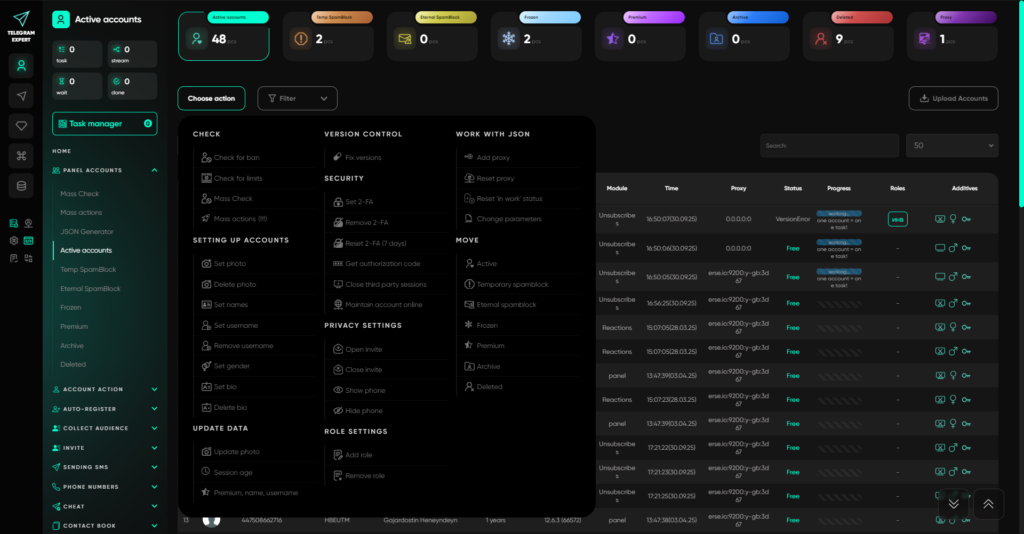
The heart of the system is a panel where you see all your accounts in one window. They are distributed across folders: active, temporary spam block, permanent spam block, frozen, Premium, archive, and deleted. Each account can work through its own proxy with a unique digital fingerprint, which completely removes the risk of mass bans that affects users running several sessions from one IP address.
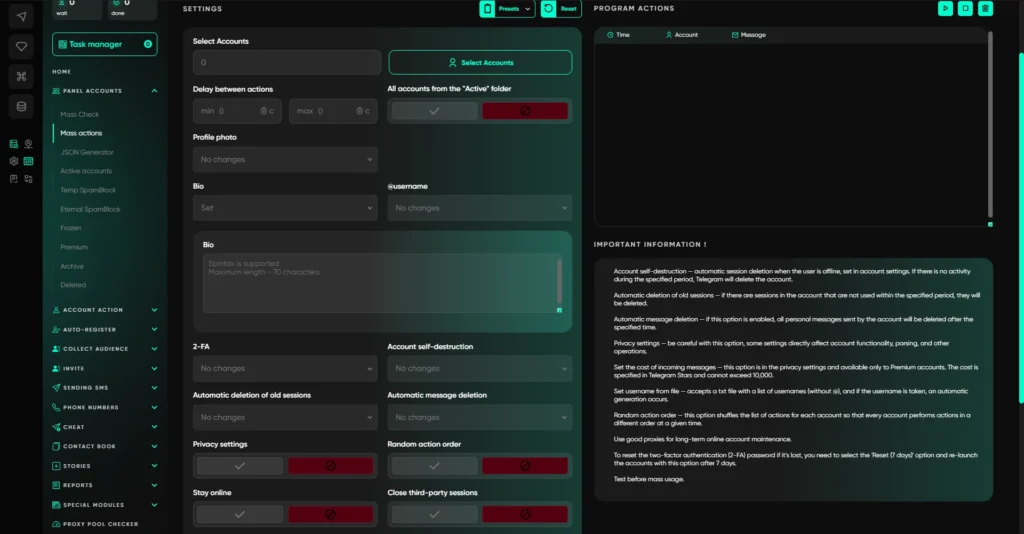
You can apply bulk actions to any accounts: change photos, bios, usernames, set up two-factor authentication, and manage privacy. All of this is done in a few clicks for the entire folder at once.
Conversation Management at a New Level
In Telegram Expert there are modules that radically simplify working with incoming messages:
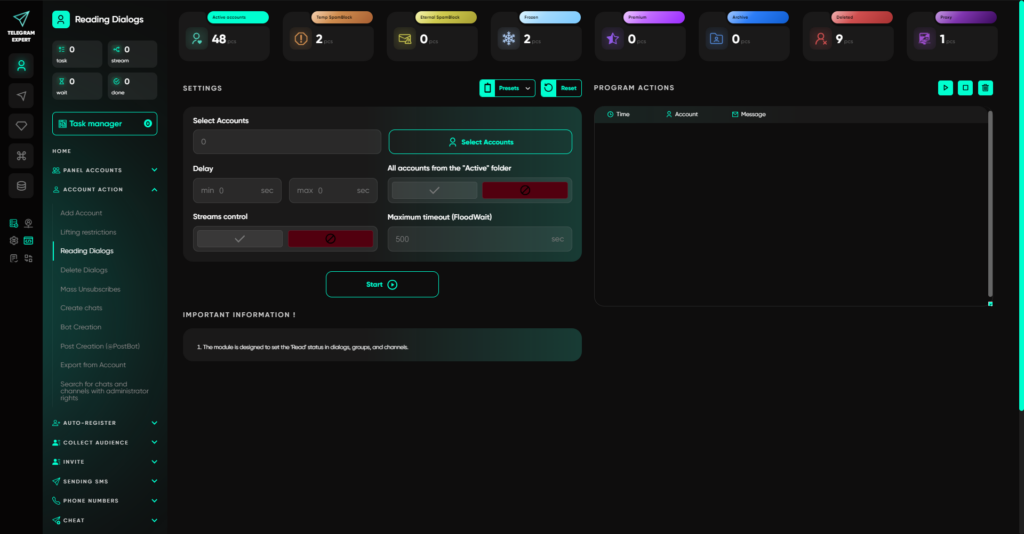
- Reading conversations: the software automatically reads all unread messages on selected accounts, so the manager no longer has to open every chat manually.
- Deleting conversations: bulk-clears correspondence on accounts, keeping things organized and freeing up space.
- Data export: lets you extract information about conversations, usernames, and contacts even from blocked accounts, without having to log in to them.
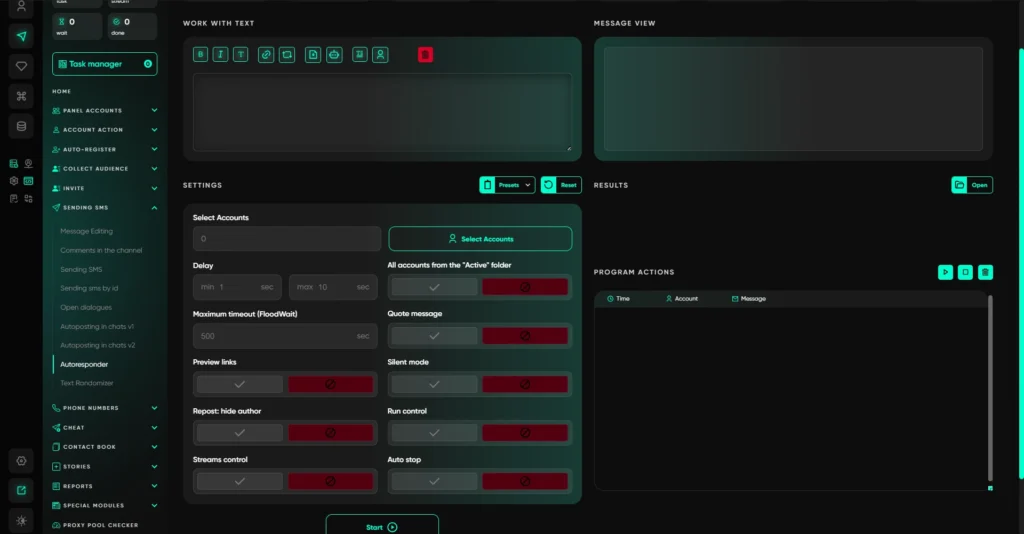
- Autoresponder: automatically replies to incoming messages using a specified template. You can create multiple scenarios for different types of requests.
- Text randomizer: makes messages unique by substituting characters and using spintax randomization, which reduces templated patterns and improves resilience against Telegram filters.
- GPT integration: when the neural-network module is enabled, all outreach messages and replies can be generated by artificial intelligence. You provide the prompt, and the final text is generated by AI in a personalized and context-aware way.
- Forwarder: when live replies are needed, the module lets you redirect messages from all required accounts into a single chat and answer each one.
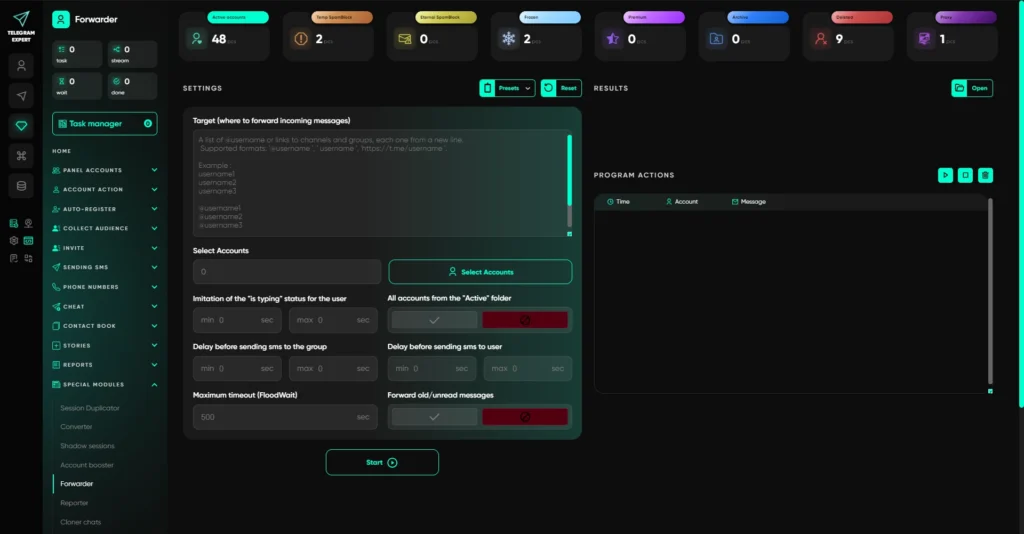
Account Warm-Up and Preparation
The separate Account Booster module automatically warms up new accounts by imitating natural communication. This is critically important so accounts do not fall under spam filters when intensive work begins. Warm-up follows different scenarios with randomized actions, safely and without human involvement.
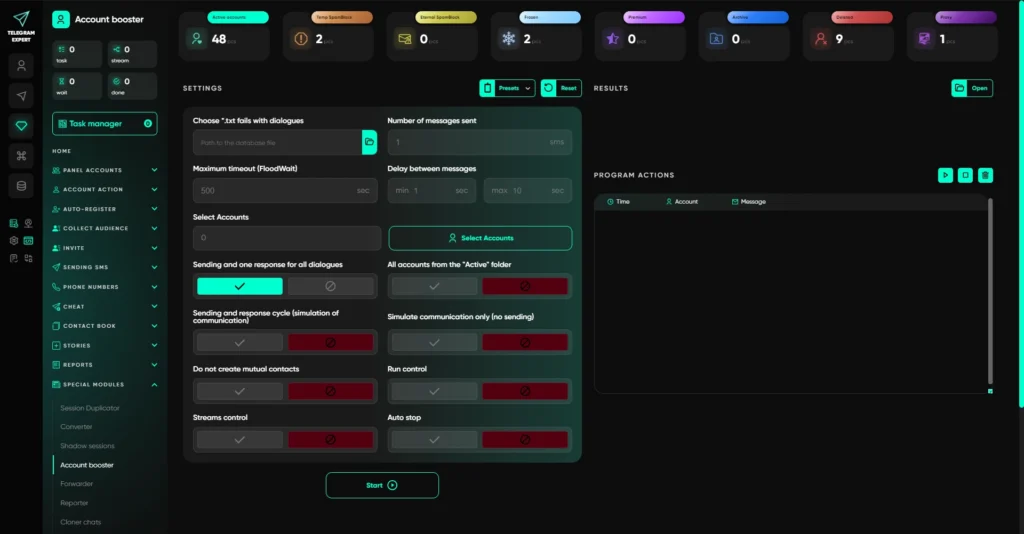
Why It Works
Telegram Expert is built with all platform risks and limitations in mind. Each account works in an isolated environment with its own settings, proxy, and behavioral model. This makes it possible to process thousands of outgoing and incoming requests per day without the risk of bans.
The system is suitable for any scenario: customer support, lead generation, subscriber notifications, and automation of answers to standard questions. You configure everything centrally, and the software handles the routine work for you.
Conclusion
Instead of spending 70% of their time on mechanical actions such as searching for chats, reading messages, and sending template replies, managers can focus on truly complex and valuable conversations. Request processing speed grows several times over, service quality improves, and the load on the team decreases.
Telegram Soft Expert is the level other solutions look to. When there are many tasks, volumes grow, and Telegram stops forgiving mistakes, this platform provides what most others lack: control, scale, and flexibility in scenarios.
Frequently asked questions
Here we answered the most frequently asked questions.
What new automation features were introduced in Telegram in 2026?
Telegram added chat automation, guest AI bots, bot-to-bot communication, and streaming bot responses. These features improve messaging workflows but are primarily designed for individual accounts.
When do Telegram's built-in tools become insufficient?
As the number of accounts, customer conversations, or automation scenarios grows, built-in Telegram features become difficult to manage due to limitations in centralized control and scalability.
Why should you use proxies with multiple Telegram accounts?
Using dedicated proxies helps isolate each account with its own IP address, reducing the risk of restrictions while providing more stable and scalable account management.
Interesting read. I liked that the article covers practical considerations alongside automation techniques. It gives a good overview of what to keep in mind when working with multiple Telegram accounts.