


How TWT Chat Helps Proxy Providers Support Global Customers
Published: ≈ 7 min read
Guest contribution by the TWT Chat team, a MangoProxy partner.
A new proxy customer may need help choosing a connection type, configuring a browser, or understanding why a website behaves differently across regions. Another customer may already know the technical details but need someone to investigate an account or connectivity problem.
For proxy providers serving international users, these conversations can arrive in different languages and require very different levels of support.
TWT Chat is an AI-powered customer communication platform that brings together live chat, ticketing, AI assistance, a knowledge base, multilingual translation, voice and video calls, and remote assistance. For proxy providers and other digital service businesses, these capabilities can support customers from their first setup question through more detailed troubleshooting.
Here is how those features can fit into a practical support workflow.

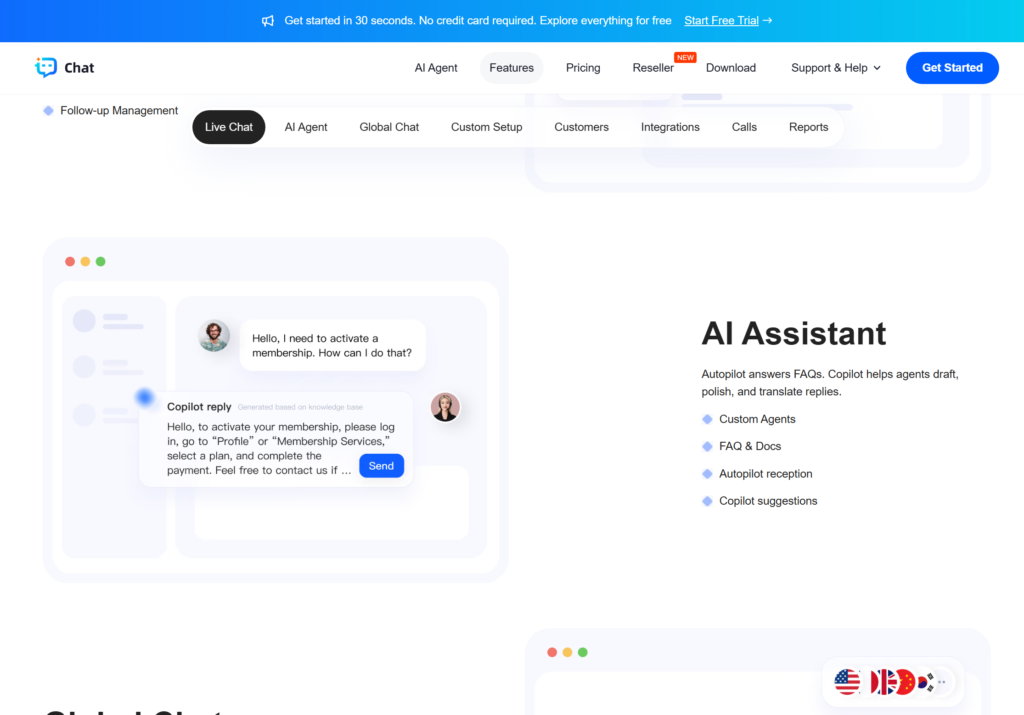
Answer Common Setup Questions with AI Assistance
Proxy support teams often receive variations of the same questions:
- Where do I find my connection details?
- How do I configure the proxy in my browser?
- What is the difference between rotating and static connections?
- Which authentication method should I use?
- What information should I include when reporting a problem?
TWT Chat’s AI assistance and knowledge base give providers a way to make documented guidance available through customer conversations.
The starting point should be the provider’s own maintained instructions. Organize answers by product, authentication method, and supported application. A customer configuring a static ISP proxy should receive guidance relevant to that service rather than a generic explanation of all proxy types.
Keep answers focused on the next useful action, with a link to the full guide where appropriate. When an issue involves an account-specific decision or remains unresolved, the customer should have a clear route to a human agent.
Use Live Chat to Help Customers Get Started
The period immediately after registration is an important opportunity to help customers complete their setup.
A user may have purchased the right service but entered a port incorrectly, selected an unsupported protocol, or misunderstood a session setting. A short conversation can help establish what they are trying to do and which instruction applies.
With TWT Chat’s website chat, providers can offer a contact point while customers review plans, read setup documentation, or work through their first connection.
A useful opening question is simple:
“Which application are you configuring, and what happens when you try to connect?”
That gives the agent a starting point without asking the customer to diagnose the problem themselves.
Support International Customers with Two-Way Translation
Technical support becomes harder when the customer and agent do not share a preferred language.
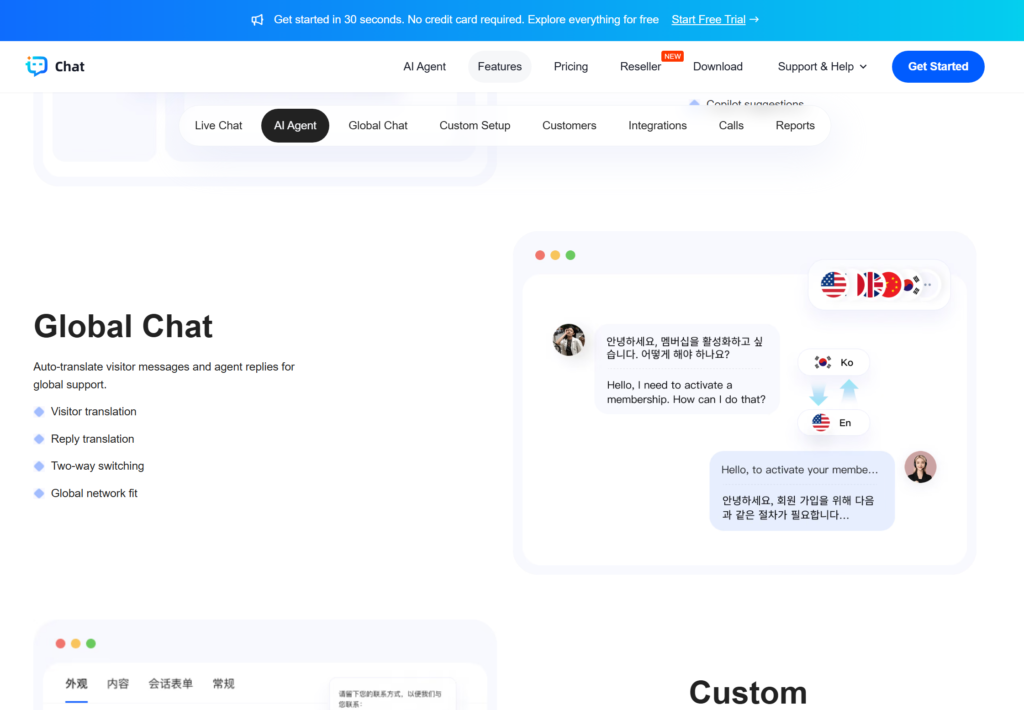
TWT Chat supports translation of visitor messages and agent replies, helping teams communicate with international customers. This is particularly relevant to proxy businesses serving users across multiple markets.
Good translation still needs clear source material. Agents should use short instructions and preserve technical details such as error codes, hostnames, port numbers, and configuration field names.
For example, translate the explanation around an error while keeping the original error text available for investigation. Ask the customer to confirm the result after each important step.
This approach makes the conversation easier to follow while retaining the information needed for troubleshooting.
Turn Unresolved Questions into Trackable Tickets
Some issues need more than a live conversation.
A customer may report a location discrepancy, a recurring connection failure, or a problem that requires another team to investigate. TWT Chat’s ticketing capability provides a way to track that follow-up.
For proxy-related issues, a useful ticket should include:
- The affected product or connection type.
- The application and version being used.
- The time of the issue, including its time zone.
- The selected location and the location observed by the customer.
- The exact error message or unexpected behavior.
- The checks already completed and their results.
MangoProxy’s IP Lookup can help users inspect the network and approximate location associated with an IP address. Its Proxy Checker offers connection checks for supported proxies; users should follow the instructions for their proxy type.
These observations can make a support report more specific. A successful connection check, however, does not establish that every destination website will accept the connection or display the expected content.
Remove passwords, authorization tokens, and other sensitive information from screenshots and shared logs.
Explain Difficult Setup Problems with Calls and Remote Assistance
Written instructions work well for straightforward questions. They can become cumbersome when an agent and customer are looking at different application versions or cannot identify the same setting.
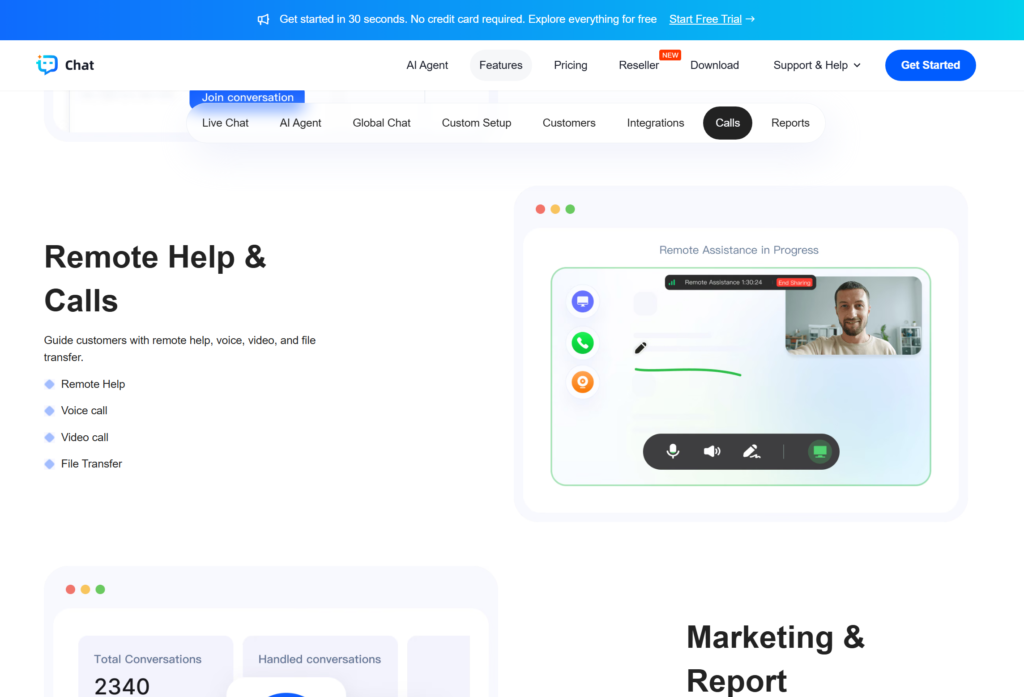
TWT Chat includes voice and video calls, along with remote assistance, giving teams additional ways to guide customers through a difficult setup.
For example, an agent can use a call to clarify the customer’s goal and then guide them through the relevant settings. Before a remote assistance session, agree on its scope and ask the customer to hide credentials and close unrelated applications.
Use these options when they make the explanation clearer, and record the outcome so the next agent can understand what was tried.
Build a Knowledge Base Around Real Customer Questions
Support conversations are also a source of documentation ideas.
If customers repeatedly ask about the same authentication field, the setup guide may need a clearer explanation. If a browser update changes the configuration process, screenshots and AI guidance may need updating.
With TWT Chat’s knowledge base and AI assistance, providers can build a support workflow around maintained answers. A practical process is to:
- Identify a recurring question.
- Confirm the answer with the responsible team.
- Publish or update the relevant guide.
- Check that AI guidance reflects the current instructions.
- Review whether customers can complete the task successfully.
Begin with a small set of accurate articles. Expand coverage as new questions appear.
Start with One Customer Journey
A manageable starting point is the journey from purchasing a proxy plan to completing the first successful connection.
Add the relevant setup guides to the knowledge base, offer live chat for questions, define when an issue becomes a ticket, and use translation or remote assistance where needed.
Evaluate the workflow through practical outcomes: whether customers complete setup, whether tickets contain enough information to investigate, and whether the same questions keep returning.
MangoProxy provides proxy products and diagnostic tools for connection-related tasks. TWT Chat supports the communication around those tasks, helping teams explain instructions, collect useful context, and follow through on customer questions.
Explore TWT Chat – Get 20% Off
If your team supports proxy users or serves customers across international markets, explore TWT Chat to see how AI assistance, live chat, ticketing, translation, and remote assistance can fit into your customer support workflow.
Use promo code TWTChat007 for 20% off TWT Chat.
Frequently asked questions
Here we answered the most frequently asked questions.
Can a customer move from AI assistance to a human agent?
Yes. TWT Chat describes human handoff as part of its AI workflow. Define which questions need an agent, such as account decisions or issues the knowledge base cannot resolve.
What information should stay out of an AI knowledge base?
Keep customer passwords, access tokens, private account records, and internal administrative instructions out of customer-facing guidance. Use setup articles that can safely be shared with users.
Are all TWT Chat features included in every plan?
No. The public pricing page lists different feature sets by plan. Check the current plan details for the AI mode, translation, calls, and remote assistance your team needs.
When is a proxy support ticket ready to close?
Ask the customer to repeat the task that originally failed in the same application. Record the changes and the observed result; a successful standalone connection check may not resolve the original issue.