


Account Automation and Multi-Accounting: How to Manage Multiple Accounts in Social Media and Messaging Apps
Published: ≈ 6 min read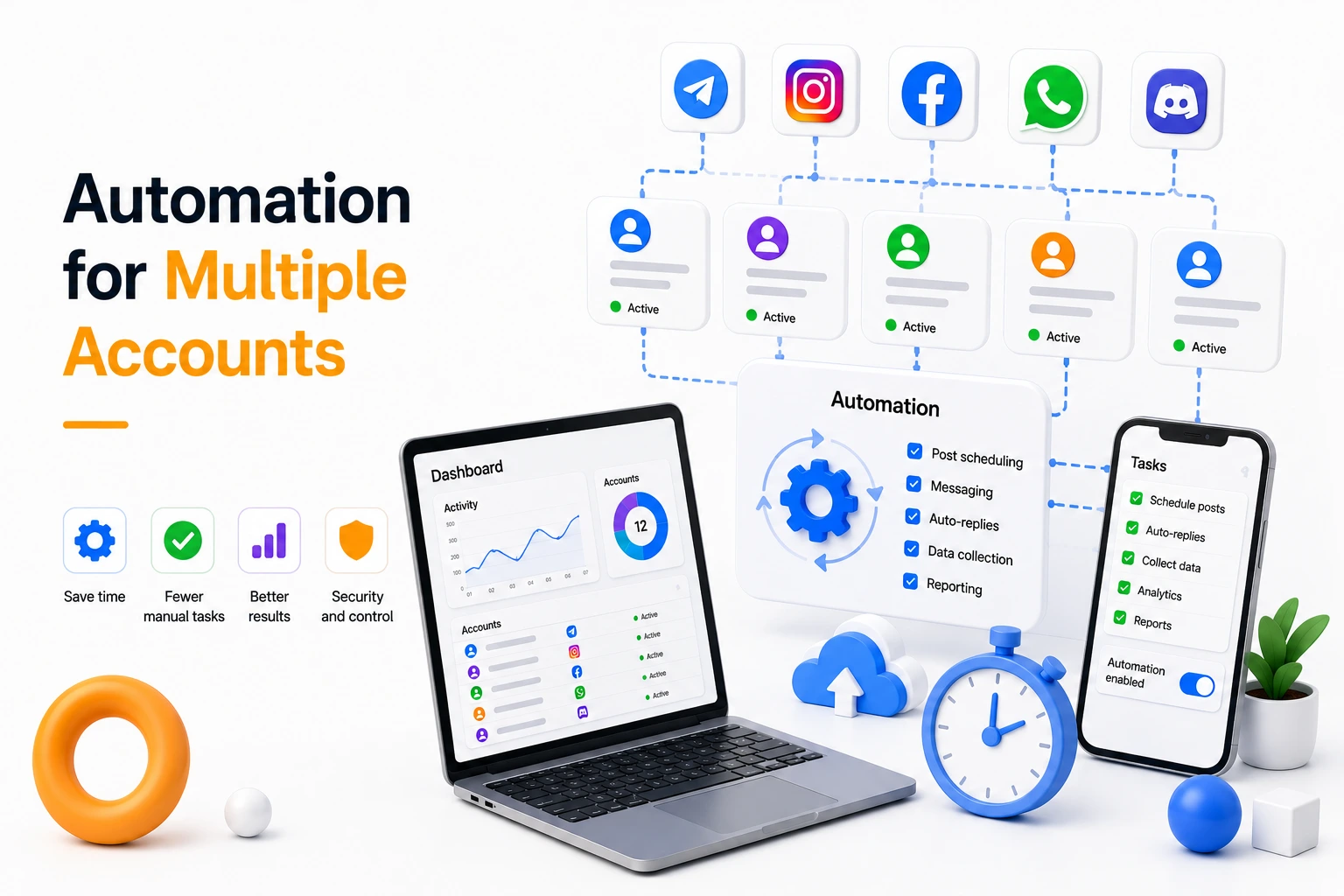
Working with a single account in a social network or messaging app is sufficient only for basic tasks. However, as you scale—whether for lead generation, sales, or marketing—you inevitably need to manage dozens or even hundreds of accounts simultaneously.
In such scenarios, manual management becomes inefficient. That is why account automation, message automation, and multi-accounting have become standard approaches for handling traffic and customer communication.
In practice, specialized tools are used to unify account management, automation scenarios, and infrastructure within a single system. Solutions like UniMessenger serve as an example of a comprehensive approach to automating workflows across messaging apps and social platforms.
What Is Account Automation
Account automation refers to transferring repetitive actions into a software-driven workflow, where tasks are executed based on predefined scenarios.
It is a key enabler for scaling operations.
Automation in social media and messaging platforms allows you to:
- run automated messaging campaigns
- maintain conversations without constant operator involvement
- publish content on schedule
- perform bulk actions (likes, follows, comments)
- manage multiple accounts simultaneously
Most Common Automation Use Cases
In practice, automation is most often used for:
- direct message campaigns
- managing chats and groups
- auto-replies and inbound message handling
- account warm-up
- number and account verification
- lead generation and data collection
The more processes are automated, the easier it becomes to scale results without increasing team workload.
What Is Multi-Accounting
Multi-accounting is the practice of operating multiple accounts within a single workflow or objective.
It is used to:
- increase reach
- bypass platform limitations
- distribute workload
- improve operational stability
A single account is always limited in terms of actions. True scale is achieved through the number of accounts.
Core Components of a Multi-Accounting System
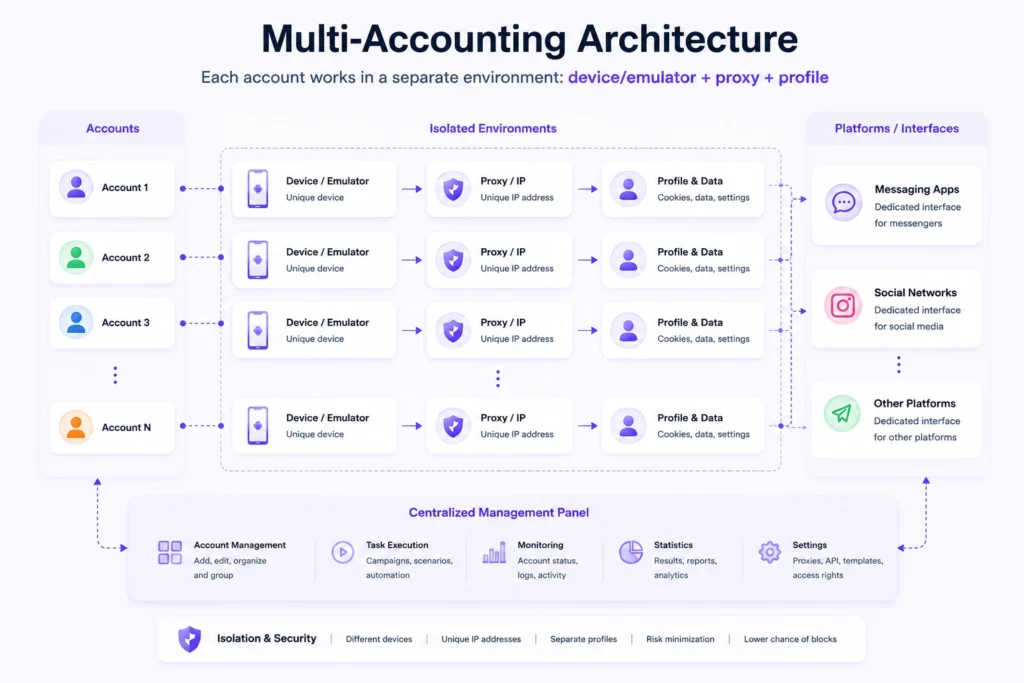
Any multi-accounting setup is built on three key elements:
- accounts
- devices (phones or emulators)
- proxies
The correct configuration of these elements directly impacts stability and performance.
Managing Multiple Accounts: Core Principles
The most common mistake when scaling is launching a large number of accounts without a structured system.
The fundamental model is:
1 account = 1 environment (device + proxy)
This approach allows you to:
- isolate accounts
- avoid overlaps
- reduce the risk of bans
Using Emulators
Android emulators are commonly used for scaling. They allow you to run multiple virtual devices on a single machine and manage them simultaneously.
Activity Control
Even with automation, it is critical to consider:
- platform limits
- delays between actions
- gradual increase in activity
Ignoring these factors often results in restrictions or account bans.
Software for Messaging and Automation
Performance heavily depends on the tools you use.
Automation software should provide:
- account management
- multi-threaded execution
- scenario configuration
- task scheduling
- analytics and reporting
- proxy integration
In practice, comprehensive solutions are preferred, as they consolidate all these capabilities into a single system.
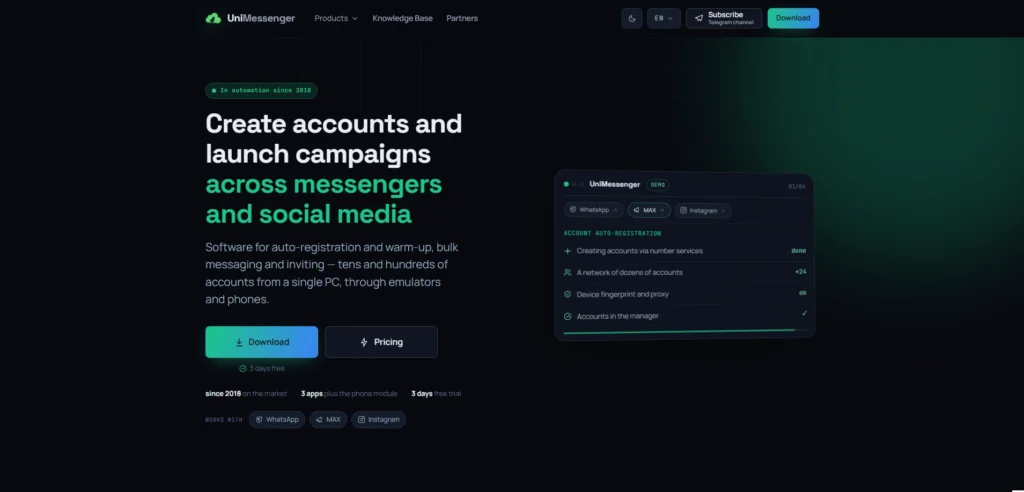
For example, UniMessenger represents this type of solution, where account management, messaging automation, and activity control are centralized without the need for multiple separate tools.
How It Works in Practice
Account automation is a structured process consisting of several stages.
Let’s look at a typical workflow for managing multiple accounts in WhatsApp, Instagram, and other messaging platforms.
Step 1. Infrastructure Setup
A foundational structure is created:
- accounts are assigned to devices
- each device is linked to a dedicated proxy
- a binding is formed: account → device → IP
This is the basis for stable operation.
Step 2. Account Organization
Accounts are structured based on:
- purpose (messaging, inbound, promotion)
- activity level
- traffic source
This allows you to manage groups of accounts rather than individual ones.
Step 3. Scenario Configuration
Next, automation logic is defined:
- messaging campaigns
- auto-replies
- social media actions
It is important to consider platform differences:
- WhatsApp and MAX — primarily used for messaging and communication
- Instagram — primarily used for audience acquisition and engagement
On Instagram, automation is typically applied to:
- post publishing
- stories
- reels
- engagement actions (follows, likes, interactions)
Thus, Instagram functions more as an audience warm-up channel rather than a direct communication tool.
Step 4. Launch and Scaling
Once configured, the system is launched:
- accounts operate in parallel
- actions are distributed across them
- workload scales without overloading individual accounts
Step 5. Monitoring and Optimization
After launch, key metrics are tracked:
- message delivery rates
- user responses
- restrictions and flags
- scenario performance
Based on this data, the strategy is continuously refined.
System Overview
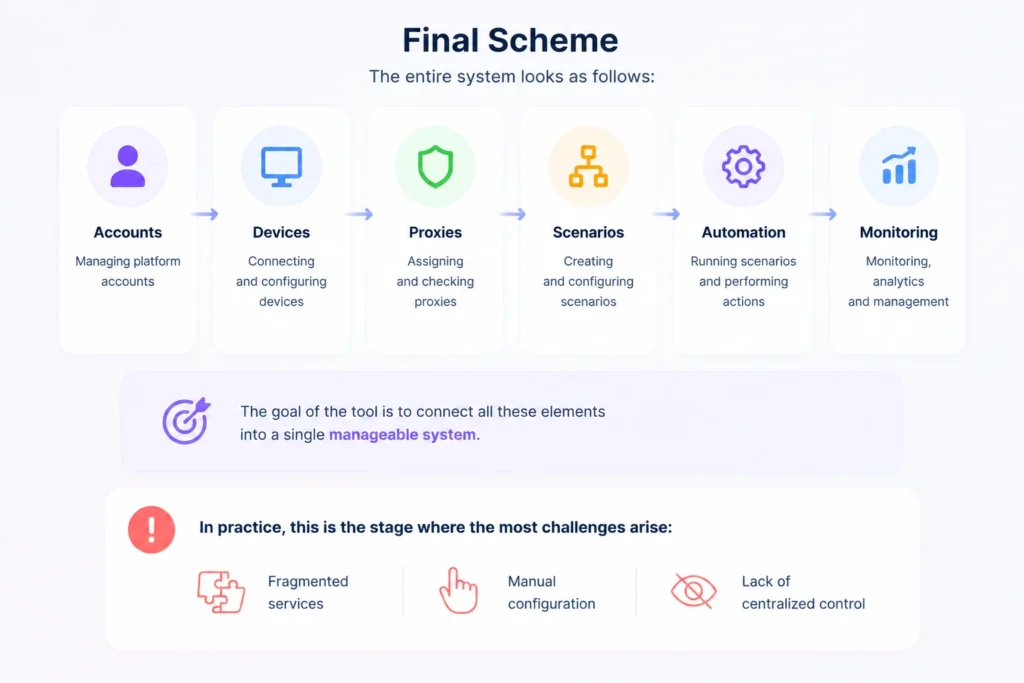
The entire system can be summarized as:
accounts → devices → proxies → scenarios → automation → control
The role of the software is to connect all these elements into a single, manageable system.
In practice, this is where most challenges arise—fragmented tools, manual configuration, and lack of centralized control.
That is why comprehensive platforms are used, where account management, automation, and infrastructure are unified. UniMessenger is one example of such a system, enabling efficient multi-account operations within a single interface.
Best Practices
For stable automation:
- avoid launching aggressive campaigns immediately
- warm up accounts gradually
- respect platform limits
- distribute workload evenly
- continuously analyze performance
Automation is not just about tools—it’s about properly structured processes.
Common Mistakes
The most frequent mistakes include:
- overly aggressive messaging automation
- skipping account warm-up
- lack of structure
- using one proxy for multiple accounts
- ignoring analytics
These issues are the primary causes of account restrictions and bans.
Conclusion
Account automation and multi-accounting are fundamental tools for managing traffic, customer communication, and promotion in social media and messaging platforms.
As scale increases, manual management becomes ineffective, and a systematic approach becomes essential.
In practice, solutions that unify account management, messaging automation, and process control within a single infrastructure are used. UniMessenger is one example of such a system, designed for scaling and managing multiple accounts efficiently.
Frequently asked questions
Here we answered the most frequently asked questions.
What is account automation?
Account automation is the use of specialized software to perform repetitive tasks without constant manual involvement. It can automate messaging campaigns, replies, content publishing, multi-account management, and other routine processes, helping save time and scale operations more efficiently.
What is multi-accounting, and why is it used?
Why should each account use a separate proxy?
Using a separate proxy for each account helps isolate accounts by providing each one with its own network environment. This is a widely used practice when managing multiple accounts, as it reduces overlap between them and contributes to more stable account operation.
Nice guide. I like that it explains not only how to set up automation in UniMessenger but also why proper proxy configuration matters for long-term account management.