


VMLogin: How a Professional Browser Works for Managing Multiple Accounts
Published: ≈ 6 min read
Why Managing Multiple Accounts Has Become a Complex Task
Working with multiple accounts has long ceased to be a task for a single browser. Marketing, e-commerce, arbitrage, analytics, and ad management increasingly require parallel work with dozens or even hundreds of accounts.
The main difficulty is not the number of accounts itself, but how platforms interpret user behavior. Repeated environments, identical browser parameters, and careless session handling quickly lead to restrictions and instability. This is why the topic of separate browser profiles and specialized tools for multi-account management has become especially relevant in recent years.
What Is VMLogin — in Simple Terms
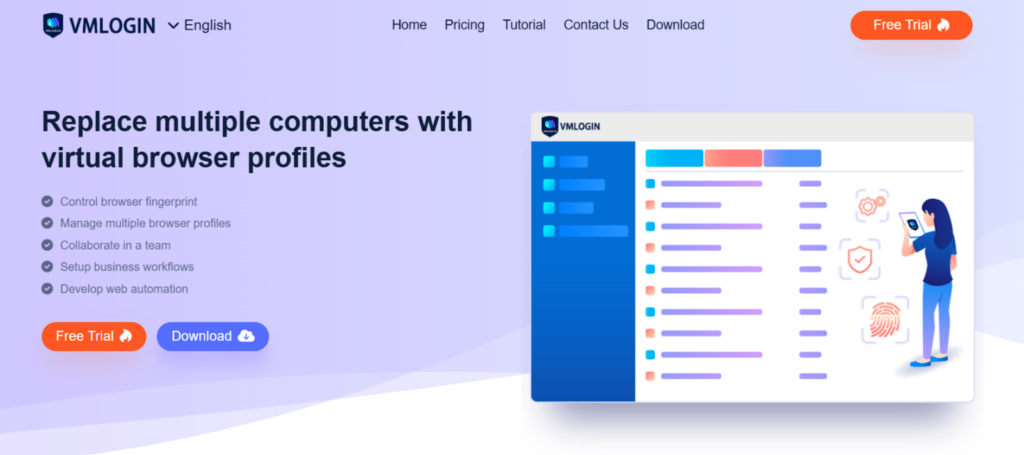
VMLogin is a professional browser designed for working with multiple accounts, where each profile runs in an isolated environment. In practice, each profile behaves like a separate browser with its own set of parameters: environment, cookies, and connection settings.
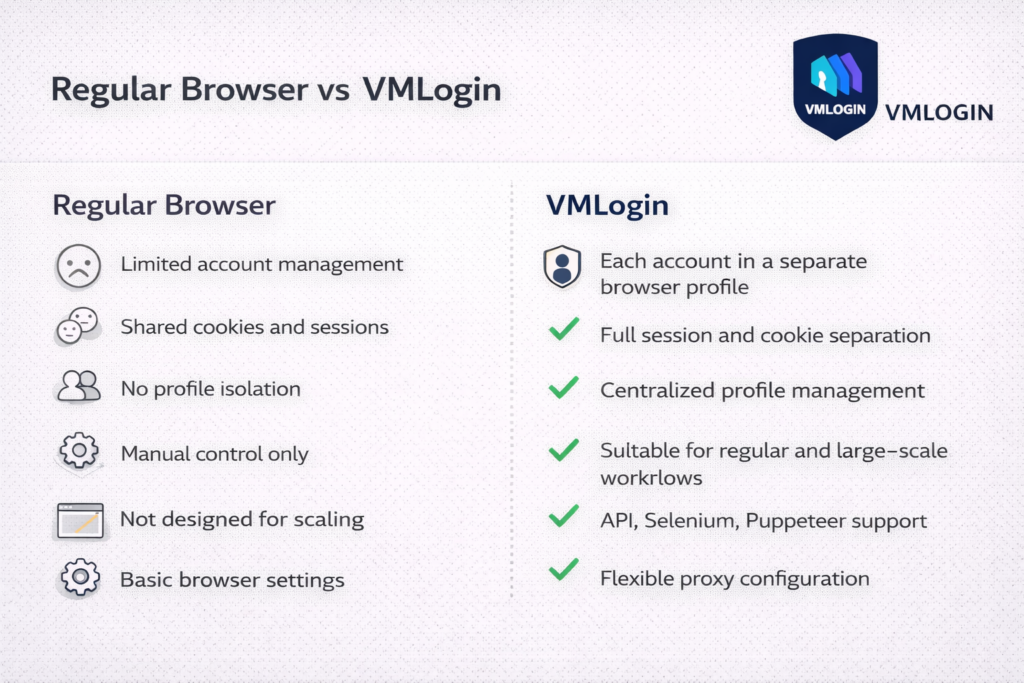
Unlike standard browsers, VMLogin allows you to manage dozens of profiles within a single interface without mixing data or creating conflicts between sessions. This is especially important for tasks that require stable and repeatable work with accounts over long periods of time.
Key Features — with Practical Examples
When It Is Used
VMLogin is used in situations where it is necessary to work with a large number of accounts simultaneously without overlap. These may include advertising accounts, online stores, social networks, or affiliate platforms.
What Tasks It Is Suitable For
The tool is suitable for teams and individual specialists who need to maintain control over the browser environment and minimize the impact of technical factors on account performance.
Core Functionality
The key feature of VMLogin is the creation of separate browser profiles that operate independently from each other. Each profile has its own set of parameters and can be linked to a separate connection. Additional features include cookie management, environment configuration, and centralized profile management within a single interface.
Automation support deserves special attention. VMLogin provides integration options via API, as well as support for Selenium and Puppeteer, which makes it suitable for scalable scenarios.
Common Mistakes
A frequent mistake is treating such a browser as a “magic solution.” Without understanding the logic of the platforms being used, even the most feature-rich tool will not provide stable results. VMLogin solves the infrastructure side of the problem but does not replace an account management strategy.
Practical Application
In practice, VMLogin is convenient in cases where it is important to quickly create, clone, and manage profiles while maintaining consistent behavior of the working environment.
The service also offers a free trial period, which can be used to get familiar with the interface, profile management, and basic usage scenarios.
Usage Scenarios
Many scenarios are similar in nature but differ in implementation details. For example, in e-commerce this may involve managing multiple stores, in marketing – parallel management of advertising accounts, and in SMM – handling accounts for different projects.
VMLogin fits into these tasks as a tool that simplifies the infrastructure layer: profiles do not conflict with each other, access can be structured, and workflows can be scaled.
When it comes to technology, it is important to understand that VMLogin does not require deep engineering knowledge. The interface is designed for practitioners, while complex technical details are hidden behind clear and accessible settings.
The Role of the Service in Infrastructure
VMLogin is not a universal tool for every case, but rather a part of a working infrastructure. It integrates well with other services responsible for traffic, analytics, or automation. In this setup, the browser handles environment management, while other tools cover their specific tasks.
Proxy Setup in VMLogin: Integration with MangoProxy
In tasks that involve multiple browser profiles, a proxy becomes part of the overall infrastructure. It is responsible for traffic distribution and proper account operation across different regions. As an example, let us consider proxy configuration in VMLogin using the MangoProxy service.
MangoProxy provides residential, ISP, and datacenter proxies with broad geographic coverage and flexible connection parameters, making it a convenient option for working with browser profiles in VMLogin.
Preparing Proxies for Use in VMLogin
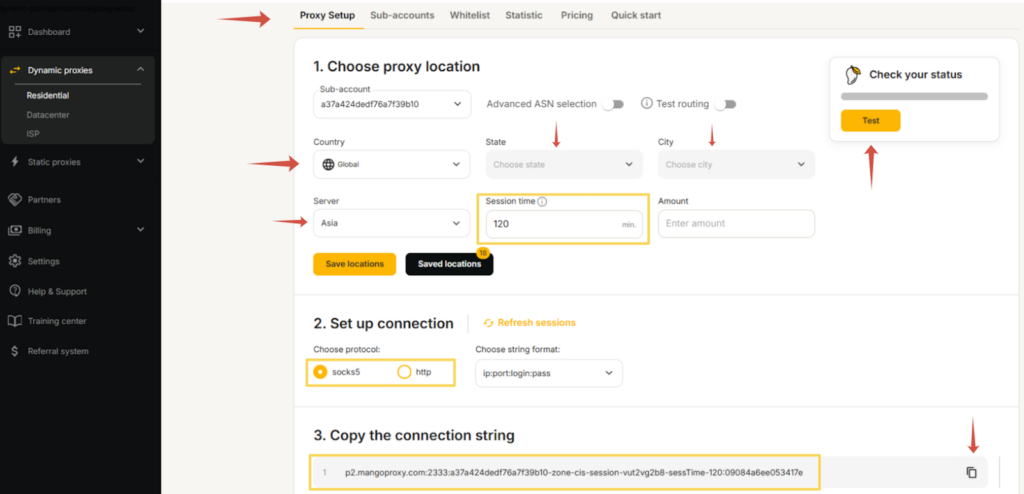
First, you need to log in to the MangoProxy dashboard and select the appropriate proxy type – dynamic or static – depending on the task.
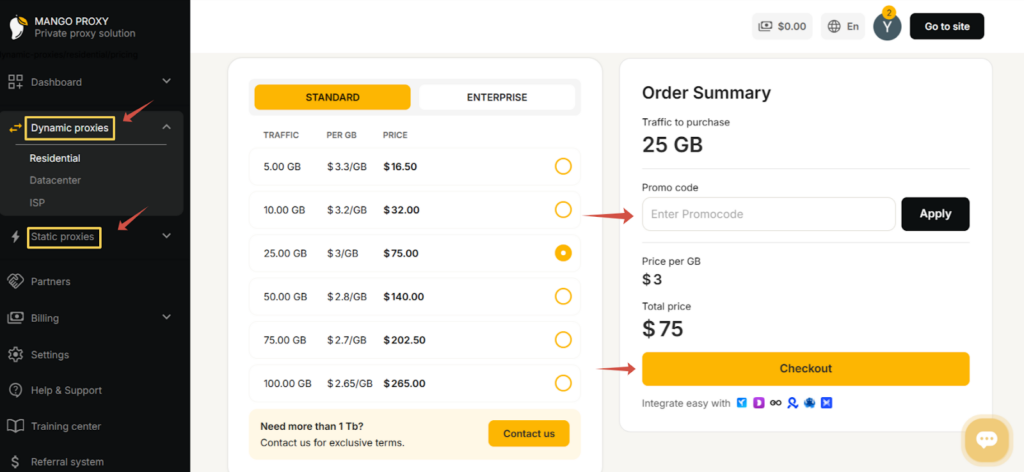
After that, the main parameters are set in the proxy configuration interface: region or country, city if required, connection server, and session format. For dynamic proxies, you can define the IP rotation interval as well as the number of simultaneous connections. Once availability is checked, the system generates the connection details.
Adding a Proxy to a VMLogin Profile
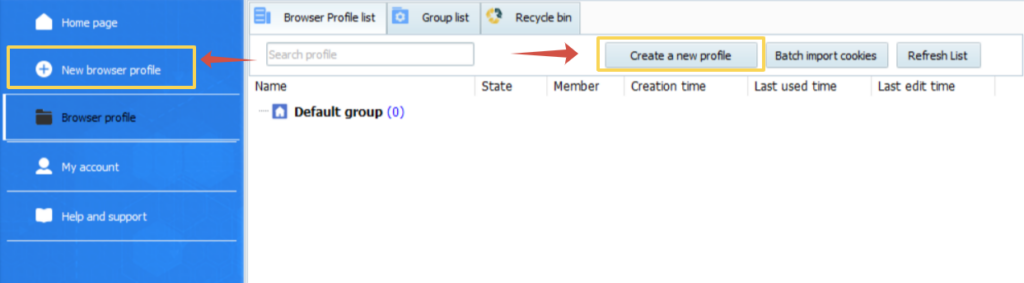
In VMLogin, a new browser profile is created or an existing one is edited.
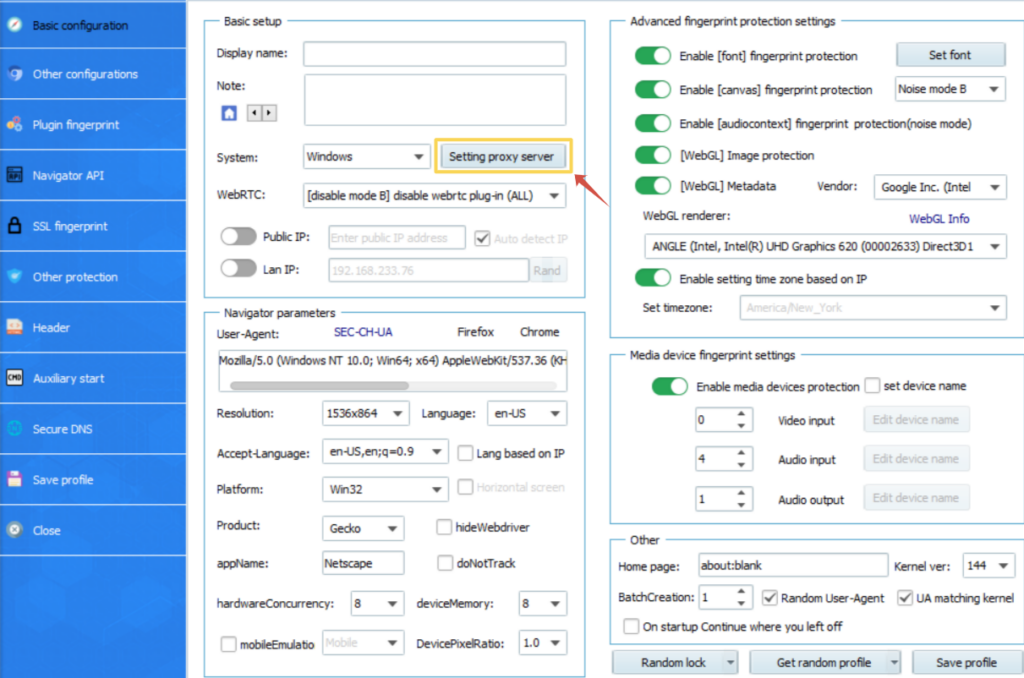
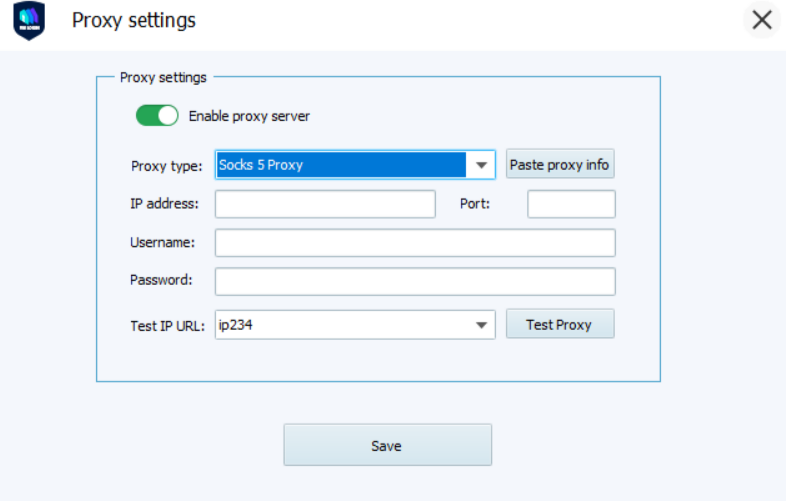
In the connection settings section, proxy usage is enabled, after which the data obtained from the MangoProxy panel is entered into the relevant fields: connection type (SOCKS5 or HTTP), server address, port, username, and password.
Before launching the profile, it is recommended to test the connection. After a successful check, the profile is saved and can be launched with the proxy connection enabled.
This approach makes it possible to associate each browser profile with a separate connection and ensure more stable account operation during regular use.
Practical Takeaways
VMLogin is suitable for those who:
- work with multiple accounts simultaneously
- value controllability and consistency of the environment
- plan to scale their processes
The service’s potential is revealed through systematic and regular use.
Mini FAQ
- Can VMLogin be used in a team?
Yes, the service supports collaborative work with profiles and access management. - Is VMLogin suitable for automation?
Yes, APIs and integrations with automation tools are available. - Is deep technical knowledge required to get started?
No, basic scenarios are available without engineering expertise. - Can accounts be structured?
Yes, profiles can be grouped and organized within the interface. - For which tasks is VMLogin not suitable?
For one-time or irregular use where environment isolation is not required.
Conclusion
VMLogin is a tool for those who take a systematic approach to account management. It helps organize the browser environment, simplify scaling, and reduce the impact of technical factors on daily processes. In cases where stability and control are more important than quick setup, this approach proves to be justified.