
504 Gateway Timeout When Using Proxies (Complete Guide)
Proxy infrastructure is widely used for automation, web scraping, SEO monitoring and distributed testing environments. By routing requests through intermediary servers, developers can distribute traffic, access geo-specific content and operate large-scale data pipelines.
However, when multiple network layers are involved, communication between servers becomes more complex. One of the most common issues in these environments is the 504 Gateway Timeout error.
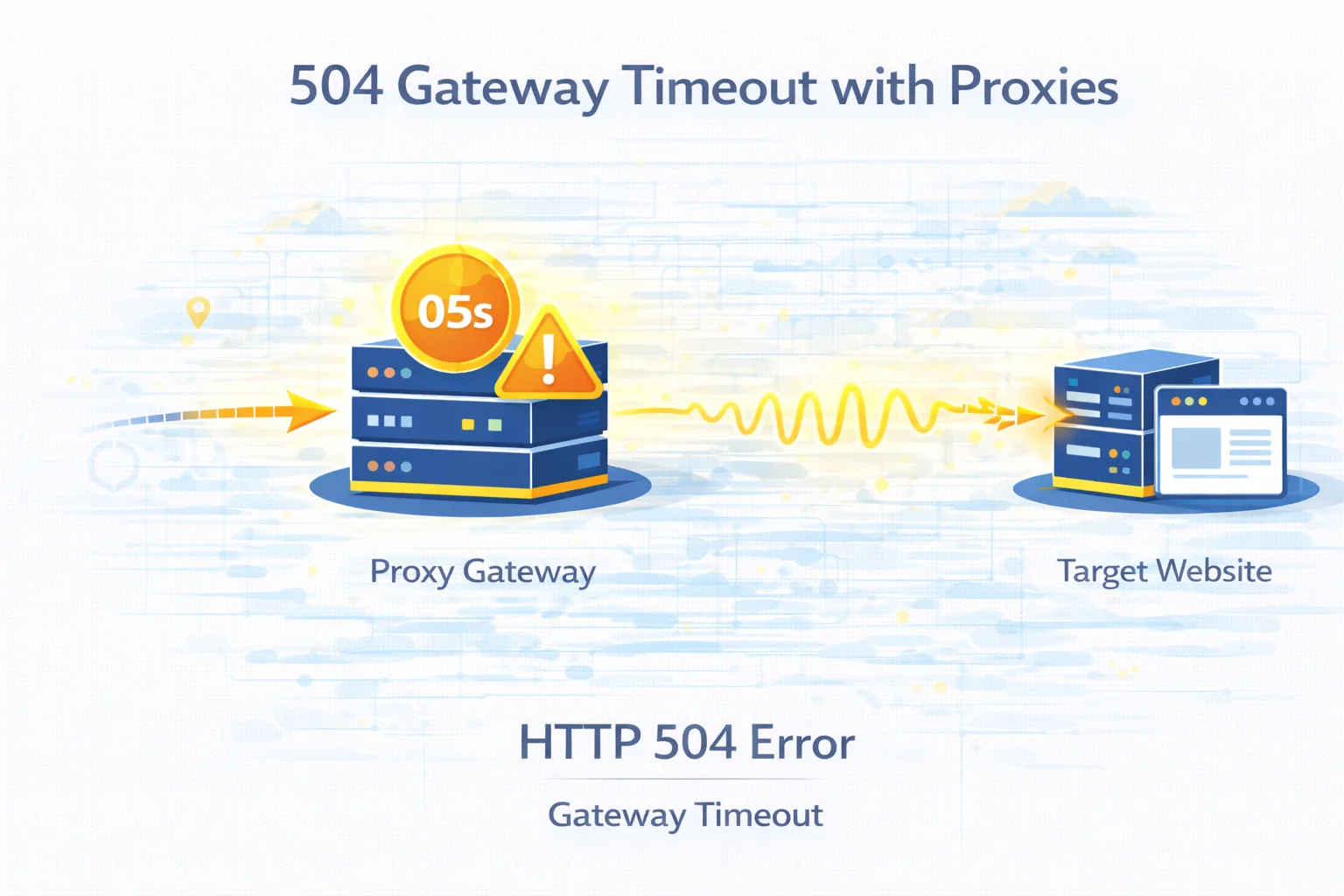
This error appears when a server acting as a gateway or proxy waits too long for a response from an upstream server. Instead of receiving a valid reply within the expected timeframe, the gateway terminates the request and returns a timeout response.
Understanding why these timeouts occur helps developers stabilize automation systems and improve request success rates.
Quick Answer
A 504 Gateway Timeout error occurs when a gateway server does not receive a response from the upstream server within the allowed time limit.
When proxies are involved, this may happen because of:
- slow target websites
- overloaded proxy nodes
- network latency between servers
- rate limiting or anti-bot protection
- inefficient request routing
Timeout errors usually indicate a delay in communication rather than a complete connection failure.
Key Takeaways
- HTTP 504 indicates that the upstream server responded too slowly
- proxy routing introduces additional latency layers
- overloaded infrastructure can delay responses
- slow websites often trigger gateway timeouts
- distributing traffic improves request stability
What a 504 Gateway Timeout Error Means
The 504 status code belongs to the HTTP 5xx category of server errors.
Unlike client errors such as 403 or 404, these responses occur after a request successfully reaches a server but fails during communication with another server further upstream.
A 504 error specifically indicates that the gateway server waited for a response but did not receive one within the configured timeout window.
In proxy environments this gateway is often:
- a proxy server
- a load balancer
- a CDN edge server
- an infrastructure gateway
How Proxy Routing Can Lead to Timeouts
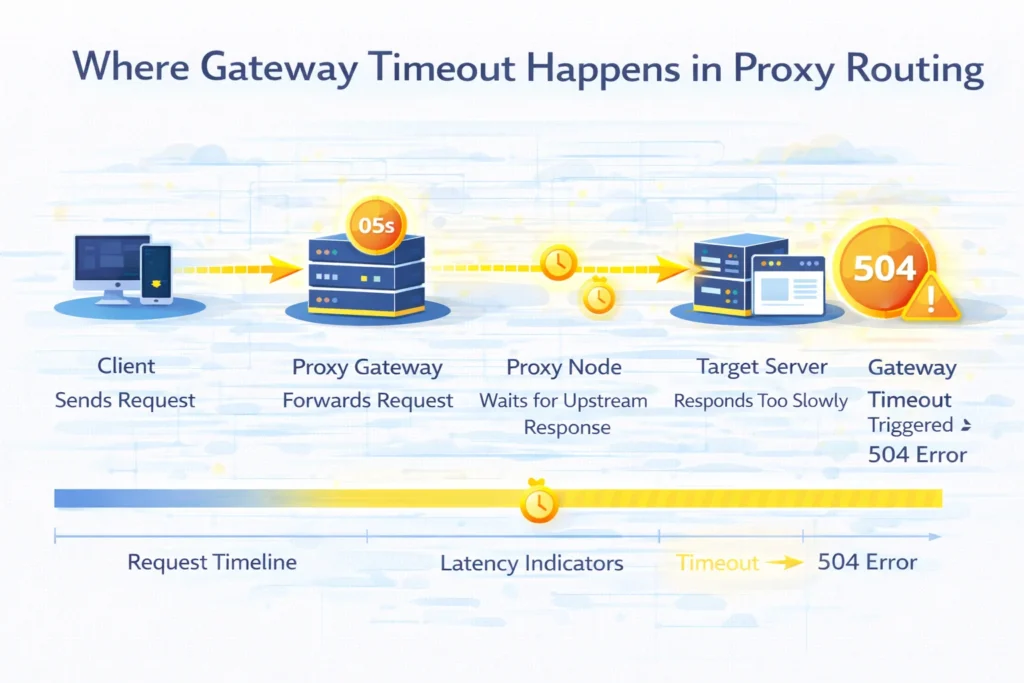
When proxies are used, requests typically travel through several systems before reaching the destination website.
Typical routing chain:
Client → Proxy Gateway → Proxy Node → Target Website
Each layer introduces additional network latency. If any server in the chain responds too slowly, the gateway may terminate the request and return a timeout error.
This is why large scraping systems occasionally experience intermittent 504 errors.
Most Common Causes of 504 Errors With Proxies
Several different factors can trigger timeout responses.
| Cause | Explanation |
| slow upstream server | destination website responds slowly |
| proxy node overload | proxy infrastructure processes too many requests |
| network latency | communication delays between servers |
| traffic blocking | anti-bot systems delay responses |
| inefficient request routing | poorly optimized proxy configuration |
Understanding which factor caused the timeout helps determine the appropriate fix.
Slow Target Websites
Sometimes the proxy infrastructure functions correctly but the destination server is slow.
Common reasons include:
- overloaded application servers
- database bottlenecks
- infrastructure scaling issues
- high traffic spikes
If the upstream server takes too long to respond, the gateway will eventually terminate the request and return a 504 Gateway Timeout.
Proxy Infrastructure Overload
Large automation environments can generate thousands of simultaneous requests.
When too many requests pass through a limited number of proxy nodes, response queues may grow longer and eventually exceed the gateway timeout threshold.
Symptoms include:
- slow response times
- increased timeout frequency
- unstable scraping success rates
Traffic distribution strategies can significantly reduce this risk.
Network Latency Between Servers
Timeouts can also occur because of network latency between proxy nodes and upstream servers.
Latency may increase because of:
- long geographic routes
- unstable network connections
- packet loss
- temporary routing issues
Distributed infrastructures that rely on multiple global nodes are more sensitive to these issues.
Anti-Bot Protection Delays
Some websites intentionally delay responses to suspicious traffic patterns.
Instead of blocking requests immediately, the server may slow down responses to reduce automation efficiency.
If the delay exceeds the gateway timeout threshold, the proxy server may return a 504 error.
Detection mechanisms are explained in Proxy Detection Guide.
How to Fix 504 Gateway Timeout Errors
Resolving timeout issues usually involves improving communication speed between servers.
Test Proxy Connectivity
Start by verifying that your proxy connection is functioning correctly.
You can check how your network identity appears using the What Is My IP tool.
If the connection details appear incorrect, the proxy configuration may be wrong.
Reduce Request Frequency
Sending too many requests simultaneously may overload proxy infrastructure.
Introducing delays between requests improves overall system stability.
| Request Strategy | Timeout Risk |
| constant high frequency | high |
| moderate request pacing | moderate |
| adaptive rate control | low |
Rotate Proxy Endpoints
Routing all traffic through a single endpoint increases the probability of overload.
Rotating proxy nodes distributes traffic across multiple servers and reduces timeout risks.
This technique is widely used in scraping infrastructures.
Increase Timeout Limits
In some automation frameworks developers can adjust gateway timeout settings.
Increasing the timeout window allows more time for slow servers to respond.
However, this approach should be combined with traffic optimization.
Test the Target Website Without Proxies
Sometimes the destination website itself is slow or temporarily unavailable.
Testing the connection without a proxy helps determine whether the issue originates from the upstream server.
If the site responds slowly without proxies, the timeout is not caused by proxy infrastructure.
When 504 Errors Are Temporary
Not all timeout errors indicate serious infrastructure problems.
Temporary 504 responses may appear because of:
- server restarts
- infrastructure scaling
- short-term traffic spikes
- temporary network congestion
Retry logic in automation systems often resolves these situations automatically.
Final Thoughts
The 504 Gateway Timeout error usually indicates that one server in the request chain took too long to respond.
Because proxy infrastructures introduce additional gateway layers, communication delays may occur more frequently in distributed automation environments.
By optimizing request pacing, distributing traffic across multiple endpoints and monitoring upstream server performance, developers can significantly reduce timeout errors and maintain stable data collection workflows.
Glossary
Gateway Timeout
An HTTP status code indicating that a server waited too long for a response from another server.
Proxy Node
A server responsible for routing client traffic to destination websites.
Upstream Server
The server that ultimately processes the forwarded request.
Network Latency
Delay between sending a request and receiving a response across networks.
Traffic Distribution
The process of spreading requests across multiple infrastructure nodes.

Frequently asked questions
Here we answered the most frequently asked questions.
What causes a 504 Gateway Timeout error when using proxies?
This usually happens when the proxy gateway does not receive a response from the upstream server within the configured time limit.
Can high request frequency trigger 504 errors?
Yes. Sending too many requests simultaneously may overload proxy infrastructure or delay responses.
How can I check if my proxy configuration works correctly?
Tools such as What Is My IP and IP Lookup help verify how your connection appears to websites.
Are 504 errors common in scraping systems?
Yes. Large-scale scraping pipelines often encounter occasional timeouts because of server delays or network latency.
Automatically rerouting requests to a different proxy node on a 504 status keeps the scraping pipeline moving smoothly