


CAPTCHAs with Residential Proxies: How to Keep Your Workflow Moving
Published: ≈ 8 min read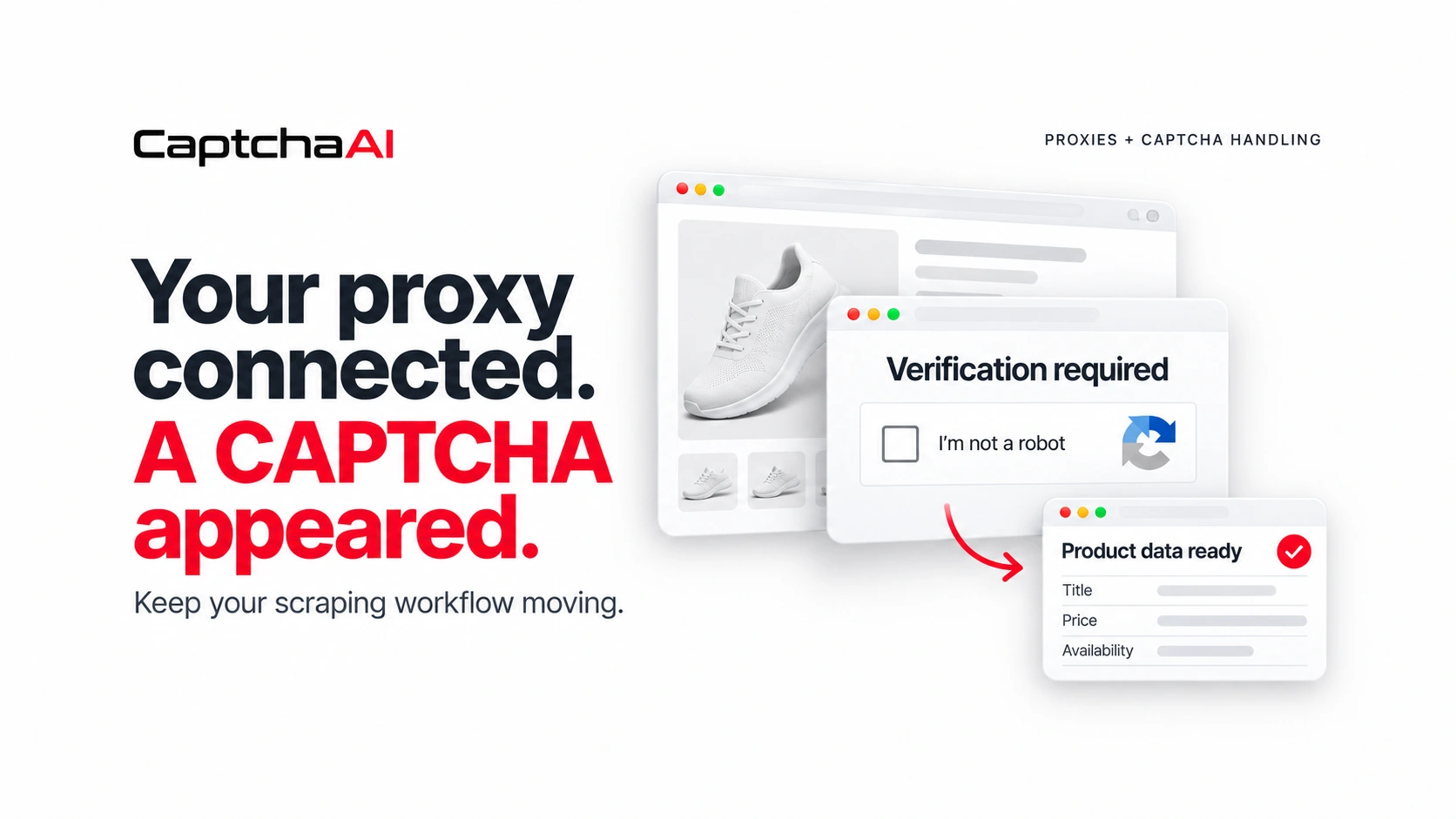
Your scraper expects a product page. Instead, it gets a verification screen.
The connection worked, but the data never arrived. Now the script has a decision to make: retry, change the proxy, or handle the CAPTCHA.
If it makes the wrong choice, a small interruption can turn into repeated requests, missing records, and a queue that needs manual attention.
For MangoProxy users running web scraping or browser automation, this is where a separate CAPTCHA-handling step becomes useful. You need to recognize verification, handle supported challenges, and confirm that the original task can continue.
Here is how to build that into your workflow.
Why a CAPTCHA Does Not Automatically Mean Your Proxy Failed
A residential proxy controls the connection your application uses to reach a website. It does not guarantee that every page will arrive without verification.
When a CAPTCHA appears, first distinguish between two situations:
- A connection problem: the proxy cannot reach the page, authentication fails, or the request times out.
- A verification step: the website responds, but asks for a CAPTCHA before the task can proceed.
Those situations need different responses. Replacing the proxy may help investigate a connection problem. A supported CAPTCHA needs its own handling process.
Before changing a working configuration, save the response, check the page, and identify what actually stopped the task.
The Hidden Problem: A Challenge Page Can Look Like a Successful Request
Suppose your team monitors public product listings from sources it is permitted to access.
Your scraper loads a page through a MangoProxy connection and expects a product title, price, and availability. On one request, the response contains a CAPTCHA instead.
If your application checks only whether it received a response, it may pass that page to the parser. The result could be an empty price, a missing product, or a misleading “not available” record.
The first improvement is simple: validate the content before treating the request as complete.
Did the expected product elements appear? Is the page asking for verification? Does it show an access error?
Recording those outcomes separately gives your application a useful next step—and gives your team better information than “scraping failed.”
Where CaptchaAI Fits
Once your application identifies a supported challenge, it can send that challenge to CaptchaAI for solving.
CaptchaAI is an AI-powered CAPTCHA-solving service with support for reCAPTCHA v2 and v3, reCAPTCHA Enterprise, Cloudflare Turnstile, Cloudflare Challenge, GeeTest v3, image CAPTCHAs, and other supported types.
Developers can integrate through the API. A Chrome extension and an Emulator for compatible software provide additional integration options.
The proxy and solver perform different jobs: the proxy handles the connection, while CaptchaAI handles the supported verification challenge. Your application coordinates the task and checks the final outcome.
For an API integration, you submit the required challenge information, receive a task ID, check its status, and retrieve the result. Follow the documentation for the specific CAPTCHA method when applying that result.
Try It on the Task That Is Costing You Time
Before changing a large workflow, choose one task where CAPTCHA interruptions already create manual work.
It could be a permitted product-page check or an authorized browser task that regularly stops at verification. Choose something with a clear success condition so you can judge whether the integration helps.
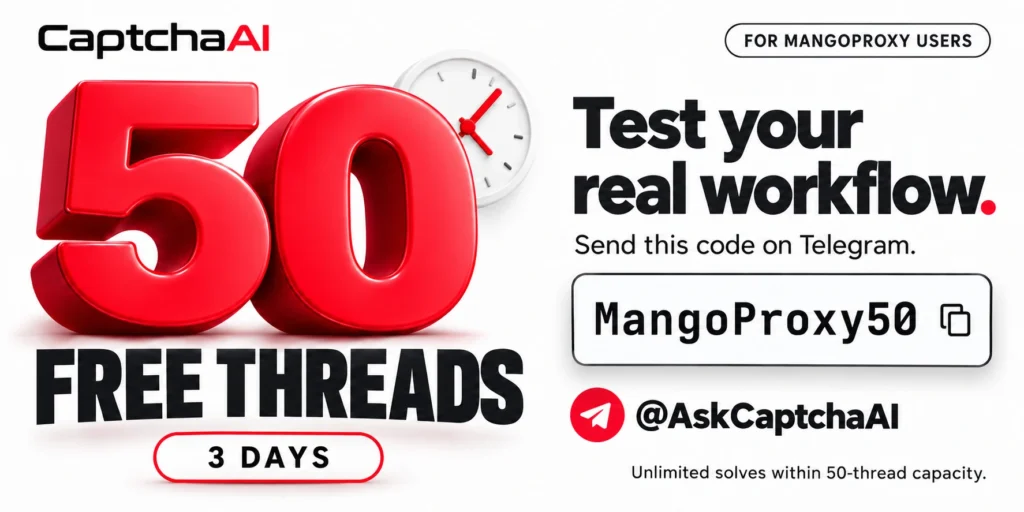
MangoProxy users can get 50 free CaptchaAI threads for 3 days, with unlimited CAPTCHA solves within the 50-thread capacity.
To activate your trial, send MangoProxy50 to @AskCaptchaAI on Telegram.
Start with one task, confirm that it completes correctly, and then test simultaneous requests if they reflect your workload. Use the three days to check integration, measure waiting time, and see how often manual intervention is still needed.
A Practical Workflow: From CAPTCHA Page to Valid Product Data
Return to the product-monitoring example.
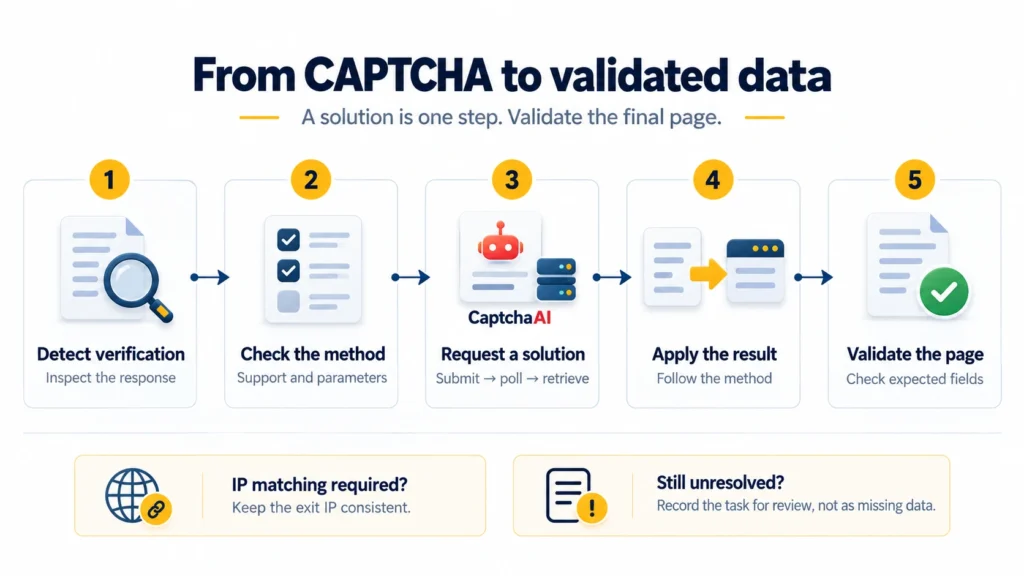
Your application has received a verification page where it expected a listing. A controlled recovery process would look like this:
- Mark the task as awaiting verification. Keep the product URL and browser context associated with it.
- Identify the challenge. Check that CaptchaAI supports the method and that you have the required parameters.
- Request a solution. Submit the challenge and track the returned task ID.
- Wait within a defined limit. Handle pending results without immediately restarting the entire task.
- Apply the result. Use the procedure required by that CAPTCHA method and the page implementation.
- Validate the product page. Confirm that the expected listing and fields are present before saving data.
If verification remains unresolved, record it as an unresolved task. Do not silently turn it into a missing product or an unavailable price.
This makes the benefit measurable: you can compare completed records, unresolved challenges, and manual interventions before and after integration.
Keep the Right Session During Verification
For some challenges, the solving request needs an IP consistent with the browser session. Other methods can work without a customer-supplied proxy.
Check the requirements for your method before configuring the connection. CaptchaAI proxy usage requires activation through support, and reCAPTCHA v3 solving with proxies is not supported.
When IP matching is required, confirm the actual exit IP. Reusing a proxy gateway address alone does not prove that separate requests use the same exit address.
Use an appropriate session configuration and avoid changing it halfway through verification. If the connection changes unexpectedly, investigate that before sending repeated solving requests.
The CaptchaAI proxy guide explains the available settings and method-specific requirements.
Measure Completed Tasks, Not Just Returned Solutions
A solver returning a result is one step in the process. What matters to your team is whether the intended work finishes correctly.
During the three-day trial, track:
| What to measure | What it tells you |
|---|---|
| Tasks completed after verification | Whether the integration helps the workflow finish |
| Valid records recovered | Whether expected data arrives after the challenge |
| Waiting time | Whether your application handles the delay comfortably |
| Peak simultaneous solving tasks | How much thread capacity you need |
| Tasks requiring manual review | Where further investigation is useful |
Keep the test focused. A comparison using the same task, validation rules, and controlled connection settings is easier to interpret than several changes made at once.
Choose a Plan Around Your Actual Demand
CaptchaAI plans start at $15 per month, and all plans include unlimited CAPTCHA solves within their selected thread capacity.
Each thread handles one simultaneous solving task. The capacity you need therefore depends on how many solving requests overlap, rather than simply how many browser profiles or daily requests you run.
For example, a five-thread plan can process up to five solving tasks at once. Your application should queue additional work until capacity becomes available.
Use what you observed during the trial to choose a plan. Check both peak demand and whether the waiting time fits your workflow.

If CaptchaAI works for your setup, MangoProxy users can get up to 15% off through the dedicated partner offer.
View Your MangoProxy Special Offer
You can test the integration first, measure the result, and then choose the capacity that fits.
For setup instructions, visit the CaptchaAI API quickstart.
Join the CaptchaAI Community
Get product updates, supported CAPTCHA announcements, and offers.
Frequently asked questions
Here we answered the most frequently asked questions.
Should I submit a new task when the solution is not ready?
A pending result is different from a failed task. If CaptchaAI returns CAPCHA_NOT_READY, keep checking the existing task at the interval specified for that method, within your application’s timeout. Review an explicit error before deciding whether to submit again.
Does one CaptchaAI thread correspond to one browser profile?
A thread represents capacity for one simultaneous solving task. A browser profile may need no solving task at a particular moment, while several profiles may encounter challenges together. Size capacity around overlapping solving requests and queue the excess.
Does a browser IP check prove that the solver used the same IP?
It shows the public IP used for that browser request. It does not establish the solver’s exit IP or the route taken by another application. Where IP matching is required, check the relevant proxy configuration and the actual connection used by each component.
What should I record when verification remains unresolved?
Keep the task ID, CAPTCHA method, returned status or error, elapsed time, and the outcome of the final page check. These details help distinguish a solving error from a connection or validation problem. Keep API keys, proxy passwords, and session tokens out of ordinary logs.