


Proxy for Twitter/X: Which Proxy Type Should You Use?
Published: ≈ 9 min read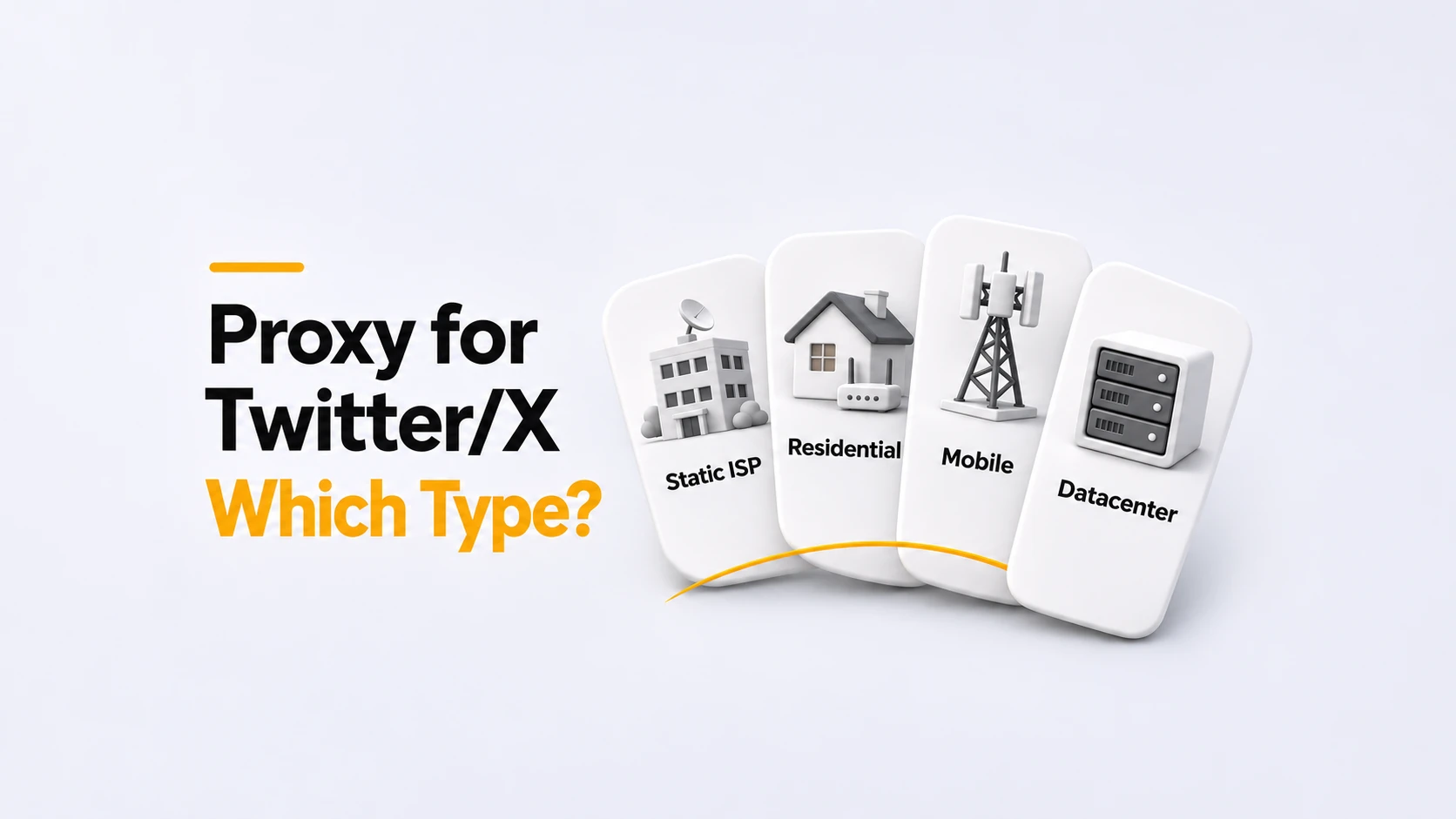
Quick answer
For daily work in an X account, compare static ISP and static datacenter plans first if your requirement is to keep one assigned IP. Choose ISP when you specifically need an address from an internet provider network; include datacenter when a hosting-network address is acceptable. For a single publishing visit, a residential plan with a long enough sticky session may do the job. Consider mobile if you need to try X through a carrier network. For other account work, test it against the alternatives before deciding whether to rent it.
Key takeaways
- Need one IP for a month? Check for a month-long assignment. A sticky session measured in minutes won’t cover it.
- Check whether the address is shared. “Static” tells you about assignment, not exclusive use.
- Price the same amount of work across each plan, including traffic and any limits on simultaneous connections.
- Keep proxy connection errors separate from X account prompts when recording a trial. They need different investigation.
Which proxy type fits the way you use X?
Start with the account tasks: publishing, answering replies, attaching media, and returning later. Will a different address be acceptable when you log in tomorrow? Your answer helps decide whether a timed session is enough or you need a fixed assignment.
Static ISP: keeping an ISP address for repeated visits
A static ISP plan keeps an address from an internet provider network assigned for the rental term. It suits a requirement such as “we need this address for our browser setup for the next month.”
Ask what happens at renewal and whether another customer can use the address during your rental. With MangoProxy’s static ISP product, the IP stays assigned for the rental period and is not shared with other MangoProxy customers. Keeping it beyond that period is a separate question to confirm before renewing.
If you have no requirement for an ISP network, compare a static datacenter plan too. Both can offer a fixed address; paying for ISP should follow a requirement or a useful test result.
Residential: when a sticky session covers the account visit
A residential pool supplies addresses associated with consumer internet connections. It can be useful when the pool offers the location you need and you only require one IP for the duration of a visit.
Look up the session’s time limit, then ask what happens if you disconnect. Will the same session ID bring back the address? Can the service replace it before the timer ends if the connection goes offline? Those details matter if you plan to leave X open or come back later.
If you pay per gigabyte, allow for the videos you watch as well as the files you upload. Use a few normal account visits to estimate usage, then work out the cost at the advertised rate.
Mobile: trying X through a cellular network
With a mobile proxy, the exit address belongs to a cellular carrier network. For example, a team could use one to test publishing through that network from a remotely managed setup. You don’t need to choose this type simply because you use the X phone app.
For everyday posting and replies, put a mobile plan through the same tasks as an ISP or residential plan. Check the bill and any unwanted IP changes alongside the result in X. If it offers no useful difference for your work, you have little reason to choose it over a plan that already meets your needs.
Read “dedicated mobile” carefully. A connection reserved for you may still change its public IP. Ask about rotation and assignment separately, particularly if you need to return to the same address the following day.
Datacenter: when a fixed hosting-network address meets the requirement
A static datacenter plan offers a fixed address from a hosting network. Consider it alongside static ISP when you need predictable assignment and have no specific requirement for the network type.
There is no reason in this comparison to rule out every datacenter IP. Equally, the label does not establish that a particular address will work with X. Test the connection you would actually rent, including signing in and carrying out your normal account tasks.
For more detail on the categories themselves, see Which Proxies to Choose: Proxy Types Comparison.
What else should you compare before ordering?
Before paying, get answers to these questions about the plan:
- Keeping the IP: is it reserved for the whole rental, and can you retain it after reconnecting or renewing?
- Sharing: can other customers use the IP at the same time?
- Authentication: does your software accept the provider’s username and password or source-IP authorization?
- Allowances: what traffic and simultaneous connections are included?
Also check where you will enter the settings. A separate browser profile keeps its own browser session, but you still have to configure and verify its connection. A proxy set in a desktop browser does not configure the X app on another device.
X already lets you add existing accounts and switch between them. For team access, X Delegate provides admin and contributor roles without sharing the account password. Use those features for account access; choose proxies according to the connection you need. X’s authenticity policy still applies to how the accounts are operated.
Example: choosing a plan for a brand account
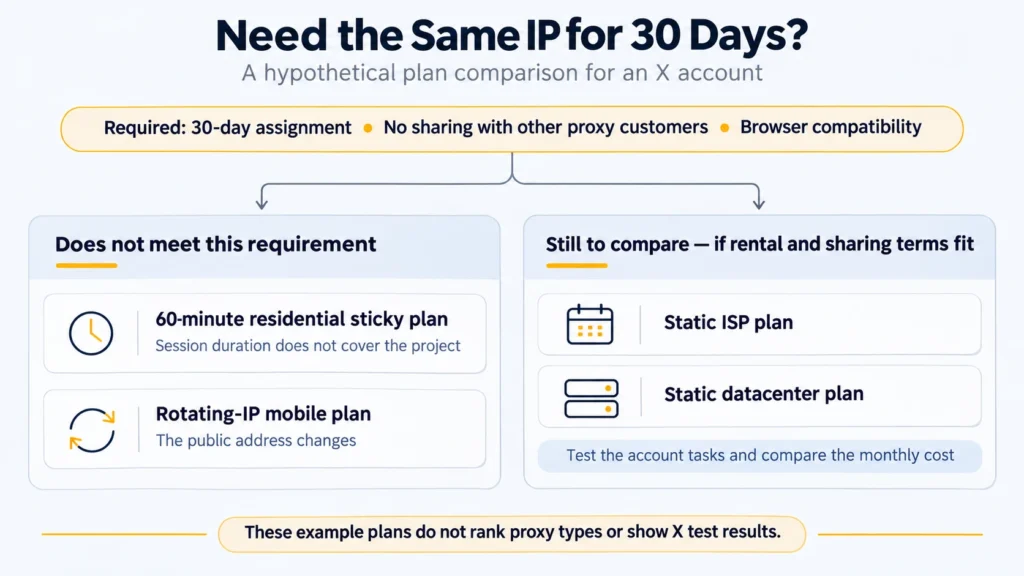
This is a hypothetical purchasing example, not a completed X test.
A manager uses x.com on a laptop each working day. The team wants one address assigned for a 30-day project, no simultaneous use by other proxy customers, and a connection the browser can authenticate to.
The manager finds a residential plan whose sticky sessions last 60 minutes. That plan does not meet the 30-day assignment requirement, even though an hour would be enough to write a post. A mobile plan that rotates its address also fails that particular requirement.
Static ISP and static datacenter plans remain on the shortlist, provided their rental and sharing terms fit. If both are available in the needed location, the manager can compare a short rental of each in the intended browser setup. The manager records what worked in each trial and what the month would cost. If both plans pass those checks, there’s no need to pay more just for a different label. An explicit requirement for an ISP address would rule out the datacenter plan from the start.
What should you do during a trial?
Try it on your usual laptop or phone, in the software you use for X. Keep a short note of the date, plan, and session settings so you can repeat the setup later.
- Copy the connection details from the provider: host, port, protocol, and the required login or authorization settings. Make sure you can connect to the proxy first.
- Run an IP check through the configured connection and save the address it shows. You’ll use it for comparison later. The result only confirms the route of that check; other apps may use a different connection.
- Open X, read your replies, and, if you have a post ready to publish, try sending it with its intended image. Write down where you encounter a problem, including any message X displays.
- Come back after your usual break between visits. Repeat the IP check and compare the address with your first note. If it has changed, check whether that matches the plan’s session or rental terms.
If X asks for account verification, record that separately from a failed proxy login or an interrupted connection. Changing the IP, protocol, and browser settings together will make it harder to tell which change affected the result.
We have not run a comparative X trial for this article. The procedure above is a way to check suitability in your own setup, not evidence of an account-acceptance rate for any type.
Compare the relevant MangoProxy plans
For an assigned address, review the static ISP and static datacenter options. For shorter sessions or a specific pool location, check residential proxies. Include mobile proxies when a carrier network is needed or your trial supports that choice.
Check that your chosen location is available. If you need help from support, a request such as “I use X in this browser and need one IP for 30 days” is more useful than asking for the best Twitter proxy. Add your traffic estimate so they can check the plan’s allowance too.
Glossary
Exit IP: the address X sees when your request reaches it through the proxy.
ISP: short for internet service provider. With a static ISP plan, you rent a fixed IP associated with that provider network.
Sticky session: a timed session that asks the proxy service to reuse one exit address.
Source-IP authorization: access to a proxy restricted to requests from an allowed public IP address.
Final thoughts
Keep the notes from your trial. They should show what you could do in X, whether the IP changed, and what you would pay to continue. That gives you a reason to renew a plan – or try another one – based on your own account work.
Frequently asked questions
Here we answered the most frequently asked questions.
Is a Twitter proxy different from an X proxy?
Twitter was renamed X, so providers use both names for the same use case. Read the plan details to find out what type of proxy they actually supply.
Is SOCKS5 required for a residential IP?
No. The IP type and connection protocol are separate choices. For a residential IP, HTTP is an option if both the service and your software support it. Check those two requirements before copying the connection details.
Will a new proxy remove an X account restriction?
Do not assume the restriction is a connection problem. Start with the message X shows you. If it asks you to recover the account or appeal a decision, follow that process. A different IP won’t complete those steps for you.