
What Is JA3 Fingerprint and How It Works
Published: ≈ 5 min read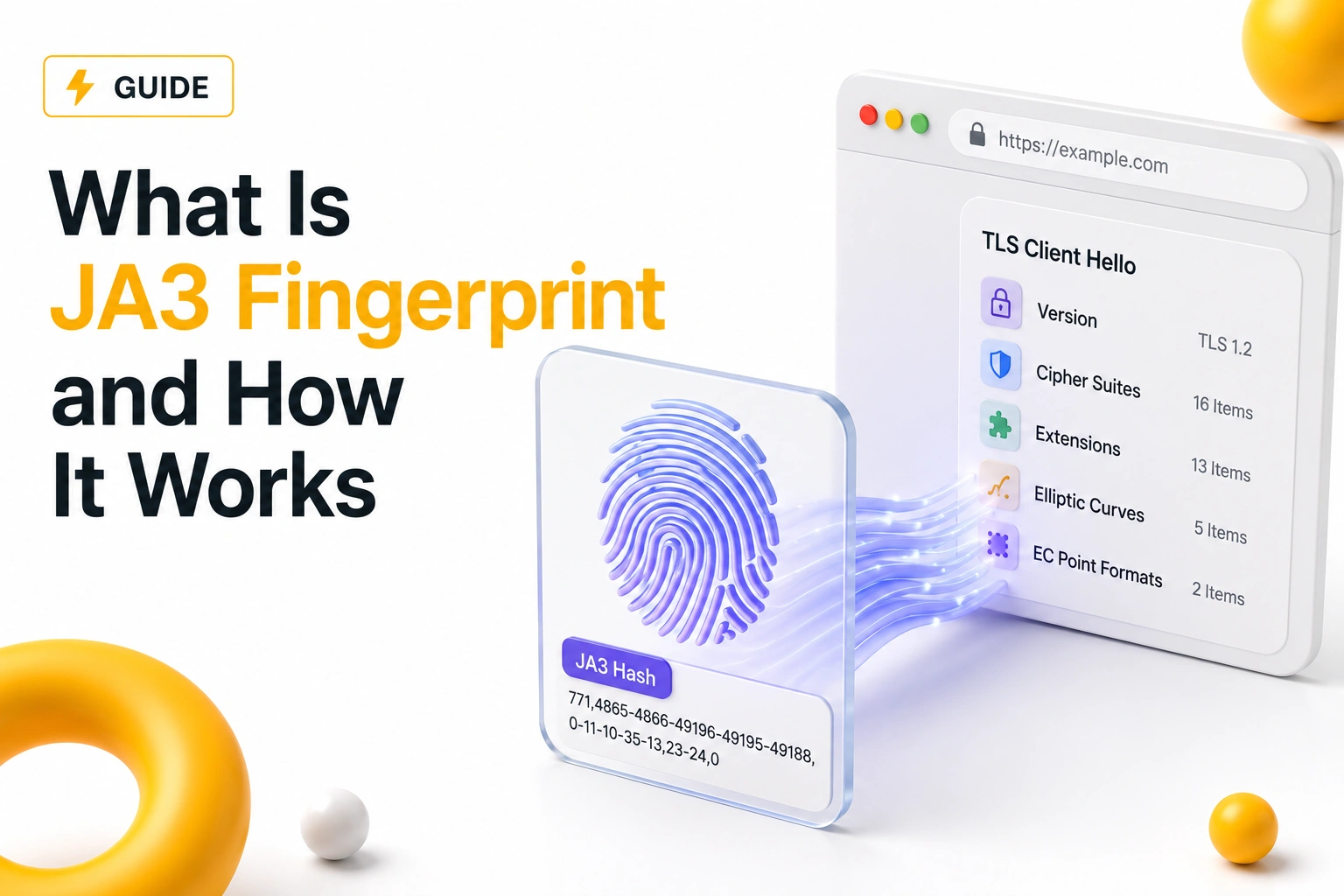
Quick Answer
JA3 fingerprinting is a technique used to identify clients based on how they perform a TLS handshake. Instead of relying only on IP addresses, websites analyze TLS connection characteristics to recognize browsers, bots, automation tools, and proxy traffic.
Key Takeaways
- JA3 fingerprints are created from TLS handshake parameters
- Different browsers and tools generate different JA3 signatures
- Websites use JA3 to identify bots and automation traffic
- Changing IP addresses does not automatically change JA3
- TLS fingerprints are now a major part of modern detection systems
What Is a JA3 Fingerprint
Whenever a secure HTTPS connection is created, the client and server perform a TLS handshake before encrypted communication begins.
During this process, the client sends technical parameters such as:
- supported cipher suites
- TLS versions
- extensions
- elliptic curves
JA3 fingerprinting converts these parameters into a unique signature.
This allows websites to recognize connection behavior even when IP addresses change.
Why JA3 Fingerprinting Exists
Traditional IP-based detection became less reliable once:
- VPNs became common
- proxy infrastructure scaled
- cloud traffic increased
As a result, platforms started analyzing deeper connection characteristics.
JA3 helps answer questions like:
- does this traffic look like Chrome?
- does this resemble automation software?
- is the TLS behavior natural?
This makes JA3 useful for fraud prevention, bot detection, and infrastructure monitoring.
How JA3 Fingerprints Are Generated
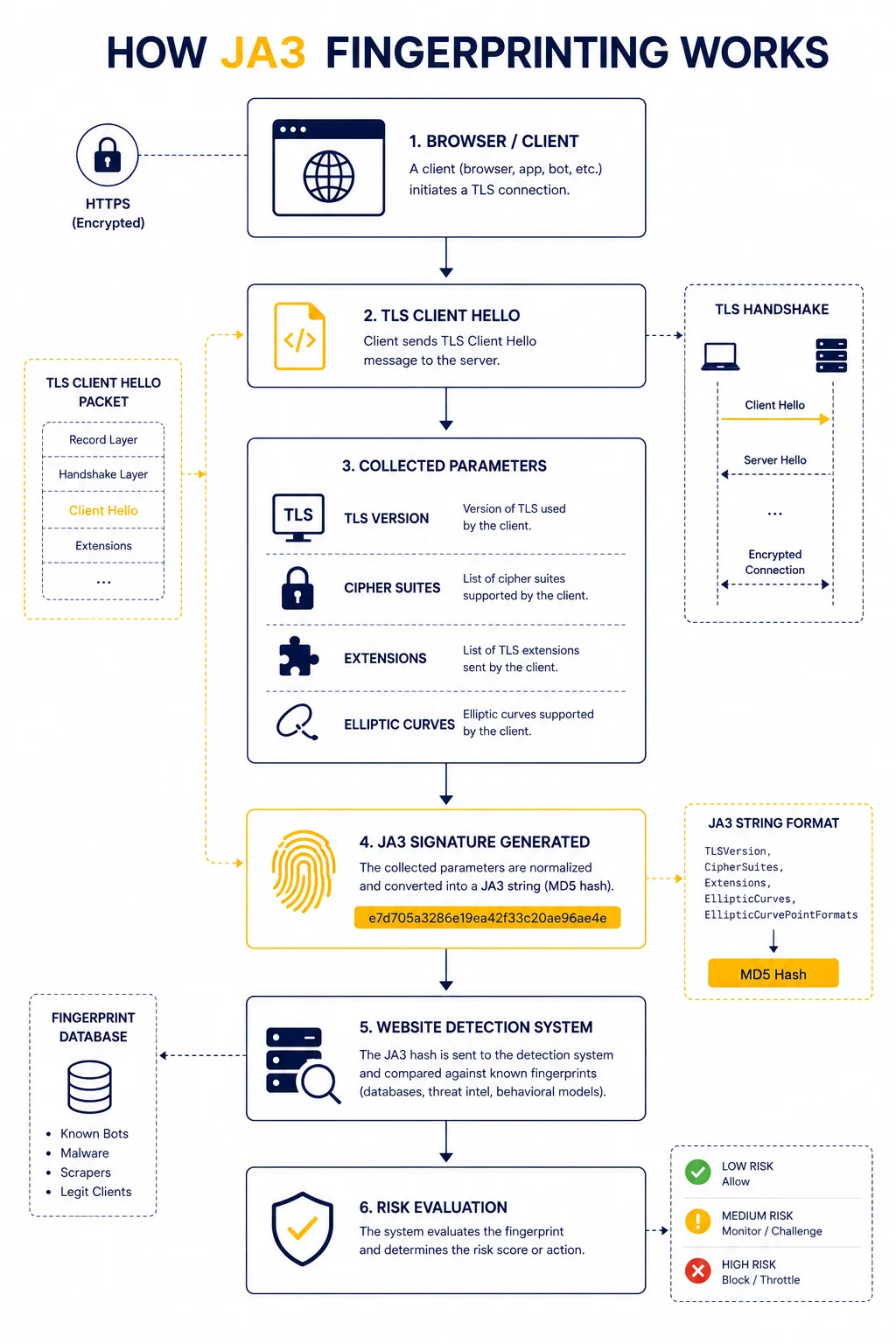
JA3 fingerprints are created from values inside the TLS Client Hello packet.
Simplified process:
- Client initiates HTTPS connection
- TLS parameters are sent
- Parameters are combined into a string
- The string is hashed into a JA3 signature
The resulting fingerprint becomes a compact identifier of the client’s TLS behavior.
What Data JA3 Uses
JA3 does not analyze the encrypted content itself.
Instead, it focuses on metadata from the handshake.
Typical parameters include:
| TLS Parameter | Purpose |
| TLS version | supported encryption version |
| Cipher suites | available encryption methods |
| Extensions | optional TLS capabilities |
| Elliptic curves | cryptographic preferences |
Together, these values create a highly recognizable signature.
Why Different Browsers Have Different JA3 Fingerprints
Browsers implement TLS differently.
For example:
- Chrome uses one TLS order
- Firefox uses another
- automation frameworks may expose unusual patterns
As a result, websites can often distinguish between:
- real browsers
- bots
- headless automation
- scraping tools
👉 even if all traffic comes from different IP addresses.
Why JA3 Matters for Proxy Traffic
Many users assume proxies only change IP addresses.
However, websites increasingly inspect:
- browser fingerprint
- TLS fingerprint
- behavioral patterns
This means:
👉 rotating proxies alone may not prevent detection.
For deeper context, see Proxy Fingerprinting Explained.
Real Example of JA3 Detection
Imagine two sessions:
| Session | IP Address | JA3 Fingerprint |
| User A | residential IP | Chrome TLS profile |
| User B | rotating proxies | uncommon automation TLS |
Even if User B rotates IPs constantly, the TLS signature may remain identical across requests.
Detection systems can link these sessions together.
Why Automation Frameworks Often Get Flagged
Many automation tools generate TLS handshakes that differ from real browsers.
Common signs include:
- uncommon cipher ordering
- missing browser extensions
- unusual TLS parameters
These differences create fingerprints rarely seen in normal traffic.
As a result, anti-bot systems may classify the traffic as suspicious.
JA3 vs Browser Fingerprinting
Both methods identify users, but they analyze different layers.
| Method | Analyzes |
| Browser fingerprinting | browser/device behavior |
| JA3 fingerprinting | TLS handshake behavior |
Modern detection systems usually combine both approaches.
Can JA3 Fingerprints Change
Yes, but not automatically.
JA3 changes when:
- browser version changes
- TLS libraries change
- connection stack changes
However, changing only the proxy IP usually does not affect the TLS fingerprint.
How Detection Systems Use JA3 in Practice
Websites rarely rely on JA3 alone.
Instead, they combine:
- IP reputation
- browser fingerprint
- request behavior
- TLS signature
This creates a broader trust or risk profile.
For example:
| Signal | Detection Value |
| Residential IP | low risk |
| Datacenter IP | medium risk |
| Unusual JA3 | high risk |
| Aggressive request pattern | very high risk |
Why Stable Infrastructure Matters
One of the biggest mistakes in automation is focusing only on IP rotation.
In reality, stability and consistency matter more.
For example:
- realistic browser behavior
- matching TLS profiles
- natural traffic timing
These factors often have greater impact than simply changing IP addresses.
How JA3 Relates to Network Analysis
TLS fingerprinting is part of a larger detection ecosystem.
Other network signals include:
- latency consistency
- routing patterns
- ASN reputation
You can analyze routing behavior using IP Trace Tool.
Additional Tools for Connectivity Testing
When diagnosing proxy or TLS-related behavior, engineers often combine multiple tools.
Examples:
• Proxy Checker – verifies connectivity and response behavior
• IP Lookup – reveals ASN and network ownership
• My IP – checks visible public IP information
Using multiple diagnostics provides better visibility into infrastructure behavior.
Glossary
- JA3
A TLS fingerprint generated from Client Hello parameters. - TLS Handshake
The process used to establish a secure HTTPS connection. - Cipher Suite
A set of cryptographic algorithms used for encryption. - Client Hello
The first TLS packet sent by the client during connection setup.
Frequently asked questions
Here we answered the most frequently asked questions.
What is a JA3 fingerprint?
It is a unique identifier created from TLS handshake parameters.
Does changing a proxy change JA3?
Usually no. Changing only the IP address typically does not modify TLS behavior.
Why do websites use JA3?
To identify bots, automation frameworks, and unusual connection patterns.
Is JA3 fingerprinting accurate?
It is not perfect alone, but it becomes powerful when combined with other detection signals.