


How media buyers pay for ad accounts and tools with a US virtual card
Published: ≈ 6 min read
If you buy media for a living, payments are part of the job. You pay for ad accounts, spy tools, trackers, landing page builders, proxies and a long list of subscriptions. When a payment fails, a campaign can stop in the middle of a good day. This article explains why payments are a weak point for media buyers, how virtual cards help, and a simple setup that keeps budgets clean and campaigns running.
Why payments are a weak point
Most media buyers meet the same three problems.
First, cards issued outside the US are often refused by US platforms and tools. The reason is usually the card’s country, not the money on it.
Second, many teams run everything on one card. When that card is blocked, lost or charged by mistake, every account and tool on it stops at once.
Third, spend is hard to track. One card statement mixes ten clients, five tools and a few forgotten subscriptions. Working out who spent what takes hours.
What a virtual card is
A virtual card is a normal Visa or Mastercard that exists only online. It has a card number, an expiry date and a security code, and you use it anywhere that takes card payments online. You create it in an app in a few minutes. You can freeze it when you don’t need it and close it when you’re done. There’s no plastic to wait for and nothing to lose in the post.
One card per account, client or tool
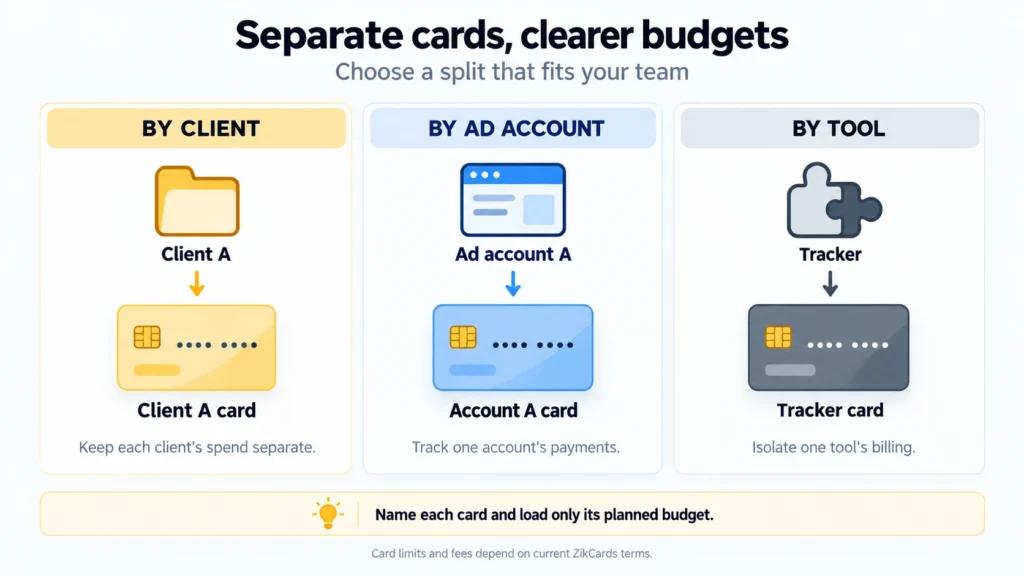
The biggest benefit for media buyers is having many cards instead of one.
- One card per client. Each client’s ad spend sits on its own card, so the statement for that card is the report.
- One card per tool. If a subscription renews at a bad moment or charges more than expected, freeze that one card. Nothing else is touched.
- Clean shutdowns. When a client leaves, close their card. Nothing keeps charging in the background.
Give every card a clear name, such as the client or the tool, so anyone on the team knows what it’s for.
Why a US card helps
Many ad platforms and online tools are US companies that bill in US dollars. A card issued in the US removes the most common reason international cards are refused: the card’s country. Each platform still runs its own checks, so no card provider can promise acceptance. But it’s one less problem to solve.
Paying in US dollars from a US dollar card also means your bank doesn’t convert currency on every charge.
How it works with ZikCards
ZikCards issues US Visa and Mastercard virtual cards, made for advertisers, agencies and online businesses.
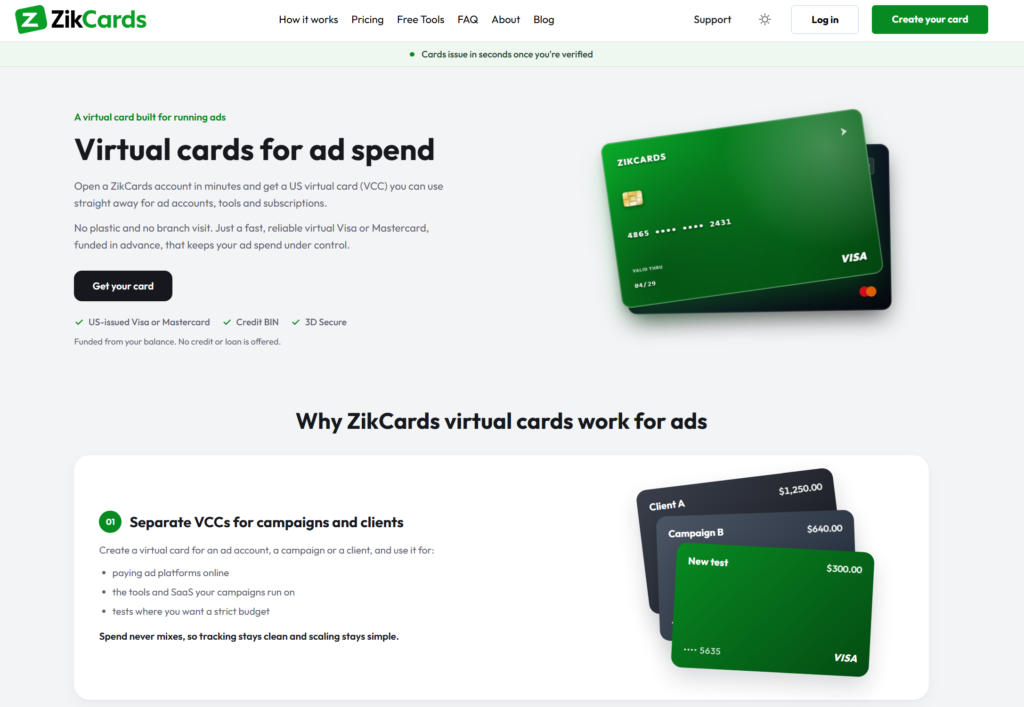
- Verify once. Sign up and verify your identity with a photo ID and a short selfie. Most checks finish in minutes.
- Fund your balance with stablecoins. Send USDT or USDC to your ZikCards balance. Always send on the network you chose; a wrong-network transfer usually can’t be recovered.
- Create a card. Choose Visa or Mastercard. The card is ready in seconds, and you can see its number, expiry and security code on the card page.
- Load the budget. Move money from your balance onto the card. The card spends only what’s loaded on it: there’s no credit line, no bill and no interest.
- Pay with the card’s billing address. Each card has its own billing address on the card page. Use that address at checkout, not your home address.
Some payments run a 3D Secure check that may ask for a one-time code. With ZikCards, the code appears at the top of your dashboard, so keep it open when you pay.
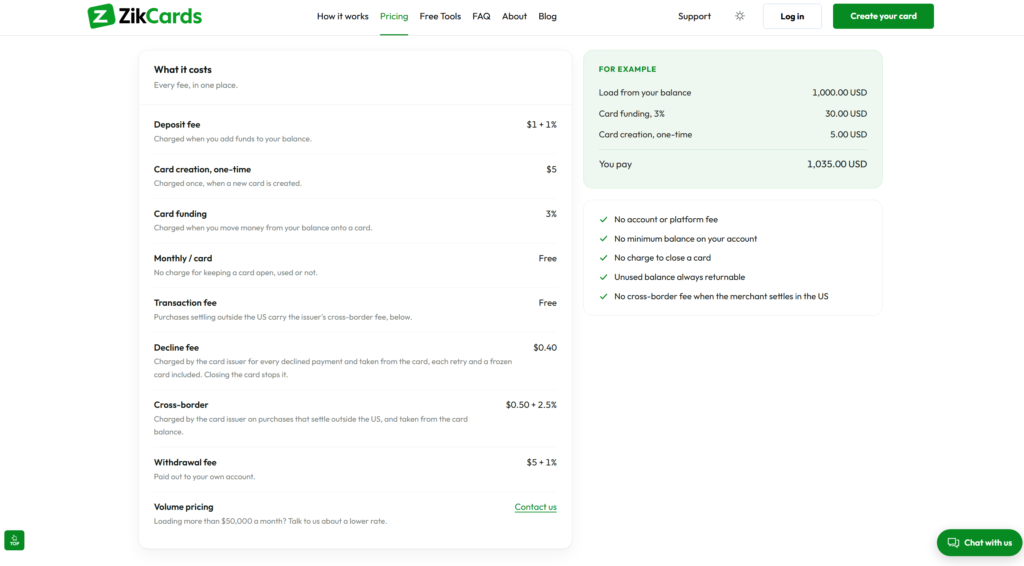
All fees are listed on the ZikCards pricing page.
A simple setup for a media buying team
- Load what the next billing cycle needs, not the whole month. If a card is ever compromised, little is at risk. Each card keeps a small minimum balance while it’s open, so leave a small margin.
- Freeze cards for paused clients. A frozen card declines everything, so nothing renews by surprise.
- Watch declines. Each declined payment may cost a small fee from the card issuer, and repeated retries add up. If a payment fails, check the billing address and the card balance before trying again.
- Keep refunds in mind. A refund goes back to the card that was charged. Keep that card open until the refund arrives.
- Keep each account’s setup consistent. Teams that run many accounts already know that a stable, dedicated setup per account (a reliable proxy, the same browser profile, the same payment method) avoids most surprises. Follow each platform’s own rules on accounts and payments.
Mistakes to avoid
- One card shared across every client and tool.
- Loading the full monthly budget on day one.
- Retrying a declined payment again and again without checking why.
- Typing your home address instead of the card’s billing address.
- Sending USDT on a different network than the one you selected.
- Closing a card while a refund is still on its way.
An offer for MangoProxy users
MangoProxy users get $2 off their first ZikCards card with the code MANGOPROXY. See how ZikCards works for ad spend.
Visa and Mastercard are trademarks of their respective owners.
Frequently asked questions
Here we answered the most frequently asked questions.
Can a frozen card still incur decline fees?
Yes. ZikCards says attempted payments on a frozen card can still incur issuer decline fees. Cancel unwanted renewals with the merchant; freezing the card alone does not stop those attempts.
Can a payment in US dollars still incur a cross-border fee?
Yes. The fee depends on where the merchant settles the payment, not just the billing currency. Check the current pricing before setting your card budget.
Can I return part of a card balance to my wallet?
ZikCards currently describes closing the card as the way to return its remaining balance, rather than a partial withdrawal. Keep the card open while a refund is pending.
Is there a limit to how many cards I can keep?
Check the current allowance on the My cards page before planning your split. A frozen card still occupies a slot; closing a card frees one.