


Browser Contexts vs Browser Profiles: What is the Difference and When Should You Use Each?
Published: ≈ 8 min read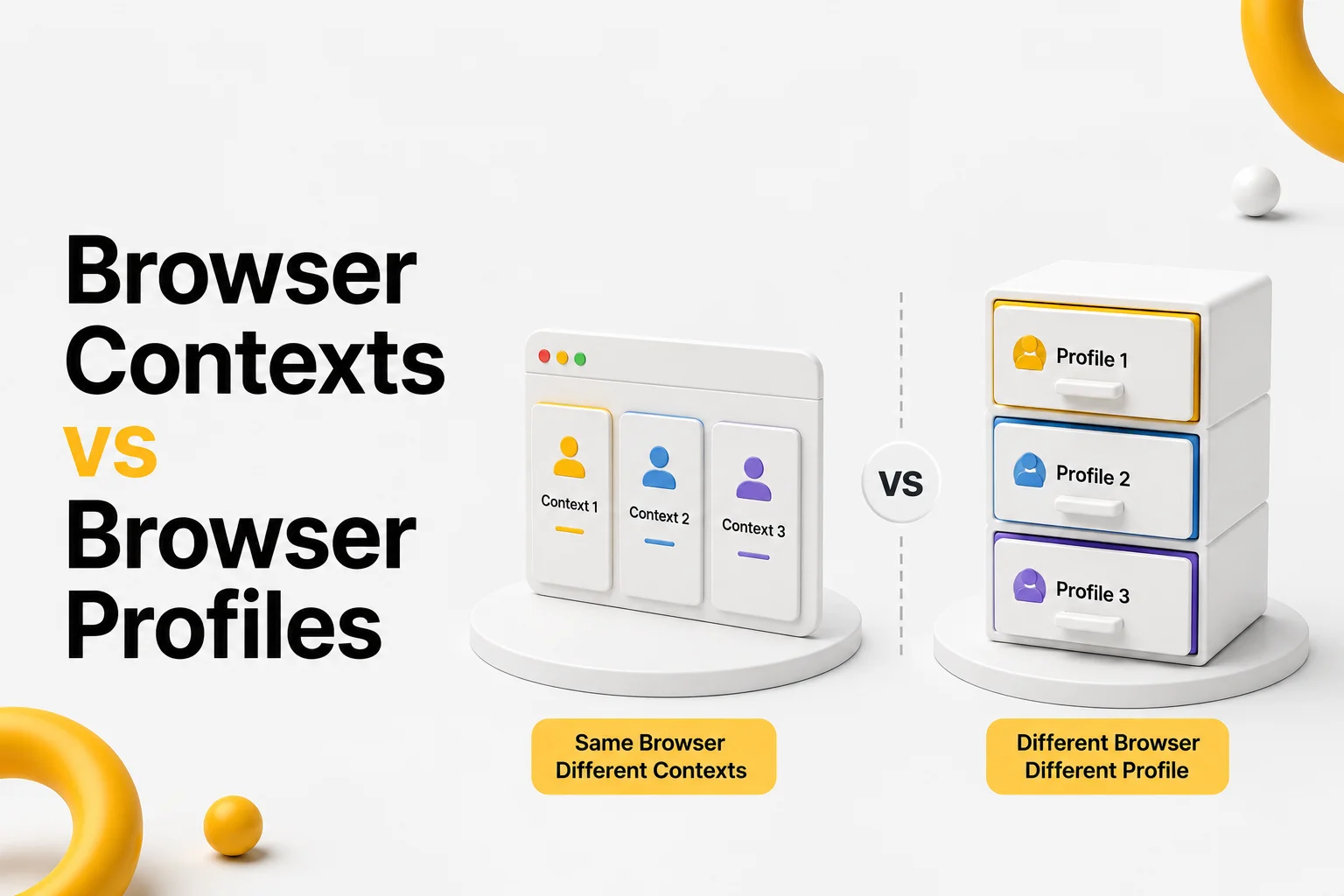
Quick Answer
Browser contexts and browser profiles both isolate browsing data, but they operate at different levels. A browser context creates an independent session inside an existing browser, while a browser profile creates a completely separate browser environment with its own settings, extensions, history, and persistent storage. Browser contexts are optimized for speed and parallel automation, whereas browser profiles are designed for long-term browser identities.
Key Takeaways
- Browser contexts isolate sessions.
- Browser profiles isolate the entire browser environment.
- Multiple browser contexts can exist inside one browser profile.
- Browser contexts are lightweight and ideal for automation.
- Browser profiles provide stronger isolation but require more resources.
- Choosing the right isolation level depends on your workflow.
Why Developers Often Confuse Them
Search for “browser context” or “browser profile” online, and you’ll quickly notice that many articles use the terms interchangeably.
In reality, they solve two different problems.
A browser context answers the question:
“How can I create another independent session inside the same browser?”
A browser profile answers a different question:
“How can I create another independent browser?”
That distinction becomes important when building automation workflows.
For example, Playwright creates new browser contexts in milliseconds because it doesn’t need to launch another browser installation. Instead, it simply creates another isolated session inside the existing browser.
A browser profile works differently.
Every profile has its own persistent environment, including browser settings, extensions, history, permissions, cache, and authentication data.
As explained in Browser Context Isolation: How Modern Browsers Separate Sessions, contexts focus on session separation. Browser profiles go much further by isolating the entire browser identity.
Think of It Like an Apartment Building
An easy way to understand the difference is to compare a browser to an apartment building.
A browser profile is like an entire apartment.
Everything inside belongs to one resident:
- furniture;
- keys;
- documents;
- decorations;
- personal belongings.
A browser context is more like a locked room inside that apartment.
The room has its own contents and access, but it still belongs to the same apartment.
The same relationship exists inside modern browsers.
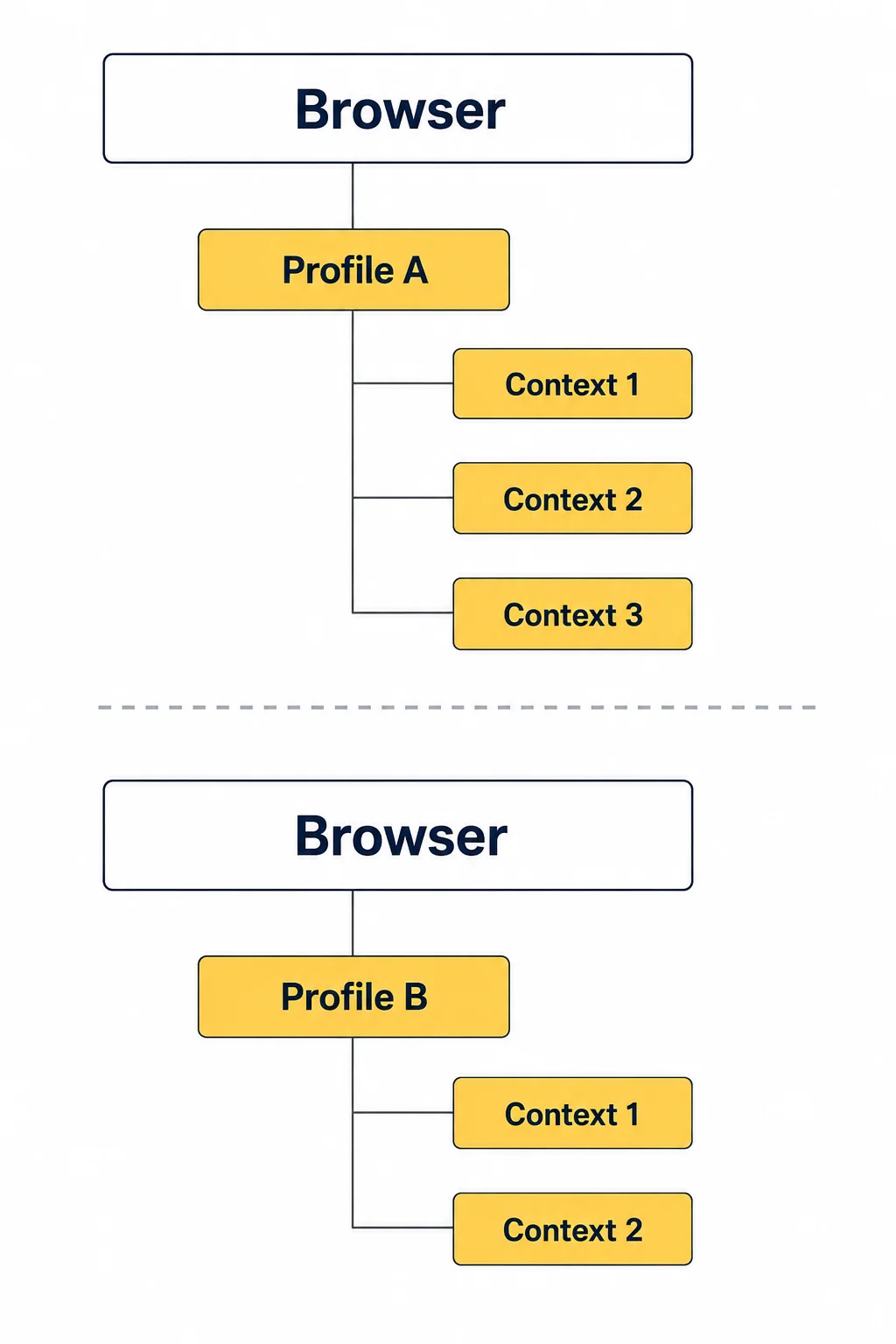
Browser Isolation Hierarchy
Browser
└── Profile A
│
├── Context 1
│
├── Context 2
│
└── Context 3
└── Profile B
│
├── Context 1
│
└── Context 2
A single browser profile can contain multiple browser contexts.
Each context has its own cookies, Local Storage, and authenticated session, while still sharing the underlying browser installation.
This layered architecture is one of the reasons modern automation frameworks are both fast and efficient.than launching multiple browser instances while still providing reliable session separation.
What Does a Browser Context Isolate?
A browser context is designed to isolate session-related data, not the browser itself.
When a new context is created, it starts with a clean browsing state while still using the same browser engine.
Each browser context maintains its own:
- Cookies
- Local Storage
- Session Storage
- IndexedDB
- Authentication State
- Site Permissions
This means two contexts can log into the same website using completely different accounts without affecting one another.
For automation frameworks such as Playwright Browser Contexts, this lightweight isolation makes it possible to execute parallel tests efficiently while avoiding session conflicts.
What Does a Browser Profile Isolate?
A browser profile operates at a much higher level.
Instead of isolating only session data, it isolates the entire browser environment.
Every profile has its own:
- browser settings;
- bookmarks;
- extensions;
- browser history;
- cache;
- cookies;
- Local Storage;
- permissions;
- certificates;
- saved passwords.
From the browser’s perspective, two profiles behave almost like two different browser installations.
This is why anti-detect browsers build their architecture around browser profiles rather than browser contexts.
As explained in How Anti-Detect Browsers Actually Work: Browser Profiles, Fingerprints and Isolation, maintaining independent browser identities requires much more than separating cookies.
Browser Context vs Browser Profile
The easiest way to compare them is side by side.
| Feature | Browser Context | Browser Profile |
| Isolates Cookies | ✅ | ✅ |
| Isolates Local Storage | ✅ | ✅ |
| Isolates Session Storage | ✅ | ✅ |
| Isolates Browser Settings | ❌ | ✅ |
| Isolates Extensions | ❌ | ✅ |
| Own Browser History | ❌ | ✅ |
| Startup Speed | Very Fast | Slower |
| Memory Usage | Low | Higher |
| Best For | Parallel Sessions | Long-Term Browser Identities |
Neither approach is better.
They simply solve different engineering problems.
When Should You Use Browser Contexts?
Browser contexts are the best choice when you need multiple independent sessions without launching multiple browsers.
Typical use cases include:
- parallel Playwright testing;
- automated QA;
- authenticated web scraping;
- testing multiple user roles;
- browser automation pipelines.
Because contexts are lightweight, hundreds of them can be created much faster than launching hundreds of browser profiles.
When Should You Use Browser Profiles?
Browser profiles are better suited for long-term browser identities.
Common examples include:
- anti-detect browsers;
- persistent browser automation;
- long-running authenticated workflows;
- multi-account management;
- browser personalization.
A browser profile preserves much more than authentication.
It also remembers browser-level configuration, making it ideal for workflows where a consistent browser identity must be maintained over time.
If those workflows also require a stable network identity, pairing each profile with Residential Proxies or Static ISP Proxies helps keep browser and network characteristics consistent.
Common Mistake
One of the biggest mistakes developers make is replacing browser profiles with browser contexts.
Although contexts isolate sessions, they do not create independent browser identities.
For example:
Browser Profile
│
├── Context A
├── Context B
└── Context C
All three contexts still inherit the same browser configuration.
If your workflow depends on different browser settings, extensions, or profile-level preferences, browser contexts alone are not enough.
Choosing the correct level of isolation-session or full browser identity-is often more important than the automation framework itself.
Production Tips
Choosing the right isolation mechanism can significantly improve both performance and maintainability.
Use Browser Contexts for Parallel Automation
If your goal is to run multiple authenticated sessions simultaneously, browser contexts are usually the most efficient option.
Instead of launching several browsers, create multiple contexts inside one browser process.
This approach:
- reduces memory usage;
- speeds up browser startup;
- simplifies parallel execution;
- minimizes resource consumption.
Use Browser Profiles for Persistent Identities
When browser identity needs to survive across days or weeks, browser profiles are the better choice.
A browser profile remembers much more than session data.
It preserves:
- browser settings;
- extensions;
- permissions;
- cache;
- long-term authentication state.
This makes profiles ideal for anti-detect browsers and long-running automation projects.
Don’t Mix the Two Concepts
A common design mistake is assuming browser contexts and browser profiles are interchangeable.
A good rule of thumb is:
Need another login?
↓
Browser Context
————————
Need another browser identity?
↓
Browser Profile
Thinking about the problem this way makes architectural decisions much easier.
Match Browser Identity With Network Identity
Even a perfectly isolated browser profile can appear inconsistent if the network environment changes constantly.
For authenticated workflows, it’s often beneficial to pair one browser profile with one stable proxy.
Before investigating browser-related issues, verify your connection using Proxy Checker and confirm your current address with My IP.
Final Thoughts
Browser contexts and browser profiles are complementary technologies rather than competing ones.
Browser contexts provide fast, lightweight session isolation, making them ideal for automated testing, browser automation, and parallel execution.
Browser profiles provide complete browser isolation by preserving settings, extensions, browser history, permissions, and long-term identity.
Understanding where one ends and the other begins helps developers build more efficient automation architectures while avoiding unnecessary browser launches and session conflicts.
Choosing the correct isolation level often has a greater impact on reliability than the automation framework itself.
Glossary
Browser Context
An isolated browsing session within a browser instance. Each browser context maintains its own cookies, Local Storage, Session Storage, and authentication state while sharing the same browser engine.
Browser Profile
A complete browser environment containing browser settings, cookies, storage, extensions, cache, browsing history, and other persistent data. Multiple browser contexts can exist inside a single browser profile.
Browser Session
The relationship between a browser and a website after authentication. A session typically includes cookies, browser storage, and server-side session information.
Cookie
A small piece of data stored by the browser and automatically sent with HTTP requests. Cookies are commonly used to maintain authenticated sessions and user preferences.
Local Storage
A browser storage mechanism that preserves data even after the browser is closed. Modern web applications often use Local Storage to save application settings and authentication tokens.
Session Isolation
The process of keeping authentication data independent between different browser contexts or browser profiles so that one session cannot interfere with another.
Browser Automation
The practice of controlling a web browser through software rather than manual interaction. Browser automation is widely used for testing, web scraping, monitoring, and repetitive workflows.
Playwright
An open-source browser automation framework that supports Chromium, Firefox, and WebKit. Playwright relies heavily on browser contexts to create fast, isolated sessions.
Browser Identity
The collection of browser characteristics-including storage, cookies, settings, fingerprints, and network information-that websites use to recognize a browsing environment.
Parallel Sessions
Multiple independent authenticated sessions running simultaneously within the same browser instance, typically achieved through browser context isolation.
Frequently asked questions
Here we answered the most frequently asked questions.
Can multiple browser contexts exist inside one browser profile?
Yes. A single browser profile can contain many browser contexts, each maintaining its own cookies, storage, and authenticated session.
Do browser contexts have separate cookies?
Yes. Every browser context maintains its own cookies, Local Storage, Session Storage, and IndexedDB. This is what allows multiple independent sessions to coexist inside one browser.
Are browser profiles slower than browser contexts?
Generally, yes. Creating a browser profile involves initializing a complete browser environment, while creating a browser context only initializes a new browsing session inside an existing browser.
Which one should I use for browser automation?
For most automation tasks, browser contexts are the preferred choice because they are lightweight and scale efficiently. Browser profiles become valuable when your workflow requires persistent browser identities or profile-level customization.