


Behavioral Detection Explained: How Websites Analyze User Behavior
Published: ≈ 8 min read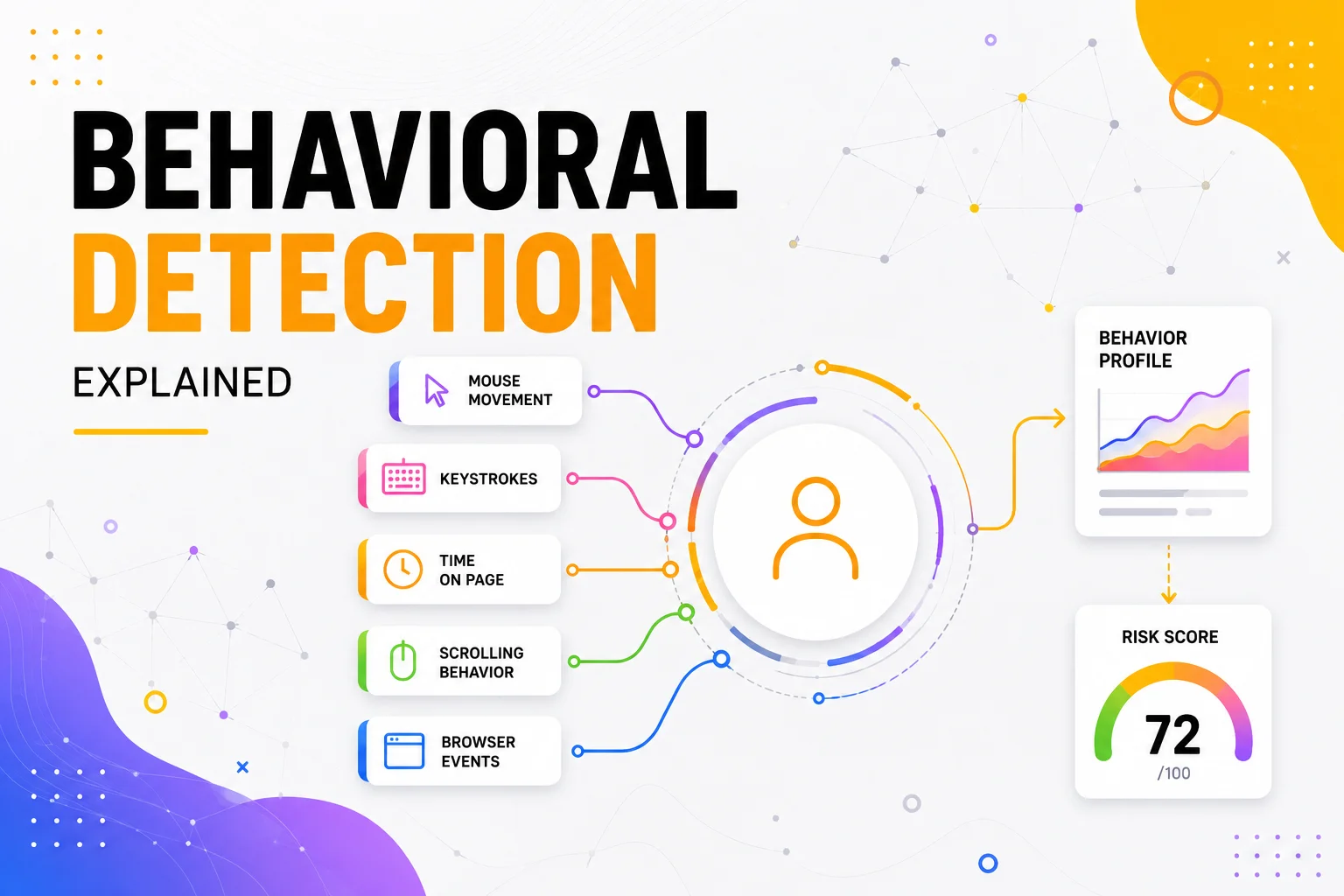
Quick Answer
Behavioral detection is a technique used by modern websites to evaluate how users interact with a page rather than simply identifying who they are. Instead of relying only on IP addresses or browser fingerprints, websites observe browsing behavior, interaction patterns, navigation flow, and timing to help determine whether activity appears consistent with normal user behavior.
Key Takeaways
- Behavioral detection analyzes user interaction patterns.
- It complements browser fingerprints and network information.
- Websites evaluate many behavioral signals together.
- User behavior is only one component of modern trust evaluation.
- Behavioral analysis helps reduce fraud and improve security.
- Stable, consistent behavior is often more important than isolated technical signals.
Why Browser Identity Is No Longer Enough
For many years, browser identification focused almost entirely on technical characteristics.
Websites looked at:
- IP addresses;
- cookies;
- browser fingerprints;
- authentication state.
These signals remain important today.
However, modern fraud prevention systems increasingly ask another question:
“Does this browser behave like a real user?”
This represents a major shift.
Two browsers may have nearly identical technical characteristics, yet interact with a website in completely different ways.
One browser may browse naturally over time.
Another may perform hundreds of perfectly timed actions within seconds.
Although both browsers appear similar technically, their behavior can look very different.
As discussed in Why Browser Fingerprints Matter More Than IPs, browser identity is now evaluated through multiple independent layers. Behavioral detection adds another important layer by analyzing interaction patterns rather than browser configuration alone.
What Is Behavioral Detection?
Behavioral detection refers to the analysis of how a browser interacts with a website during a session.
Rather than identifying a browser through hardware or software characteristics, websites observe the overall flow of interaction.
Depending on the application, this may include signals such as:
- navigation patterns;
- scrolling activity;
- interaction timing;
- page transitions;
- session duration;
- browsing consistency;
- request sequences.
These observations are evaluated together rather than independently.
No single action determines whether a browser is considered trustworthy.
Instead, websites build a broader understanding of how the session evolves over time.
Behavioral Detection in the Trust Model
Behavior becomes another layer within the browser identity model.
Browser Identity
├── Browser Fingerprint
├── Browser Storage
├── Network Identity
├── Authentication State
└── User Behavior
│
▼
Trust Evaluation
This is why modern trust systems no longer depend on technical identifiers alone.
Behavioral detection provides additional context that helps websites determine whether ongoing activity remains consistent with the rest of the browser environment.
What Kind of Behavior Do Websites Observe?
Behavioral detection isn’t about watching a single mouse movement or one click.
Instead, websites look at the overall consistency of a browsing session.
Common behavioral signals include:
- how users navigate between pages;
- how long they remain on different pages;
- scrolling patterns;
- interaction timing;
- navigation sequences;
- typing cadence;
- overall session flow.
Individually, none of these behaviors prove whether a visitor is legitimate.
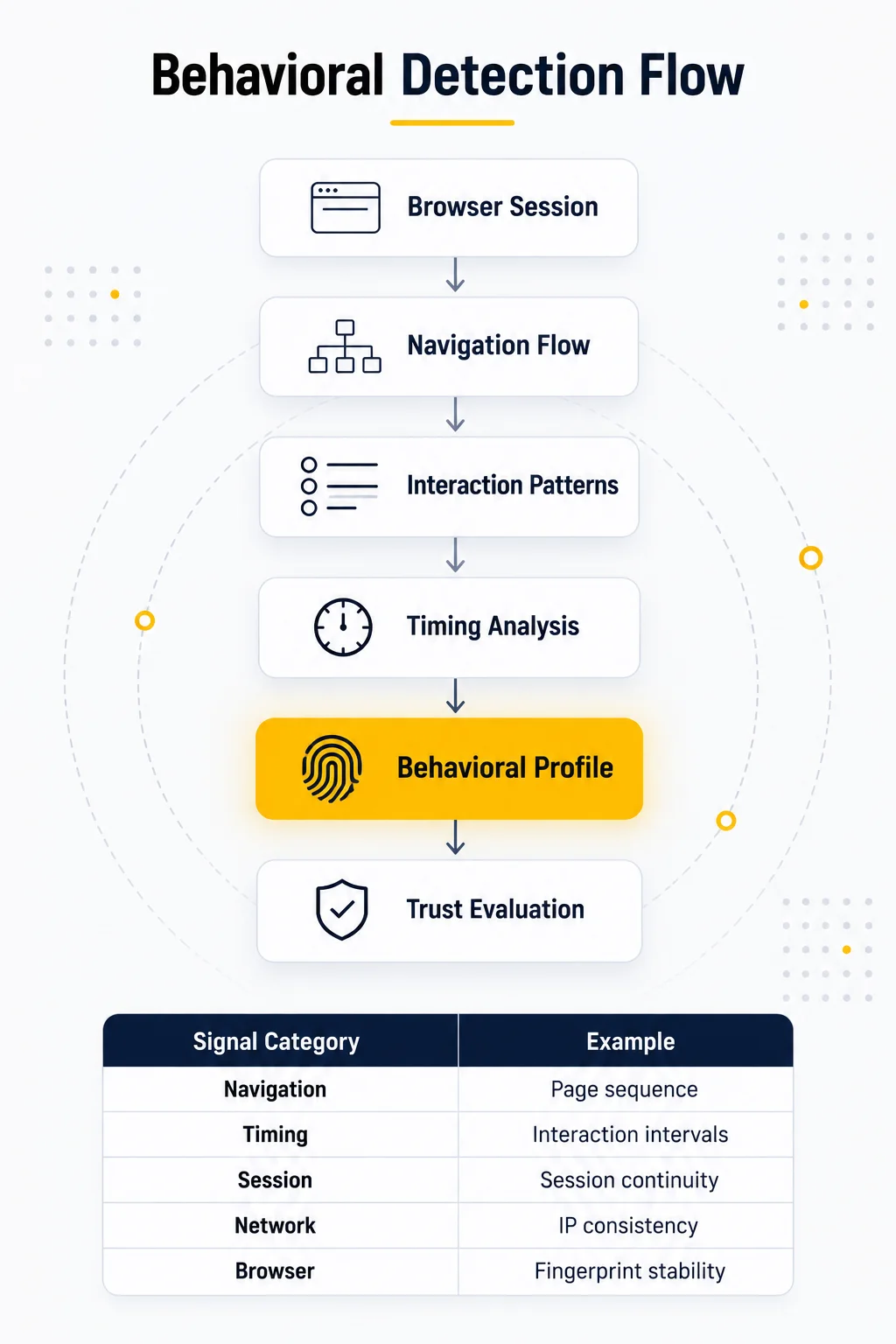
Together, however, they help create a behavioral profile that complements browser fingerprints and network information.an relying on a single signal.duce different hashes because of subtle rendering differences.
Behavior Is Evaluated Alongside Technical Signals
Modern trust systems rarely separate technical identity from behavioral identity.
Instead, they evaluate both simultaneously.
Technical Identity
├── Browser Fingerprint
├── Browser Storage
├── Network Identity
──────────────
Behavioral Identity
├── Navigation
├── Timing
├── Interaction Patterns
├── Session Flow
│
▼
Trust Evaluation
This layered approach reduces reliance on any single signal.
For example, a browser with a stable fingerprint but highly unusual interaction patterns may still trigger additional verification.
Likewise, natural browsing behavior can reinforce confidence in an otherwise familiar browser environment.
Why Behavioral Detection Is Difficult to Fake
Technical characteristics can sometimes change for perfectly legitimate reasons.
Users:
- update browsers;
- switch networks;
- replace devices;
- install software updates.
Behavior, however, tends to develop naturally over the course of a browsing session.
Rather than measuring isolated actions, websites evaluate relationships between actions.
For example:
- navigation usually follows logical page transitions;
- interactions occur with varying timing;
- browsing sessions develop gradually instead of instantly jumping between unrelated actions.
The emphasis is not on finding one “correct” behavior.
Instead, websites look for patterns that remain internally consistent throughout the session.
This is why behavioral analysis has become an important complement to browser fingerprinting.
Why This Matters for Browser Automation
For automation engineers, behavioral detection highlights an important principle:
A technically consistent browser is only part of a reliable automation workflow.
Long-running projects also benefit from:
- stable browser profiles;
- persistent browser storage;
- realistic session continuity;
- predictable navigation patterns;
- appropriate network consistency.
As discussed in Why Session Consistency Matters, browser trust is built gradually through many consistent signals rather than a single perfect fingerprint.
The network layer plays an important role as well. Depending on the project, Residential Proxies, Static ISP Proxies, Datacenter Proxies, or Mobile Proxies may all be appropriate choices. Before you buy proxies, define whether your workflow prioritizes long-lived authenticated sessions, high throughput, residential traffic characteristics, or mobile network behavior.
When diagnosing inconsistent behavior, combine browser analysis with Mango tools such as DNS Leak Test to verify DNS consistency, IP Lookup to inspect network characteristics, and IP Trace to understand how your traffic is routed. Together, these tools provide a more complete picture of the browser and network identity seen by a website.
Production Tips
Behavioral detection should be viewed as one layer of a modern trust system rather than a standalone security mechanism.
Focus on Long-Term Consistency
Modern websites evaluate how browser behavior develops throughout an entire session.
Consistency across:
- browser sessions;
- navigation flow;
- browser identity;
- network identity;
is generally more valuable than trying to optimize any individual signal.
Behavior Is Contextual
There is no universal definition of “normal” behavior.
What appears natural on:
- an e-commerce website;
- a banking portal;
- a social media platform;
- a SaaS dashboard;
may be completely different.
Modern behavioral detection evaluates actions within the context of the specific application rather than comparing every visitor against a single behavioral model.
Technical and Behavioral Signals Work Together
Behavioral detection does not replace browser fingerprinting.
Instead, websites combine:
- browser fingerprints;
- browser storage;
- authentication state;
- network characteristics;
- user behavior;
to build a broader understanding of browser trust.
Each layer contributes additional context, making the overall evaluation more reliable.
Validate Both Browser and Network Identity
Behavior is only one part of browser identity.
The network layer should remain equally consistent.
Useful tools include:
- DNS Leak Test to verify DNS routing.
- IP Lookup to inspect ASN and geolocation.
- IP Trace to understand network routing.
- Proxy Checker to confirm proxy connectivity and response quality.
Together, these tools help validate the environment that websites observe during a browsing session.
Final Thoughts
Behavioral detection reflects the evolution of modern web security from identifying browsers to understanding how they interact with websites.
Rather than relying solely on technical identifiers such as IP addresses or browser fingerprints, today’s security systems evaluate browser behavior as part of a broader trust model.
Behavioral signals are not intended to identify individual users. Instead, they provide context that complements browser fingerprints, authentication history, network identity, and session continuity.
For developers and automation engineers, the key takeaway is that browser trust is built through consistency. A stable browser environment, predictable network characteristics, and coherent browsing sessions together create a more reliable browser identity than any single technical signal alone.
Understanding behavioral detection also makes it easier to understand the next stage of modern fraud prevention: risk scoring, where dozens of independent signals are combined into a single trust assessment.
Glossary
Behavioral Detection
The process of analyzing how users interact with a website to better understand browsing patterns and support trust evaluation.
Behavioral Profile
A collection of interaction characteristics observed during a browsing session, including navigation flow, timing, and browsing consistency.
Browser Identity
The combined technical and behavioral characteristics that help websites recognize a browser across multiple sessions.
Navigation Flow
The sequence of pages and interactions that make up a user’s browsing session.
Trust Evaluation
The process of combining browser fingerprints, behavioral signals, network information, authentication state, and historical context to assess browser trust.
Session Continuity
The ability of a browsing session to remain technically and behaviorally consistent over time.
Risk Signals
Independent indicators that contribute to an overall security assessment. Individual signals rarely determine the outcome on their own.
Frequently asked questions
Here we answered the most frequently asked questions.
Is Behavioral Detection the same as Browser Fingerprinting?
No. Browser Fingerprinting identifies technical characteristics of a browser. Behavioral Detection analyzes how a browser interacts with a website over time. Modern trust systems combine both techniques.
Does Behavioral Detection monitor every mouse movement?
Not necessarily. Different websites evaluate different behavioral signals depending on their security requirements. Rather than focusing on one action, most systems analyze the overall interaction pattern throughout a browsing session.
Can normal users trigger Behavioral Detection?
Yes. Behavioral detection evaluates all visitors. Its purpose is not to label users as human or automated immediately, but to provide additional context that supports broader trust evaluation.
Why do websites combine behavioral and technical signals?
No individual signal is completely reliable. Browser fingerprints can change after software updates, while user behavior naturally varies from session to session. Combining multiple independent signals allows websites to make more informed security decisions.