


Why Session Consistency Matters: The Hidden Signal Behind Trusted Browser Sessions
Published: ≈ 8 min read
Quick Answer
Modern websites don’t evaluate browser sessions using a single signal. Instead, they look for consistency over time. A browser that maintains stable cookies, storage, fingerprints, and network characteristics appears more trustworthy than one whose identity constantly changes. Session consistency helps reduce unnecessary logins, verification challenges, and unexpected session resets.
Key Takeaways
- Session consistency is about maintaining a stable browser identity over time.
- Websites evaluate many signals together rather than relying on a single cookie or IP address.
- Consistent browser storage, fingerprints, and network behavior improve session reliability.
- Changing multiple browser characteristics at once can reduce trust.
- Stable sessions are essential for browser automation, testing, and authenticated workflows.
- Session consistency often matters more than individual browser settings.
Why Modern Websites Care About Consistency
A common misconception is that websites only verify your login when you first authenticate.
In reality, authentication doesn’t stop after the login page.
Every request sent by your browser gives the website another opportunity to evaluate whether your session still appears trustworthy.
Instead of asking:
“Did this user log in successfully?”
Modern platforms increasingly ask:
“Does this browser still behave like the same browser that logged in yesterday?”
That distinction is important.
A session is not judged by one value.
It is judged by how consistently the browser behaves over time.
For example, a website may observe:
- the same authentication cookies;
- the same browser storage;
- similar browser fingerprints;
- stable language settings;
- consistent screen resolution;
- predictable browsing behavior.
When these signals remain stable, the session appears trustworthy.
As discussed in How Session Persistence Works, preserving a session involves much more than keeping cookies alive.
Session Consistency Is About the Whole Browser
Many developers focus on preserving a single component, such as cookies.
However, websites evaluate the browser as a complete environment.
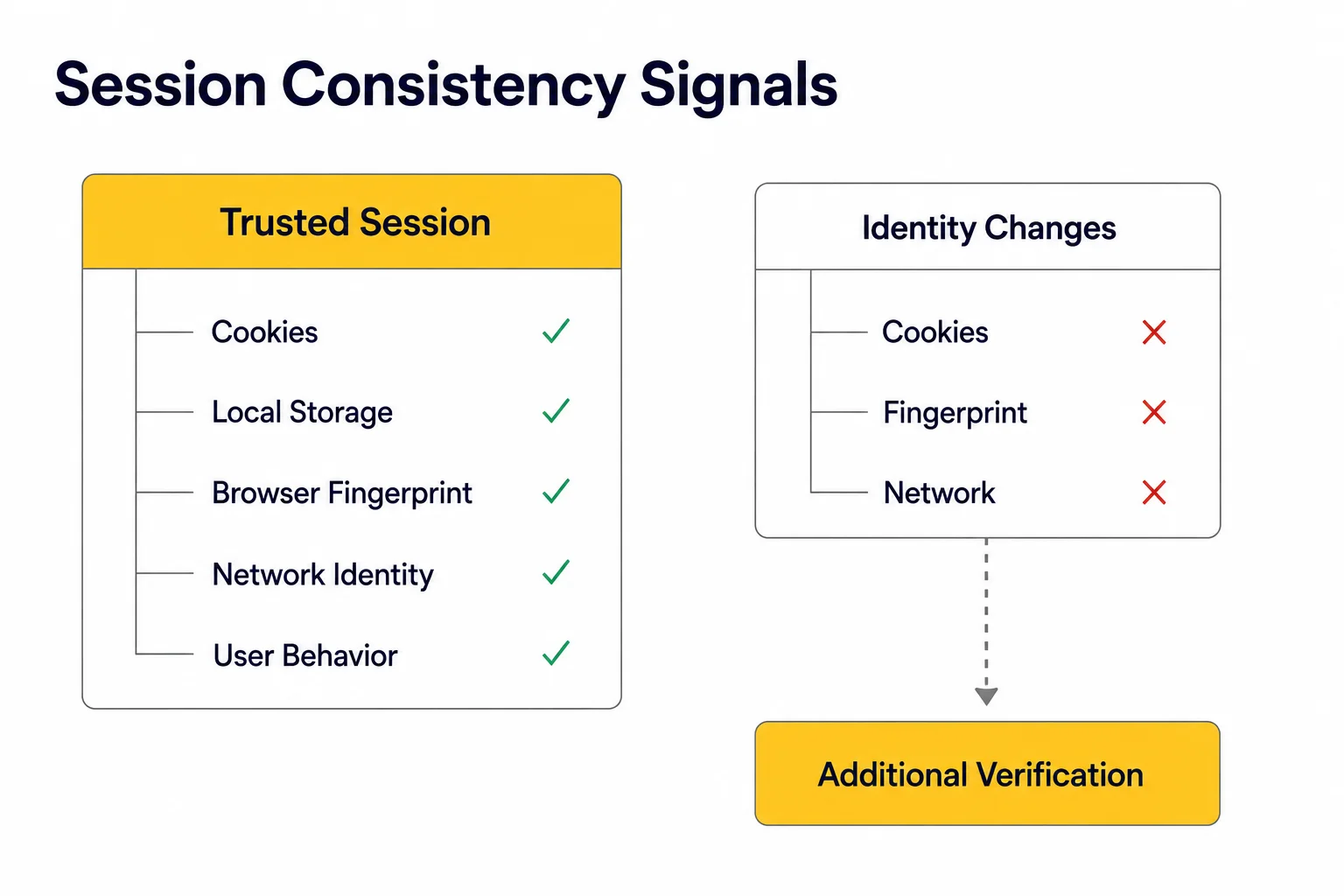
A consistent session is built from several layers working together.
Session Consistency
Browser Identity
│
├── Cookies
├── Local Storage
├── Browser Fingerprint
├── Network Identity
└── User Behavior
│
▼
Trusted Session
If one component changes occasionally, the session may continue normally.
If several important signals change at the same time, websites are much more likely to request additional verification or establish a new trusted session.
This is why maintaining consistency is often more valuable than trying to constantly change browser characteristics.
What Makes a Session Look Consistent?
A trusted session isn’t built around a single signal.
Instead, websites evaluate how different parts of the browser environment fit together over time.
Think of session consistency as a puzzle.
Each individual piece may seem unimportant on its own, but together they create a recognizable picture.
A stable session typically includes:
- consistent cookies;
- unchanged Local Storage;
- persistent browser fingerprints;
- stable IP characteristics;
- predictable browsing behavior;
- realistic request timing.
The more these signals agree with one another, the easier it is for a website to recognize the browser as a returning, trusted user.
Session Consistency Is Built in Layers
Rather than checking only one value, modern websites often evaluate several independent layers of browser identity.
Session Consistency Layers
Browser Session
│
├── Cookies
├── Browser Storage
├── Browser Fingerprint
├── Network Identity
└── User Behavior
│
▼
Trust Evaluation
Changing one layer doesn’t always invalidate a session.
However, changing several important layers at once can make the browser appear unfamiliar.
For example:
- a different IP address;
- a new browser fingerprint;
- missing cookies;
- an empty Local Storage.
Each change increases uncertainty.
Together, they may cause the website to request additional verification or create a new trusted session.
Consistency Doesn’t Mean Nothing Can Change
Another common misunderstanding is believing that a trusted browser must remain completely identical forever.
Real users change all the time.
People:
- switch between Wi-Fi and mobile networks;
- update their browsers;
- resize browser windows;
- travel between cities;
- install browser extensions.
Websites expect this.
What they look for is whether those changes happen gradually and naturally, rather than all at once.
A browser that changes one characteristic occasionally still looks realistic.
A browser that suddenly changes cookies, fingerprint, IP address, language, timezone, and screen resolution within a few minutes may not.
Why This Matters for Browser Automation
This concept is especially important for automation.
Many developers focus entirely on making every browser launch look different.
In reality, long-running automation often benefits from the opposite approach.
Instead of creating a new identity every session, successful automation usually tries to preserve a stable one.
That means keeping the same:
- browser context;
- browser profile;
- authentication data;
- proxy configuration;
- browser fingerprint.
As discussed in Browser Contexts vs Browser Profiles, browser profiles are designed to preserve long-term browser identity, while browser contexts keep individual sessions isolated inside that identity.
Combining a consistent browser profile with high-quality Residential Proxies or Static ISP Proxies creates a much more predictable environment than constantly rotating every browser characteristic.
Production Tips
Maintaining session consistency is usually more effective than constantly trying to create a “new” browser identity.
Keep Browser Identity Stable
Avoid changing multiple browser characteristics between sessions.
For long-running workflows, try to preserve:
- the same browser profile;
- the same browser fingerprint;
- the same language and timezone;
- the same screen resolution.
Small, natural changes are expected.
Large, simultaneous changes are much more likely to trigger additional verification.
Preserve Browser Storage
Authentication doesn’t depend only on cookies.
Many modern websites also store important information in:
- Local Storage;
- Session Storage;
- IndexedDB.
Deleting browser storage between every session often forces websites to rebuild trust from scratch.
As explained in Cookie Persistence vs Session Persistence, preserving browser state is just as important as preserving cookies.
Avoid Unnecessary Network Changes
Changing your network identity too frequently can interrupt an otherwise stable session.
For workflows that require persistent authentication, using a consistent proxy is often more effective than rotating IP addresses after every request.
High-quality Static ISP Proxies are commonly used for long-lived browser sessions, while Residential Proxies can provide consistent identities for workflows that require residential networks.
Think in Terms of Identity, Not Individual Signals
One of the biggest mistakes is optimizing a single browser parameter while ignoring the rest.
Instead of asking:
“Do my cookies look correct?”
Ask:
“Does my entire browser environment still look like the same user?”
That shift in thinking often leads to more reliable automation and fewer unexpected session resets.
Final Thoughts
Session consistency has become one of the foundations of modern browser trust.
Rather than relying on a single cookie or IP address, websites evaluate whether the entire browser environment continues to behave like the same user over time.
Stable browser storage, consistent fingerprints, predictable network characteristics, and natural browsing behavior all contribute to that trust.
For browser automation, the goal is rarely to create a completely new identity every time.
Instead, reliable automation is usually built by preserving a consistent one.
Understanding this principle makes it easier to design automation workflows that remain stable, scalable, and less likely to trigger unnecessary verification.
Glossary
Session Consistency
The practice of maintaining a stable browser environment across multiple requests or visits so that websites continue to recognize the session as belonging to the same user.
Browser Identity
The combination of browser storage, fingerprints, network characteristics, and configuration that collectively represents a browser to a website.
Browser Fingerprint
A collection of browser and device characteristics that helps websites distinguish one browser from another.
Authentication State
The current login status of a browser session, maintained through cookies, browser storage, and server-side session data.
Local Storage
A browser storage mechanism that persists data after the browser is closed and is commonly used by modern web applications.
Network Identity
The network-related characteristics of a browser session, including IP address, ASN, proxy type, and connection properties.
Trusted Session
A browser session that a website recognizes as consistent with previously observed behavior, reducing the likelihood of additional verification.
Frequently asked questions
Here we answered the most frequently asked questions.
Does session consistency only depend on cookies?
No. Cookies are only one part of a browser session. Websites may also evaluate browser storage, fingerprint consistency, network characteristics, and user behavior.
Can changing my IP immediately invalidate a session?
Not always. Users naturally change networks throughout the day. However, if an IP change happens together with several other browser changes, the website may treat the session as less trustworthy.
Why do websites ask me to log in again?
This usually happens when the website determines that the current browser environment no longer matches the one that originally created the session. Changes in browser storage, fingerprints, network identity, or authentication data can all contribute to this decision.
Is browser fingerprint consistency more important than IP consistency?
Increasingly, yes. Many modern platforms evaluate the browser as a complete environment rather than relying on a single network identifier. We’ll explore this topic in more detail in Why Browser Fingerprints Matter More Than IPs.