


Why Browser Fingerprints Matter More Than IP Addresses
Published: ≈ 9 min read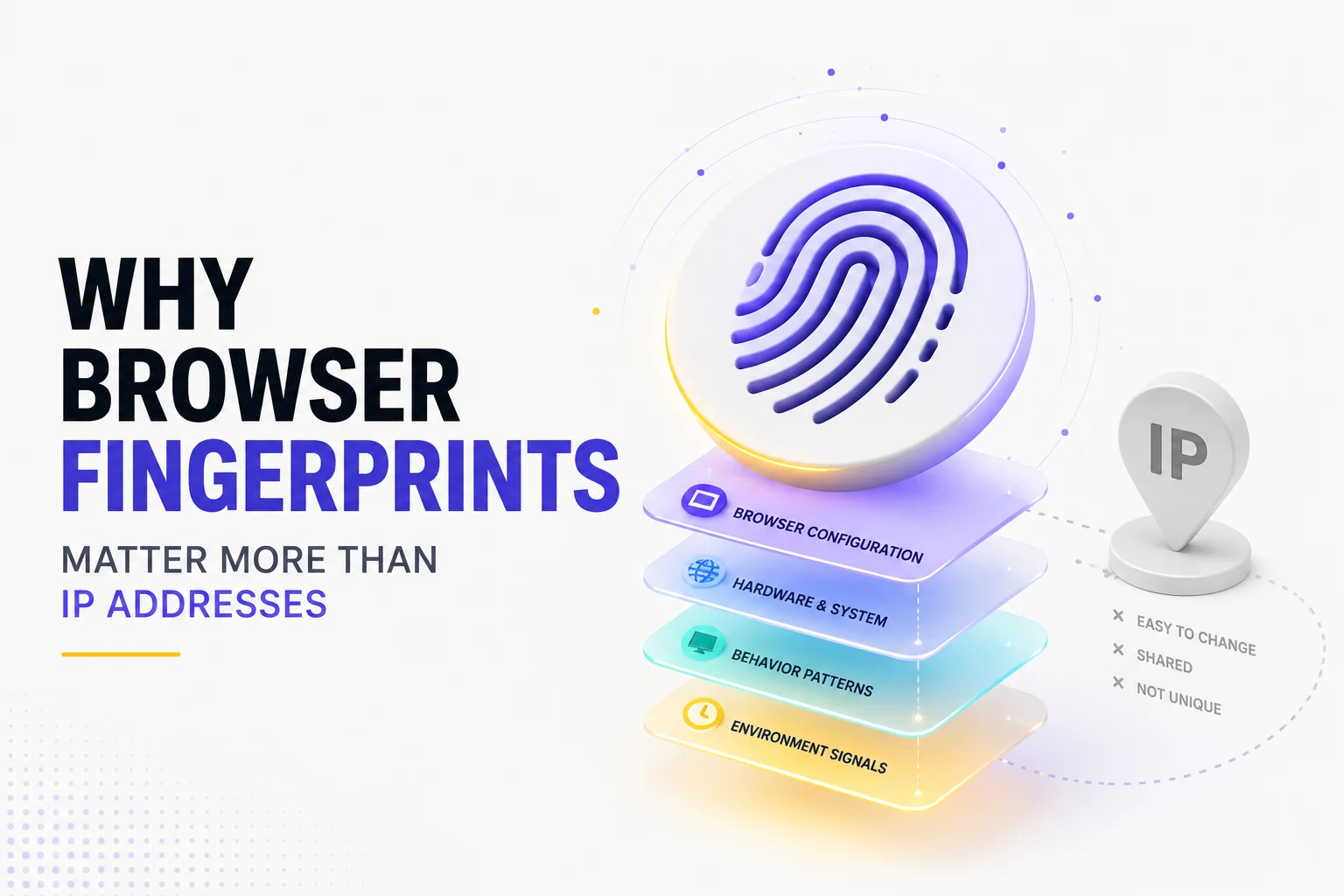
Quick Answer
An IP address identifies where a connection comes from, but a browser fingerprint helps identify which browser is making that connection. Modern websites evaluate dozens of browser characteristics alongside network information, making browser fingerprints a more reliable indicator of browser identity than an IP address alone.
Key Takeaways
- An IP address represents a network location, not a browser identity.
- Browser fingerprints combine dozens of browser characteristics.
- Websites evaluate browser and network signals together.
- A stable browser fingerprint often carries more weight than a stable IP.
- Browser identity is built from multiple layers rather than a single identifier.
- Modern anti-fraud systems focus on consistency instead of individual signals.
Why IP Addresses Are No Longer Enough
For many years, websites relied heavily on IP addresses to recognize visitors.
The assumption was simple:
One IP address represented one user.
That assumption no longer reflects how today’s internet works.
Millions of people share IP addresses through:
- mobile carriers;
- corporate networks;
- carrier-grade NAT;
- VPN providers;
- residential internet providers.
At the same time, a single person may legitimately use several different IP addresses throughout the day by switching between home Wi-Fi, office networks, and mobile data.
As a result, an IP address has become an unreliable way to identify an individual browser.
Modern websites still consider IP reputation important, but it is now only one piece of a much larger trust model.
A Browser Reveals Much More Than an IP Address
Every browser exposes dozens of technical characteristics that remain surprisingly consistent over time.
These characteristics form what is commonly known as a browser fingerprint.
Unlike an IP address, which only describes the network connection, a browser fingerprint describes the browser itself.
A fingerprint may include information such as:
- browser version;
- operating system;
- screen resolution;
- language settings;
- installed fonts;
- timezone;
- hardware capabilities;
- graphics rendering characteristics;
- browser APIs.
Individually, these values may not identify a browser.
Together, however, they create a highly distinctive browser identity.
As discussed in Why Session Consistency Matters, websites rarely evaluate a single signal in isolation. Instead, they look at how consistently all of these characteristics fit together over time.
Browser Identity Is Built in Layers
Rather than asking “What is this user’s IP?”, modern platforms ask a much broader question:
“Does this browser still look like the same browser we’ve seen before?”
That decision is based on several independent layers.
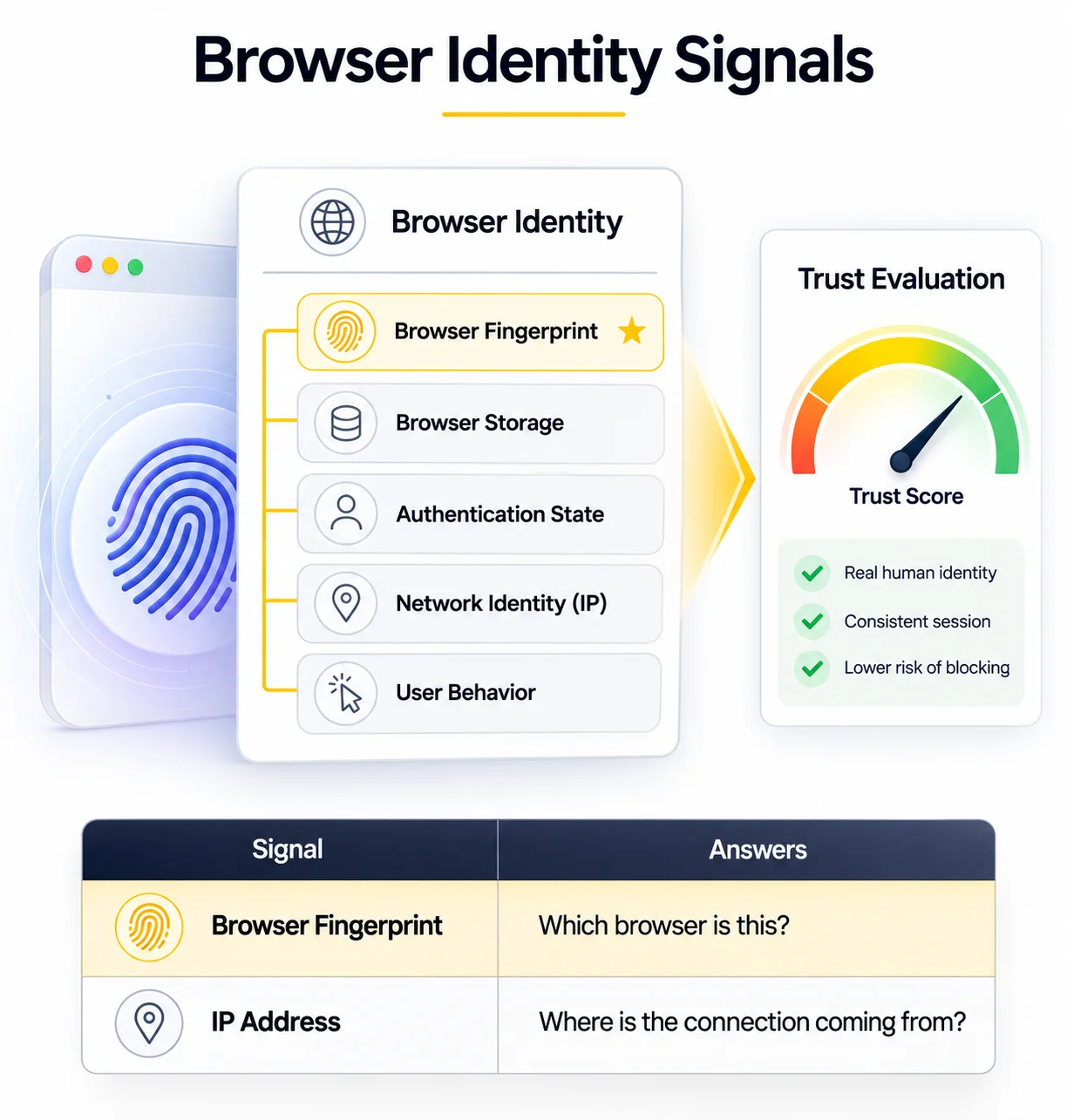
Browser Identity Layers
Browser Identity
├── Browser Fingerprint
├── Browser Storage
├── Network Identity
├── Authentication State
└── User Behavior
│
▼
Trust Evaluation
An IP address is only one layer in this model.
If the browser fingerprint, storage, authentication state, and browsing behavior all remain consistent, changing the IP alone may have very little impact.
Conversely, if every layer changes simultaneously, the browser may appear completely unfamiliar—even if the IP address remains exactly the same.
This shift from network identity to browser identity is one of the biggest changes in how modern websites evaluate trust.
Browser Fingerprints Remain More Stable Than IP Addresses
IP addresses can change for completely normal reasons.
For example, a user might:
- reconnect to Wi-Fi;
- switch from home internet to a mobile network;
- travel to another city;
- receive a new IP from their internet provider.
None of these actions necessarily indicate suspicious behavior.
A browser fingerprint, however, usually changes much more slowly.
Most people don’t frequently replace their:
- operating system;
- browser version;
- installed fonts;
- display resolution;
- hardware configuration;
- language preferences.
Because these characteristics remain relatively stable, they provide a stronger long-term signal than an IP address alone.
This is one of the reasons why browser fingerprints have become such an important part of modern trust evaluation.
Websites Compare Signals Instead of Looking at One
Modern fraud detection systems rarely rely on a single indicator.
Instead, they compare multiple signals and ask a simple question:
“Do all of these characteristics belong to the same browser?”
For example:
Browser Fingerprint ✓
Cookies ✓
Local Storage ✓
User Behavior ✓
IP Address Changed
↓
Session Continues
In this situation, the IP address changes, but every other signal remains consistent.
To a website, this often looks like a real person switching networks.
Now compare that with another example.
Browser Fingerprint Changed
Cookies Missing
Local Storage Empty
User Behavior Different
IP Address Changed
↓
Additional Verification
Here, several important identity signals change at the same time.
Rather than seeing one natural change, the website sees an entirely different browser environment.
That doesn’t automatically mean the user is malicious.
It simply increases uncertainty.
Fingerprints and IP Addresses Work Together
It’s important to understand that browser fingerprints have not replaced IP addresses.
Both remain valuable.
They simply answer different questions.
| Signal | Primary Purpose |
| IP Address | Where is the connection coming from? |
| Browser Fingerprint | Which browser is making the request? |
| Cookies | Has this browser been here before? |
| Browser Storage | Is previous session data still available? |
| User Behavior | Does interaction appear natural? |
Modern trust systems combine all of these signals into a single evaluation.
That’s why changing only your IP rarely creates a completely new browser identity.
Likewise, keeping the same IP doesn’t guarantee that a browser will continue to be trusted if every other characteristic suddenly changes.
Why This Matters for Browser Automation
This shift has changed how reliable automation workflows are designed.
Many beginners focus almost entirely on rotating IP addresses.
Experienced automation engineers usually think differently.
They aim to preserve a consistent browser identity, including:
- browser profile;
- browser fingerprint;
- browser storage;
- authentication state;
- proxy configuration.
As discussed in Browser Contexts vs Browser Profiles, maintaining a persistent browser profile often provides a much stronger foundation than recreating a completely new browser environment for every session.
A stable browser identity combined with high-quality Residential Proxies or Static ISP Proxies creates a workflow that more closely resembles how real users interact with websites over time.
Production Tips
Understanding that browser fingerprints matter more than IP addresses changes how stable browser automation is designed.
Keep Your Browser Identity Consistent
Avoid rebuilding your browser environment every time automation starts.
Whenever possible, preserve:
- browser profile;
- browser fingerprint;
- browser storage;
- authentication state.
Consistency usually produces more reliable sessions than constantly creating new identities.
Don’t Focus Only on IP Rotation
Rotating IP addresses is useful in some scenarios, but it is rarely enough by itself.
If your browser fingerprint, storage, and behavior remain consistent, changing the IP may have very little effect.
Likewise, rotating IPs while constantly changing every browser characteristic often creates an inconsistent browser identity.
A balanced approach is generally much more effective.
Treat Browser Identity as a System
Instead of optimizing one signal, think about how all browser characteristics work together.
A trusted browser is built from multiple layers:
- browser fingerprint;
- cookies;
- Local Storage;
- network identity;
- user behavior.
The stronger the consistency between these layers, the more stable a session is likely to remain.
Match Browser Identity With Network Identity
Long-running browser sessions benefit from stable browser identities and stable network characteristics.
For authenticated workflows, pairing persistent browser profiles with Static ISP Proxies or carefully managed Residential Proxies helps maintain a more predictable environment over time.
Before troubleshooting browser-related issues, verify your current network using My IP or inspect IP information with IP Lookup.
Final Thoughts
Modern websites no longer rely on IP addresses alone to recognize returning users.
Instead, they evaluate a much broader browser identity built from fingerprints, browser storage, authentication state, network characteristics, and user behavior.
This doesn’t mean IP addresses are unimportant.
They remain a valuable part of modern trust systems.
However, they are now just one signal among many.
For browser automation, this changes the goal entirely.
Rather than constantly creating new browser identities, reliable automation is often built by maintaining consistent ones.
Stable browser profiles, persistent storage, predictable fingerprints, and appropriate proxy infrastructure work together to create sessions that behave much more like real users.
Understanding this shift is essential for anyone building modern browser automation workflows.
Glossary
Browser Fingerprint
A collection of browser and device characteristics that helps websites distinguish one browser from another.
Browser Identity
The combined browser characteristics—including fingerprints, storage, authentication state, and network information—that represent a browser to a website.
IP Address
A network identifier assigned to an internet connection. It identifies the connection rather than the browser itself.
Authentication State
The current login status maintained through cookies, browser storage, and server-side session information.
Browser Storage
Persistent client-side storage mechanisms such as Local Storage, Session Storage, and IndexedDB that help maintain browser state.
Network Identity
The network-related characteristics of a browser session, including IP address, ASN, proxy type, and connection properties.
Trust Evaluation
The process by which websites combine browser, network, and behavioral signals to determine whether a session appears legitimate.
Frequently asked questions
Here we answered the most frequently asked questions.
Can a browser fingerprint identify me even if my IP changes?
Potentially, yes. A browser fingerprint describes the browser itself rather than its network location. If most browser characteristics remain consistent, websites may recognize the browser even after an IP address changes.
Does changing my browser fingerprint create a new identity?
Not necessarily. Modern websites evaluate browser fingerprints alongside cookies, browser storage, authentication history, user behavior, and network information. Changing one signal alone rarely creates a completely new browser identity.
Is a browser fingerprint more important than an IP address?
In many modern trust systems, yes. An IP address describes where the connection comes from, while a browser fingerprint helps describe which browser is making that connection. Together they provide a much more complete picture.