
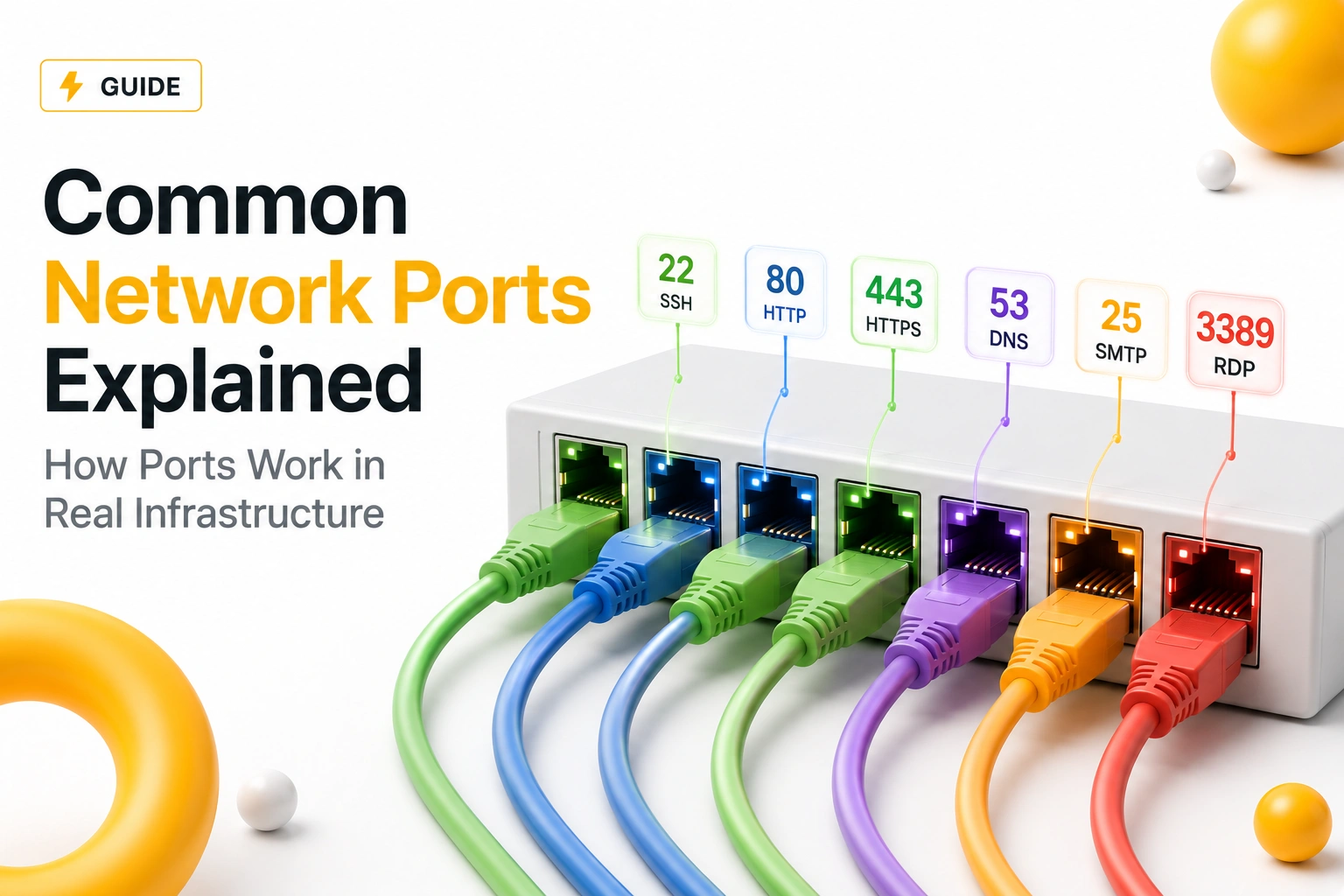
Common Network Ports Explained: How Ports Work in Real Infrastructure
Quick Answer
Network ports allow applications and services to exchange traffic through specific communication channels. In real infrastructure, ports affect everything from website availability and SSH access to API connectivity and server security.
Key Takeaways
- Ports determine which service receives incoming traffic
- Most infrastructure issues involve routing or port accessibility
- Open ports are necessary for many internet services
- Firewalls and filtering often affect port visibility
- Ports are critical for APIs, servers, SSH access and proxies
Why Network Ports Matter More Than Most People Think
In theory, ports sound simple.
In real infrastructure, they control how almost every internet-facing service works.
When:
- websites stop responding
- APIs suddenly fail
- SSH becomes inaccessible
- databases stop accepting connections
…the problem is often related to ports, filtering, or traffic routing.
Many engineers first discover port-related issues during troubleshooting rather than initial deployment.
How Ports Work in Practice
Every network request targets two things:
- an IP address
- a specific port
The IP identifies the server.
The port identifies the service running on that server.
For example:
203.0.113.10:443
This means:
- traffic goes to IP 203.0.113.10
- the request targets service port 443
Without ports, operating systems would not know which application should receive incoming traffic.
Why Modern Servers Depend on Ports
Most servers handle multiple services simultaneously.
A single machine may process:
- HTTPS traffic
- API requests
- SSH administration
- database connections
- monitoring systems
Ports allow all these systems to coexist without conflicts.
In large environments, infrastructure teams constantly monitor which ports remain exposed and which should stay restricted.
Why Port Problems Are So Common
One of the most frustrating infrastructure situations is when:
- the server appears online
- but the application still does not work
Very often, the issue is not the application itself.
Instead, traffic simply cannot reach the correct port.
This may happen because of:
- firewall filtering
- cloud security policies
- ISP restrictions
- incorrect routing rules
- disabled services
The Ports Engineers Deal With Most Often
Some ports appear repeatedly in hosting, DevOps, automation, and web infrastructure.
| Port | Typical Role in Infrastructure |
| 443 | secure HTTPS traffic |
| 80 | redirects and web traffic |
| 22 | SSH server access |
| 53 | DNS resolution |
| 3306 | MySQL databases |
| 6379 | Redis infrastructure |
| 5432 | PostgreSQL databases |
| 3389 | Remote Desktop access |
In real environments, these ports are constantly monitored for availability and abuse.
Why Port 443 Is Critical for Modern Websites
Port 443 powers HTTPS communication.
Without it:
- browsers display connection errors
- APIs fail securely
- TLS handshakes cannot complete
Even temporary instability on port 443 may create:
- failed logins
- timeout errors
- broken sessions
TLS traffic on this port also relates to What Is JA3 Fingerprint and How It Works.
Why SSH Port 22 Becomes a Security Target
Port 22 is widely used for remote server management.
Because SSH provides direct infrastructure access, exposed SSH ports attract:
- automated scanners
- brute-force attempts
- infrastructure reconnaissance
This is why many teams:
- restrict access by IP
- move SSH behind VPNs
- apply firewall filtering
Why APIs Often Fail Because of Port Configuration
API problems are frequently caused by connectivity rules rather than code issues.
For example:
- backend service listening on wrong port
- firewall blocking API gateway traffic
- cloud provider filtering external access
From the outside, the API may appear completely offline.
In reality, the service itself may still be running internally.
Open Ports Are Not Automatically Dangerous
Many people assume any open port is a vulnerability.
This is not true.
A modern website must expose certain ports to function normally.
Examples include:
- 443 for HTTPS
- 53 for DNS
- SMTP-related ports for email infrastructure
The real issue is exposing unnecessary or poorly secured services.
What “Filtered Ports” Usually Mean
Filtered ports typically indicate that traffic is blocked before reaching the service.
This often happens because of:
- firewalls
- cloud security groups
- ISP-level filtering
- DDoS protection systems
From the outside, filtered ports may appear invisible or unresponsive.
Why Port Visibility Changes Between Networks
One important detail many people overlook:
👉 the same server may appear differently depending on the network path.
For example:
- one ISP may allow traffic
- another may filter specific ports
- some cloud providers apply regional policies
This is why diagnostics sometimes produce inconsistent results across locations.
You can analyze routing behavior using IP Trace Tool.
How Port Scanners Help Diagnose Infrastructure Problems
Port scanners simulate external connectivity checks.
They help determine:
- whether a service is reachable
- whether a port responds externally
- whether filtering blocks traffic
In practice, port scanning is commonly used for:
- troubleshooting outages
- verifying deployments
- testing firewalls
- checking exposed services
You can test this directly using Port Scanner.
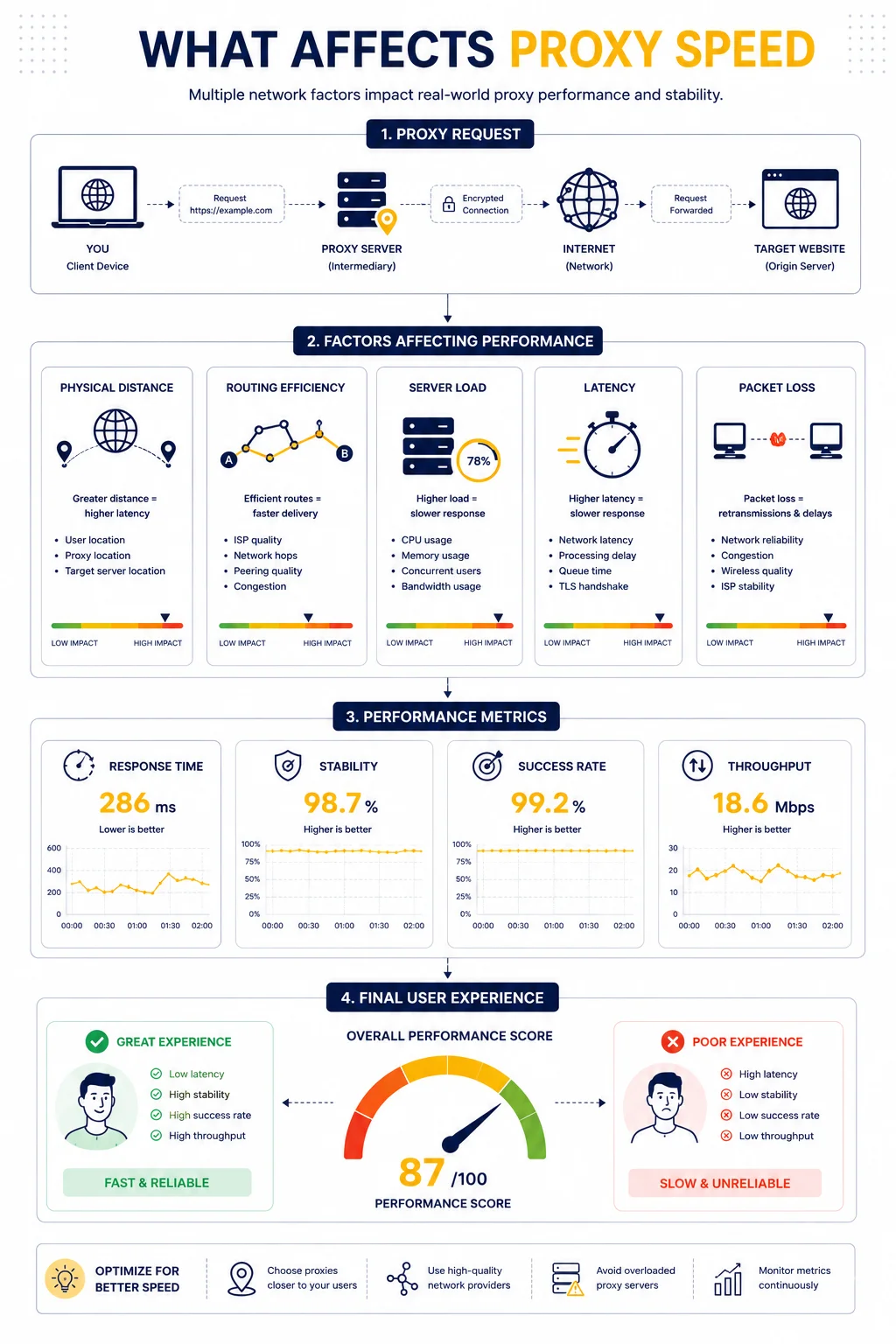
Why Proxy Infrastructure Also Depends on Ports
Proxy systems heavily rely on port configuration.
Different services may use:
- HTTP proxy ports
- SOCKS5 ports
- authentication gateways
- API endpoints
Misconfigured ports often lead to:
- unstable sessions
- failed connections
- timeout errors
- authentication failures
For deeper troubleshooting context, see Proxy Errors Explained: Complete Troubleshooting Guide.
Real Infrastructure Example
Imagine a situation where:
- a website works internally
- but external users cannot access it
Possible causes may include:
| Infrastructure Issue | Result |
| Port 443 blocked | HTTPS unavailable |
| Firewall filtering | external traffic denied |
| DNS misrouting | users reach wrong endpoint |
| Cloud security rule | service hidden externally |
In many cases, the application itself is functioning correctly.
The problem exists at the network layer.
Why Engineers Continuously Monitor Ports
Infrastructure teams rarely “set and forget” ports.
Modern environments constantly change because of:
- deployments
- scaling
- cloud migrations
- security updates
As a result, port monitoring becomes part of operational stability.
Additional Tools for Network Diagnostics
Ports are only one layer of infrastructure analysis.
Useful complementary tools include:
• IP Lookup – identifies ASN and network ownership
• Proxy Checker – tests connectivity and response behavior
• IP Trace Tool – analyzes routing paths and latency consistency
Using multiple diagnostics together gives a more accurate understanding of network behavior.
Glossary
- Port
A communication endpoint used by applications and network services. - Firewall
A filtering system that controls network traffic access. - HTTPS
Encrypted communication protocol used for secure websites. - SSH
A protocol used for secure remote server management.

Frequently asked questions
Here we answered the most frequently asked questions.
Why are ports important in infrastructure?
Ports determine which services receive incoming traffic and how systems communicate.
What causes ports to become filtered?
Usually firewalls, ISP filtering, or security policies block visibility or access.
Why can a website fail even if the server is online?
Because traffic may not reach the correct service port.
Are open ports always a security risk?
No. Many internet services require publicly accessible ports to function correctly.
Missing packets during network communication.
Clean and simple explanation. Essential info for setting up any proxy or server.