
Proxy Errors Explained: Complete Troubleshooting Guide
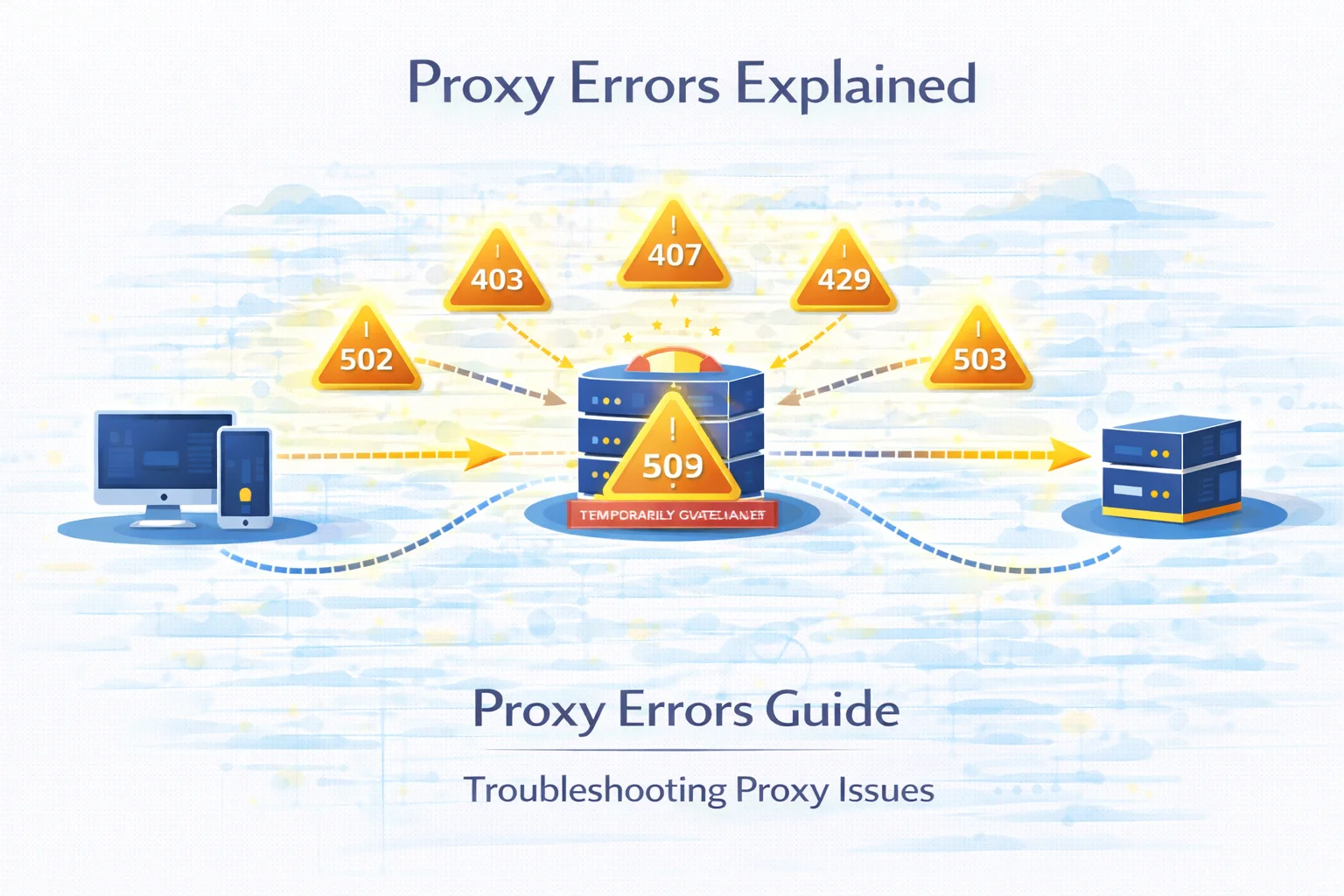
Proxy infrastructure plays a central role in modern automation environments. Developers use intermediary network nodes to distribute traffic, run large-scale scraping systems, monitor search engine rankings and manage multiple sessions across different locations.
When requests are routed through intermediary infrastructure, the request path becomes more complex. Instead of a direct connection between a client and a website, the request travels through several network layers.
This architecture increases flexibility but also introduces additional failure points.
When something goes wrong, the system returns HTTP status codes, which help engineers understand where the failure occurred.
Learning how to interpret these responses dramatically simplifies debugging and infrastructure monitoring.
Quick Answer
Proxy errors appear when a request fails somewhere between the client, proxy infrastructure and the destination website.
The most common proxy-related responses include:
| Error Code | Typical Meaning | Where It Happens |
| 403 | access blocked by website | destination server |
| 407 | authentication required | proxy gateway |
| 429 | request rate limit reached | website protection system |
| 502 | gateway received invalid response | proxy infrastructure |
| 503 | service temporarily overloaded | destination server |
| 504 | upstream response timeout | gateway or server |
Each error points to a specific infrastructure layer.
How Proxy Requests Travel Through the Network
To understand where errors originate, it helps to visualize the request lifecycle.
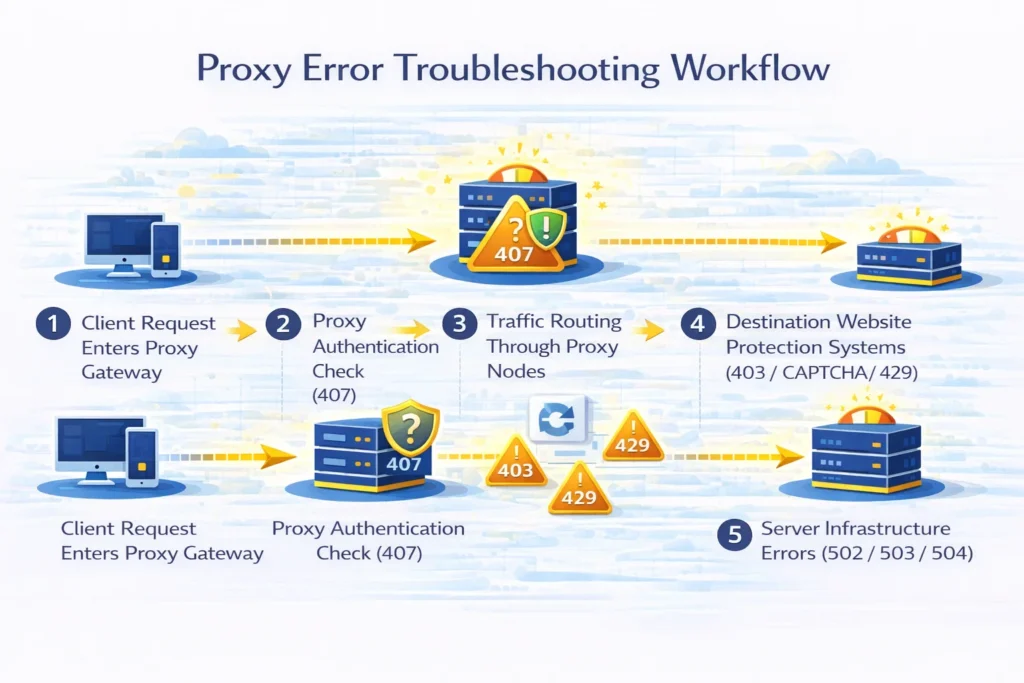
A simplified proxy architecture typically follows this sequence:
Client → Proxy Gateway → Proxy Node → Destination Website → Response
Every stage of this chain can introduce different problems.
| Request Stage | Possible Failure |
| client configuration | incorrect proxy settings |
| proxy gateway | authentication issues |
| proxy node | routing failures |
| destination website | blocking or rate limits |
| server infrastructure | overload or downtime |
Because multiple systems participate in the process, identifying the failing component is the key step in troubleshooting.
Most Common Proxy Errors
Below is a quick overview of the errors developers encounter most often when working with proxy networks.
| Error | Description | Typical Cause | Common Fix |
| 403 Forbidden | request rejected by website | bot detection or IP reputation | rotate proxies |
| 407 Proxy Authentication Required | proxy requires credentials | incorrect login format | fix proxy authentication |
| 429 Too Many Requests | request limit exceeded | high request frequency | reduce request speed |
| 502 Bad Gateway | invalid upstream response | proxy routing failure | switch proxy node |
| 503 Service Unavailable | server overloaded | traffic spike | retry request later |
| 504 Gateway Timeout | upstream response delay | slow server response | increase timeout |
Each of these errors corresponds to different infrastructure problems.
403 Forbidden When Using Proxies
A 403 response means that the destination website understood the request but refused to serve the content.
This is one of the most common responses encountered in scraping environments.
Websites may block traffic when they detect:
- suspicious request patterns
- abnormal navigation behavior
- IP addresses associated with data centers
- missing browser headers
These responses often appear when automation scripts interact with platforms that implement strong traffic filtering.
Detailed explanation:
403 Forbidden When Using Proxies
407 Proxy Authentication Required
The 407 error appears when the proxy gateway expects authentication credentials.
This happens before the request reaches the destination website.
Typical reasons include:
| Cause | Explanation |
| missing credentials | proxy login not provided |
| incorrect format | wrong authentication syntax |
| invalid password | outdated proxy credentials |
| unsupported protocol | incorrect proxy protocol |
Once proper authentication is configured, the request usually proceeds normally.
Full guide:
407 Proxy Authentication Required
429 Too Many Requests
The 429 response indicates that a platform has detected excessive request frequency.
Many modern websites protect their infrastructure using rate-limiting systems.
These systems monitor:
- number of requests per second
- number of requests per IP
- abnormal request bursts
If thresholds are exceeded, the platform temporarily blocks new requests.
| Request Pattern | Risk Level |
| continuous rapid requests | high |
| moderate pacing | medium |
| adaptive request intervals | low |
Related article:
429 Too Many Requests When Using Proxies
CAPTCHA Challenges
Instead of returning a blocking response, some websites trigger CAPTCHA challenges.
CAPTCHA systems attempt to determine whether traffic originates from a human user.
Detection systems typically analyze:
| Signal | Purpose |
| IP reputation | identify automation networks |
| request timing | detect unnatural traffic patterns |
| browser fingerprint | detect headless browsers |
| behavior patterns | identify bots |
Automation workflows frequently encounter CAPTCHA challenges when accessing protected websites.
More details:
Why Websites Show CAPTCHA When Using Proxies
502 Bad Gateway
A 502 Bad Gateway error indicates that a server acting as a gateway received an invalid response from an upstream system.
In proxy environments this usually means that communication between infrastructure layers failed.
Possible reasons include:
- unstable proxy nodes
- routing misconfiguration
- upstream server crash
- temporary network disruption
Because several systems participate in the request chain, switching proxy endpoints often resolves this error.
See detailed guide:
502 Bad Gateway When Using Proxies
503 Service Unavailable
The 503 response appears when a server is temporarily unable to process additional requests.
This often happens during:
- traffic spikes
- infrastructure maintenance
- server scaling events
- queue saturation
Unlike blocking responses, this error usually resolves automatically once the server becomes available again.
Full explanation:
503 Service Unavailable When Using Proxies
504 Gateway Timeout
The 504 Gateway Timeout error occurs when a gateway server waits too long for a response from the upstream system.
Typical scenarios include:
| Situation | Explanation |
| slow server response | destination server overloaded |
| network latency | routing delay |
| proxy congestion | overloaded proxy node |
Increasing request timeouts or switching proxy nodes may resolve the issue.
Related article:
504 Gateway Timeout When Using Proxies
Proxy Troubleshooting Workflow
When proxy errors occur, a systematic troubleshooting process helps quickly identify the root cause.
| Step | Action |
| 1 | test proxy connectivity |
| 2 | check authentication credentials |
| 3 | reduce request frequency |
| 4 | rotate proxy endpoints |
| 5 | verify target website availability |
Following this workflow significantly reduces debugging time.
Checking Proxy Connectivity
Before investigating server responses, confirm that proxy endpoints are functioning correctly.
Testing proxies helps detect:
- dead proxy nodes
- incorrect authentication
- unstable connections
- high latency endpoints
You can verify proxy functionality using the Proxy Checker tool.
How to Prevent Proxy Errors
Although errors cannot always be avoided, stable automation systems usually implement several preventive strategies.
| Strategy | Benefit |
| proxy rotation | distributes traffic across IP addresses |
| request pacing | prevents rate limiting |
| retry logic | handles temporary failures |
| traffic monitoring | detects unstable nodes |
| endpoint health checks | removes dead proxies |
These techniques significantly improve request success rates.
Final Thoughts
Proxy errors are a normal part of large-scale automation infrastructure. Because requests pass through multiple network layers, temporary failures may occasionally occur.
Fortunately, each HTTP status code provides useful diagnostic information about the source of the problem.
By understanding these responses and implementing proper traffic management strategies, developers can maintain stable scraping pipelines and automation systems.
Glossary
Proxy Infrastructure
A network of intermediary servers used to route traffic between clients and websites.
Rate Limiting
A mechanism used by websites to control how frequently requests can be sent.
IP Rotation
A method that distributes requests across multiple IP addresses.
Gateway Server
A server that forwards requests between network layers.
HTTP Status Code
A numerical response returned by a server indicating request results.
Automation Traffic
Requests generated by scripts or software instead of human users.

Frequently asked questions
Here we answered the most frequently asked questions.
What are the most common proxy errors?
The most frequently encountered responses include 403 Forbidden, 407 Proxy Authentication Required and 429 Too Many Requests.
Why do websites block proxy traffic?
Websites often restrict automated traffic to protect their infrastructure and prevent abuse.
How can proxy errors be reduced?
Using proxy rotation, request pacing and retry logic helps stabilize automation systems.
Are proxy errors always caused by proxies?
No. Many responses originate from the destination server rather than the proxy infrastructure.
A 504 status usually means the upstream proxy node dropped the socket before the target host finished replying