
403 Forbidden When Using Proxy (Complete Guide)
Published: ≈ 5 min read
A 403 Forbidden response is one of the most frustrating issues developers encounter when collecting data from websites or running automation tasks through a proxy network.
The server receives the request correctly, but it intentionally refuses to provide the requested resource. In most situations this means the website has classified the traffic as suspicious or non-human.
Understanding what triggers these blocks helps teams redesign their routing strategy and restore access without constantly changing infrastructure.
Key Takeaways
- a 403 response means the server deliberately denies access
- blocking often happens because of IP reputation or traffic behavior
- distributing requests across multiple addresses reduces detection risk
- realistic browser headers improve request legitimacy
- pacing and session management are critical for long scraping runs
What the 403 Status Code Actually Means
The HTTP protocol includes several status codes that indicate different server responses.
| Status Code | Meaning |
| 401 | authentication required |
| 403 | server refuses access |
| 404 | requested page does not exist |
When a request returns 403, the server is actively blocking the connection even though the request structure is valid.
This is different from a technical error — the system intentionally prevents access.
👉 Learn how traffic is routed through intermediaries in What Is Proxy Server
Why Websites Block Requests
Modern web platforms rely on sophisticated traffic analysis. Instead of checking only the IP address, they evaluate multiple behavioral signals.
Typical indicators include:
| Detection Signal | Description |
| IP reputation | whether the address belongs to hosting infrastructure |
| traffic pattern | request frequency and distribution |
| geographic anomalies | unusual region for the service |
| browser fingerprint | headers and device information |
| session behavior | navigation sequence and cookies |
When several suspicious indicators appear simultaneously, the platform may block the request and return a 403 response.
👉 Detection mechanisms are explained in Proxy Detection Guide
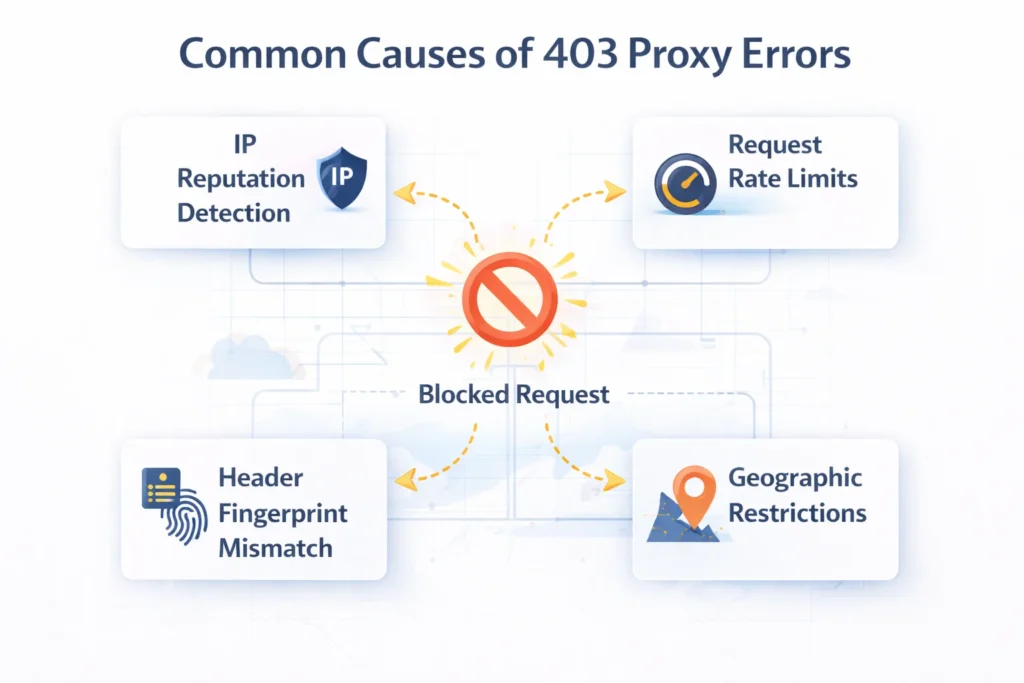
Most Common Reasons for 403 Errors
Low-Trust IP Ranges
Addresses originating from large hosting providers are frequently associated with automated traffic. Many platforms automatically restrict connections coming from those networks.
Connections that appear to come from consumer devices usually encounter fewer restrictions.
👉 See proxy identity differences in Residential vs Datacenter vs ISP vs Mobile Proxies
Excessive Traffic Speed
Sending large numbers of requests within a short time window can immediately trigger defensive systems.
Example request thresholds:
| Request Frequency | Detection Risk |
| 1-3 requests per second | low |
| 5-10 requests per second | moderate |
| 20+ requests per second | very high |
Gradual request pacing significantly lowers the probability of blocks.
Missing Browser Context
Web servers expect requests to look like normal browser activity.
Requests lacking realistic headers often stand out immediately.
Typical headers expected by most websites include:
- user-agent
- accept-language
- referer
- cookie data
Automation scripts that omit these elements are much easier to detect.
Location Mismatch
Many platforms serve region-specific content. If the request originates from an unexpected country, the server may deny access.
👉 Location strategy is discussed in How to Choose Proxy Location
How to Solve 403 Errors
Improve Address Quality
Switching to higher-trust network types can dramatically improve success rates.
| Network Type | Reliability |
| Datacenter network | moderate |
| ISP routed addresses | high |
| Residential connections | very high |
| Mobile carrier networks | extremely high |
Addresses that resemble normal consumer traffic typically bypass stricter filters.
Distribute Requests
Instead of sending large volumes of traffic from one address, modern scraping systems spread requests across multiple endpoints.
👉 Traffic distribution strategies are explained in IP Rotation Explained
This approach reduces behavioral patterns that platforms associate with automated systems.
Reduce Request Intensity
Introducing randomized delays between requests creates browsing patterns that appear closer to human activity.
Common strategies include:
| Method | Purpose |
| random delays | simulate natural browsing |
| distributed workloads | reduce IP saturation |
| adaptive retries | prevent repeated failures |
Maintain Consistent Sessions
Certain platforms monitor session continuity. Requests that suddenly change identity may be rejected.
Persistent sessions with stable routing often improve access reliability during login-based workflows.
How to Diagnose the Problem
Before changing infrastructure, it is useful to verify how the connection appears from the website perspective.
Important checks include:
- visible IP address
- detected country and region
- network provider classification
Tools such as What Is My IP and IP Lookup can quickly confirm whether the connection appears as expected.
Large-Scale Scraping Strategy
Many professional data collection systems combine several routing methods instead of relying on a single network type.
Example architecture:
| Stage | Infrastructure Strategy |
| site discovery | rotating residential networks |
| bulk collection | high-speed datacenter pools |
| session workflows | stable ISP routing |
| sensitive platforms | mobile carrier addresses |
👉 See infrastructure strategies in Best Proxy for Web Scraping
Combining multiple routing layers improves both reliability and efficiency.
Final Thoughts
A 403 Forbidden response usually indicates that the website actively identified and blocked a request.
Instead of repeatedly retrying the same request, it is more effective to analyze traffic patterns, routing identity and session behavior.
Adjusting these factors often restores access and improves long-term stability for automation and data collection workflows.
Glossary
IP Reputation
Evaluation of an IP address based on its historical behavior and trust level.
Request Rate
The number of requests sent to a server within a certain time period.
Rate Limiting
A defensive mechanism used by websites to restrict excessive traffic.
Session Persistence
Maintaining the same identity during a browsing session.
Traffic Distribution
The process of spreading requests across multiple IP addresses.
Frequently asked questions
Here we answered the most frequently asked questions.
Why does a website return 403 instead of 404?
A 403 response indicates the server intentionally blocked access rather than failing to find the page.
Can rotating networks prevent 403 errors?
In many cases yes, because distributed traffic reduces behavioral patterns associated with automated activity.
Do consumer IP addresses perform better?
Addresses that resemble normal user connections often encounter fewer restrictions than hosting infrastructure.
How can I check whether my connection is visible correctly?
Network diagnostic tools can display the visible address, location and provider information to confirm correct routing.equirements rather than random IP distribution achieve more consistent results when scraping data or automating workflows.
A clean IP won’t bypass 403 if your client’s JA3 fingerprint flags an automated Python or Go runtime.