
How Websites Detect Proxy Traffic: Methods Used by Modern Anti-Bot Systems
Why Websites Try to Detect Proxy Traffic
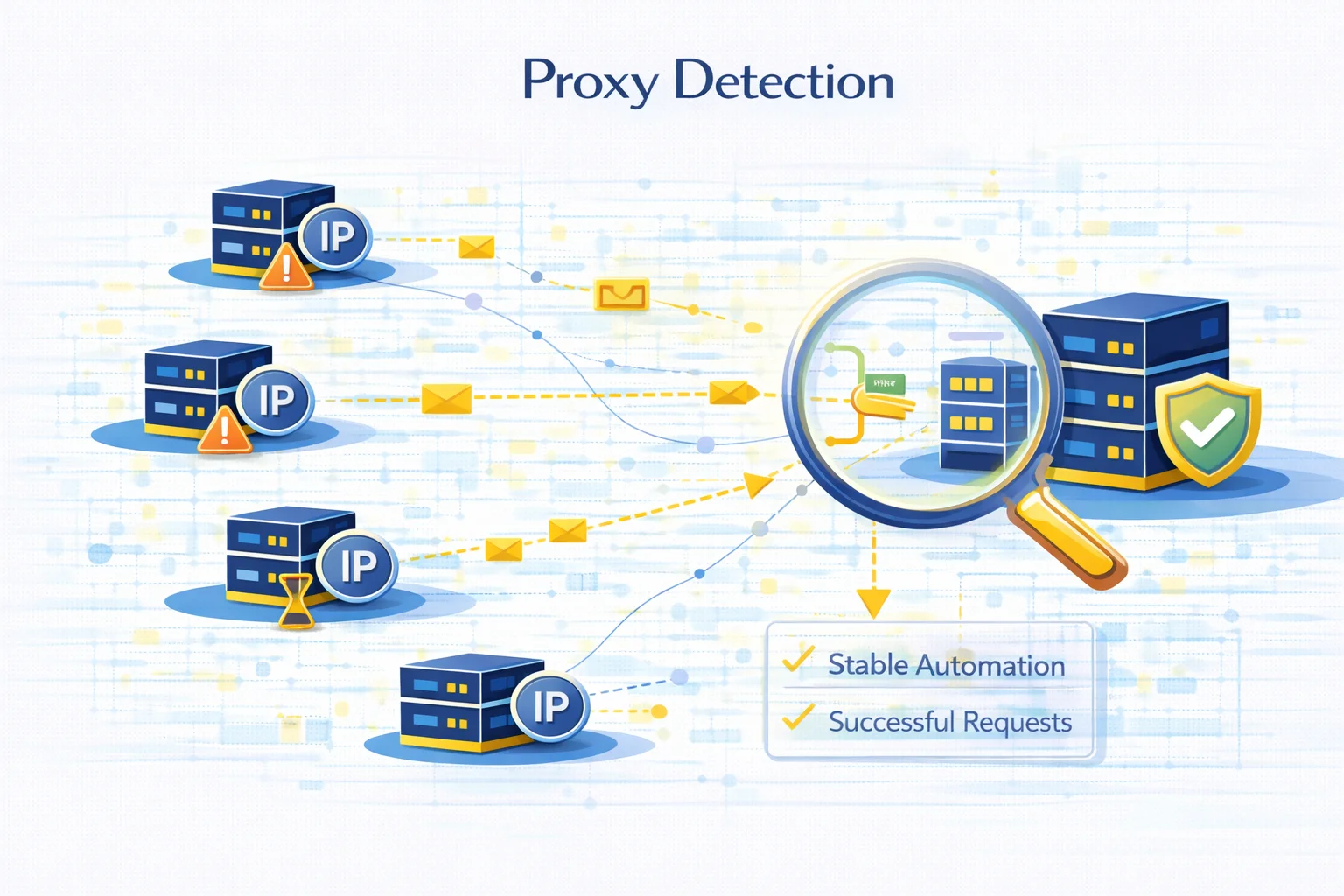
Many websites monitor incoming traffic to identify automated systems, scraping infrastructure, and suspicious connections. One of the most common signals they analyze is whether a request originates from a proxy server.
Proxy detection does not necessarily mean proxies are blocked automatically. Instead, websites analyze multiple signals to determine whether the traffic looks natural or automated.
These systems are widely used in:
- e-commerce platforms
- social networks
- search engines
- ticketing websites
- financial services
Understanding how detection systems work helps developers design more stable automation infrastructure and avoid unnecessary request failures.
The Main Signals Used to Detect Proxy Traffic
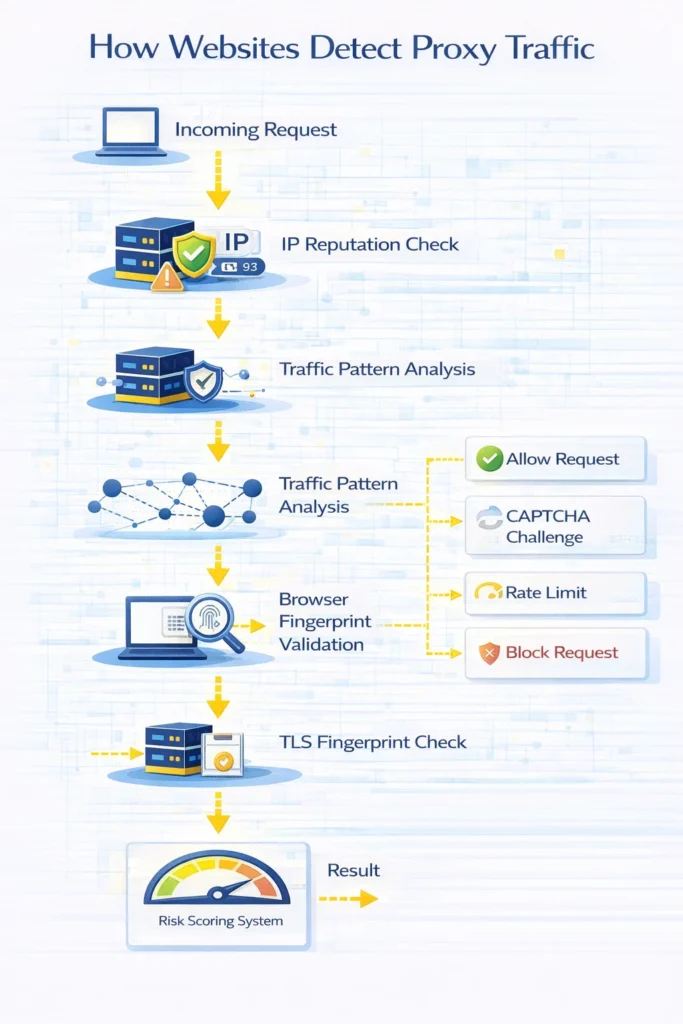
Modern anti-bot systems rarely rely on a single indicator. Instead, they combine multiple detection signals to evaluate traffic.
Common proxy detection signals include:
- IP reputation analysis
- unusual traffic patterns
- browser fingerprint inconsistencies
- data center IP ranges
- request header anomalies
- TLS fingerprint mismatches
When several of these signals appear together, the system may classify the request as automated traffic.
IP Reputation Analysis
One of the first checks performed by many websites is evaluating the reputation of the incoming IP address.
Web services maintain databases that categorize IP ranges based on their typical usage. For example:
| IP Type | Typical Detection Risk |
| Residential IP | Low |
| ISP proxy | Medium |
| Datacenter IP | Higher |
Datacenter ranges are often associated with hosting providers and automation systems. As a result, they may trigger additional verification checks.
IP reputation also reflects historical activity. If an IP previously generated suspicious traffic, websites may restrict requests coming from that address.
Traffic Pattern Analysis
Another common detection method involves analyzing how requests behave over time.
Human browsing patterns typically include:
- irregular page visits
- varying time intervals between actions
- navigation through multiple pages
Automation systems often produce more predictable patterns.
Examples of suspicious traffic behavior include:
- hundreds of requests within seconds
- identical request intervals
- repeated access to the same endpoint
These patterns can indicate scraping or automated scripts.
Browser Fingerprinting
Websites also analyze browser characteristics to detect automated traffic.
A browser fingerprint is created using multiple signals such as:
- user agent
- installed fonts
- screen resolution
- timezone
- WebGL properties
- canvas fingerprint
If these signals do not match typical browser behavior, the request may appear suspicious.
For example, a datacenter IP using a mobile browser fingerprint may trigger verification systems.
HTTP Header Inspection
Request headers provide additional information that helps websites evaluate incoming traffic.
Common headers analyzed include:
- User-Agent
- Accept-Language
- Referer
- Connection
- Cookie behavior
Automated tools sometimes send incomplete or inconsistent headers, which can indicate scripted traffic.
TLS Fingerprinting
TLS fingerprinting analyzes how a client establishes encrypted connections.
Different browsers and operating systems generate slightly different TLS handshake patterns. Websites can compare these patterns with known browser signatures.
If the TLS handshake does not match the declared browser type, the request may be flagged as suspicious.
This technique is widely used by advanced anti-bot services.
Detecting Datacenter Infrastructure
Many websites maintain lists of known hosting providers and datacenter IP ranges.
Requests originating from these networks may receive additional verification steps such as:
- CAPTCHA challenges
- rate limiting
- temporary request blocks
This does not necessarily mean datacenter proxies cannot be used, but it often requires careful infrastructure design.
How Detection Systems Combine Multiple Signals
Modern anti-bot systems rarely rely on a single detection method.
Instead they combine several indicators into a risk score.
Example evaluation workflow:
| Detection Signal | Risk Contribution |
| Datacenter IP | medium |
| high request rate | high |
| unusual headers | medium |
| inconsistent browser fingerprint | high |
When the combined score exceeds a threshold, the system may trigger a verification step.
Common Signs That Traffic Was Detected
When detection systems identify unusual traffic patterns, websites may respond in several ways.
Typical responses include:
- CAPTCHA verification
- temporary request throttling
- session invalidation
- HTTP errors
Some of the most common related errors include:
Understanding the relationship between detection signals and server responses helps diagnose automation failures more quickly.
How Developers Analyze Proxy Behavior
Before using proxies in production systems, developers often test how requests appear to external services.
Common diagnostics include:
- verifying IP address and location
- testing connection latency
- checking anonymity level
- analyzing request headers
Tools such as Proxy Checker or My IP help identify configuration issues and verify that traffic is routed correctly.
When Proxy Detection Becomes a Problem
Proxy detection typically becomes more strict when websites process large amounts of automated traffic.
This often occurs in:
- large-scale web scraping
- price monitoring systems
- market intelligence tools
- SEO data collection platforms
In these environments even small detection signals can lead to request throttling or temporary blocks.
Designing stable infrastructure therefore requires understanding how websites evaluate traffic behavior.
Glossary
Proxy detection
Techniques used by websites to determine whether traffic originates from proxy infrastructure.
IP reputation
A score reflecting how trustworthy an IP address appears based on historical activity.
Browser fingerprint
A unique identifier generated from browser and device characteristics.
TLS fingerprint
A signature created during the TLS handshake that can reveal the type of client software.
Rate limiting
A mechanism that restricts the number of requests a client can send within a certain time period.

Frequently asked questions
Here we answered the most frequently asked questions.
Can websites always detect proxies?
No. Detection systems rely on probability and multiple signals rather than a single reliable method.
Are residential proxies harder to detect?
Residential IPs generally appear more similar to normal user traffic, which often reduces detection risk.
Why do websites use CAPTCHA when proxies are detected?
CAPTCHA helps verify that a real user is sending the request rather than an automated script.
Does proxy detection mean proxies cannot be used?
Not necessarily. Many legitimate services rely on proxies for security, monitoring, and data access.
Good explanation of OS fingerprinting via TCP/IP stack. It is easy to spoof a User-Agent header, but aligning the underlying packet parameters is where most automated setups get caught.