


Can Websites Still Track You After You Hide Your IP Address?
Published: ≈ 5 min read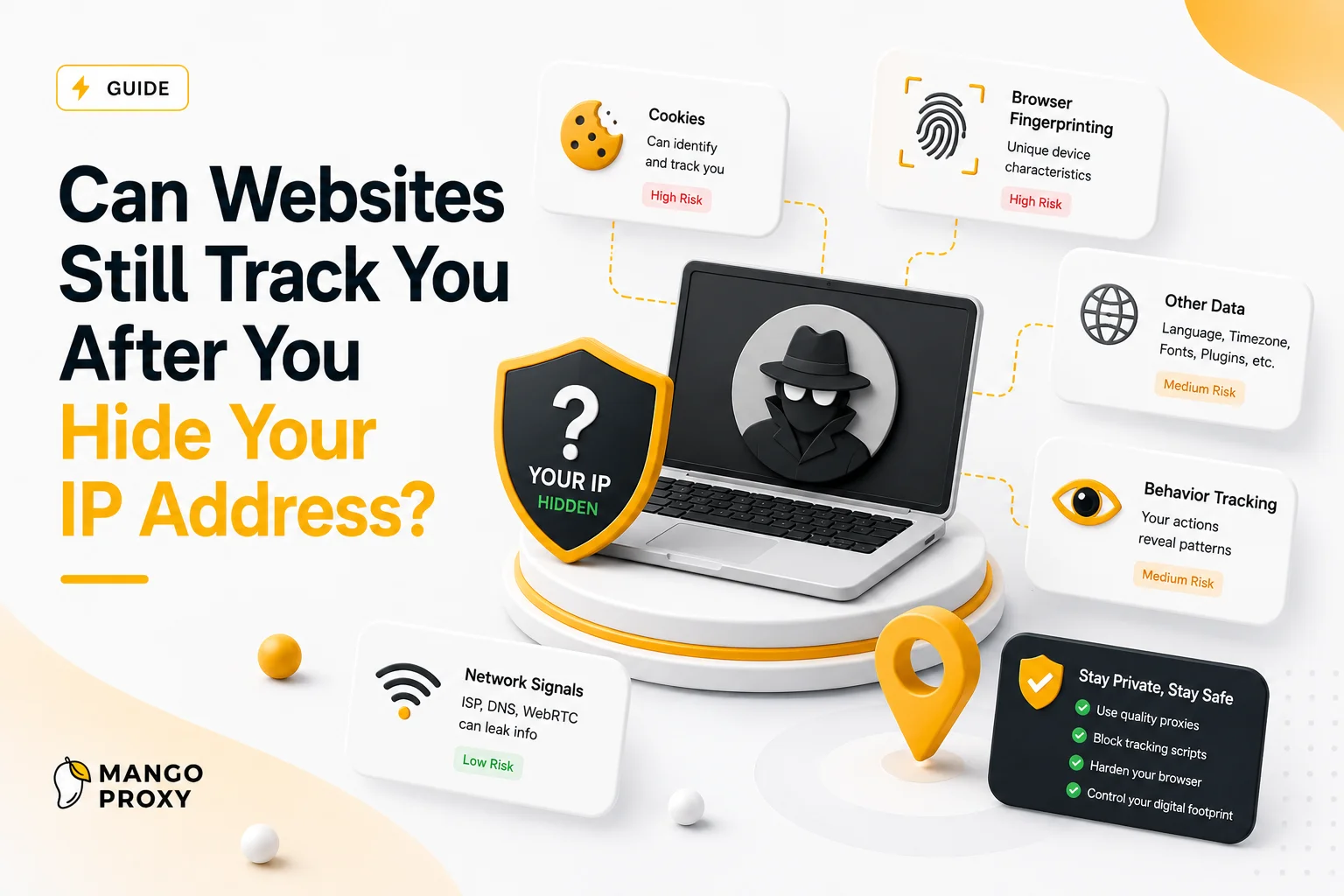
Quick Answer
Yes. Hiding your IP address prevents websites from seeing your original network address, but modern tracking systems use many additional signals such as browser fingerprints, cookies, account activity, DNS behavior and device characteristics.
Key Takeaways
- A hidden IP does not equal anonymity
- Websites analyze much more than network addresses
- Browser fingerprints often remain unchanged
- Cookies can identify returning visitors instantly
- DNS and infrastructure signals still matter
- Modern anti-bot systems combine dozens of detection signals
Why People Overestimate IP Addresses
Many internet users assume their IP address is the primary identifier used by websites.
This was closer to reality years ago.
Today, websites use far more sophisticated methods.
Modern platforms often view an IP address as just one signal among many.
Changing the IP may remove one identifier while leaving numerous others untouched.
What Changes When You Hide Your IP
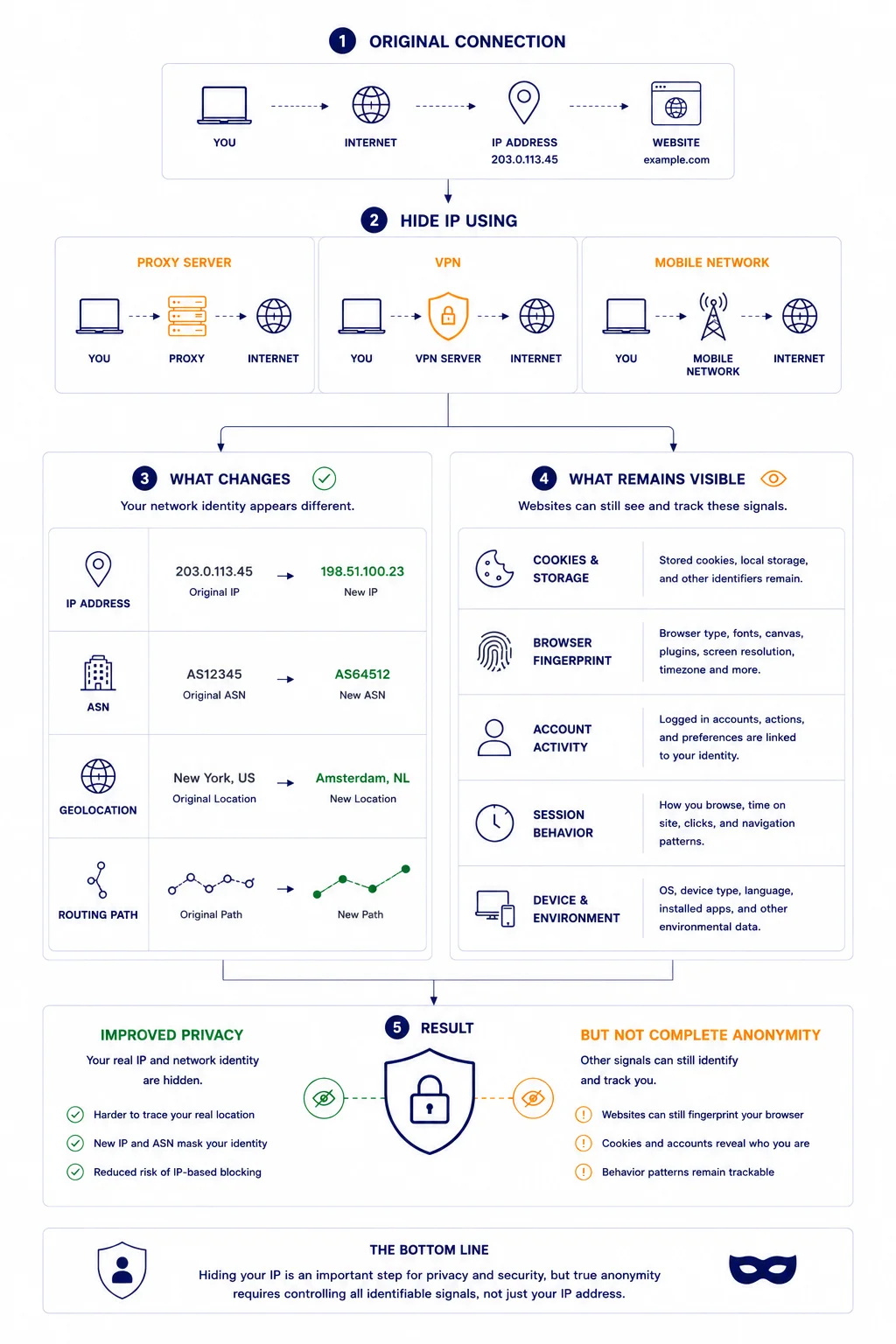
After routing traffic through a proxy or VPN:
Original Connection
↓
Proxy / VPN
↓
Website
The website sees:
- a different IP address
- a different ASN
- a different geolocation
- a different routing path
From a network perspective, your visible identity changes.
What Does Not Change
This is where things become interesting.
Many identifiers survive an IP change.
Browser Fingerprints
Every browser exposes hundreds of technical characteristics.
Examples include:
- screen resolution
- browser version
- operating system
- installed fonts
- WebGL data
- hardware characteristics
Combined together, these signals create a surprisingly unique profile.
For related context, see Proxy Fingerprinting Explained.
Cookies
Cookies remain one of the easiest tracking mechanisms.
Example:
Yesterday:
IP A
- Cookie ID 12345
Today:
IP B
- Cookie ID 12345
From the website’s perspective, this is clearly the same visitor.
Logged-In Accounts
If you log into:
- Amazon
the website already knows who you are.
Changing an IP does not change account ownership.
Behavioral Patterns
Modern systems analyze behavior.
Examples:
- typing speed
- navigation flow
- click timing
- session duration
- browsing habits
Even identical IP changes cannot alter established behavioral patterns.
Why Websites Care Less About IPs Than Before
The internet has changed dramatically.
Large websites now face:
- VPN users
- mobile users
- rotating IPs
- shared IP infrastructure
- carrier NAT systems
As a result, IP addresses alone have become less reliable identifiers.
Detection systems increasingly rely on combinations of signals instead.
Why Browser Fingerprints Can Be More Powerful Than IP Addresses
Consider two situations.
User A
- Changes IP daily.
- Uses the same browser.
- Same device.
- Same settings.
User B
- Keeps the same IP.
- Uses different browsers and devices regularly.
- In many cases, User A is actually easier to recognize.
- This demonstrates why fingerprints often matter more than network identity alone.
Why VPN Users Still Receive CAPTCHAs
Many users expect a VPN to solve every detection problem.
In reality, websites often analyze:
- IP reputation
- ASN reputation
- browser fingerprints
- traffic patterns
If other signals appear suspicious, CAPTCHAs may still appear.
For related context, see How IP Reputation Works.
Why DNS Can Reveal Additional Information
Even after hiding an IP address, DNS traffic may expose infrastructure details.
Example:
Visible IP:
United States VPN
DNS Resolver:
Local ISP
This mismatch can reduce trust.
You can verify DNS behavior using DNS Leak Test.
For related context, see What Is a DNS Leak and Why It Matters for Privacy and Proxies.
Can Websites Determine Your Real Location?
Not always.
However, websites may estimate location using:
- IP geolocation
- browser language
- timezone
- GPS permissions
- account history
A hidden IP alone does not eliminate all location signals.
Why Anti-Bot Systems Combine Multiple Signals
Modern detection platforms rarely rely on a single factor.
Typical analysis may include:
IP Reputation
+
ASN
+
DNS Consistency
+
Browser Fingerprint
+
Traffic Behavior
+
Session Patterns
This creates a more accurate picture of incoming traffic.
For related context, see Why Websites Block IP Addresses and How Detection Systems Work.
Real Example
Imagine two visitors.
Visitor A:
- hides IP with a VPN
- keeps identical browser fingerprint
- uses the same account daily
Visitor B:
- uses a different browser profile
- different session behavior
- different infrastructure
Although both users hide their IPs, the first visitor may be easier to recognize.
What Hiding Your IP Is Actually Good For
Despite limitations, hiding an IP remains useful.
Common use cases include:
Privacy
- Reducing direct exposure of home internet infrastructure.
Testing
- Verifying location-specific content.
Automation
- Separating traffic across multiple network paths.
Network Diagnostics
- Testing routing and regional behavior.
Security
- Avoiding unnecessary exposure of personal network information.
How to See What Websites Can See
Several tools can help analyze your visible infrastructure.
Useful tools include:
• My IP – view your visible public IP address
• IP Lookup – identify ASN and network ownership
• DNS Leak Test – verify DNS consistency
• IP Trace Tool – inspect routing paths
• Proxy Checker – validate proxy connectivity
Together these tools provide a more complete picture than checking an IP address alone.
Frequently asked questions
Here we answered the most frequently asked questions.
If I hide my IP, can websites still identify me?
Yes. Websites often use fingerprints, cookies and account activity alongside IP analysis.
Is a browser fingerprint more important than an IP?
In many cases, yes. Fingerprints remain stable even when IP addresses change.
Why do I still get CAPTCHAs after changing my IP?
Because websites evaluate multiple trust signals, not just IP addresses.
Does a VPN make me anonymous?
No. A VPN hides your IP but does not eliminate all tracking methods.
Interesting article. It’s a good reminder that privacy depends on more than just changing your IP address.