


What Is a DNS Leak and Why It Matters for Privacy and Proxies
Published: ≈ 6 min read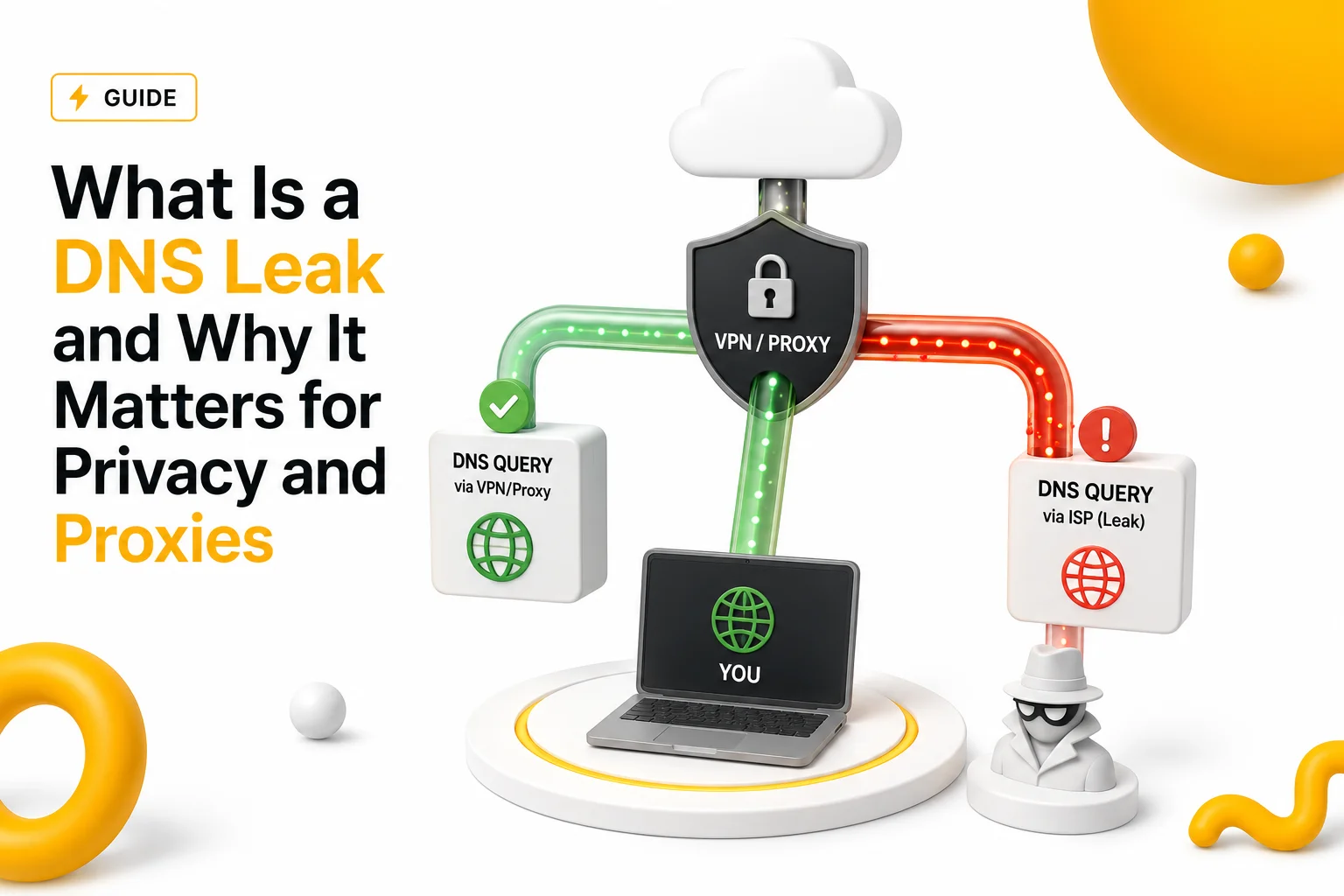
Quick Answer
A DNS leak happens when DNS requests bypass your proxy or VPN and are sent through your normal internet provider instead. This may expose your real location, ISP or browsing activity even if your IP address appears hidden.
Key Takeaways
- DNS leaks expose DNS requests outside protected tunnels
- VPNs and proxies do not always protect DNS automatically
- DNS leaks may reveal ISP, region and browsing activity
- WebRTC and IPv6 leaks often appear alongside DNS leaks
- DNS leak testing is important for proxies, privacy and automation
Why DNS Leaks Matter
Many users believe hiding an IP address automatically hides all internet activity.
In reality, internet connections involve several infrastructure layers working together.
Even when a VPN or proxy changes your visible IP address:
- DNS requests may still leak externally
- websites may still detect your original network provider
- real location signals may remain visible
This is called a DNS leak.
What DNS Requests Actually Do
Before connecting to a website, devices must first discover the destination IP address.
This happens through DNS resolution.
Example:
website.com
↓
DNS request
↓
IP address returned
↓
Connection begins
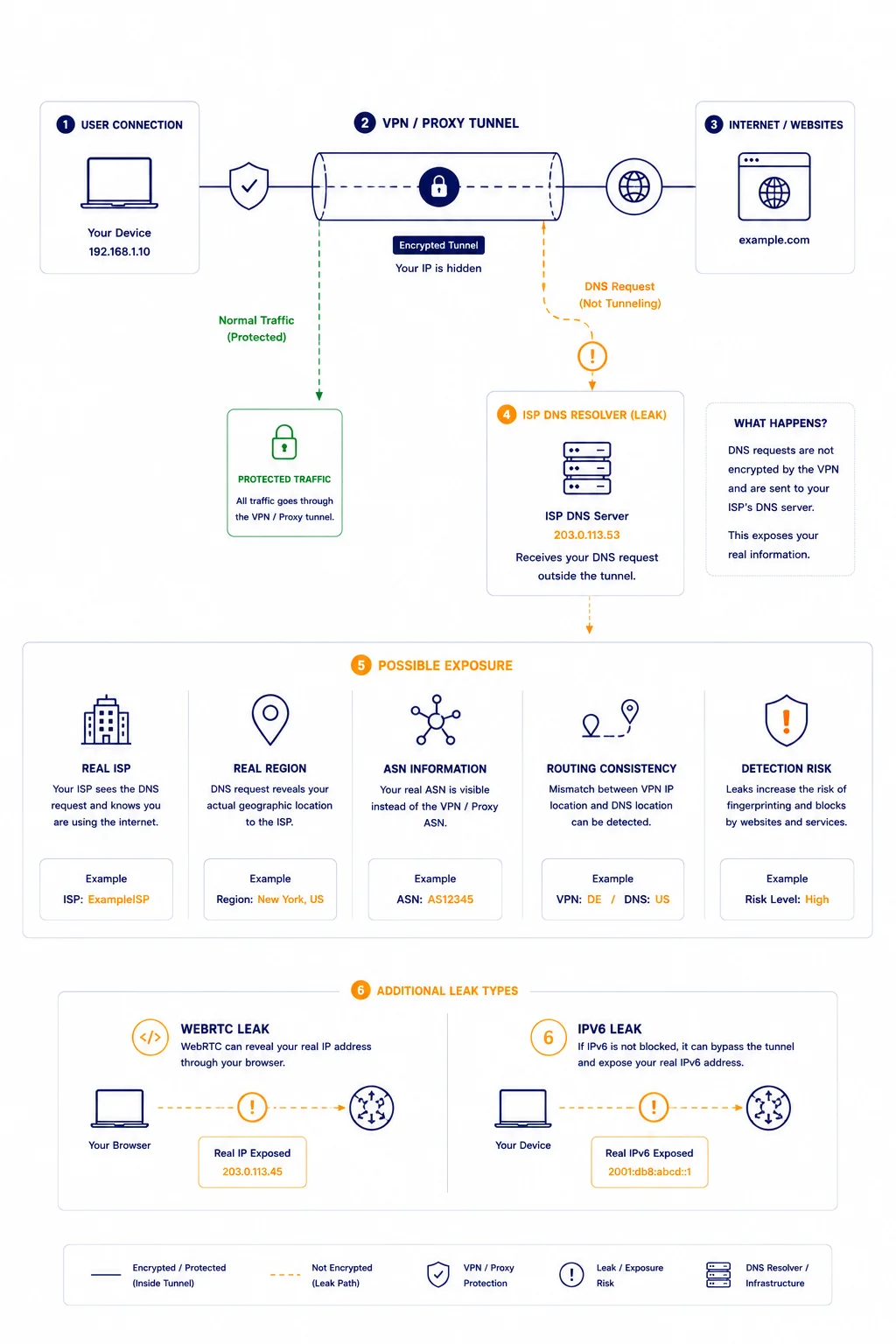
Normally, DNS requests should travel through the same protected tunnel as the rest of your traffic.
When they do not, DNS leaks appear.
For related context, see Why DNS Can Make the Internet Feel Slow.
How a DNS Leak Happens
A DNS leak usually occurs when:
- the operating system still uses ISP DNS servers
- the VPN does not force secure DNS routing
- browser traffic bypasses protected infrastructure
- IPv6 or WebRTC traffic escapes separately
As a result:
- websites may see conflicting network information
- DNS requests may reveal your actual provider
- location consistency breaks
Why DNS Leaks Are Important for Proxies
Proxy systems often focus mainly on changing the visible IP address.
However, websites may also analyze:
- DNS infrastructure
- ASN consistency
- routing behavior
- browser network signals
If DNS requests still originate from the original ISP:
detection systems may trigger more aggressively
traffic may look suspicious
automation reliability may decrease
DNS Leak vs IP Leak
These are related but different problems.
| Leak Type | What Gets Exposed |
| DNS Leak | DNS resolver / ISP |
| IP Leak | Real public IP address |
| WebRTC Leak | Local or external IP information |
| IPv6 Leak | Native IPv6 connectivity |
A connection may successfully hide the IP address while still leaking DNS requests.
Why Websites Analyze DNS Behavior
Modern anti-bot systems often compare:
- visible IP address
- DNS resolver location
- ASN ownership
- regional consistency
Example:
Visible IP:
Germany VPN
DNS Resolver:
Russian ISP
This mismatch may increase detection risk immediately.
For related context, see How Websites Detect Bots vs Real Users.
DNS Leaks and VPN Infrastructure
Not all VPNs handle DNS protection equally.
Some providers:
- tunnel all DNS traffic securely
- operate private DNS infrastructure
- block IPv6 leaks automatically
Others may rely partially on system DNS behavior.
This creates inconsistent protection quality.
Why Browser-Based Leaks Also Matter
Browsers sometimes expose additional network information independently.
Two common examples are:
WebRTC Leaks
WebRTC is used for:
- voice communication
- video calls
- peer-to-peer connectivity
Improper browser configuration may expose:
- local IP addresses
- real network interfaces
- external IP details
even when a VPN is active.
IPv6 Leaks
Some systems route IPv6 traffic separately from IPv4 traffic.
If VPN infrastructure protects only IPv4:
- IPv6 traffic may bypass the tunnel entirely
- websites may still identify the original network
Why DNS Leaks Affect Automation Systems
Automation infrastructure frequently creates:
- thousands of DNS requests
- repeated outbound sessions
- geographically distributed traffic
DNS inconsistencies may cause:
- higher CAPTCHA frequency
- anti-bot suspicion
- session instability
- trust score degradation
For related context, see How Websites Detect Proxy Traffic.
Why DNS Consistency Matters
Websites increasingly analyze overall network consistency.
Stable infrastructure usually shows alignment between:
- IP location
- ASN
- DNS resolvers
- routing behavior
Large mismatches may appear abnormal.
For related context, see What Is ASN and Why It Matters.
Real Infrastructure Example
Imagine a user connected through:
- a French VPN IP
However:
- DNS requests still go through a local ISP in another country
To websites, this may look like:
VPN IP → France
DNS → Local ISP elsewhere
This inconsistency may increase:
- verification requests
- anti-bot scoring
- suspicious traffic classification
even though the visible IP appears hidden.
Why DNS Leaks Sometimes Go Unnoticed
Most users never inspect DNS behavior directly.
Everything may appear normal because:
- websites still load
- VPN appears connected
- public IP seems changed
Meanwhile:
- DNS requests may still expose real infrastructure information silently.
How DNS Leak Tests Work
DNS leak tests analyze which DNS servers process your requests.
A proper DNS leak test may inspect:
- DNS resolvers
- ASN ownership
- geographic consistency
- WebRTC exposure
- IPv6 leaks
This helps identify whether traffic bypasses protected infrastructure.
What a Good DNS Leak Test Should Show
A proper test should help verify:
✅ DNS requests match expected infrastructure
✅ no unexpected ISP resolvers appear
✅ WebRTC exposure is blocked
✅ IPv6 traffic remains protected
✅ DNS and IP geography remain consistent
Why DNS Leak Testing Matters for Proxies
DNS leak testing is especially useful for:
- automation systems
- scraping infrastructure
- privacy-focused browsing
- account management workflows
- geo-testing environments
Small infrastructure inconsistencies may create detection risks at scale.
Additional Tools for Network Diagnostics
DNS leaks are easier to analyze together with other infrastructure diagnostics.
Useful tools include:
• DNS Leak Test – checks DNS, WebRTC and IPv6 exposure
• My IP – verifies your current visible public IP address
• IP Lookup – identifies ASN ownership and provider information
• IP Trace Tool – analyzes routing paths and network behavior
• Proxy Checker – verifies proxy responsiveness and connectivity
Combining these diagnostics provides a clearer understanding of how your traffic appears externally.
Glossary
- DNS Leak
A situation where DNS requests bypass protected infrastructure. - DNS Resolver
A server responsible for processing DNS lookups. - WebRTC Leak
Exposure of local or external network information through browser communication systems. - IPv6 Leak
Unprotected IPv6 traffic bypassing VPN or proxy infrastructure.
Frequently asked questions
Here we answered the most frequently asked questions.
What is a DNS leak?
A DNS leak happens when DNS requests bypass your VPN or proxy and use your normal ISP infrastructure instead.
Can a VPN hide my IP but still leak DNS?
Yes. Many DNS leaks occur even when the visible IP address changes successfully.
Why do DNS leaks matter?
Because modern detection systems analyze fingerprints, behavior and session consistency beyond IPs.
How can I check for DNS leaks?
You can use a DNS leak testing tool that analyzes DNS resolvers, WebRTC and IPv6 exposure.