
Why Proxy Rotation Doesn’t Always Work
Published: ≈ 20 min read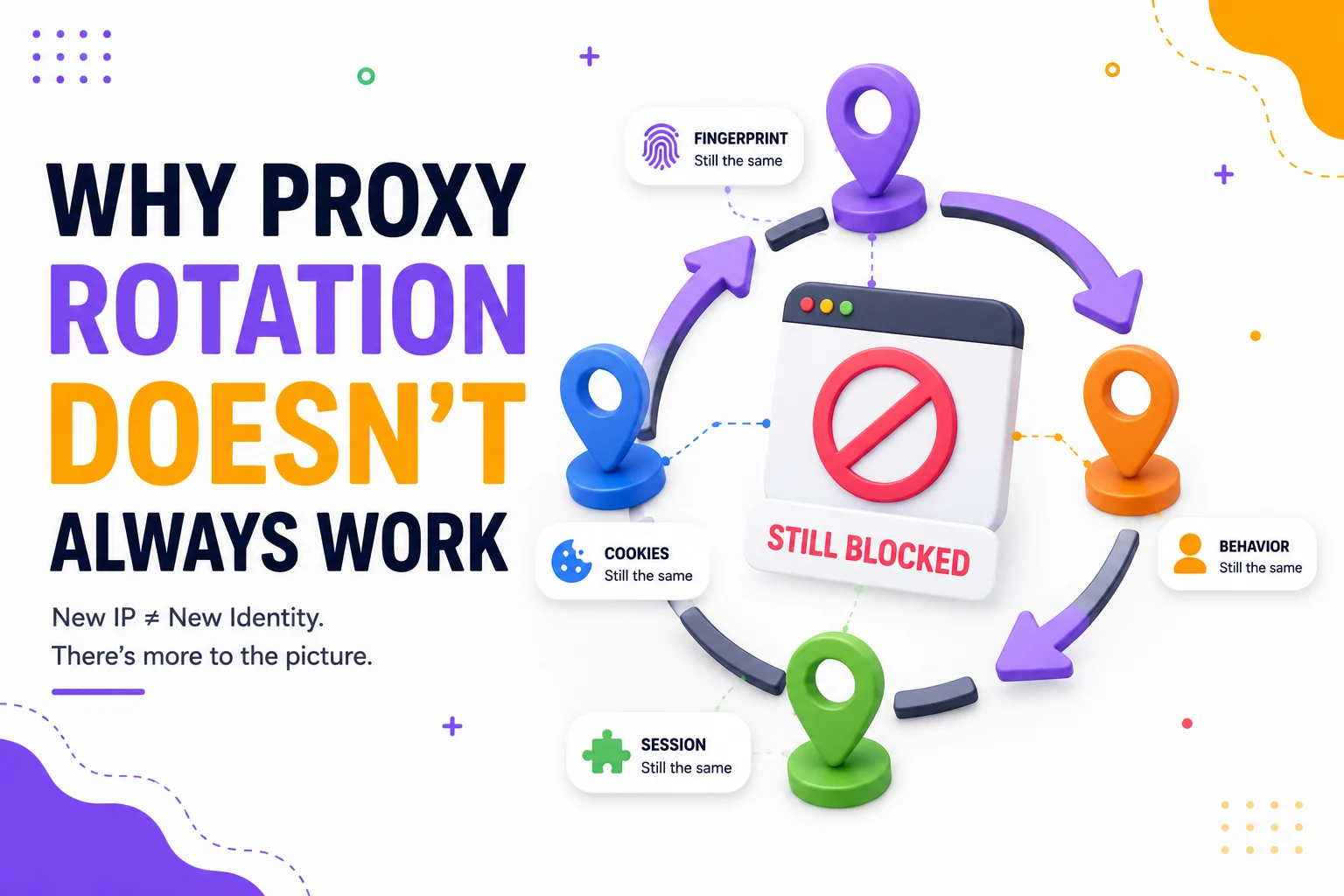
Quick Answer
Proxy rotation does not guarantee a different response from a target website. Start with one question: Did the visible exit IP actually change?
If it did not, investigate the rotation trigger, sticky or proxy-session settings, connection lifecycle, and proxy configuration. If the exit IP did change but the target returned the same result, the website may still be evaluating the existing session, cookies, browser storage, account, client context, request behavior, the new IP’s network context, or a combination of signals.
Treat each of these as a diagnostic hypothesis, not a proven cause. Record the observation, verify one layer at a time, and interpret only what the controlled check supports.
Key Takeaways
- Enabling rotation is not proof that the target-facing exit IP changed.
- A new exit IP is not automatically a new proxy session, browser session, account, or target identity.
- If the exit IP stays the same, resolve the rotation layer before diagnosing website restrictions.
- If the IP changes but the result does not, the decisive context may exist outside the individual IP.
- Cookies and browser storage are not cleared merely because the network route changes.
- A rate limit can be associated with an IP, but it can also use a cookie, account, credential, API key, or another characteristic.
- Frequent rotation can introduce session inconsistency instead of resolving it.
- The same result after rotation does not prove that the new IP is bad.
- A successful result after rotation does not prove that the old IP was the only cause.
- Controlled troubleshooting changes one variable at a time and relies on repeated, target-specific observations.
Start With the Observed Outcome
“Rotation did not work” is not yet a diagnosis. Record what actually happened before changing the proxy again:
- the target and endpoint;
- the response status or visible symptom;
- the time of the request;
- the visible exit IP;
- the current browser or HTTP client;
- whether a browser session, cookie jar, or authenticated account was active;
- request frequency, concurrency, and recent retries;
- the exact rotation action you expected to occur.
Different outcomes require different interpretations. Under RFC 9110, a 403 response means that the server understood the request but refuses to fulfill it. The status code does not reveal whether the relevant factor was the IP, permissions, session, account, request properties, or another policy. Under RFC 6585, a 429 response indicates that too many requests were received within a period, but the specification does not define how the server identifies the user or counts requests.
If the initial problem is broader than rotation – for example, the proxy works in a basic check but one target still returns a CAPTCHA, 403, 429, redirect loop, or another restriction – begin with Why Clean Proxies Still Get Blocked. This article addresses the narrower question of what happened after a rotation attempt.
Did the Visible Exit IP Actually Change?
The visible exit IP is the public address observed by the service receiving the request. It is not necessarily the proxy hostname, gateway address, or IP displayed in a local network interface.
Check the visible address before rotation, apply only a provider-confirmed rotation action, and check again through the same client and routing path. Mango Proxy’s What Is My IP can provide the public IP observed for the request sent to that tool.
Record the result as one of two diagnostic paths:
| Observation | What is verified | What is not verified |
| The visible IP did not change | No exit-IP change was observed for the two checks | Why the expected rotation did not occur |
| The visible IP changed | The check request used a different public exit IP | That the target will return a different decision or that every target request used the same route |
A neutral IP-check endpoint establishes the route used for that check. If the client uses per-domain proxy rules, split routing, multiple workers, or different connection paths, confirm that the target request followed the intended configuration as well.
For the general mechanics and strategy of rotation, use IP Rotation: How Often You Should Really Change Your Proxies. Do not use a frequency recommendation as evidence that rotation occurred in a specific request.

Path 1: The Exit IP Did Not Change
If both checks show the same visible IP, do not move directly to reputation, fingerprinting, or target risk. The expected network change has not been demonstrated.
Rotation Trigger
Observation: The configured proxy endpoint works, but the visible IP remains the same before and after the expected rotation event.
Verification: Confirm the exact event that should produce a new exit IP according to current provider documentation. Depending on the service, the trigger may relate to a new request, connection, proxy session, time window, or manual action. Do not assume that access to a large pool means every request receives a different address.
Possible interpretation: The trigger may not have occurred, may not have completed, or may not apply to the current routing mode. This is a configuration hypothesis, not evidence that the target website prevented rotation.
Sticky or Proxy-Session Configuration
Observation: Multiple requests continue to use the same exit IP even though the product supports rotation.
Verification: Check whether the current connection is intentionally using a sticky or persistent proxy session. Compare the configured mode with provider documentation without changing the browser state, account, and target request at the same time.
Possible interpretation: Reuse of the same IP may be expected for the active proxy session. In that case, the issue is a mismatch between the expected and configured session behavior, not a failed target-side identity reset.
Connection Lifecycle
Observation: A rotation action was initiated, but the client continues to reuse an existing proxy connection and the visible IP remains unchanged.
Verification: Inspect client connection logs and determine whether a new proxy connection or session was actually created. Then confirm whether the provider’s documented rotation mechanism depends on that lifecycle event.
Possible interpretation: Connection reuse may have prevented the expected trigger in an architecture where allocation occurs at connection or session creation. This interpretation must remain provider-specific.
Proxy Configuration or Routing Bypass
Observation: The IP changes in one application or test but not in the client making the target request.
Verification: Compare the proxy hostname, port, protocol, routing rules, and active client configuration. Check whether the target domain is excluded from proxying or routed through a different worker, profile, or network path.
Possible interpretation: The rotation mechanism may be working, but the relevant target request may not be using it. Resolve the routing baseline before drawing conclusions about target behavior.
Path 2: The Exit IP Changed but the Target Result Did Not
Once the exit-IP change is confirmed, the rotation layer has passed its basic test. The unchanged target response now has a different meaning: changing one network attribute was not sufficient to change the observed result under the tested conditions.
It does not mean that:
- the new IP is necessarily bad;
- the old IP played no role;
- the target recognized the user through one specific mechanism;
- every future request will receive the same response.
Continue one layer at a time.
Existing Session State
Observation: The IP changes, but the same browser session continues to receive the same challenge, redirect, restriction, or content state.
Verification: Keep the account, cookies, storage, client, endpoint, and request pattern unchanged while comparing only the exit IP. Record whether the result follows the IP change. In a separate test, compare an authorized fresh session without simultaneously changing the IP again.
Possible interpretation: The current result may be associated with the existing session or server-side session history. It may also be unrelated to session state; an unchanged result alone cannot establish the cause.
See Why Session Consistency Matters for the broader relationship between network changes and a continuing browser identity.
Cookies and Browser Storage
Observation: The exit IP changes while the browser keeps the same cookie jar, sessionStorage, and localStorage.
Verification: Inspect whether the same client-side state is still present. Do not delete it during the IP-only comparison. The HTTP cookie specification defines cookies as state stored by the user agent and returned on subsequent requests according to cookie rules. The HTML Standard defines sessionStorage and localStorage as browser-side storage mechanisms associated with their respective contexts. A network-route change does not, by itself, instruct the browser to clear these stores.
Possible interpretation: The target may be able to associate the request with continuing client-side or server-side state despite the new IP. The test does not prove that a cookie or storage value affected the decision.
For the complete state model, see How Session Persistence Works.
Account Context
Observation: The exit IP changes, but the same authenticated account continues to receive the same result.
Verification: Keep the account fixed during the IP comparison and review account-visible messages, permissions, security notices, and recent activity. If an additional comparison is authorized, test account context separately rather than changing the account and IP together.
Possible interpretation: The decision may be connected to account-level history, permissions, limits, or a relationship between the account and current session. It may also be an endpoint-wide or temporary response. A new IP does not create a new account identity.
Browser or Client Context
Observation: Different exit IPs produce the same result through one browser or HTTP client, while another authorized client behaves differently under otherwise controlled conditions.
Verification: First keep the client fixed and compare the IPs. Only after completing that test should you hold the IP stable and compare clients. Record relevant client versions, headers, protocol behavior, and whether browser execution is required by the target.
Possible interpretation: A client-specific property may be contributing to the result. This does not show which property mattered or whether the target uses a particular detection vendor.
The possible request-level layers are covered in How Websites Detect Proxy Traffic.
Fingerprint Consistency
Observation: The exit IP changes while the same browser characteristics remain observable.
Verification: Preserve the browser environment during the IP-only test. Do not rotate the IP and rebuild the fingerprint at the same time. The W3C’s browser fingerprinting guidance describes fingerprinting as the collection of browser characteristics that can support recognition or tracking without relying on conventional stored state.
Possible interpretation: The browser may remain recognizable across the network change. That does not prove that fingerprinting caused the target response or that a specific fingerprint value is blocked.
See Why Browser Fingerprints Matter More Than IP Addresses for the deeper fingerprint model.
Request Rate and Behavior
Observation: A 429, CAPTCHA, or similar restriction continues after the exit IP changes, while request timing, concurrency, endpoint sequence, account, and cookies remain the same.
Verification: Record the request rate, concurrent workers, retries, account, cookie context, endpoint, and any Retry-After response. RFC 6585 explicitly leaves user identification and request counting to the server. Cloudflare, as one vendor-specific example, documents rate-limiting rules that can group requests from different IP addresses by a shared session cookie. This is evidence of a possible architecture, not proof that a particular target uses it.
Possible interpretation: The target may be counting activity at a scope other than the individual IP, or the unchanged behavior may continue to produce the same decision. The result does not prove which counter or behavior signal was used.
For the behavioral layer, see Behavioral Detection Explained.
IP and Network Context
Observation: The visible IP changes, but both addresses have related network characteristics or receive the same target response.
Verification: Compare the metadata that can actually be observed. Mango Proxy’s IP Lookup can report attributes such as ISP, ASN, network type, and geolocation. These fields describe available network context; they do not reveal a target’s private trust assessment.
Possible interpretation: The target may evaluate the individual IP, a wider range, ASN, country, or another network property. Cloudflare, for example, documents site-level access rules based on IP address, IP range, ASN, or country. This shows what one platform can support, not what all websites do.
Review How IP Reputation Works without treating any public reputation result as a universal website verdict.
Target-Specific Observations
Observation: The same IP behaves differently across targets, or two IPs receive different results on one target but not another.
Verification: Compare the same authorized target and endpoint under matched conditions. Do not combine results from unrelated websites into one global trust label. Repeat observations because one success or one failure can be temporary or influenced by another layer.
Possible interpretation: The target may have first-party observations, policies, thresholds, or data sources that differ from public checks and other websites. The comparison cannot expose the target’s private decision logic.
The controlled network comparison is explained in Why Websites Trust Some Residential IPs More Than Others. Its residential-specific conclusions should not be transferred automatically to other proxy categories.
Multi-Signal or Risk Evaluation
Observation: The IP changes, but the final allow, challenge, limit, or deny outcome remains the same.
Verification: Review the independently observed network, session, account, client, and behavioral layers. Do not invent a universal score or attempt to infer private weights from one response. Cloudflare’s bot detection documentation describes heuristics, JavaScript detections, machine learning, and anomaly detection within its own architecture. It is one example of a multi-engine system, not a universal model for every website.
Possible interpretation: The IP may be only one input in a broader evaluation. Changing it may not be sufficient to alter the final result, or the new IP may contribute a similar outcome under the current context.
For the general decision model, see Risk Scoring Systems Explained.
When Rotation Itself Creates Inconsistency
More rotation is not automatically better. A workflow can become less coherent if the exit IP changes inside a sequence that is expected to preserve continuity.
Observation: Login loops, repeated verification, state loss, or inconsistent content appear when the IP changes during a multi-step session.
Verification: Under authorized conditions, compare two runs while keeping the account, browser, endpoint sequence, and request pace constant:
- one run with the IP held stable for the complete session;
- one run using the intended rotation boundary.
Do not change cookies, browser context, account, and IP simultaneously.
Possible interpretation: The rotation boundary may conflict with the workflow’s session requirements. The test does not prove that the website requires a fixed IP, only that the two routing strategies produced different results under the tested conditions.
Change One Variable at a Time
A useful rotation test asks a narrow question:
Does the observed target result follow a controlled change in exit IP when the other relevant conditions remain documented and stable?
Use this sequence:
- Choose one authorized target and one endpoint.
- Record the browser or client, account, session state, cookies, request timing, and concurrency.
- Confirm the baseline visible exit IP.
- Record the target response.
- Apply a provider-confirmed rotation action without changing other variables.
- Confirm whether the visible exit IP changed.
- Repeat the same target request under the documented conditions.
- Record the result without assigning a cause prematurely.
- Repeat the observation within the target’s permitted usage and rate limits.
- Only then design a separate test for session, account, client, behavior, or network context.
If you rotate the IP, clear cookies, create a new browser profile, switch accounts, and reduce request rate in one step, a successful result tells you only that the combined environment changed. It does not identify the variable that mattered.
Production Tips for Rotation Diagnostics
Log the Network State With Every Result
Record the timestamp, visible exit IP, target, endpoint, response status, client instance, session label, account label, and request-rate window. Use internal labels rather than storing passwords, proxy credentials, authentication tokens, or raw session cookies in logs.
Separate Rotation From Retry Logic
Do not let every failure automatically trigger a new IP and an immediate retry. That changes the network state before the original failure has been classified and can add request pressure. Respect target instructions, including Retry-After when present.
Define Rotation Success Independently
Use two separate operational checks:
- Rotation success: the expected visible exit-IP change occurred.
- Target outcome: the target response changed or remained the same.
Do not combine them into one metric. Rotation can succeed technically while the target outcome remains unchanged.
Keep Test Conditions Reproducible
Use the same endpoint, authorized client, session conditions, and observation format. If a workflow cannot reproduce its baseline, it cannot support a reliable causal conclusion about rotation.
Stop Before the Test Becomes the Problem
Repeated aggressive testing can create additional rate or behavioral context. Set a permitted request budget, stop on explicit target restrictions, and avoid using troubleshooting as a reason to ignore access controls.
Practical Examples
Example 1: The IP Does Not Change After the Expected Trigger
Observed outcome: The target returns the same 403 before and after a rotation attempt.
Rotation verification: The visible exit IP is IP A in both neutral checks.
Diagnostic layer: Rotation trigger, sticky session, connection lifecycle, or proxy routing.
Controlled check: Keep the target request unchanged and verify the provider-documented rotation event and client connection state.
Possible interpretation: No IP change has been demonstrated. The repeated 403 cannot be used to evaluate whether a new IP would receive a different response.
Example 2: The IP Changes but the Same 429 Continues
Observed outcome: The target returns 429 before and after rotation.
Rotation verification: The visible exit IP changes from IP A to IP B.
Diagnostic layer: Request rate, cookie, account, credential, endpoint, or another counting characteristic.
Controlled check: Preserve the current account and session, record request volume and concurrency, and inspect any Retry-After response. In a later test, adjust request pressure without changing the IP again.
Possible interpretation: The individual IP may not be the only counting scope. The result does not reveal the target’s exact rate-limit key.
Example 3: The IP Changes but the Same CAPTCHA Appears
Observed outcome: A CAPTCHA appears through two different exit IPs in the same browser session.
Rotation verification: The visible IP changes, while the cookie jar, browser storage, account, client, and interaction sequence remain unchanged.
Diagnostic layer: Existing session, account, browser context, behavior, network context, or combined evaluation.
Controlled check: Repeat the IP-only comparison. Then design a separate authorized test for one additional layer while holding the IP stable.
Possible interpretation: Changing the IP alone was insufficient under these conditions. The repeated CAPTCHA does not prove that both IPs have poor reputation.
Example 4: The Target Works Once After Rotation
Observed outcome: A failed request succeeds after the exit IP changes.
Rotation verification: The IP changed from IP A to IP B.
Diagnostic layer: IP/network difference, time-dependent target state, retry timing, or another uncontrolled variable.
Controlled check: Repeat the comparison under matched conditions and record whether the outcome consistently follows the IP.
Possible interpretation: The network change may have contributed. One success does not prove that the old IP was the only cause or that the new IP will work universally.
Diagnose Before You Rotate Again
Before increasing rotation frequency or changing several parts of the workflow, document the current symptom and answer the first diagnostic question: Did the visible exit IP actually change?
If it did not, resolve the rotation and routing layer. If it did, keep the new IP as the only changed variable, compare the target result, and investigate the next layer only after the first test is complete.
Glossary
Proxy Rotation
A routing process in which outgoing requests use different proxy exit IPs according to a configured trigger or session model.
Visible Exit IP
The public source IP observed by the service receiving a request.
Proxy Session
A provider- or gateway-defined routing context that may affect how an exit IP is allocated or retained. Exact behavior is service-specific.
Sticky Session
A proxy routing mode intended to retain the same exit IP for a supported session period or boundary.
Browser Session
The active browser context that can include cookies, storage, authentication state, open pages, and other client-side data.
Session State
Client-side and server-side information used to maintain continuity across requests.
Browser Fingerprint
A combination of observable browser and device characteristics that can help distinguish or recognize a client.
IP Reputation
Information or an assessment associated with the observed history and context of an IP address or related network.
ASN
An Autonomous System Number identifying a network operated under a common routing policy.
Target-Specific Observation
Information recorded or used by a particular website about requests, sessions, accounts, IPs, or related activity.
Possible Interpretation
A conclusion that is compatible with the observed evidence but has not been proven as the target’s exact internal reason.
Final Thoughts
Proxy rotation has two separate outcomes: whether the visible exit IP changed and whether the target website changed its response. Confusing these outcomes leads to weak conclusions.
If the IP did not change, troubleshoot the rotation trigger, session mode, connection lifecycle, and routing configuration. If the IP changed but the result did not, investigate the remaining session, account, client, behavioral, network, and target-specific context one layer at a time.
The purpose of controlled troubleshooting is not to reconstruct a website’s private security system. It is to determine what the available evidence supports, avoid changing several variables at once, and choose the next useful test without treating rotation as a guaranteed reset.
Frequently asked questions
Here we answered the most frequently asked questions.
Why does my proxy show the same IP after rotation?
The expected rotation trigger may not have occurred, the current configuration may use a sticky proxy session, the client may be reusing an existing connection, or the target request may follow a different routing rule. Confirm the visible IP and compare the current configuration with provider documentation before assuming rotation failed.
Does a new proxy IP create a new browser session?
No. Changing the exit IP changes a network attribute. It does not automatically clear cookies, browser storage, authentication state, or the current account.
Why am I still blocked after the exit IP changes?
The target may still evaluate the existing session, account, browser or client context, request rate, behavior, the new IP’s network context, target-specific observations, or a combination of signals. These are diagnostic possibilities, not proven causes.
Can cookies continue to identify a session after IP rotation?
Cookies can remain in the browser and be sent on later requests after a network change. Whether a target uses a particular cookie in its decision is target-specific and cannot be determined from the IP change alone.
Can a 429 response continue across different IPs?
Yes. A server can define its own request-counting scope and may use an account, credential, cookie, API key, resource, or another characteristic in addition to or instead of the IP. The 429 response alone does not reveal that scope.
Does a successful request after rotation prove that the old IP was blocked?
No. The IP change may have contributed, but timing, target state, retry behavior, session context, or another variable may also have changed. Repeat a controlled comparison before drawing a conclusion.
Should I rotate more frequently if the result does not change?
Not automatically. More frequent rotation may leave the result unchanged or introduce session inconsistency. First verify that rotation occurred and determine which diagnostic layer should be tested next.
What is the safest way to test whether rotation affects the result?
Use the same authorized target, endpoint, client, account, session conditions, and request pattern. Record the baseline IP and response, change only the exit IP, verify the new IP, repeat the target request, and compare repeated observations without changing other variables.